Question about using Swift DocC archive with Docusaurus #7839

Replies: 6 comments 2 replies

-
|
Hey It's not very clear to me how you integrated Swift-DocC Can you show me your live site, eventually source code? Because not seeing the problem myself makes it hard to debug, and I can't spend hours trying to figure out how you did encounter this problem in the first place. What prevents you from creating a smaller repro with some fake HTML files instead of the Swift-DocC output? Is this issue really related to DocC in the first place? |
Beta Was this translation helpful? Give feedback.

-
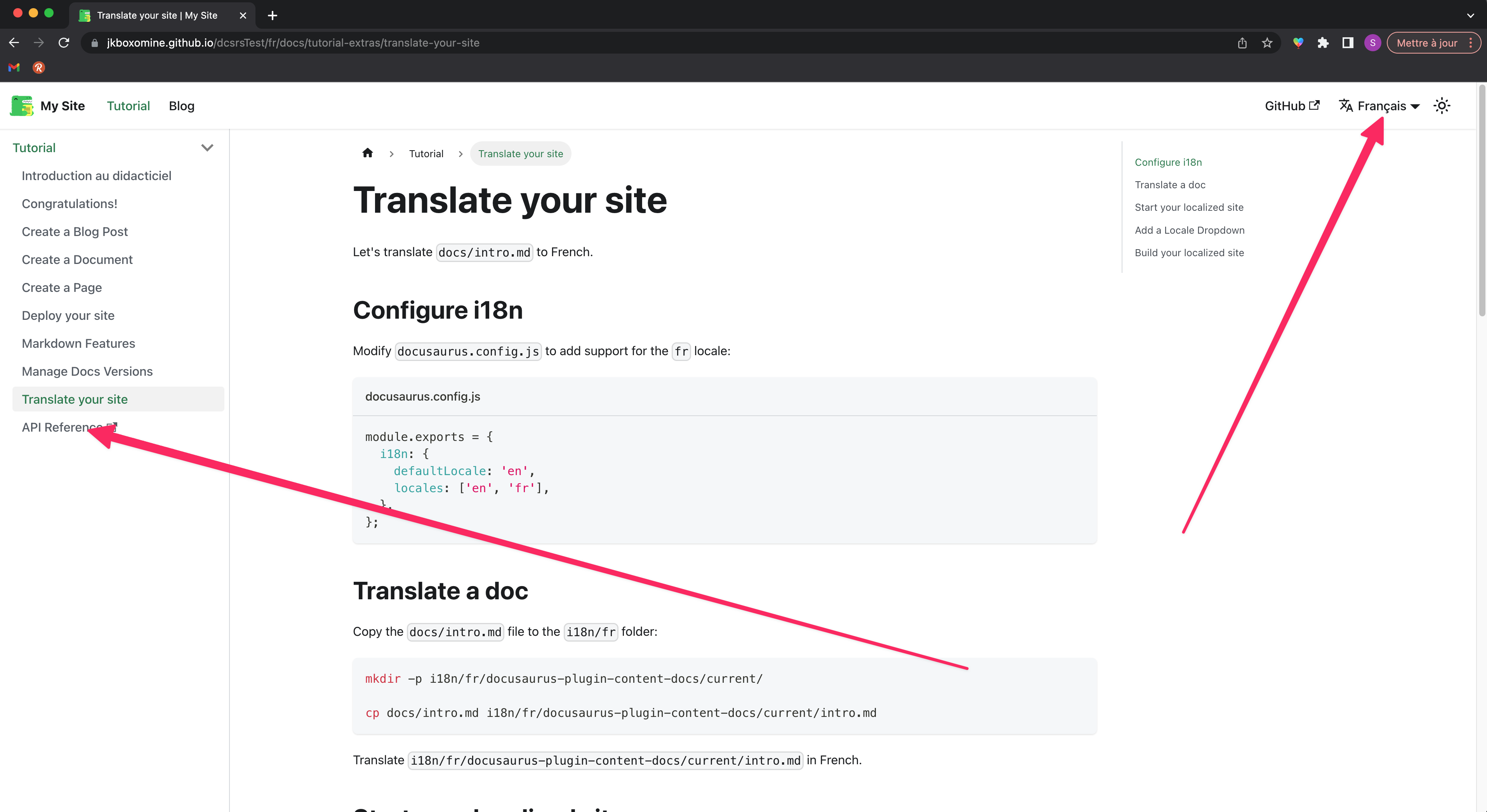
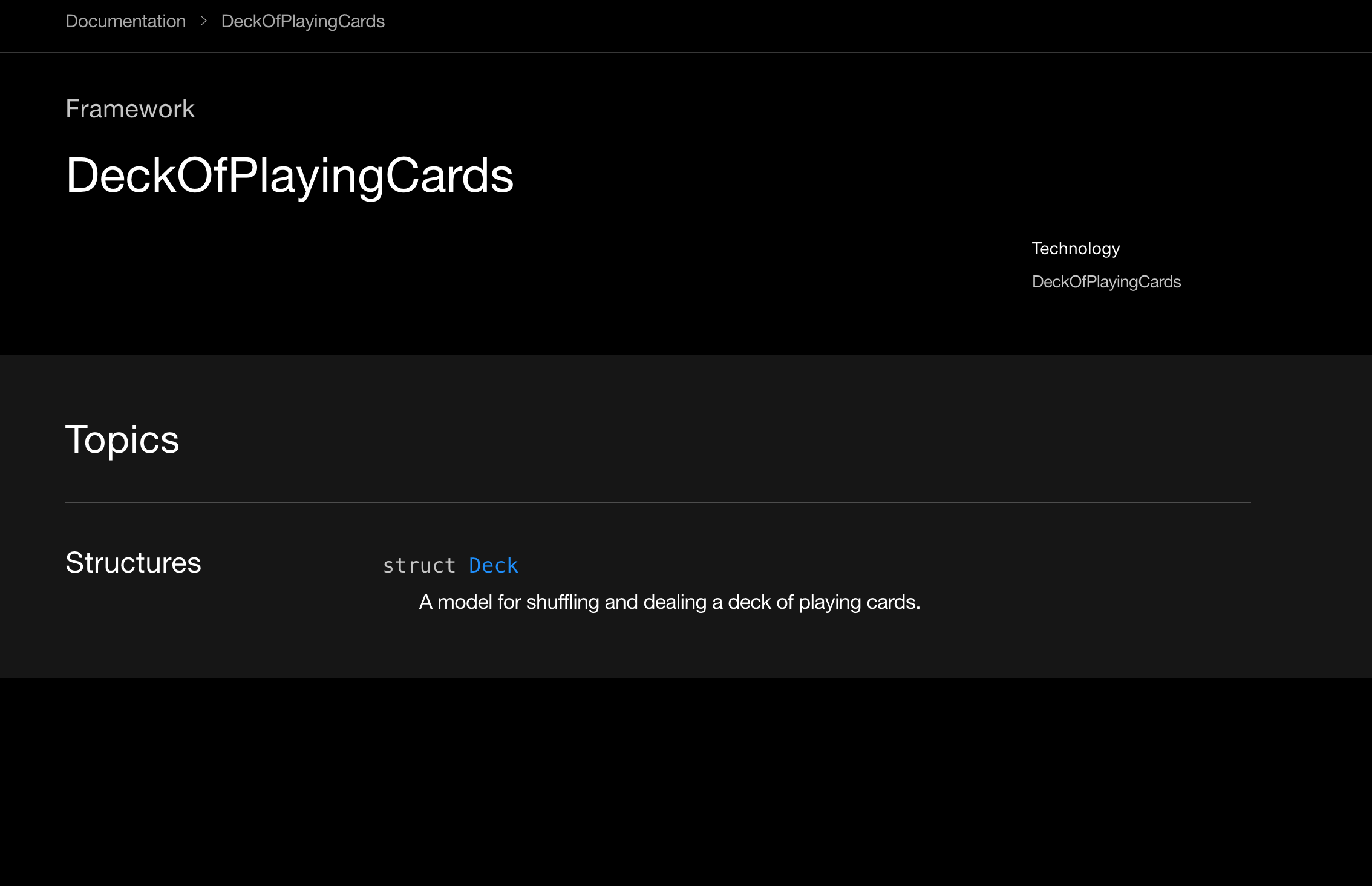
Yes. Outputs from other API generation tools do not have this issue, which allow specifying I updated the issue description on the original posting, and created a test site and a GitHub repo for the reproduction of this issue. You can test the issue behavior by clicking "API Reference" link on the sidebar with the language set to English or French.
I also reported this to Swift forum. If the issue cannot be mitigated on the Swift DocC side, any workaround on Docusaurus would be helpful. |
Beta Was this translation helpful? Give feedback.
-
|
@slorber I received an answer from the maintainer of Swift-DocC plugin, which is the tool to transform the DocC Archive into a format for static hosting. He says we have to generate a separate set of documentation with a different base path configuration (including As far as I can tell, using a sidebar item with I would appreciate it if you could confirm this or provide some other suggestion or workaround. |
Beta Was this translation helpful? Give feedback.
-
|
@slorber In any case, we are aware that the root cause of the issue lies in the Swift-DocC plugin (and DocC archive), since its output is not a pure static HTML like the output of other API documentation generators. We just need evidence from both sides to prove that we must switch to an alternative method for iOS API documentation as long as we use Docusaurus and i18n. |
Beta Was this translation helpful? Give feedback.
-
|
hey @jkboxomine , this issue is extremely hard for me to decipher 😅 I'm not even sure I should read your wall of text because your analysis of the problem seems wrong to me. Please give me a step by step guide to understand your problem. Make it crystal clear, no ambiguity, no possible wrong interpretation from my side, and eventually include screenshots. I'm not 100% sure but what I think the problem is: You have this sidebar external link: {
type: 'link',
label: 'API Reference',
href: 'pathname:///api-reference/documentation/deckofplayingcards',
},
Result: https://jkboxomine.github.io/dcsrsTest/fr/api-reference/documentation/deckofplayingcards
Expected: https://jkboxomine.github.io/dcsrsTest/api-reference/documentation/deckofplayingcards
Is that the problem you are reporting here? If it's not the problem you are reporting: please provide me crystal clear reproduction instructions
If that's the case, you should decide on a unique URL for this English API doc to be hosted on. I believe you don't want/need this API doc to be accessible on multiple different URLs, and there's no value to make it available under a
To me, this is a linking problem: the link rendered by Docusaurus on the French site is simply not what you want it to be: it shouldn't contain the This is not implemented yet, but we should enable you do solve this problem with some config: {
type: 'link',
label: 'API Reference',
href: 'pathname:///api-reference/documentation/deckofplayingcards',
autoAddBaseUrl: false,
}, |

Beta Was this translation helpful? Give feedback.
-
|
@slorber Thanks for taking your time to summarize the issue. Your interpretation is correct and your suggested solution should work. What do I need to do to request adding the config described above? |
Beta Was this translation helpful? Give feedback.

-
|
It will be solved in #7949, and once it's merged you have to wait for 2.1 release or use a canary version |
Beta Was this translation helpful? Give feedback.

-
|
Thank you for handling the request so promptly. |
Beta Was this translation helpful? Give feedback.


Uh oh!
There was an error while loading. Please reload this page.
Uh oh!
There was an error while loading. Please reload this page.
-
We're trying to use a Swift-DocC output as part of our static site generator built on Docusaurus.
The site is internationalized in English and one other language, but the API documentation is in English only. We're simply trying to show the English API documentation regardless of the language setting of the website.
We have a single DocC output placed under the
/staticdirectory, in a similar manner to API documentation for other platforms (generated by Dokka, TypeDoc, etc.), and the link to the documentation is configured withpathname:///protocol on the sidebar file.The content of DocC output is displayed properly in English mode. However, when we switch to the other language, the following occurs (Updated: 2022-08-11)
Uncaught SyntaxError: Unexpected token <error on the browser console.When the language is switched, the base path is changed on the URL, from
{docs.domain.com}/{sub-path}(English) to{docs.domain.com}/{lang_code}/{sub-path}(the other language), as expected. For the API documentation of other platforms, there's no issue with the display of content. For the DocC output, however, the issue described above occurs.We think it might be due to the conflict between routing behavior of Docusaurus and DocC archive, but could not find an exact cause or workaround yet.
lang_codewhen the website is set to non-English mode, let us know.Beta Was this translation helpful? Give feedback.
All reactions