
Replies: 1 comment 2 replies

-
|
Try to use the MDX v1 playground (https://mdx-git-renovate-babel-monorepo-mdx.vercel.app/playground/) See how your file is compiled: /* @jsxRuntime classic */
/* @jsx mdx */
import Test from "@site/docs/test.mdx";
const layoutProps = {
};
const MDXLayout = "wrapper"
function MDXContent({
components,
...props
}) {
return <MDXLayout {...layoutProps} {...props} components={components} mdxType="MDXLayout">
<Test mdxType="Test" /> # No warning
<h1>{`Tutorial Intro`}</h1>
<p>{`Let's discover `}<Test mdxType="Test" />{` `}<strong parentName="p">{`Docusaurus in less than 5 minutes`}</strong>{`. # Chrome error`}</p>
</MDXLayout>;
}
;
MDXContent.isMDXComponent = true;So, it's MDX (not Docusaurus) that decides to add a My advice is to not use paragraph inside your tooltip. If you really want to do so you could use a React portal with a tooltip positioning lib (floating UI, popperjs). The portal ensures you render the paragraph in a different DOM tree, instead of using relative positioning. Here's a good tutorial: https://sinja.io/blog/animated-tooltip-with-react-framer-motion Note that we are in the process of adopting MDX 2
|
Beta Was this translation helpful? Give feedback.

-
|
It was a literal markdown file. I know I used So it appears to automate the rendering of markdown in a way that can't avoid the issue, I guess. Anyway, thanks for the reply an I'll check out he link. |
Beta Was this translation helpful? Give feedback.

-
|
Oh, missed that Test was a MDX file sorry 😅 With MDX v2, only the 1st declaration will create a paragraph. Others won't. <Test/> # No warning
<Test/>
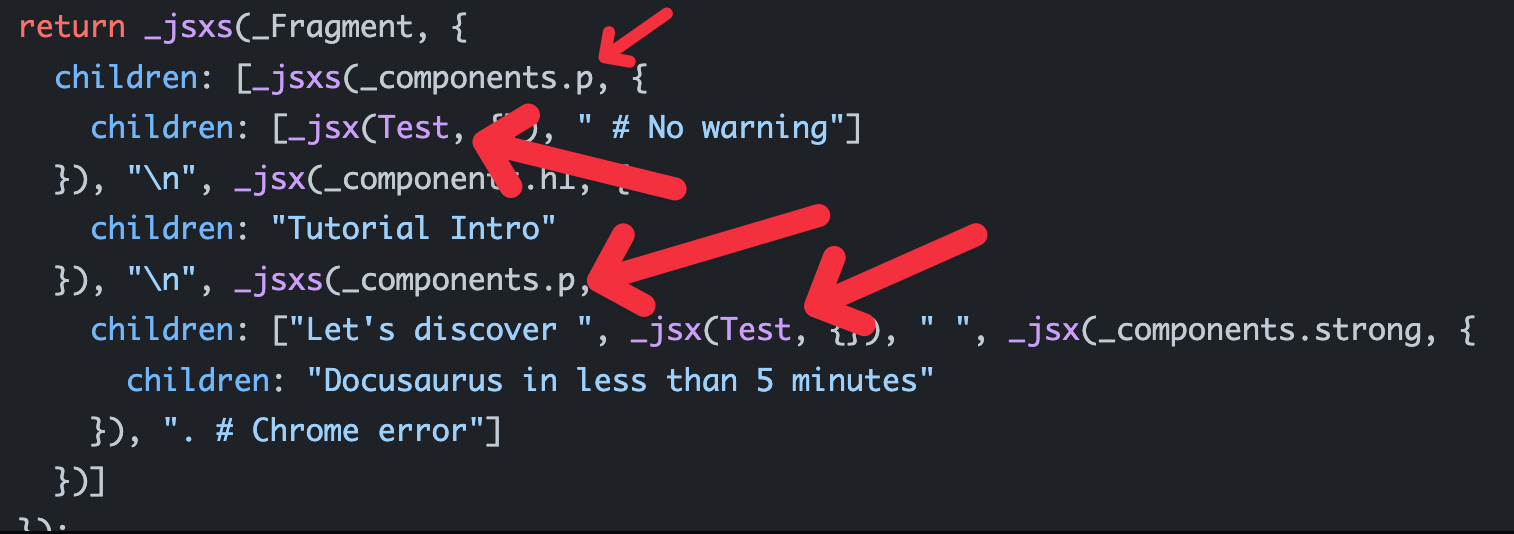
<><Test/>{' # No warning'}</>v1 does not produce paragraphs in any of 3 cases afaik, so you should use 2nd/3rd preferably to make it easier to adopt MDX v2 later. v2 compilation output: function _createMdxContent(props) {
const _components = Object.assign(
{
p: "p",
},
props.components
),
{ Test } = _components;
if (!Test) _missingMdxReference("Test", true);
return _jsxs(_Fragment, {
children: [
_jsxs(_components.p, { // paragraph here
children: [_jsx(Test, {}), " # No warning"],
}),
"\n",
_jsx(Test, {}),
"\n",
_jsxs(_Fragment, {
children: [_jsx(Test, {}), " # No warning"],
}),
],
});
} |
Beta Was this translation helpful? Give feedback.


Uh oh!
There was an error while loading. Please reload this page.
-
If i do this:
I have noticed this with react-tooltips first but it applies to basic imports?
Is there way to resolve this?
Beta Was this translation helpful? Give feedback.
All reactions