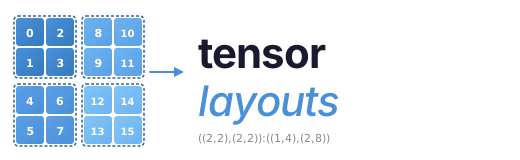


A pure-Python implementation of the NVIDIA CuTe layout algebra. No GPU required.
CuTe layouts describe how logical coordinates map to memory offsets on GPUs. This library lets you construct, compose, and visualize those layouts using plain Python — useful for understanding tensor core access patterns, debugging swizzled shared memory, and prototyping tiled GPU kernels without compiling any CUDA. The code in src/layouts.py is intended to be readable and helpful to learn and understand layout algebra. The visualization layer is also designed to be pedagogical: for example, hierarchical layout views can explicitly show nested row/column coordinates and the resulting offset for each displayed cell.
pip install tensor-layoutsFor visualization support:
pip install tensor-layouts[viz]from tensor_layouts import Layout, compose, complement, logical_divide
# A 4x8 column-major layout: offset(i,j) = i + j*4
layout = Layout((4, 8), (1, 4))
print(layout) # (4, 8) : (1, 4)
print(layout(2, 3)) # 14
# Compose two layouts
a = Layout((4, 2), (1, 4))
b = Layout((2, 4), (4, 1))
print(compose(a, b))
# Tile a layout into 2x4 blocks
tiler = Layout((2, 4))
print(logical_divide(layout, tiler))A Layout is a function from logical coordinates to memory offsets, defined by
(shape, stride):
| Layout | Description |
|---|---|
Layout((4, 8), (8, 1)) |
4x8 row-major |
Layout((4, 8), (1, 4)) |
4x8 column-major |
Layout(((2,4), 8), ((1,16), 2)) |
Hierarchical (tiled) |
The algebra provides four key operations:
compose(A, B)— Function composition: apply B's indexing to A's codomaincomplement(L)— The "missing half" of a layout's codomainlogical_divide(L, T)— Factor a layout into tiles of shape Tlogical_product(A, B)— Replicate A's pattern across B's domain
Plus Swizzle(B, M, S) for XOR-based bank conflict avoidance patterns.
The library includes tensor core atom definitions for NVIDIA and AMD architectures.
from tensor_layouts.atoms_nv import *

atom = SM90_64x64x16_F16F16F16_SS
print(atom.name)        # SM90_64x64x16_F16F16F16_SS
print(atom.shape_mnk)   # (64, 64, 16)
print(atom.c_layout)    # Thread-value layout for C accumulator
Supported architectures: SM70 (Volta), SM75 (Turing), SM80 (Ampere), SM89 (Ada Lovelace), SM90 (Hopper GMMA), SM100 (Blackwell UMMA), SM120 (Blackwell B200).
from tensor_layouts.atoms_amd import *

atom = CDNA3_32x32x16_F32F8F8_MFMA
print(atom.name)        # CDNA3_32x32x16_F32F8F8_MFMA
print(atom.shape_mnk)   # (32, 32, 16)
print(atom.c_layout)    # Thread-value layout for C accumulator
Supported architectures: CDNA1 (gfx908 / MI100), CDNA2 (gfx90a / MI200), CDNA3 (gfx942 / MI300), CDNA3+ (gfx950).
With pip install tensor-layouts[viz]:
from tensor_layouts import Layout, Swizzle
from tensor_layouts.viz import draw_layout, draw_swizzle

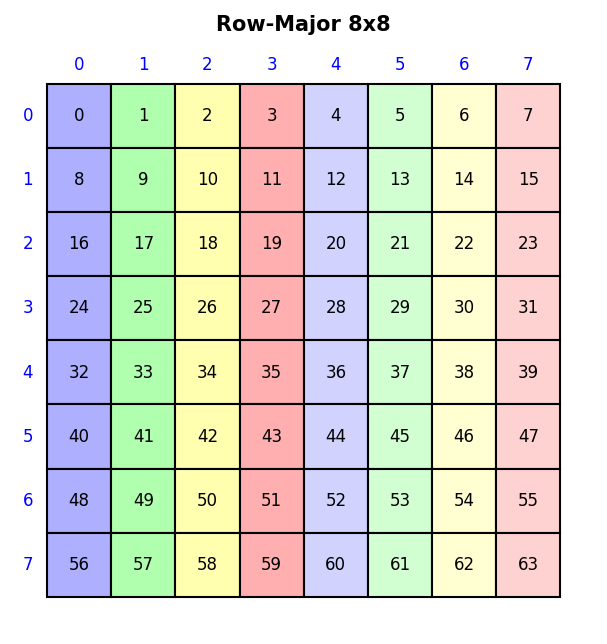
draw_layout(Layout((8, 8), (8, 1)), title="Row-Major 8x8", colorize=True)
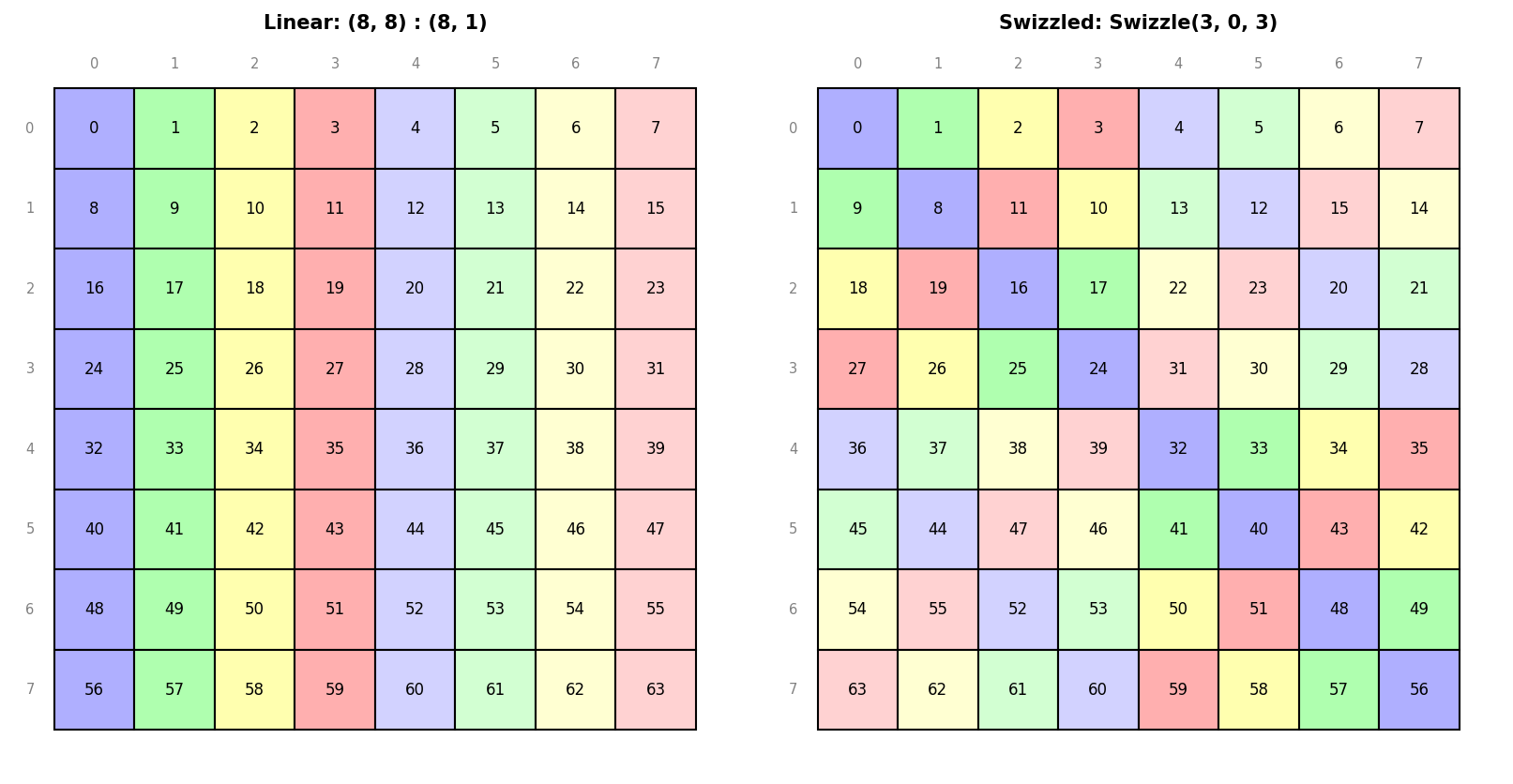
draw_swizzle(Layout((8, 8), (8, 1)), Swizzle(3, 0, 3), colorize=True)
See examples/viz.ipynb for a full
gallery of layout, swizzle, MMA atom, and tiled MMA visualizations.
- Example scripts assume
tensor-layoutsis installed. From a repo checkout, runpip install -e .first, orpip install -e ".[viz]"for visualization examples. - Layout Algebra API — construction, querying, compose, complement, divide, product
- Visualization API — draw_layout, draw_swizzle, draw_mma_layout, and more
- Layout Examples — runnable script covering the full algebra (
python3 examples/layouts.py) - Visualization Examples — runnable script generating all visualization types (
python3 examples/viz.py) - Visualization Notebook — Jupyter gallery
pip install -e ".[test]"
pytest tests/
Oracle tests cross-validate against vendor reference implementations and are skipped automatically if the corresponding tool is unavailable:
# NVIDIA (cross-validation against pycute)
pip install -e ".[test,oracle-nv]"
pytest tests/oracle_nv.py

# AMD (cross-validation against amd_matrix_instruction_calculator)
pip install -e ".[test,oracle-amd]"
pytest tests/oracle_amd.py- CuTe Documentation
- MMA Atom Documentation
- NVIDIA CUTLASS
- AMD Matrix Instruction Calculator
- AMD Matrix Cores Lab Notes
MIT License. See LICENSE for details.