


Let your users request, vote on, and follow features right inside your app — with drop-in SwiftUI views that just work ✨
Zero external dependencies. Apple-native frameworks only.
In Xcode → File → Add Package Dependencies, paste:
https://github.com/features-vote/features-vote-sdk.git
Or add it to your Package.swift:
.package(url: "https://github.com/features-vote/features-vote-sdk.git", from: "1.1.0")No API key required — just the project slug you set up at features.vote.
import SwiftUI
import FeaturesVote

@main
struct MyApp: App {
    init() {
        FeaturesVote.configure(with: "your-project-slug")
    }

    var body: some Scene {
        WindowGroup { ContentView() }
    }
}import SwiftUI
import FeaturesVote
struct ContentView: View {
var body: some View {
FeaturesVote.VotingBoardView()
}
}https://github.com/features-vote/features-vote-sdk.git
import UIKit
import FeaturesVote

@main
class AppDelegate: UIResponder, UIApplicationDelegate {
    func application(_ application: UIApplication, didFinishLaunchingWithOptions launchOptions: [UIApplication.LaunchOptionsKey: Any]?) -> Bool {
        FeaturesVote.configure(with: "your-project-slug")
        return true
    }
}import UIKit
import FeaturesVote
class HomeViewController: UIViewController {
@objc func buttonTapped() {
let board = FeaturesVote.votingBoardViewController
present(UINavigationController(rootViewController: board), animated: true)
}
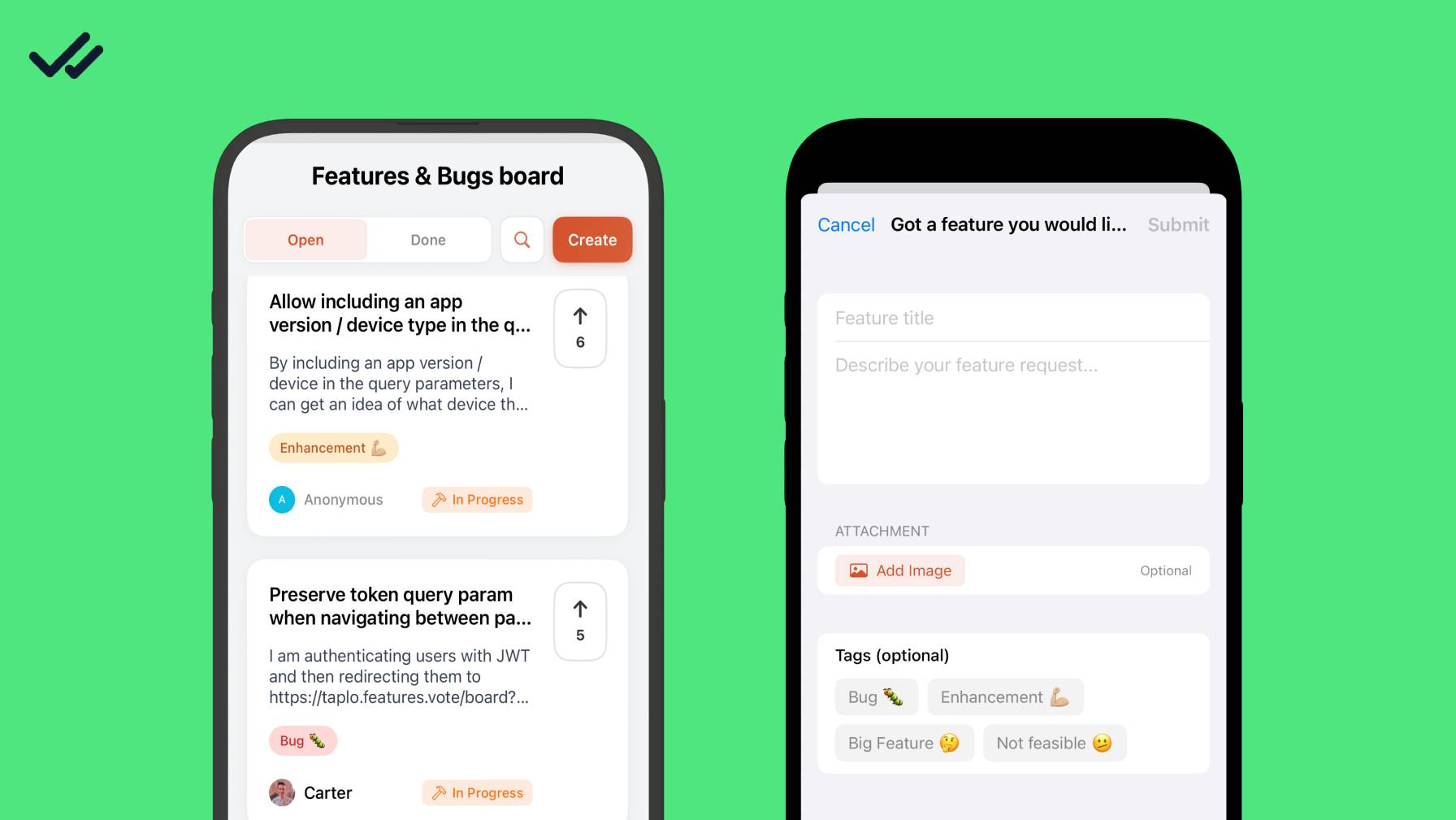
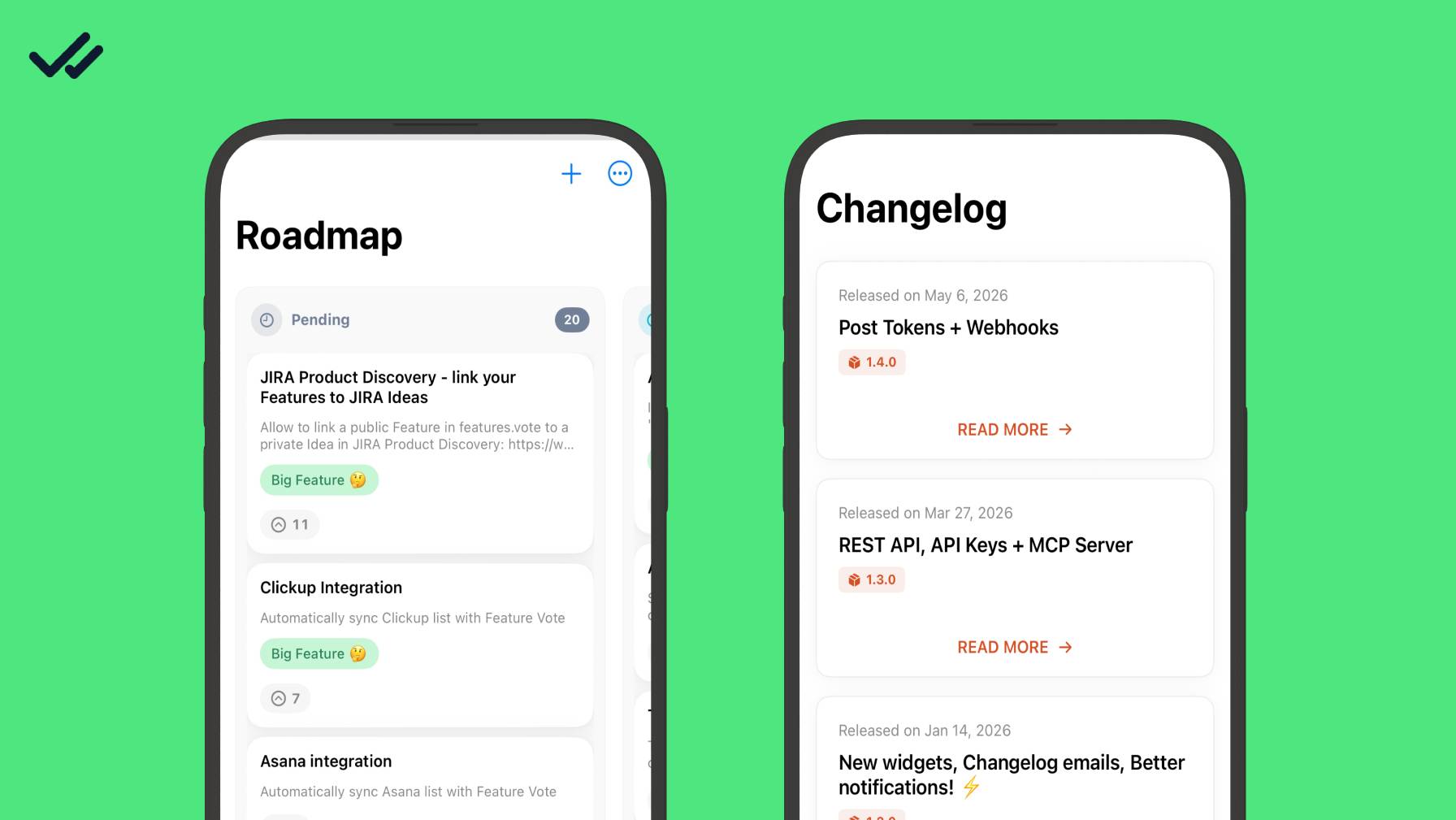
}Five drop-in views cover the full feedback loop. Each has a SwiftUI struct and a matching UIKit view controller.
| What it does | SwiftUI | UIKit |
|---|---|---|
| Voting board with filter & sort | FeaturesVote.VotingBoardView() |
FeaturesVote.votingBoardViewController |
| Feature detail with comments & reactions | FeaturesVote.FeatureDetailView(feature:) |
FeaturesVote.featureDetailViewController(for:) |
| Submit a new feature request | FeaturesVote.CreateFeatureView() |
FeaturesVote.createFeatureViewController() |
| Changelog of shipped releases | FeaturesVote.ChangelogView() |
FeaturesVote.changelogViewController |
| Kanban-style public roadmap | FeaturesVote.RoadmapView() |
FeaturesVote.roadmapViewController |
// SwiftUI
FeaturesVote.VotingBoardView()
FeaturesVote.ChangelogView()
FeaturesVote.RoadmapView()

// UIKit
present(FeaturesVote.votingBoardViewController, animated: true)FeaturesVote.theme = Theme(
// Buttons, accents, and the vote button
primaryColor: Color(hex: "#7C3AED"),
secondaryColor: .purple,
// Surfaces
backgroundColor: Color(hex: "#F3F4F6"),
surfaceColor: .white,
textPrimaryColor: .primary,
textSecondaryColor: .secondary,
// Status colors (pending / approved / in progress / done / rejected)
pendingColor: Color(hex: "#718096"),
approvedColor: Color(hex: "#06B6D4"),
inProgressColor: Color(hex: "#F97316"),
doneColor: Color(hex: "#10B981"),
rejectedColor: Color(hex: "#EF4444"),
// Layout
cornerRadius: 16
)You can also set fonts (titleFont, bodyFont, captionFont) and errorColor / successColor. Dark mode is supported out of the box. See DOCUMENTATION.md for every property.
FeaturesVote.config = Configuration(
    ui: Configuration.UI(
        showStatusBadge: true,       // e.g. pending, approved, done
        showCommentCount: true,
        showTags: true,
        showWatermark: true,         // "Powered by Features.Vote"
        enablePullToRefresh: true,
        maxDescriptionLines: 3,
        showAvatars: true
    ),
    behavior: Configuration.Behavior(
        allowAnonymousVoting: true,
        allowAnonymousComments: true,
        requireEmailForCreate: false,
        enableOptimisticUpdates: true,   // update UI instantly, revert on error
        cacheTimeout: 300,               // seconds
        confirmVoting: false,
        confirmUnsubscribe: true
    )
)
Vote, comment, share, subscribe, and create button icons are customizable too via Configuration.Buttons.
// Customer lifetime value — shown in your admin dashboard so you can
// prioritize a request with 2 votes and $299 behind it over one with 7 votes and $0.
FeaturesVote.updateUser(spend: 299.0)FeaturesVote.updateUser(email: "user@example.com")
FeaturesVote.updateUser(name: "Jane Doe")
FeaturesVote.updateUser(imageUrl: "https://example.com/avatar.jpg")
// If you manage user IDs yourself, let Features.Vote track by your ID.
FeaturesVote.updateUser(customID: "user_123")
// For platforms that issue signed sessions.
FeaturesVote.setToken("your-jwt-token")
// Clear the session on logout.
FeaturesVote.clearUser()FeaturesVote.localization = Localization(
votingBoardTitle: "Feature Requests",
openTab: "Open",
doneTab: "Done",
createFeatureTitle: "Suggest a Feature",
submit: "Submit",
cancel: "Cancel"
// ...and every other user-facing string. See DOCUMENTATION.md.
)
// You can assign NSLocalizedString values too.
FeaturesVote.localization.openTab = NSLocalizedString("board.open", comment: "")- iOS 16+
- macOS 13+
- Swift 5.9+ · Xcode 15+
Check out the TestApp directory for a complete, working example app that exercises every view.
- DOCUMENTATION.md — full SDK reference: all configuration options, data models, and API.
- ARCHITECTURE.md — internal architecture guide for contributors.
Elastic License 2.0 — you may use, copy, modify, and distribute the software, but you may not offer it as a hosted/managed service or competing product, or remove licensing notices. See LICENSE for full terms.
- Website: features.vote
- Feedback board: swift-sdk.features.vote/board