Default file manager Bug #10270

Description

Description
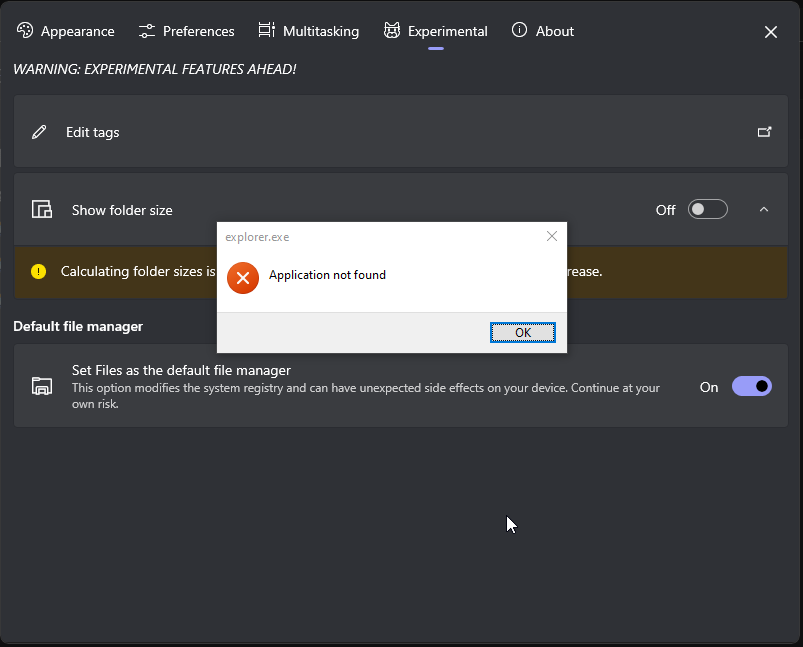
Well I just installed today Files and want to try if I use the ,Set Files as the Default file manager,
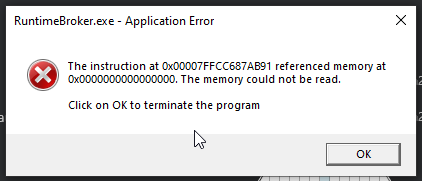
But when I have (RuntimeBroker.exe errors every time) Then i wanted to use the standard file manager but then i get this error
(View Image 1, If Someone want to see My RuntimeBroker.exe error is - ShareX_TPXrE2OCw0)
Is there any fix to this?
And The Sad Think i need to be with Files until you fix my bug
Steps To Reproduce
- Go to Options
- Experimental
- Turn On ,Set Files as the Default file manager`
- Turn off ,Set Files as the Default file manager`
- Ur Pc Is broken
Steps to fix
- eg. Fix crash that occurs when...
- eg. Correct action happens when clicking...
Files Version
Version: 2.3.12.0 OS Version: 10.0.19045.2075
Windows Version
Windows 10 22H2 (OS Build 19045.2075)
Relevant Assets/Logs