Feature: Display remote drive redirects on home page and sidebar #4249

Description

What the problem
When I'm using the Remote Desktop client or Hyper-V and set it to redirect a drive it will show up in the normal file explorer but not files.
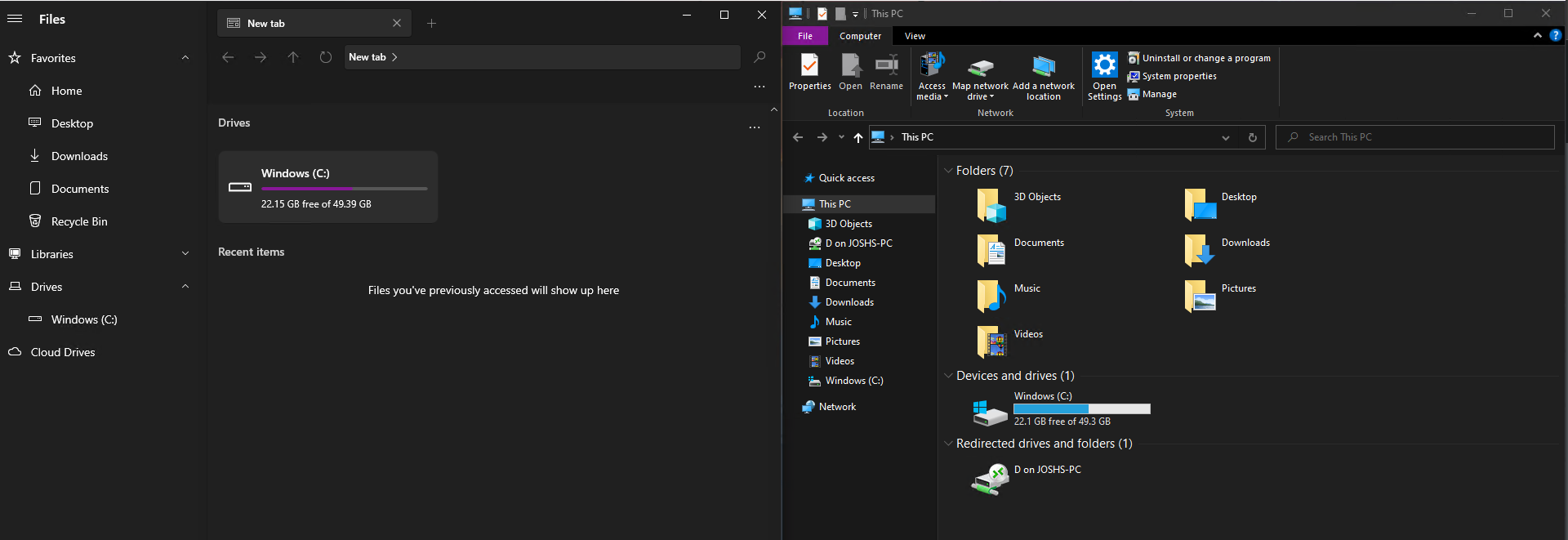
Steps to reproduce
- Connect to a computer with drive redirect enabled on the client
- Open Files
- See that there's no network drive reflecting drive redirect settings from client
Requirements
- Auto mount the tsclient network drive on RD connect
- Remove the mounted when RD client disconnects/location isn't available anymore
Files version
1.5.0.0
Windows version
10.0.19043.899