Describe the bug
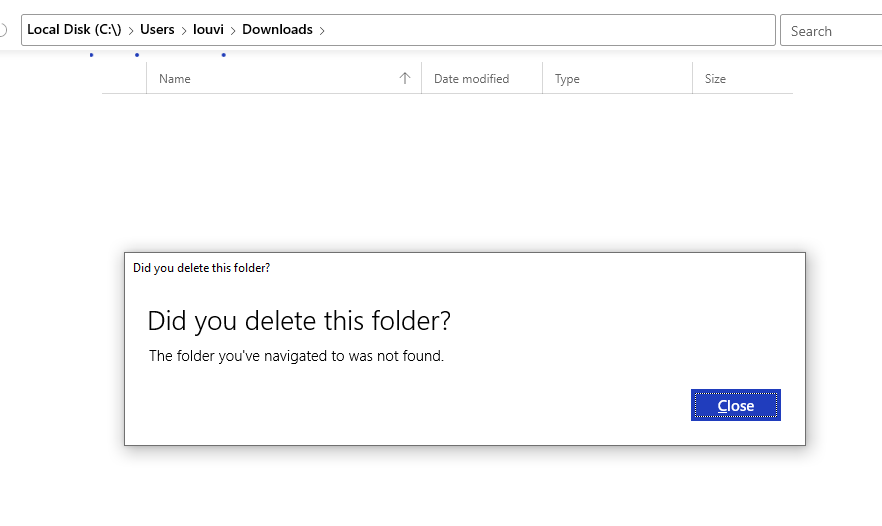
When the location of users folders are different than the default one (not on the C: disk), the message "folder you've navigated to was not found.".
To Reproduce
Steps to reproduce the behavior:
- Change the location of a default user folder (like
Downloads)
- Go to
Downloads default folder in files-uwp.
- See error
Expected behavior
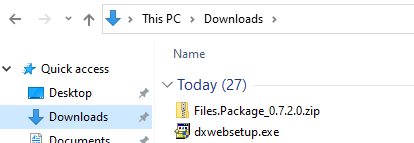
Redirect to the good file location (file explorer is doing it 'by default').
OR enable the fact to at least modify the path to default user folder.
Screenshots
Error :
Behavior in Explorer :
Desktop (please complete the following information):
- OS Version: Windows 10 18363
- App version: v0.7.2
Additional context
You said it was implemented in 384, but I checked the registry, and apart the fact that the 'name' is not the default one, the values are here :

Keep up the good work ! It is a very nice tool.

Describe the bug
When the location of users folders are different than the default one (not on the C: disk), the message "folder you've navigated to was not found.".
To Reproduce
Steps to reproduce the behavior:
Downloads)Downloadsdefault folder in files-uwp.Expected behavior
Redirect to the good file location (file explorer is doing it 'by default').
OR enable the fact to at least modify the path to default user folder.
Screenshots
Error :

Behavior in Explorer :

Desktop (please complete the following information):
Additional context
You said it was implemented in 384, but I checked the registry, and apart the fact that the 'name' is not the default one, the values are here :
Keep up the good work ! It is a very nice tool.