Network drives mapped through Files don't appear #6139

Description

Description
- Network drives mapped through Files don't appear in the list of drives (Home)
- After noticing this, I tried mapping the drive again through Files, which gives me an error. I then opened the old Windows Explorer and tried to map the network drive from there. For Windows Explorer, the drive letter I used in Files wasn't in use. Mapping the network from Windows Explorer gives me this display in Files, with each network drive I mapped duplicated 4 times:
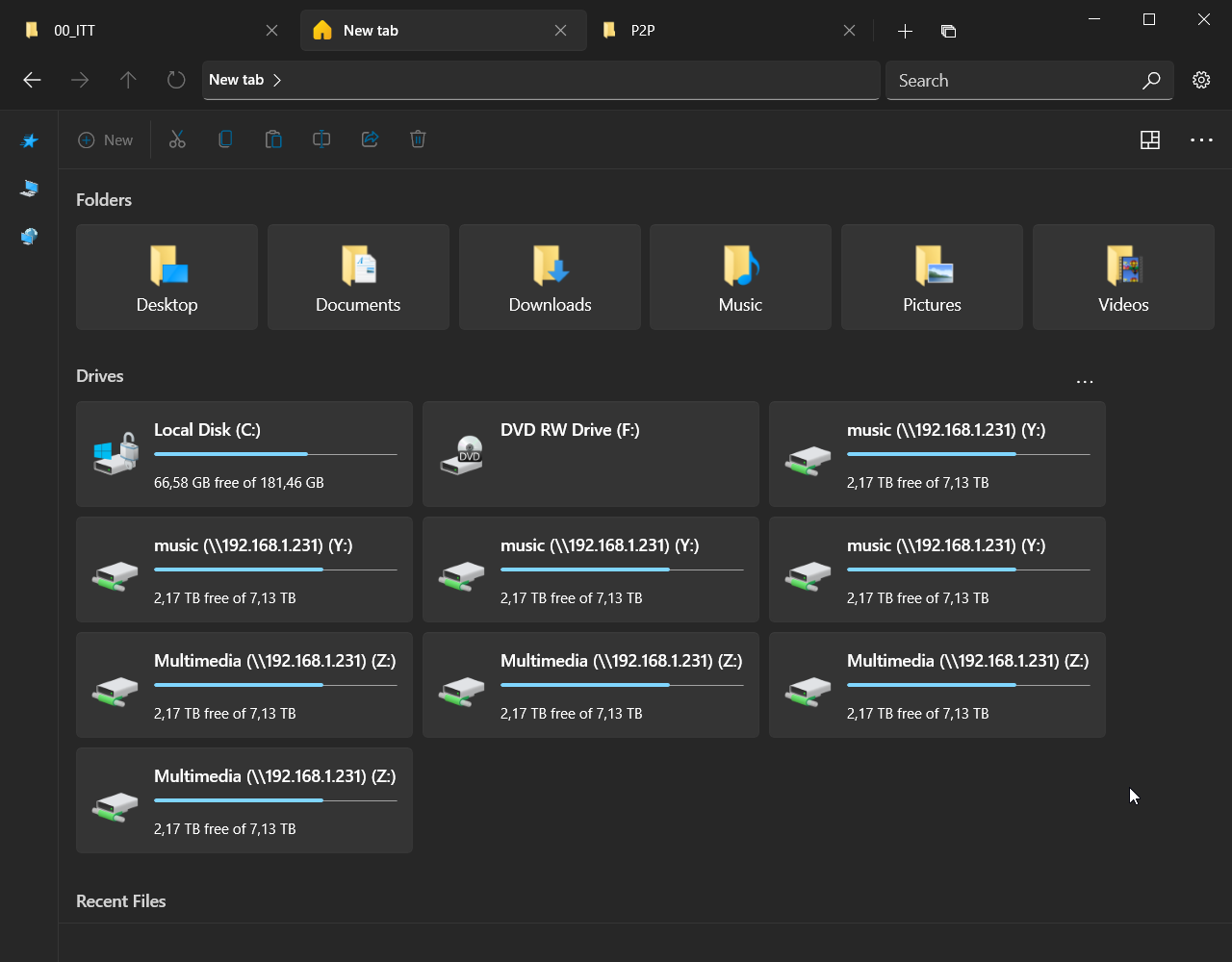
My hypothesis is that the number of times each drive is duplicated matches the number of times the computer was restarted / how many times the Files app was restarted.
Steps To Reproduce
No response
Expected behavior
The same behavior as Windows Explorer is expected: map a network drive, it appears in the Home display (once).
Files Version
Version: 2.0.12.0 OS Version: 10.0.19043.1165
Windows Version
Windows 10 Pro 21H1 19043.1165
Relevant Assets
No response