Column layout doesn't go to the correct folder level #7109

Description

Description
When using column layout and open a subfolder is already opened in a new column, actual folder path still keeps in the current level.
For example, when I open "Downloads" folder from home, the tab name and file path are correct.
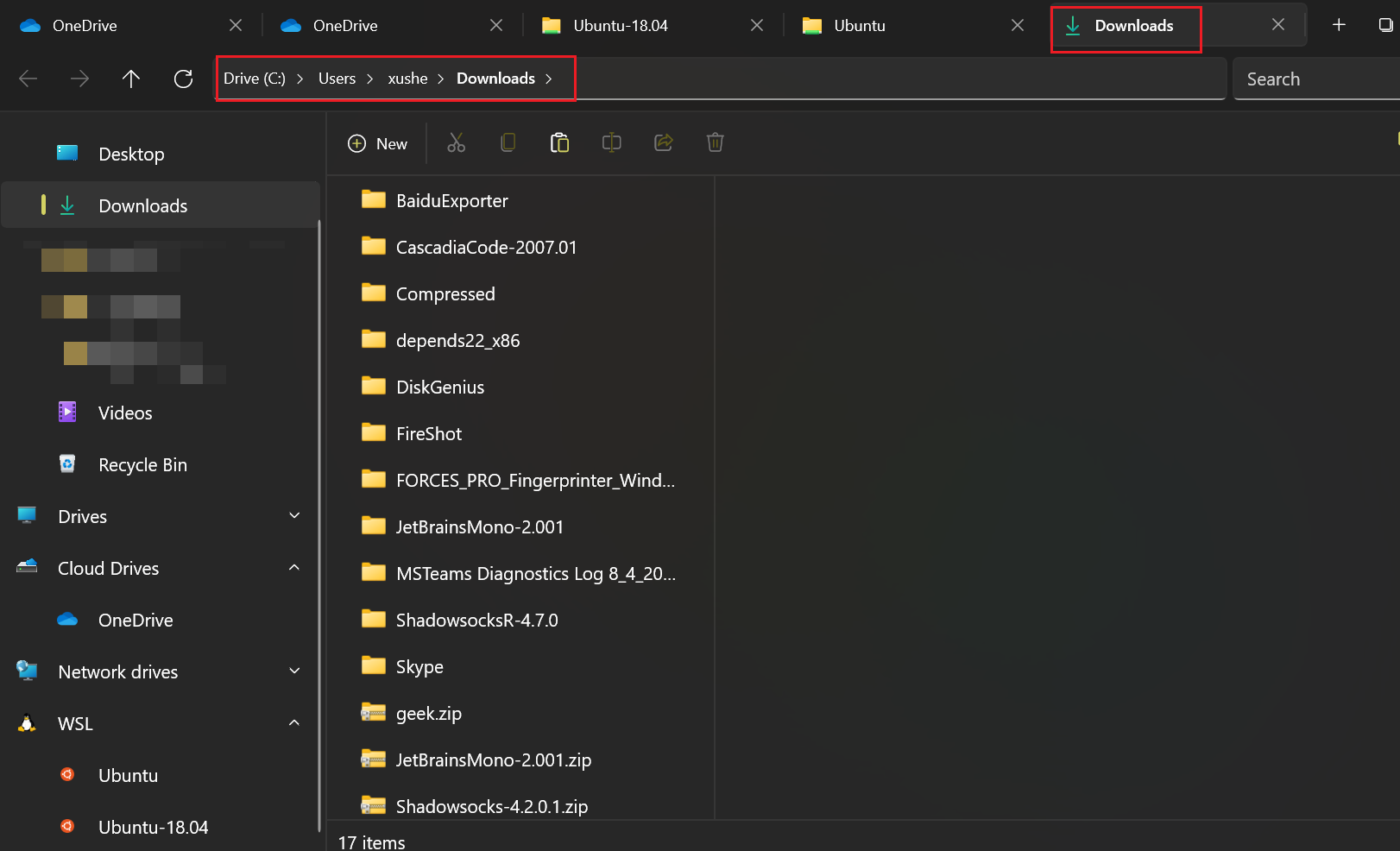
But when I (double or single) click on any subfolder, it is opened in a new column on the right, but neither the path nor the tab name is changed.
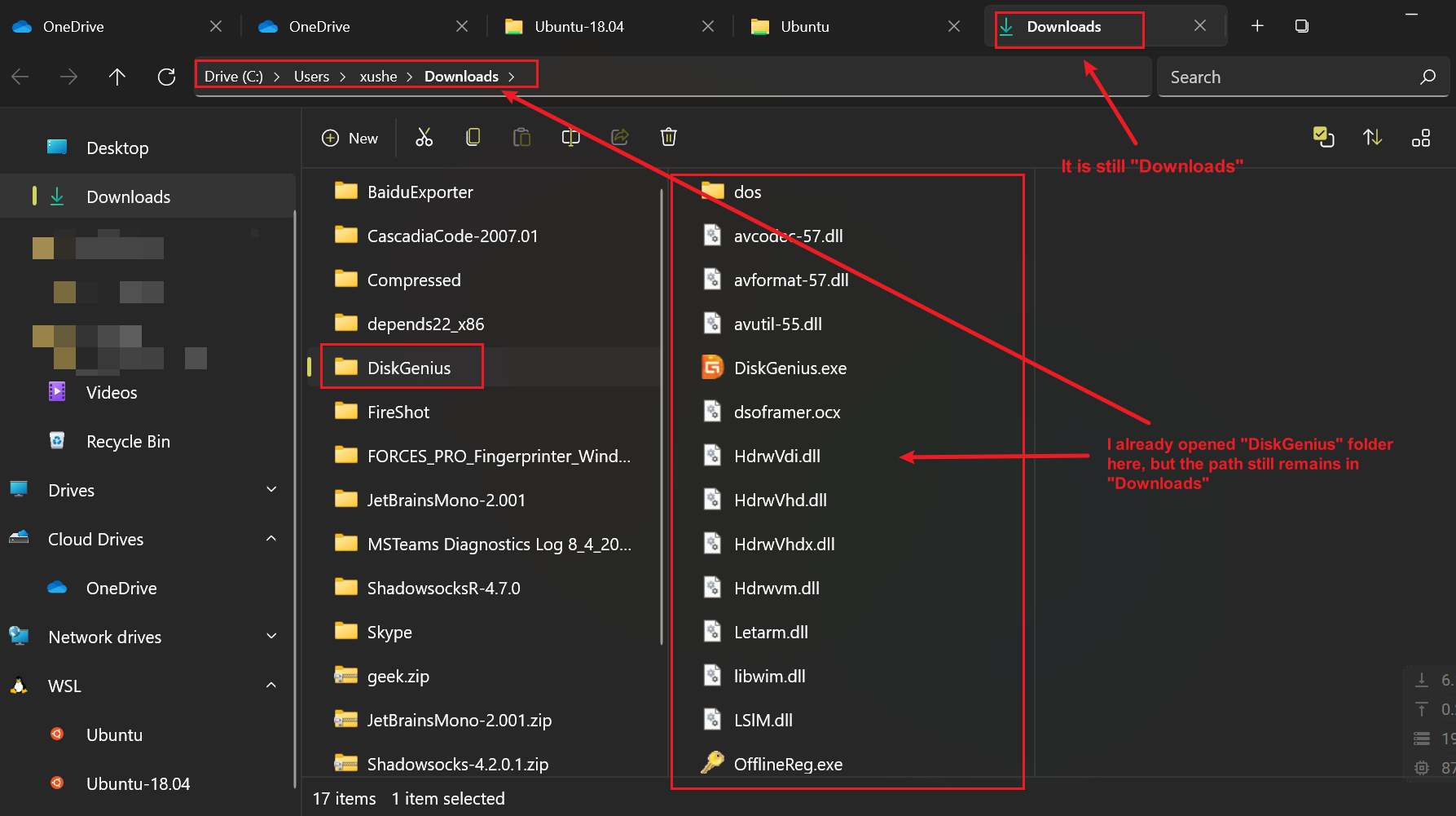
This becomes a problem when I want to create new files or copy files into this opened subfolder. I thought I have already opened it, but after I ctrl+v or create new stuffs, they will be in "Downloads", rather than the opened "DiskGenius" folder, since the current path is not updated into it.
For now, I have to click one more time in the column of the newly opened folder to "activate" it.
Also, no matter how deep I navigate into a folder tree, the tab name is always the root folder. In this case "Downloads".
Steps To Reproduce
- Set the layout as "Columns"
- Start from some root folder
- Open a subfolder
- Then you see this subfolder is not in the folder path, also not in the tab name.
- If you just hit ctrl+v or create new stuffs, they won't be in the opened subfolder, but in the root.
Expected behavior
As long as I clicked to open a subfolder, the subfolder should be the "active" "current" folder. The folder path should be updated, as long as the tab name.
Files Version
Version: 2.0.34.0
Windows Version
Windows 11 Pro 21H2 22000.348
Relevant Assets
No response