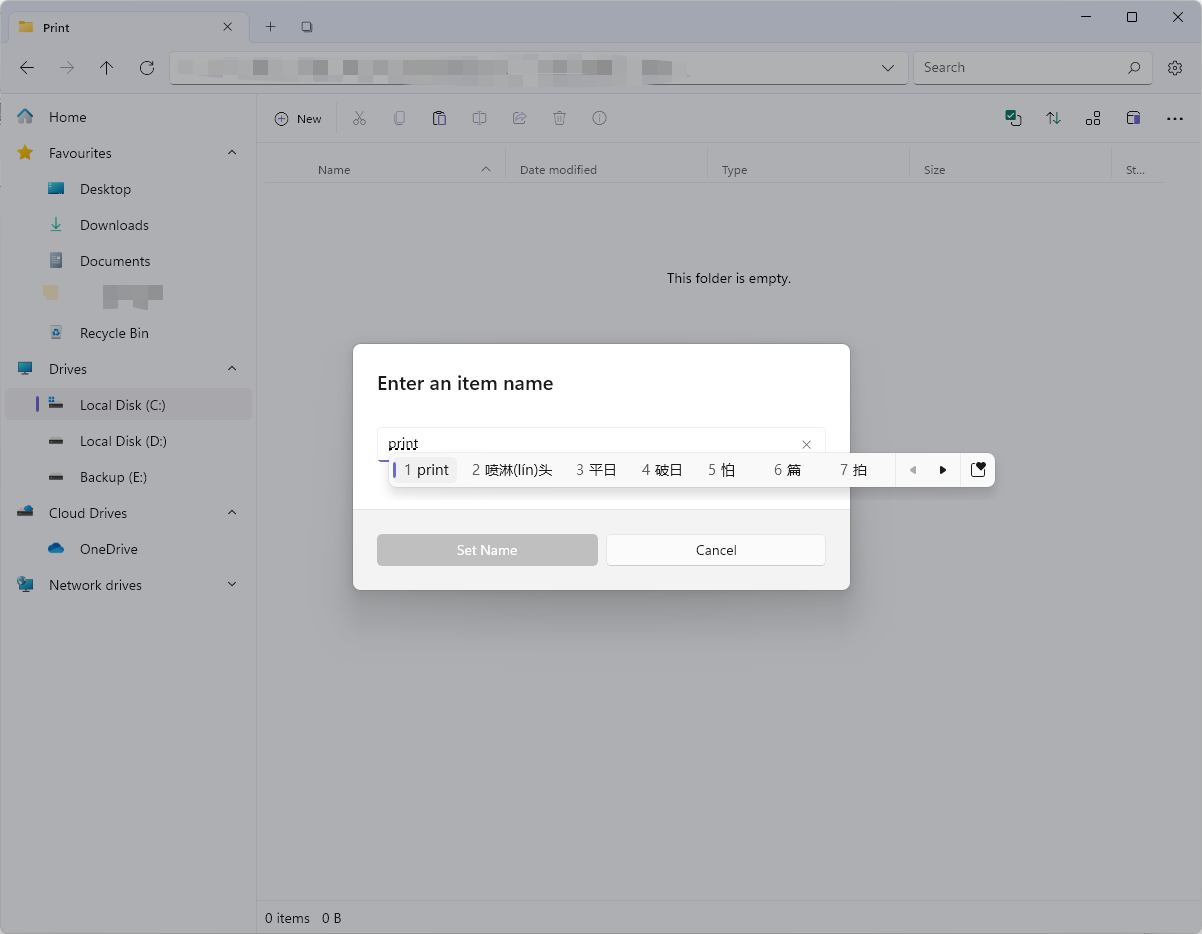
New Folder window not registering Chinese input #9301

Description

Description
This was an accidental discovery, but when I was trying to create a new folder using the Chinese input source (doesn't matter which, I tried Microsoft Pinyin or Sogou Pinyin), the Set Name button will keep greying out after I've typed the name no matter if it's Chinese or English characters. Haven't tried other languages, but so far it appears that the folder name window is not registering Chinese input results for some reason.
Steps To Reproduce
- create a folder (I used Ctrl+Shift+N)
- select Folder option
- switch to Chinese input source
- type anything
- the Set Name button is unclickable
Expected behavior
Ability to click Set Name and create new folders
Files Version
Version: 2.3.0.0 OS Version: 10.0.22000.675
Windows Version
Windows 11 Pro Version 21H2 22000.675
Relevant Assets/Logs