Fleet version (Head to the "My account" page in the Fleet UI or run fleetctl version):
Fleet tier (Are you using the free (Fleet Free) or paid (Fleet Premium) tier?):
Premium
User role (Which role are you assigned in Fleet? (Admin, Maintainer, or Observer)):
3 roles are introduced in Fleet 4.0.0. If you're using a prior version of Fleet or don't know your assigned role, please feel free to leave this item blank.
Admin
Operating system (e.g. macOS 11.2.3):
Web browser (e.g. Chrome 88.0.4324):
🧑💻 Expected behavior
I bookmarked a 1. host page, a 2. query edit page, 3. a policy page, and 4. a team members page. I delete the host, the query, the policy, and the team.
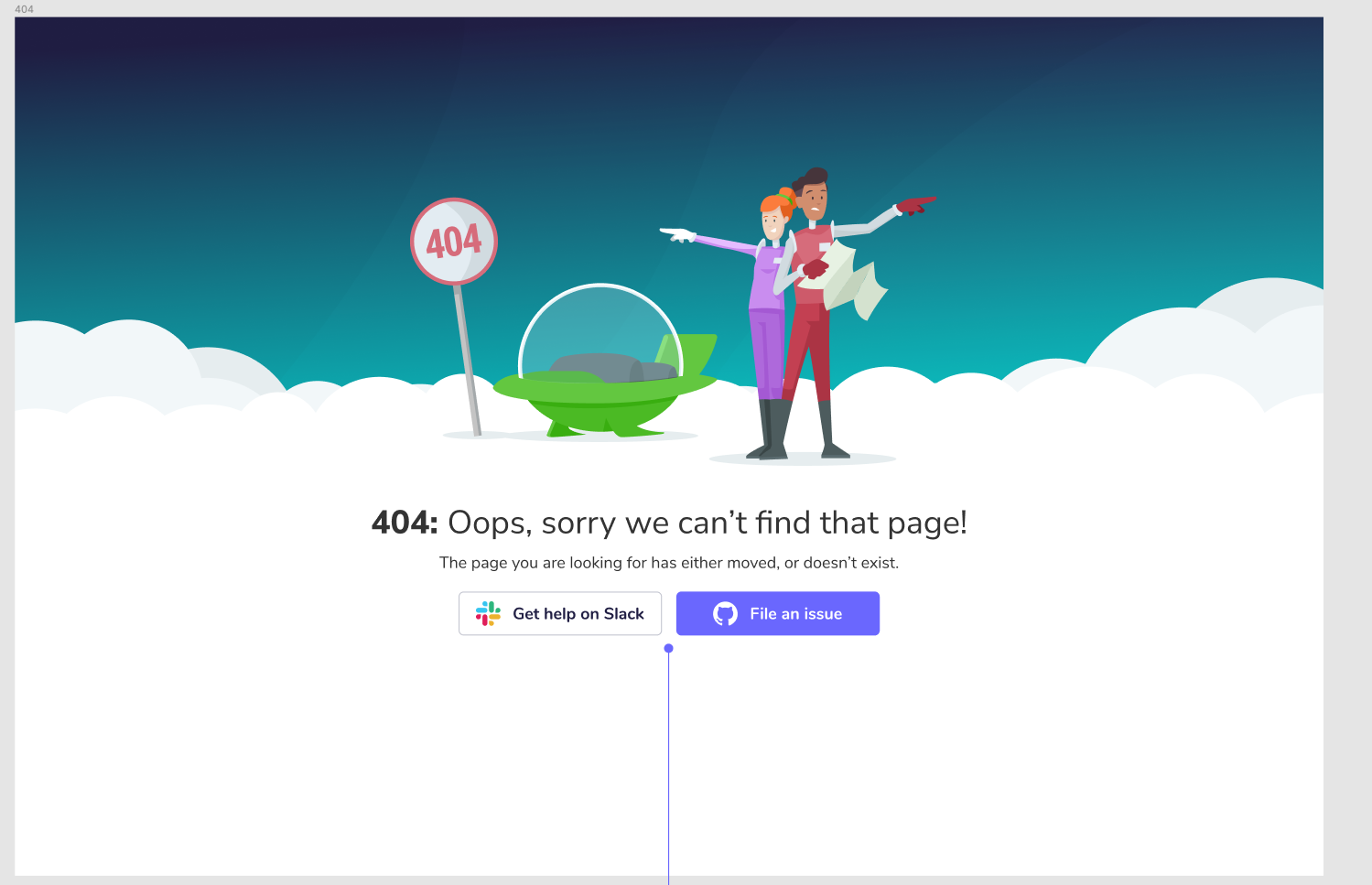
When I go to those pages, I expect to see the 404 overlay because that host, query, policy, and team no longer exist:
💥 Actual behavior
- Host details page behavior: hangs on loading state for a few seconds, loads this awkward empty page
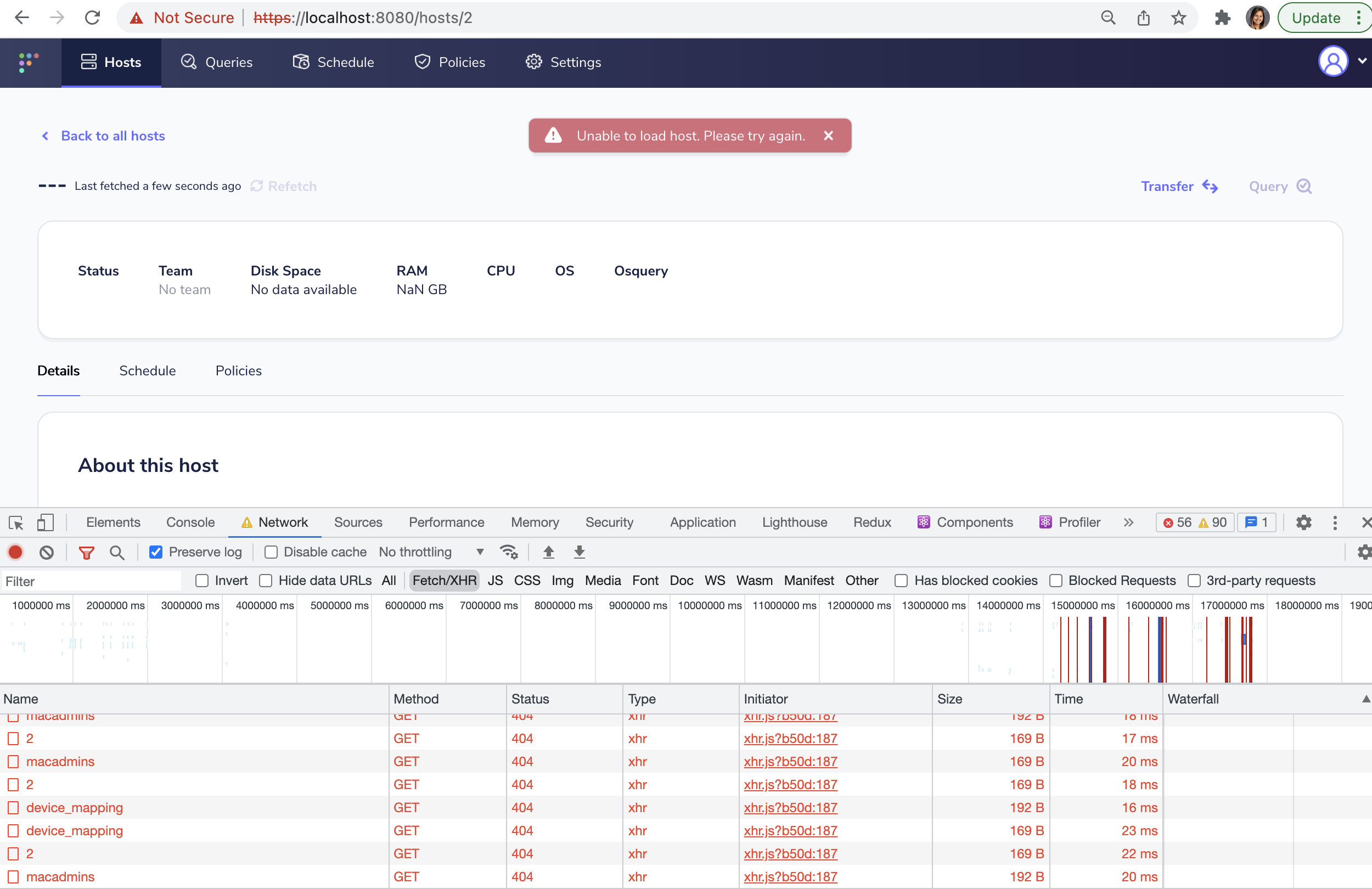
404 error:
{
"message": "Resource Not Found",
"errors": [
{
"name": "base",
"reason": "Host 2 was not found in the datastore"
}
]
}
- Query details page: hangs on loading state for a few seconds, redirects to manage query page with error flash message created from error from API
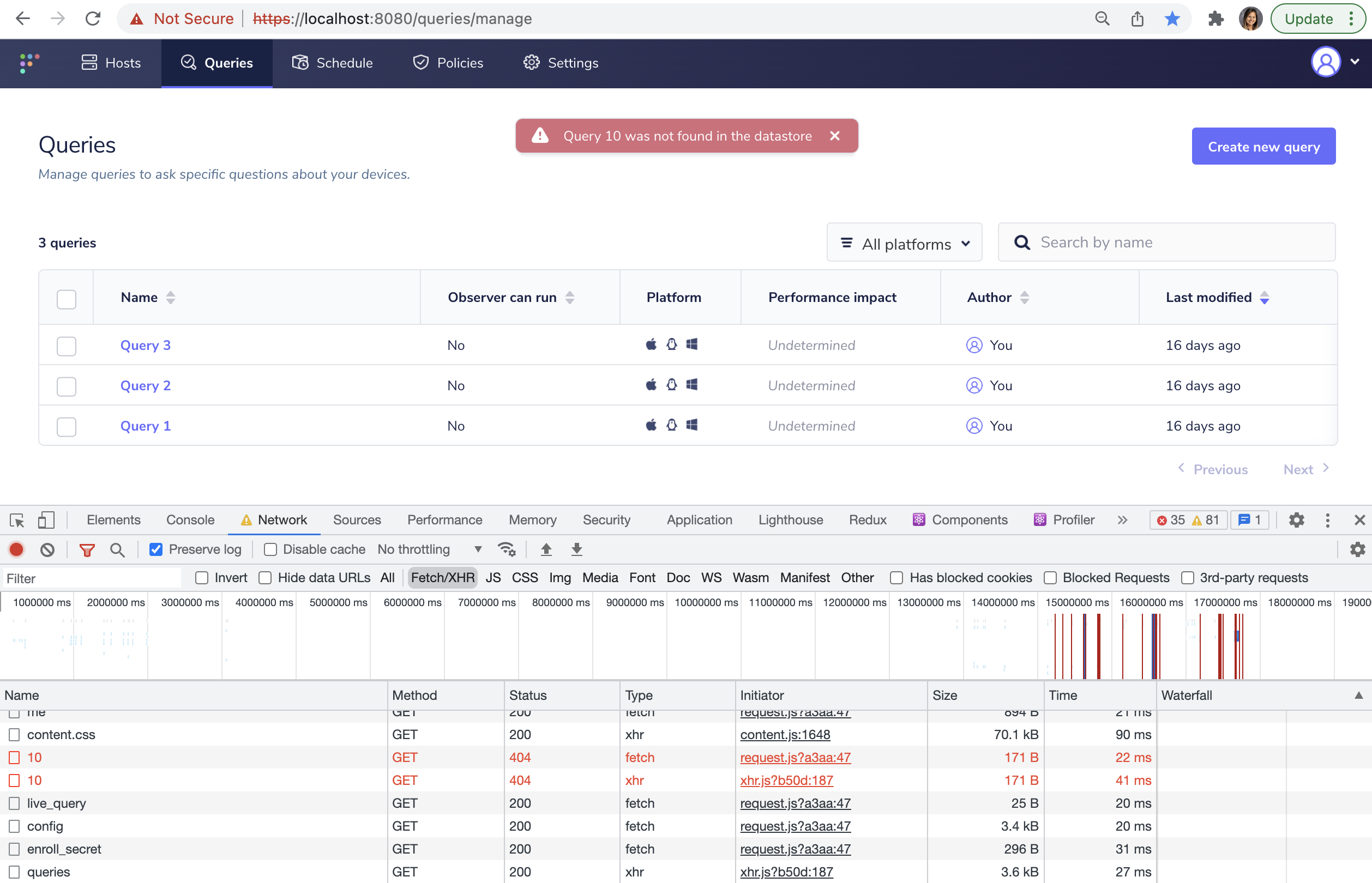
404 error:
{
"message": "Resource Not Found",
"errors": [
{
"name": "base",
"reason": "Query 32 was not found in the datastore"
}
]
}
- Edit policy page: hangs on loading state for a few seconds, loads this awkward empty page
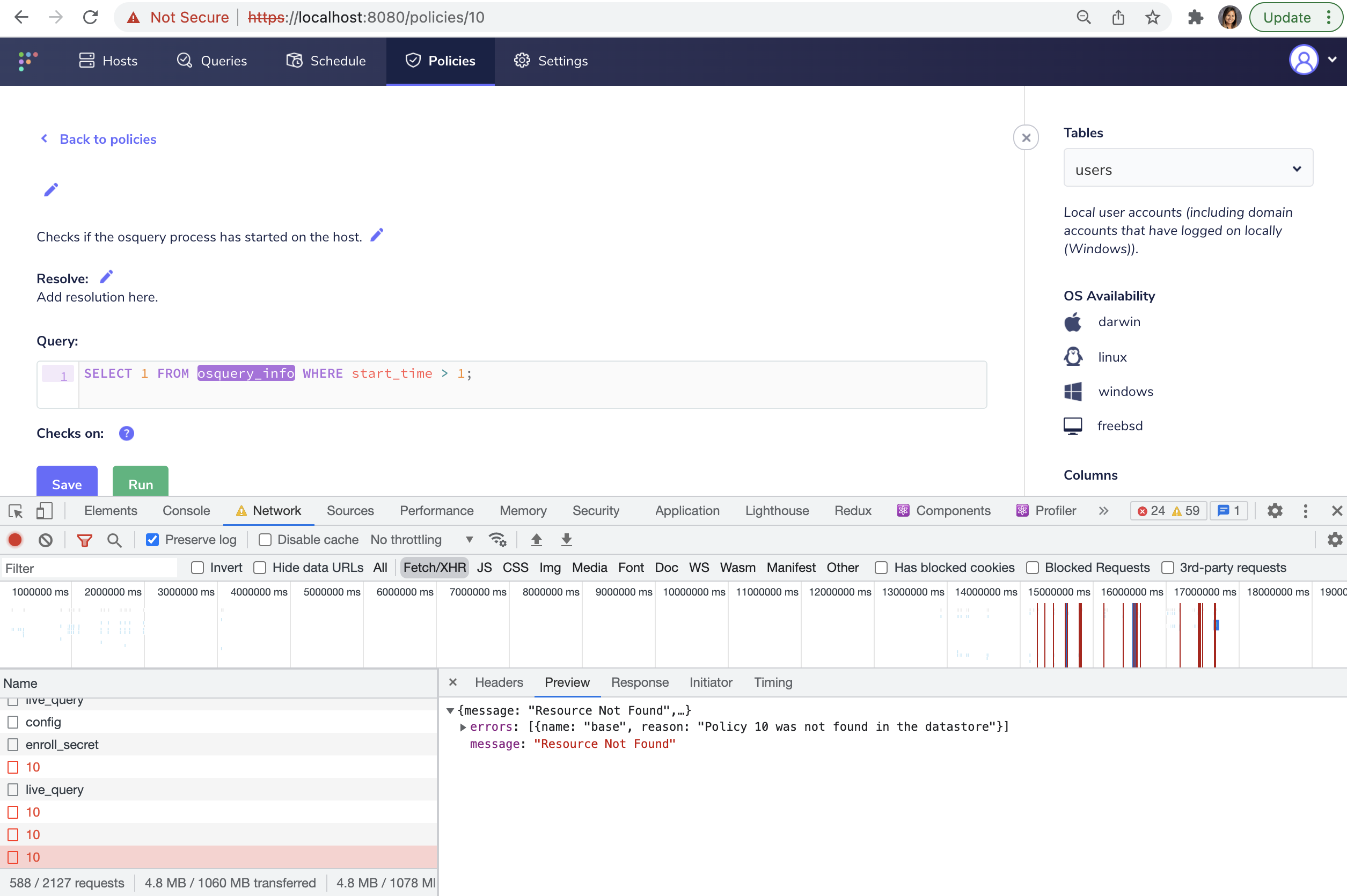
404 error:
{
"message": "Resource Not Found",
"errors": [
{
"name": "base",
"reason": "Policy 2 was not found in the datastore"
}
]
}
- Team members page: Tries to load forever, never leaves the loading state
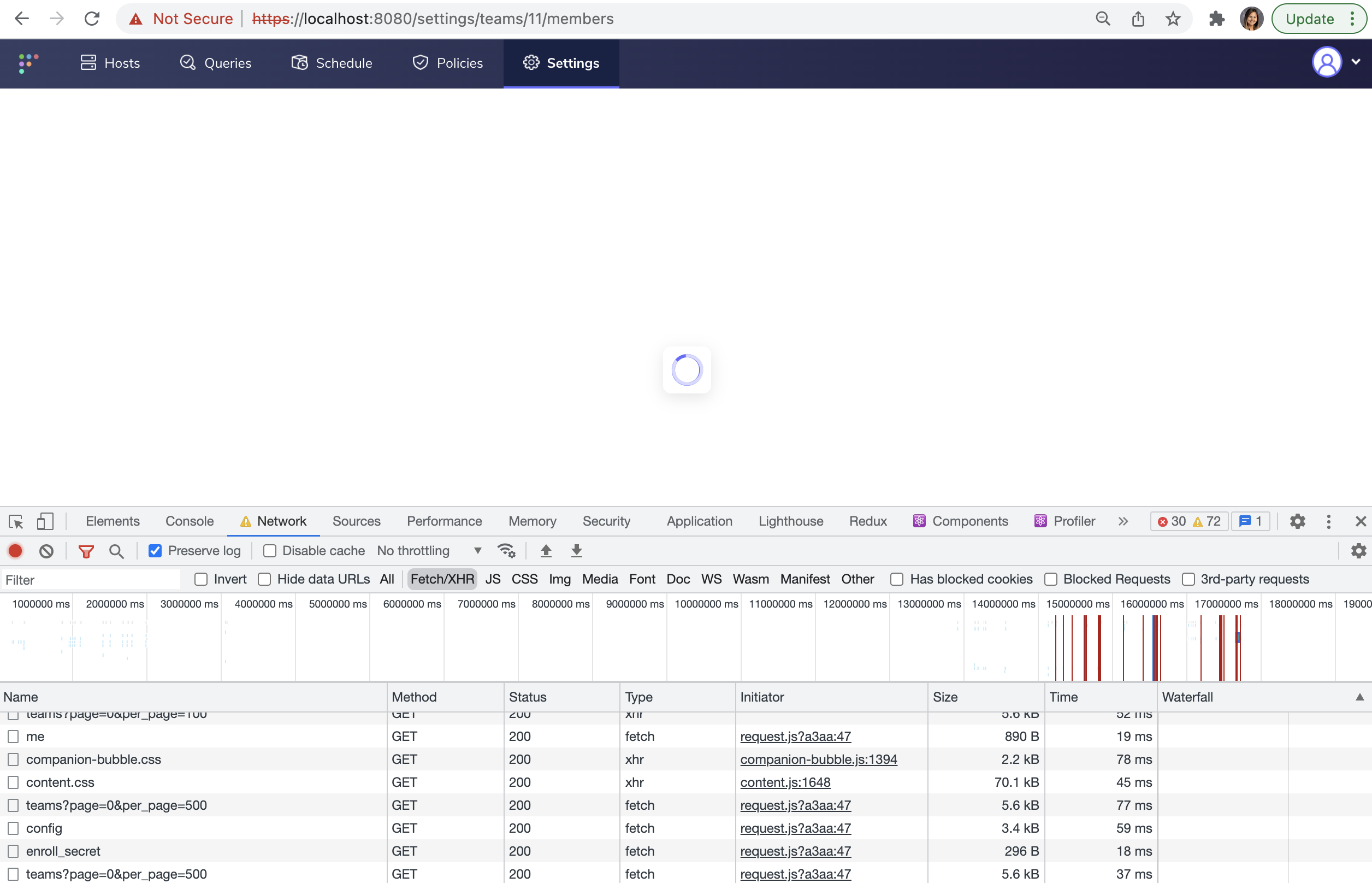
No error returned, frontend never calls the API for the team id as it just sittings in loading state forever...
More info
What is the intended behavior on all these pages?


Fleet version (Head to the "My account" page in the Fleet UI or run
fleetctl version):Fleet tier (Are you using the free (Fleet Free) or paid (Fleet Premium) tier?):
Premium
User role (Which role are you assigned in Fleet? (Admin, Maintainer, or Observer)):
Admin
Operating system (e.g. macOS 11.2.3):
Web browser (e.g. Chrome 88.0.4324):
🧑💻 Expected behavior
I bookmarked a 1. host page, a 2. query edit page, 3. a policy page, and 4. a team members page. I delete the host, the query, the policy, and the team.
When I go to those pages, I expect to see the 404 overlay because that host, query, policy, and team no longer exist:

💥 Actual behavior

404 error: { "message": "Resource Not Found", "errors": [ { "name": "base", "reason": "Host 2 was not found in the datastore" } ] }
404 error: { "message": "Resource Not Found", "errors": [ { "name": "base", "reason": "Query 32 was not found in the datastore" } ] }
404 error: { "message": "Resource Not Found", "errors": [ { "name": "base", "reason": "Policy 2 was not found in the datastore" } ] }
No error returned, frontend never calls the API for the team id as it just sittings in loading state forever...More info
What is the intended behavior on all these pages?