I'm trying to divide my screen in two and put my contents in two separate container. Now in one container there will be more than 10 TextFields. These Fields will be added dynamically with a button click event. Now, I want to make this portion scrollable. In the second container there will be some buttons. But I don't want scroll in that portion and I want to keep the style freeze.
Here is a preview before textboxes.
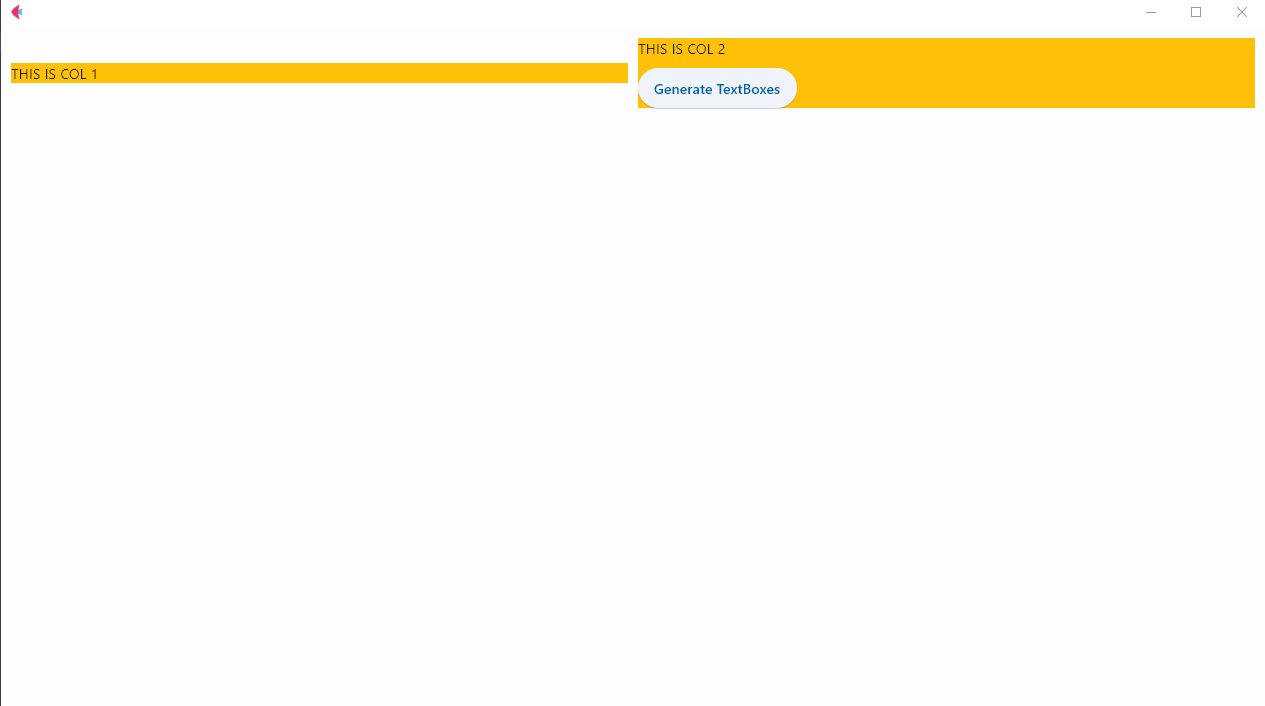
When TextFields are added in the first container it also affect the second container. Here is the preview.
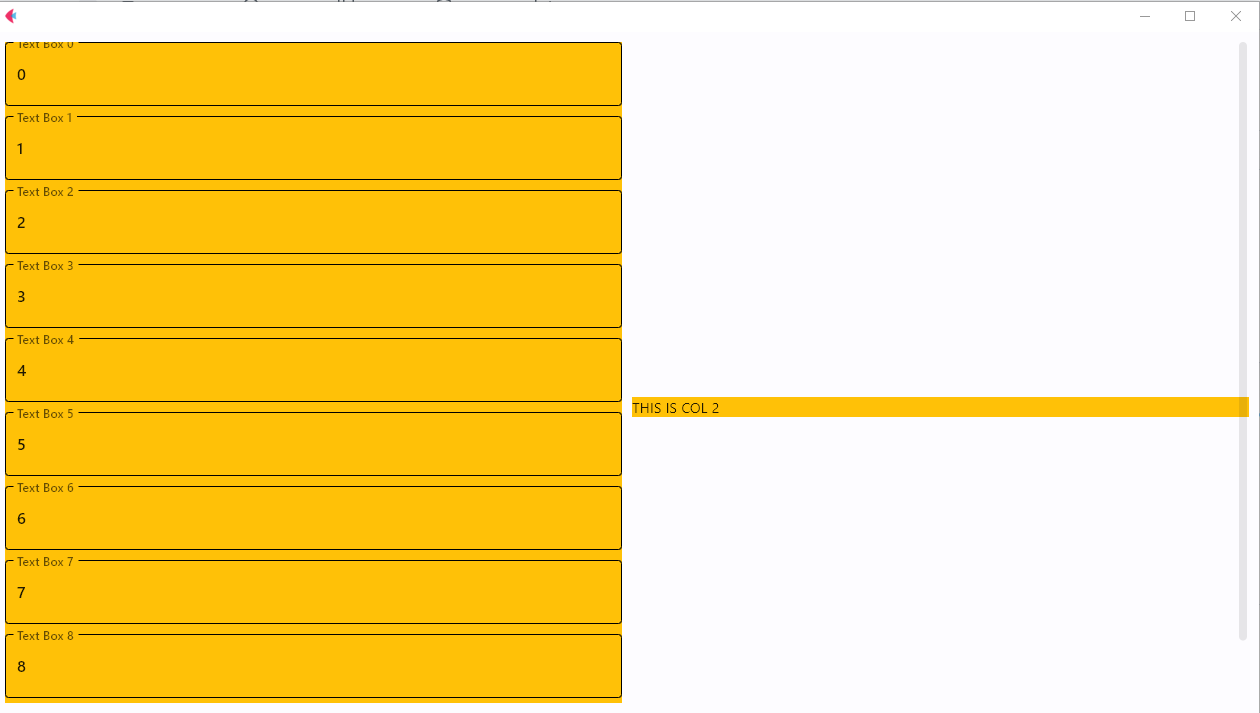
Besides, if I don't keep page.scroll = 'adaptive' the scroll does not happen anywhere. But I've added scroll for the first column.
text_box_column = Column([Text("THIS IS COL 1")], scroll='adaptive')
The whole code:
import flet
from flet import (Column, ElevatedButton, Text,
                 TextField, Page, Container,
                 Row, colors, alignment)


def main(page: Page):
    def gen_text_box(e):
        text_fileds = []
        for i in range(10):
            text_fileds.append(TextField(label=f'Text Box {i}', value=i))

        text_box_column.controls = text_fileds
        gen_text_box_btn.visible = False
        page.update()


    gen_text_box_btn = ElevatedButton("Generate TextBoxes", on_click=gen_text_box)


    # param column
    text_box_column = Column([Text("THIS IS COL 1")], scroll='adaptive')

    page.add(Row([
        Container(content=text_box_column,bgcolor=colors.AMBER, expand=True),
        Container(content=Column([Text("THIS IS COL 2"), gen_text_box_btn]),bgcolor=colors.AMBER, expand=True)
    ]))
    page.scroll = 'adaptive'
    page.update()

flet.app(name="Flow", target=main)
OS: Windows 10
Python Version: 3.10.0

I'm trying to divide my screen in two and put my contents in two separate container. Now in one container there will be more than 10
TextFields. These Fields will be added dynamically with a button click event. Now, I want to make this portion scrollable. In the second container there will be some buttons. But I don't want scroll in that portion and I want to keep the style freeze.Here is a preview before textboxes.

When

TextFields are added in the first container it also affect the second container. Here is the preview.Besides, if I don't keep
page.scroll = 'adaptive'the scroll does not happen anywhere. But I've added scroll for the first column.The whole code:
OS: Windows 10
Python Version: 3.10.0