process-editor is a react library as one of key modules in Flint. It provides users the visualized editor to build he logic/controller layer of their applications just by dragging and dropping.
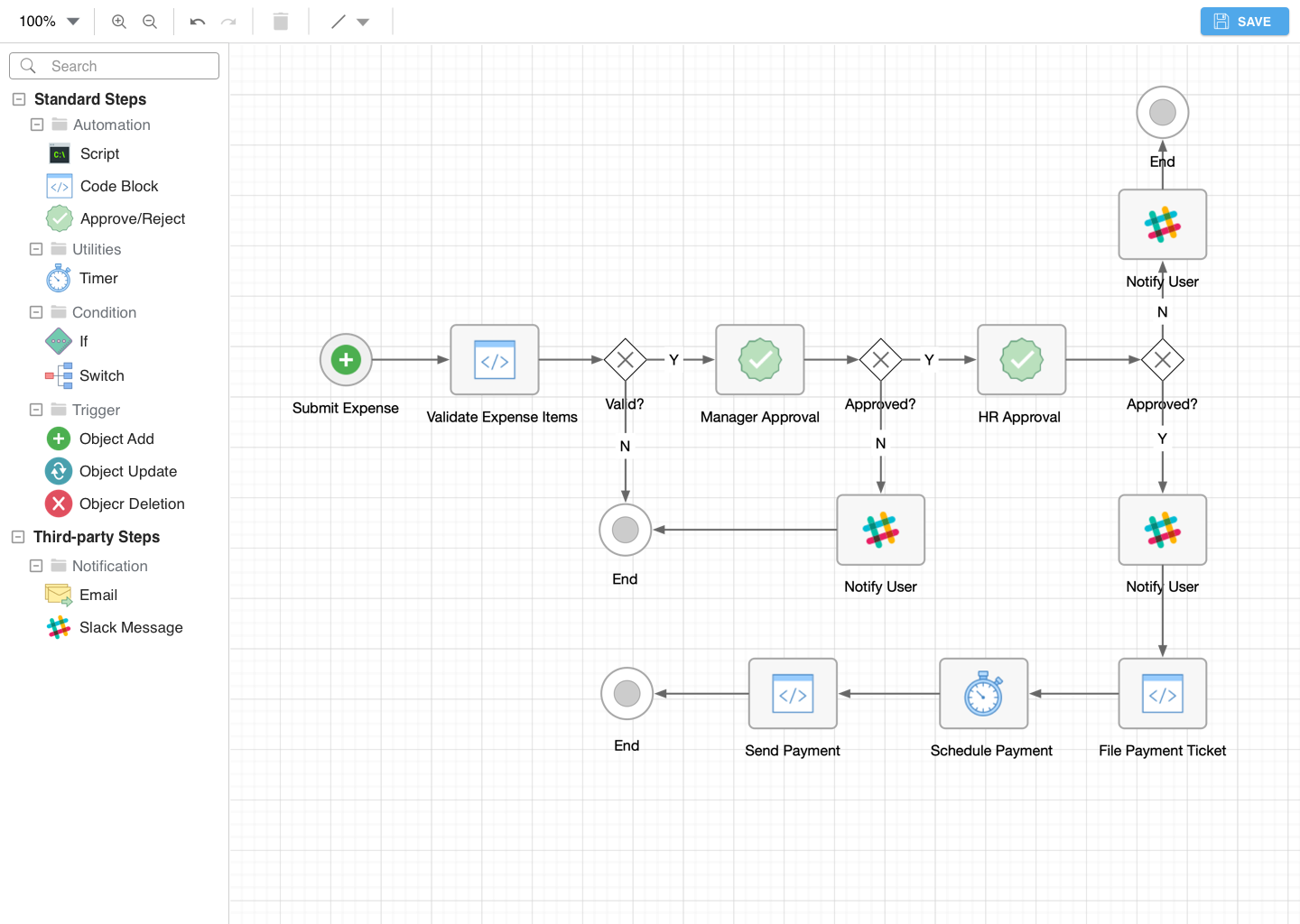
npm install flint-process-editor --save
import ProcessEditor from 'flint-process-editor'// define functions of event listeners
const onSaved = (processData, editorData) => {
console.log(processData, editorData);
};
const stepDbClick = (stepData) => {
// process some async actions to fetch input params and append it to stepData
this.operations.updateStepData(newStepData);
};
// place the react component under any container
<ProcessEditor
operations={this.operations}
stepOptions={stepOptions}
editorData={editorData}
onSaved={onSaved}
stepDbClick={stepDbClick}
/>| Property | Type | Required? | Description |
|---|---|---|---|
| operations | object |
Y | handler to operate behavior inside ProcessEditor component. Functions: this.operations.updateStepData(stepData) |
| stepOptions | array |
Y | All available options provided by main program. Example as below |
| editorData | object |
Y | Editor data to redraw flowchart provided by editor itself, which will be saved locally and used for redrawing edited flowchart |
| onSaved | func |
Y | event triggered when save button clicked |
| stepDbClick | func |
Y | event triggered when each step is double clicked |
const stepOptions = [
  {
    "type": "Script",
    "group": "Standard",
    "category": "Automation",
    "icon": <ScriptIcon/>
  },
  // ...
  {
    "type": "third-party-developer-name/Email",
    "group": "Third-party",
    "category": "Notification",
    "icon": <EmailIcon/>
  },
  // ...
];const stepData = {
"id": 1,
"label": "Submit Expense",
"type": "Object Add",
"group": "Standard",
"category": "Trigger",
"params": {...} // optional, appended by main program.
};const processData = {
"startAt": "Submit Expense",
"Submit Expense": {
"data": stepData1,
"next": "Validate Expense Items"
},
"Validate Expense Items": {
"data": stepData2,
"next": "Valid?"
},
"Valid?": {
"data": stepData3,
"next": ["Manager Approval", null]
},
// ...
};