
A web app to manage the champion selction of League of Legends with your smarphone! This is project for the course of Human Computer Interaction (University Of Florence - A. D. Bagdanov) This is the repository for the web app, here you can find the PC app repo This project has been done in collaboration with Marco Mistretta
- A Windows pc
- League Of Legends Account
- Smartphone with at least iOS 7 or Android 8
There are two application:
- a PC App that exchange information with the Riot Client through the Riot API, such as the champion to pick or the lobby phase, and send the information to the Web App. The GUI is made with PyQt
- a Web App that displays the lobby status, allow the user to see the team composition, to pick and to ban; this is a progressive web app so it can be installed in a smarphone. Is made using Boostrap and jQuery as frontend libraries and Flask for the Backend.
The sincronization is made by a code provided by the pc app that must be typed in the web app. The comunication between the apps is managed by redis caching in order to be without slowdowns. All the project is developed to work with possible new League of Legends updates such as new champion or new the order of the champ selection actions.
The project is fully functional, you can test it at this link PICK-IT!; is hosted by Heroku that offers a free PaaS and a small redis cluster.
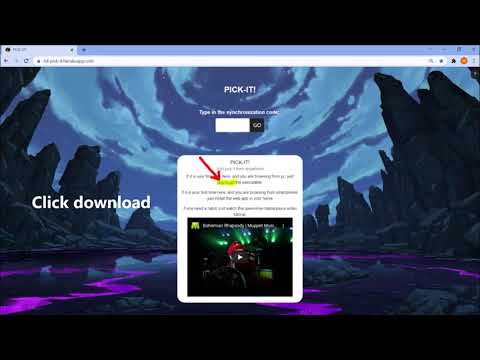
- Go through your pc to: PICK-IT! web site
- Install the PC app on your PC.
- Go to the same website from your smartphone
- Install the Web App on your smartphone.
- Launch the PC App to generate your personal synchronization code -Launch the App on your smartphone and type your synchronization code
- Launch a Draft and enjoy picking your favorite champion from anywhere you want!
This is a video tutorial for the installation and the syncronization between the apps:


- fix a synchronization bug