Wall Clock
Gordon’s Sun Clock works especially well as a living wall clock on an Android tablet. In this mode, the app stays visible continuously and shows the daily-changing solar dial as a permanent time display for your room, kitchen, hallway, studio, classroom, or public space.
Unlike a conventional wall clock, the dial is not static. It adjusts every day to your location and to the actual path of the sun. This means the clock does not only show the official time, but also where you are within the natural course of the day.
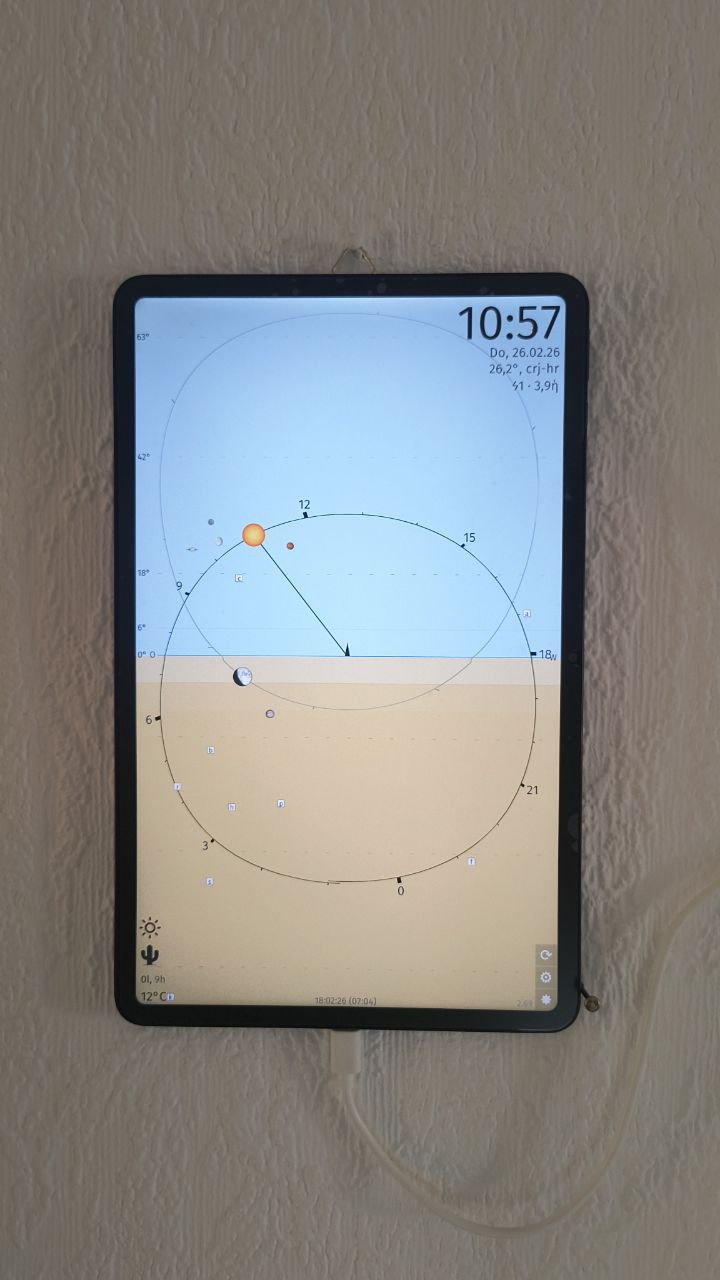
- Living daily dial: the clock face changes with the seasons and with your location
- Natural orientation: shows sunrise side, sunset side, solar noon, twilight, and night geometry
- Clear single-hand display: calm and easy to read from a distance
- Always on: suitable for a tablet mounted on a wall
- Useful for children and guests: makes the movement of the sun and sky easier to understand intuitively
- Quiet and non-distracting: no ads, no visual noise, no artificial “smart display” clutter
- Offline-capable: after setup, no permanent internet connection is required
Wall clock mode can be enabled in the app settings:
Go to the Settings page (= page nr. 2) → under "4. Wall clock mode" click checkbox
When enabled, the app switches to fullscreen and prevents the screen from turning off.
For wall use, the following setup is usually practical:
- use a tablet with a stable power supply. It’s best to use a timer that switches on the tablet’s charger for about 1–3 hours in the morning and evening
- disable alerts and sounds
- set the correct coordinates or place name or use location services
- set the correct screen brightness or auto brightness of your device
- if necessary, enable eye-friendly mode permanently or at night
Wall clock mode is also suitable for semi-public or public installations, for example in waiting areas, studios, community rooms, or exhibition contexts.
There is an optional protection feature for public installations: This is relevant if the device is mounted in a place where other people can touch the screen and should not be able to open configuration pages. If you want to use it, please message me and I will give you the details.
The app is currently available for Android only. A used Android tablet is sufficient for wall clock use, if they have at least Android 7 (as of 2026)