Fingering File Format
NOTE
Fingering can be added using the fingering editor (which can be found in the player).
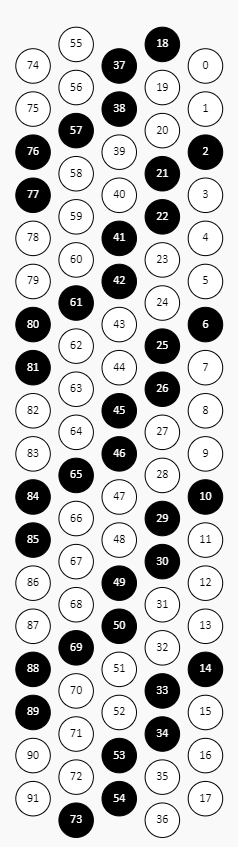
- In fingering text each line represents a measure in a score (original uploaded score with all repeat signs).
- Fingerings for left and right hand are provided separately.
- Numbers represent fingers with 1 = thumb, 5 = pinkie.
- Spaces between numbers mean notes are played one after another (as in measure 4, see below). No spaces in a group of numbers is a chord (measures 1, 2, 3).
- Numbers in a chord map to notes from lowest to hightest.
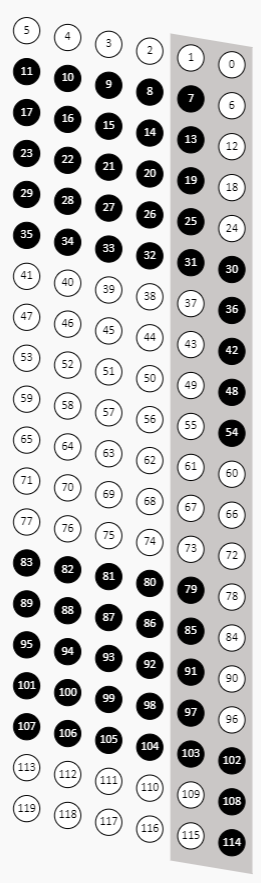
- Numbers in square brackets mean accordion keys that should be pressed. There are alternative keys for each note and you can specify which key to press.
- If a key number (in square brackets) is not specified the best guessed key is highlighted for the left hand and the default variant from the main three rows is highlighted for the right hand.
- For piano you can specify a finger switch using underscore, e.g. '1_2' means 'start with the thumb, then holding the key down switch to the point finger'.
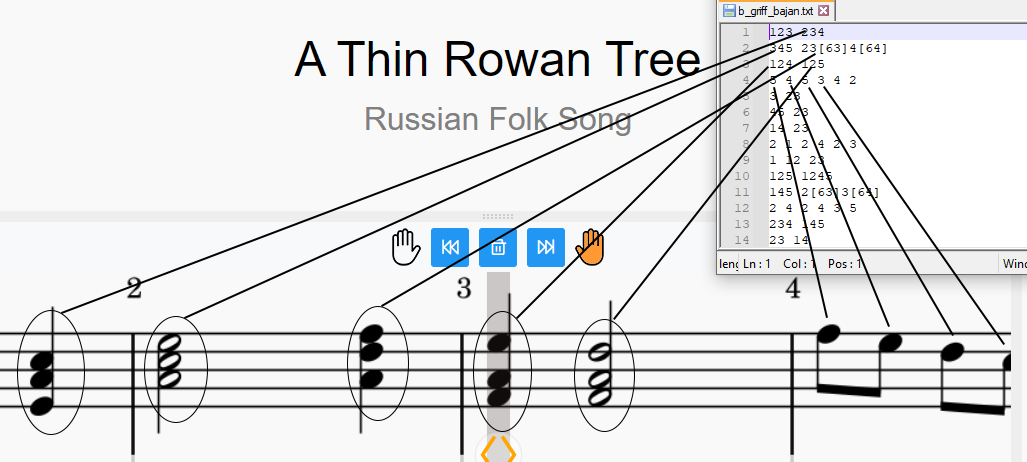
- Left-hand in accordion has multiple keys for same basses and chords. See how you can specify keys in square brackets that should be pressed.
- In measure 48 bass is played with the chord at the same time. That's why there is no space in this line.
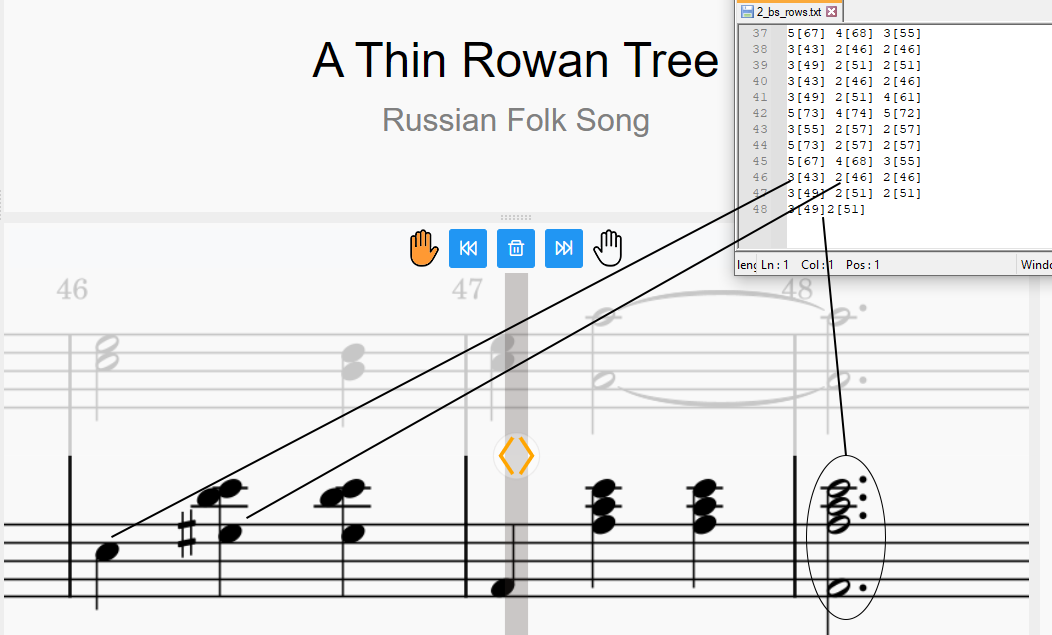
- You can enable key numbers on keys in settings
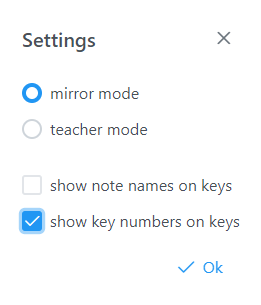
- These are the key numbers for the left hand:
- These are the key numbers for the right hand: