Enhanced ready-to-go wordpress instance for Windows 10. Install latest MySQL phpAdmin and Wordpress as Docker Containers. Inspired by: bradtraversy
Install Docker Desktop
https://www.docker.com/products/docker-desktop/
Install WSL2 for Windows
https://wslstorestorage.blob.core.windows.net/wslblob/wsl_update_x64.msi
Run Docker Desktop
Download the docker-compose.yaml file and save it in an empty Folder.
Open the docker-compose.yaml file in VS Code. Open a PowerShell Terminal in VS Code and type:
cd "/path/to/your/docker-compose.yaml"

docker compose up
Wait till the Docker Containers are Up you can verify in 'Docker Desktop' under 'Containers'.
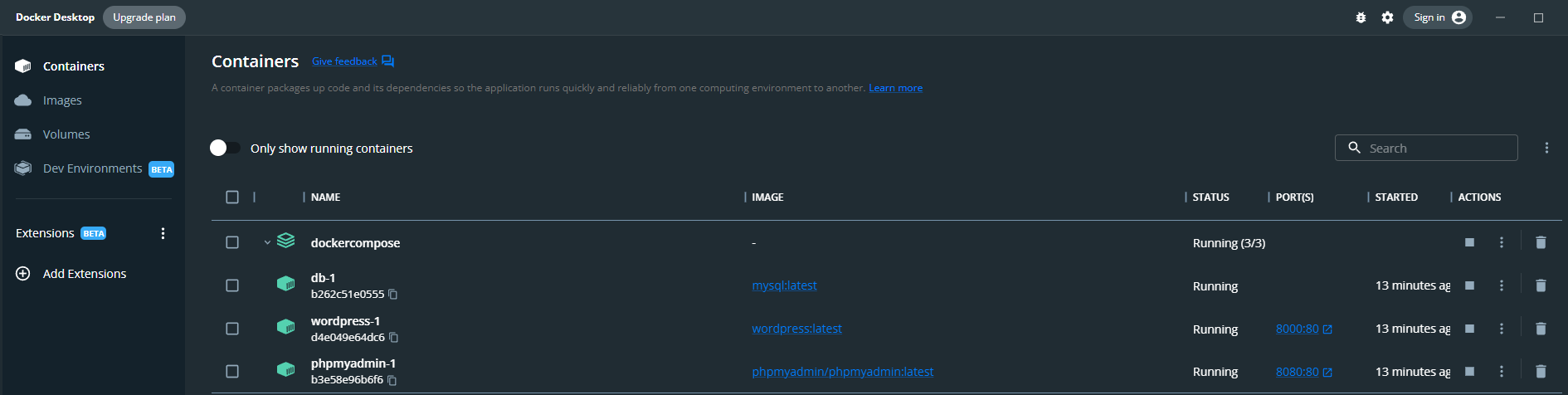
localhost:8000 is for wordpress localhost:8080 is for phpAdmin
Enjoy :)!