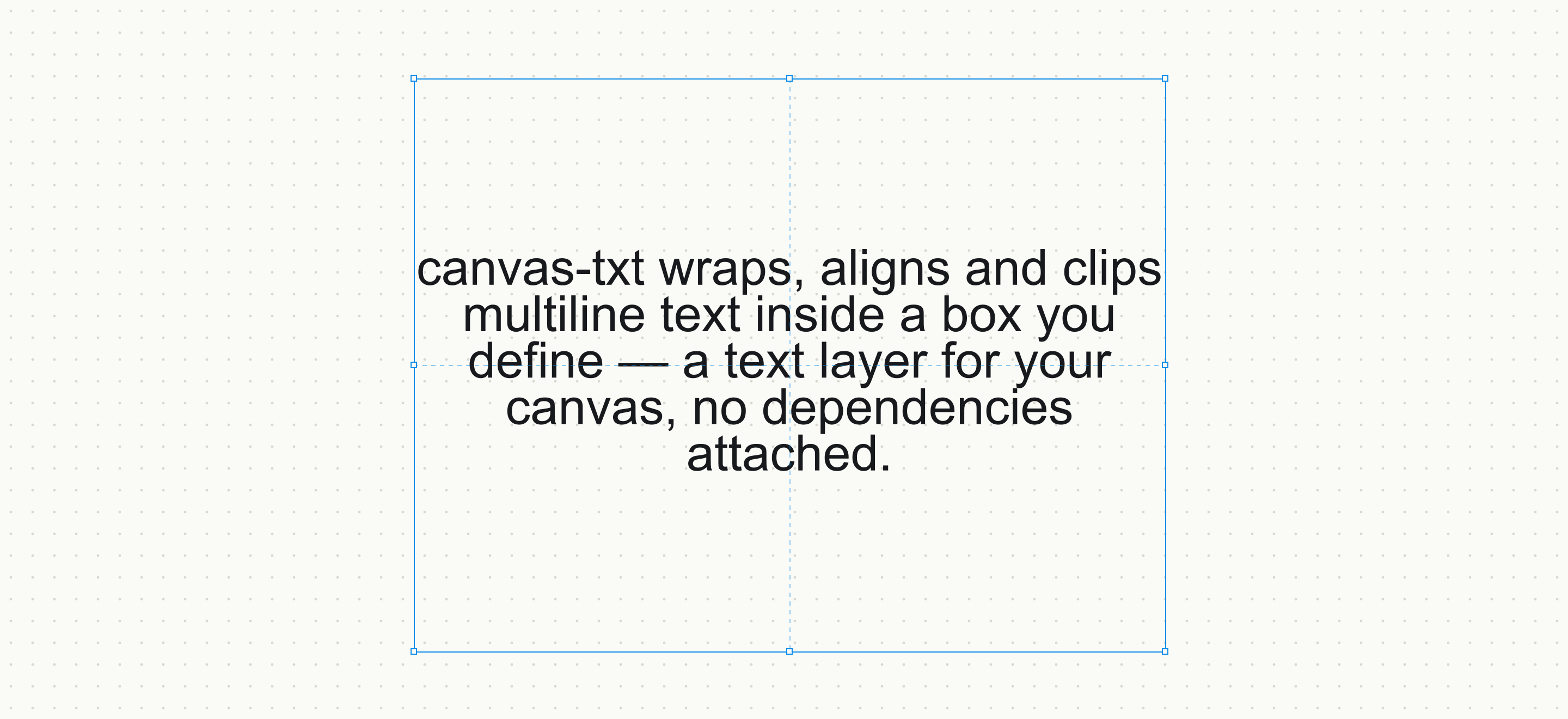
Text boxes for HTML5 canvas. Draw a box, hand it a string — wrapping, alignment, clipping and justification in one call.




Live playground · JSFiddle · API · Performance · Migrating from v4
import { drawText } from 'canvas-txt'

drawText(ctx, 'Lorem ipsum dolor sit amet', {
  x: 100, y: 200, width: 200, height: 200,
  fontSize: 24,
})
That's the whole integration. Zero dependencies, ~4 kB gzipped, works in
browsers, workers (OffscreenCanvas), node-canvas and skia-canvas.
Tip
Upgrading from v4? Most code keeps working — read the migration guide for what changed and what's new.
| 🌍 Unicode-correct wrapping | Line breaks come from Intl.Segmenter — CJK and Thai break at real word boundaries, emoji and combining marks never split mid-codepoint |
| 📐 Full box model | Horizontal + vertical alignment, true justification (no injected characters), overflow: hidden / ellipsis, maxLines |
| ⚡ Fast by default | Per-font width caches and memoized layouts — faster than canvas-hypertxt on every workload, with exact measuring |
| 🎨 Layout / paint split | layoutText() once, drawTextLayout() every frame — zero re-measuring in render loops, hit-testable line positions |
| 🔌 Runs on any 2D context | Typed against a minimal TextContext — no casts for node-canvas, skia-canvas or OffscreenCanvas |
| 🐛 Debug mode | Draws the box and alignment guides so you can see the layout |
npm i canvas-txtOr from a CDN — the global window.canvasTxt carries the same functions:
<script src="//unpkg.com/canvas-txt"></script>import { drawText } from 'canvas-txt'
const ctx = document.getElementById('myCanvas').getContext('2d')
const { height, width, lines } = drawText(ctx, 'Hello world', {
x: 100,
y: 200,
width: 200,
height: 200,
fontSize: 24,
})Try it live in this JSFiddle.
drawText is a convenience wrapper. For anything that redraws — animation
loops, canvas editors, data grids — lay out once and paint the cached layout:
import { layoutText, drawTextLayout } from 'canvas-txt'

const layout = layoutText(ctx, text, { width: 300, height: 200, fontSize: 18 })

// every frame, as often as you like — no re-measuring:
drawTextLayout(ctx, layout, { x: 50, y: 40 })
drawTextLayout(ctx, layout, { x: 400, y: 40, style: { fill: '#888' } })

// layout.lines → [{ text, x, y, width, words }] — hit-test it, decorate it
// layout.height, layout.width, layout.clippedIf you want the box in the image above — draggable anchors that control
x/y/width/height — that interaction layer is yours to build, and it's
small: keep the box rectangle in your own state, hit-test pointer events
against its corners and edges, update the state on drag, and re-render (draw
your selection chrome, then drawText, or repaint a cached layoutText
result — layout.lines gives you per-line positions if you need
finer hit-testing). This JSFiddle
is a complete working example — drag, resize from any handle, live re-wrap —
in about 100 lines, and our playground
(source) uses the same approach.
This is deliberately not part of the library: canvas-txt only handles the
rendering, because rendering is the one piece that's identical everywhere —
pointer handling belongs to your app's event model, whether that's React
state, a Vue component, or an immediate-mode game loop. Staying out of it is
what lets canvas-txt drop into any of them.
Works with node-canvas and skia-canvas directly — no type casts needed:
import { createCanvas } from 'canvas'
import { drawText } from 'canvas-txt'
import * as fs from 'node:fs'

const canvas = createCanvas(400, 400)
const ctx = canvas.getContext('2d')

drawText(ctx, 'Hello World!', {
  x: 100, y: 200, width: 200, height: 200, fontSize: 24,
})

fs.writeFileSync('output.png', canvas.toBuffer('image/png'))Without style, text uses the context's current fillStyle:
ctx.fillStyle = '#ff0000'
drawText(ctx, 'Red text', { x: 0, y: 0, width: 200, height: 200 })

// or per call, with an optional outline:
drawText(ctx, 'Outlined', {
  x: 0, y: 0, width: 200, height: 200,
  style: { fill: '#fff', stroke: '#0C8CE9', strokeWidth: 2 },
})| Property | Default | Description |
|---|---|---|
width |
required | Width of the text box |
height |
required | Height of the text box |
x |
required | X position of the text box |
y |
required | Y position of the text box |
align |
center |
Horizontal align: left, center, right |
vAlign |
middle |
Vertical align: top, middle, bottom |
font |
Arial |
Font family |
fontSize |
14 |
Font size in px |
fontStyle |
'' |
Same as CSS font-style: italic, oblique 40deg, … |
fontVariant |
'' |
Same as CSS font-variant: small-caps, … |
fontWeight |
'' |
Same as CSS font-weight: bold, 100, … |
lineHeight |
font's own | Line height in px; defaults to the font's natural line height |
letterSpacing |
'' |
Same as CSS letter-spacing, e.g. '2px' (where the canvas supports it) |
direction |
ltr |
Set 'rtl' for right-to-left text (where the canvas supports it) |
justify |
false |
Stretch soft-wrapped lines to the full box width — words are positioned individually, no characters inserted |
overflow |
visible |
Past the box height: visible draws everything, hidden clips lines, ellipsis clips and appends … |
maxLines |
— | Hard cap on line count, independent of box height. Combine with overflow: 'ellipsis' for a … marker |
style |
— | Per-call colors: { fill, stroke, strokeWidth }; defaults to the context's current fillStyle |
cache |
true |
Reuse widths from the shared per-font cache. Set false for exact per-call measuring with no shared state |
debug |
false |
Draw the box and alignment guides |
import {
  drawText, layoutText, drawTextLayout,
  measureText, splitText, getTextHeight,
  clearMeasurementCache,
} from 'canvas-txt'| Method | Description |
|---|---|
drawText(ctx, text, config) |
Lay out and draw in one call → { height, width, lines } |
layoutText(ctx, text, config) |
Layout only → TextLayout with positioned lines ({ text, x, y, width, words }), total size, clipped flag |
drawTextLayout(ctx, layout, { x, y }) |
Paint a cached TextLayout — repaint freely without re-measuring |
measureText(ctx, text, config) |
Dimensions only → { lines, width, height } |
splitText({ ctx, text, width }) |
Just the wrapped lines as string[], using the context's current font |
getTextHeight({ ctx, text, style }) |
Height of text under a CSS font string, from real font metrics |
clearMeasurementCache() |
Flush the shared width cache — call after web fonts finish loading |
Segment widths live in a module-level per-font cache and identical layouts
are memoized (bounded, ~500 entries), so steady-state layout is arithmetic
and lookups — not measureText calls. Memoized layouts come back
frozen; treat them as immutable.
Measured against
canvas-hypertxt's standard
mode — 5000 iterations, 600-char strings, node-canvas, Apple Silicon
(benchmark in packages/canvas-txt/bench):
| Workload | canvas-txt v5 | canvas-hypertxt | canvas-txt v4 |
|---|---|---|---|
| Same text repeated | 1.1 µs/op | 0.9 µs/op | 1,566 µs/op |
| 500 strings cycled | 5.6 µs/op | 48.3 µs/op | 1,423 µs/op |
| Never-repeating strings | 51.3 µs/op | 566.2 µs/op | 1,382 µs/op |
Only hypertxt's estimation mode ("hyper wrapping", which guesses widths instead of measuring) is faster on long never-before-seen strings — with exact measuring, canvas-txt is the faster library while staying Unicode-correct.
Important
Loading a web font changes glyph widths. Call clearMeasurementCache()
when fonts finish loading:
document.fonts.ready.then(() => clearMeasurementCache())The repo is a pnpm workspace: the library lives in
packages/canvas-txt, the playground in
apps/docs.
pnpm install
pnpm dev        # playground with the library hot-reloading
pnpm test       # vitest against real canvas metrics (node-canvas)
pnpm build      # esm + cjs + iife + d.ts