 GitHub Community
Tab size is too wide when viewing code #4893


|
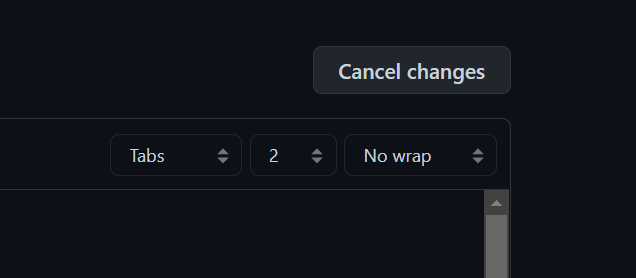
Currently, tabs are set to be 8 spaces, which makes looking at tab-formatted code really difficult, and lines wrap everywhere. This is already a way to change the tab size when editing, but not while viewing. Simply having this option while viewing code would make a big difference. I'm aware of the This issue has gotten significant attention at isaacs/github#170, with almost 200 👍. (Make sure to upvote this, not just add a 👍). |
Replies: 2 comments 17 replies

And if that's too much to ask for, then please, please, add a repository-level setting to configure the default tab-width so incorrigible hacks like this are no longer necessary. It defaults the whole purpose of semantic indentation. I've been requesting this feature for years, even going so far as to include code samples to overcome my inability to submit a pull-request. The frustrating part is that this is a VERY simple feature to implement, and one that's been heavily requested time and time again by countless users. Listen to us, GitHub. Please/ |

|
Thanks for the |

|
Just tested and I don't think the editor config even works on a per-repo basis |

|
Hey everyone 👋 good news, you can now define the tab size in the Appearance settings of your user account. Code rendered on GitHub with tab indent will use your preferred tab size. |

|
Injecting the following CSS into the page for logged-in users should solve this issue. Server-side, this might look something like: <style>
.markdown-body .highlight pre,
.markdown-body pre {
tab-size: <%= user.preferences.tab_size || 8 %>;
}
</style>(Tailor the embedded Ruby command to whatever's used to retrieve a user's tab-size preference). |

|
Great that this is configurable but why does it still default to 8 spaces? Absolutely nobody wants or needs it that wide. Should be 4 spaces at the most. |
Linux kernel uses 8, git and Linux were written by Linux - maybe that's github's homage to Linus My pref is 2 spaces but no one asked me :-) |

|
Please consider making 4 characters the default. 8 is too wide, and it's a very uncommon preference to use as a default. It's great that this setting is configurable, but I'd guess that most people don't know the option exists. |

|
2 Spaces OP (though for certain languages 4 looks better like i feel like for json 4 looks better but idk) |


Hey everyone 👋 good news, you can now define the tab size in the Appearance settings of your user account. Code rendered on GitHub with tab indent will use your preferred tab size.