Add sorting to variant analysis results#1353
Conversation


Sort by stars, number of results, and name.

This also includes a graphql query that retrieves all the stars
for relevant repositories.
 aeisenberg
force-pushed
the
aeisenberg/sort-remote-results
branch
from
aeisenberg
force-pushed
the
aeisenberg/sort-remote-results
branch
from
a6da074 to
642f3f2
Compare
aeisenberg
force-pushed
the
aeisenberg/sort-remote-results
branch
from
642f3f2 to
6c376d8
Compare

 charisk
left a comment
charisk
left a comment
charisk
left a comment
There was a problem hiding this comment.
Some comments for now, I'll come back to it tomorrow!
|
|
||
| } while (cursor); | ||
| } catch (e) { | ||
| void showAndLogErrorMessage(`Error retrieving repository metadata for variant analysis: ${getErrorMessage(e)}`); |
There was a problem hiding this comment.
Minor (feel free to ignore!), but do we have to say for variant analysis? I'm thinking that the API client can eventually be used for local queries as well so it'd be nice to not make it variant analysis specific
| } | ||
| }; | ||
|
|
||
| export async function getStargazers(credentials: Credentials, nwos: string[], pageSize = 100): Promise<Record<string, number>> { |
There was a problem hiding this comment.
How about calling this getStargazersCounts or something like that?
|
|
||
| export type Sort = 'name' | 'stars' | 'results'; | ||
| type SortBy = { name: string, sort: Sort }[]; | ||
| type Props = { |
There was a problem hiding this comment.
Personal preference (feel free to ignore) but I've generally avoided having a Props type because it makes you jump around in the code - I just define it inline where the component that has the props is defined.
This helps if you have multiple components in the same file too - avoids the reader having to wonder for which component the props are for.
|
|
||
| const SortRepoFilter = ({ sort, setSort }: Props) => { | ||
| return <span className="vscode-codeql__analysis-sorter"> | ||
| <ActionMenu> |
There was a problem hiding this comment.
This doesn't look right locally for me for some reason 🤔
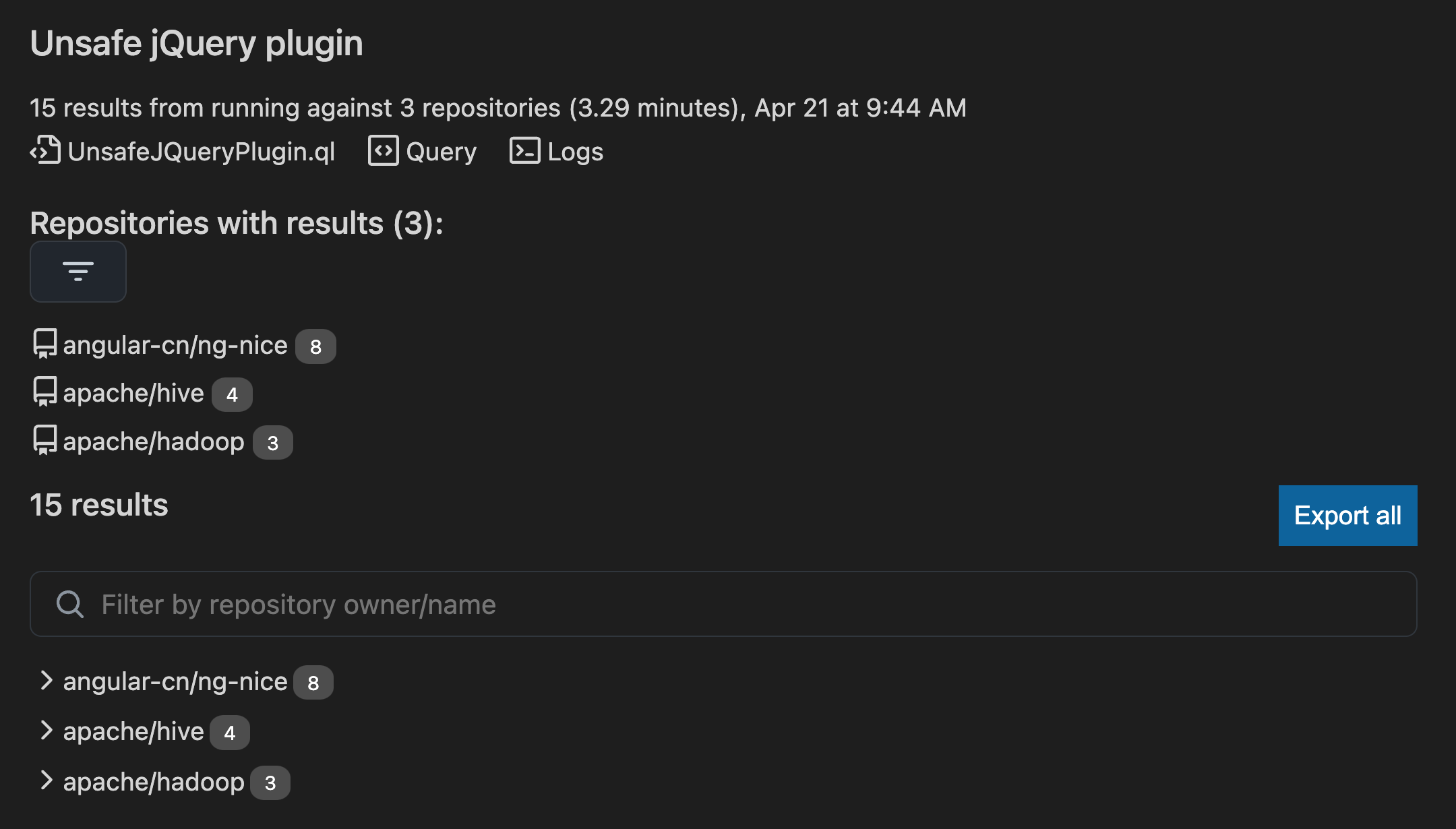
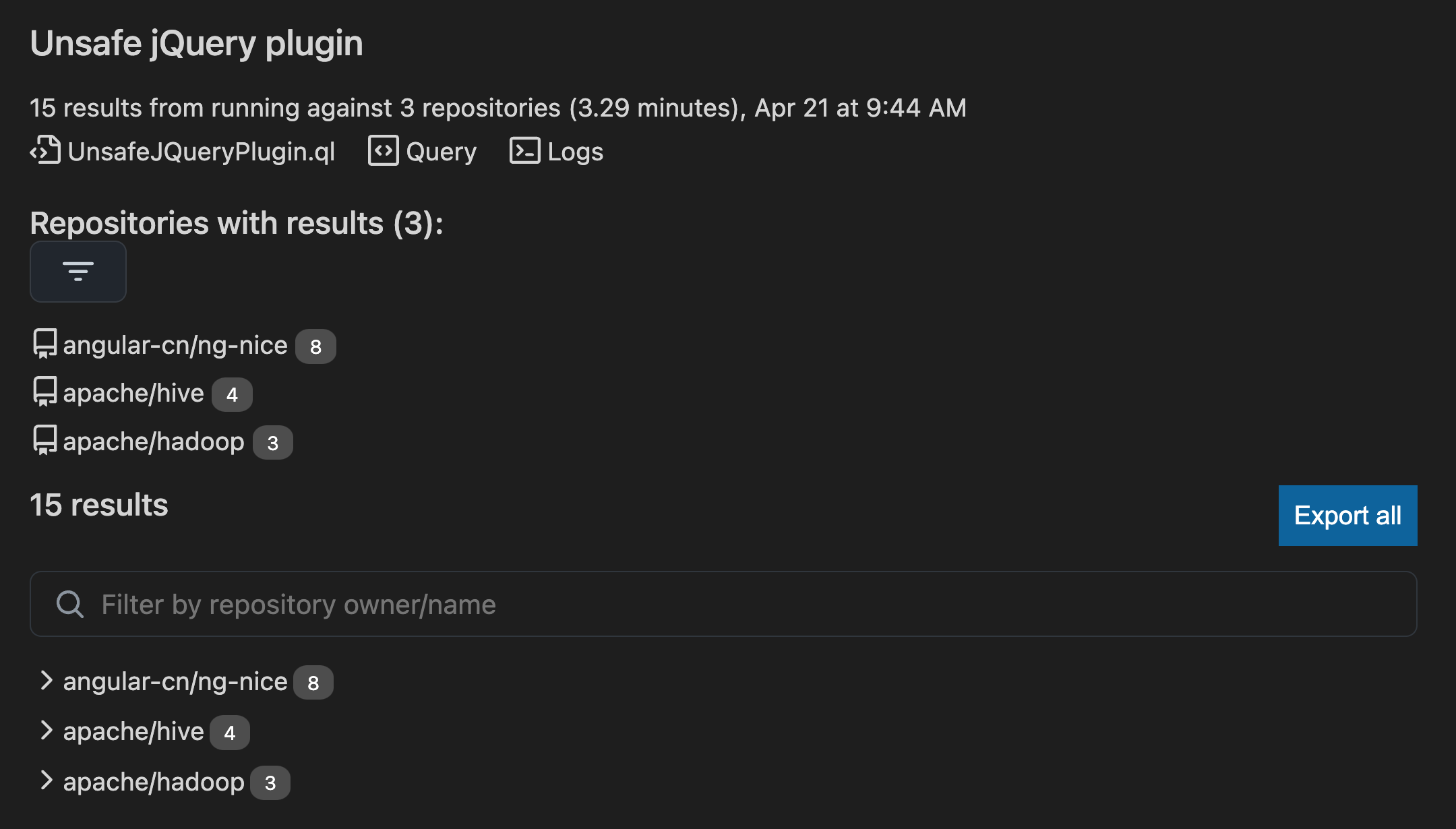
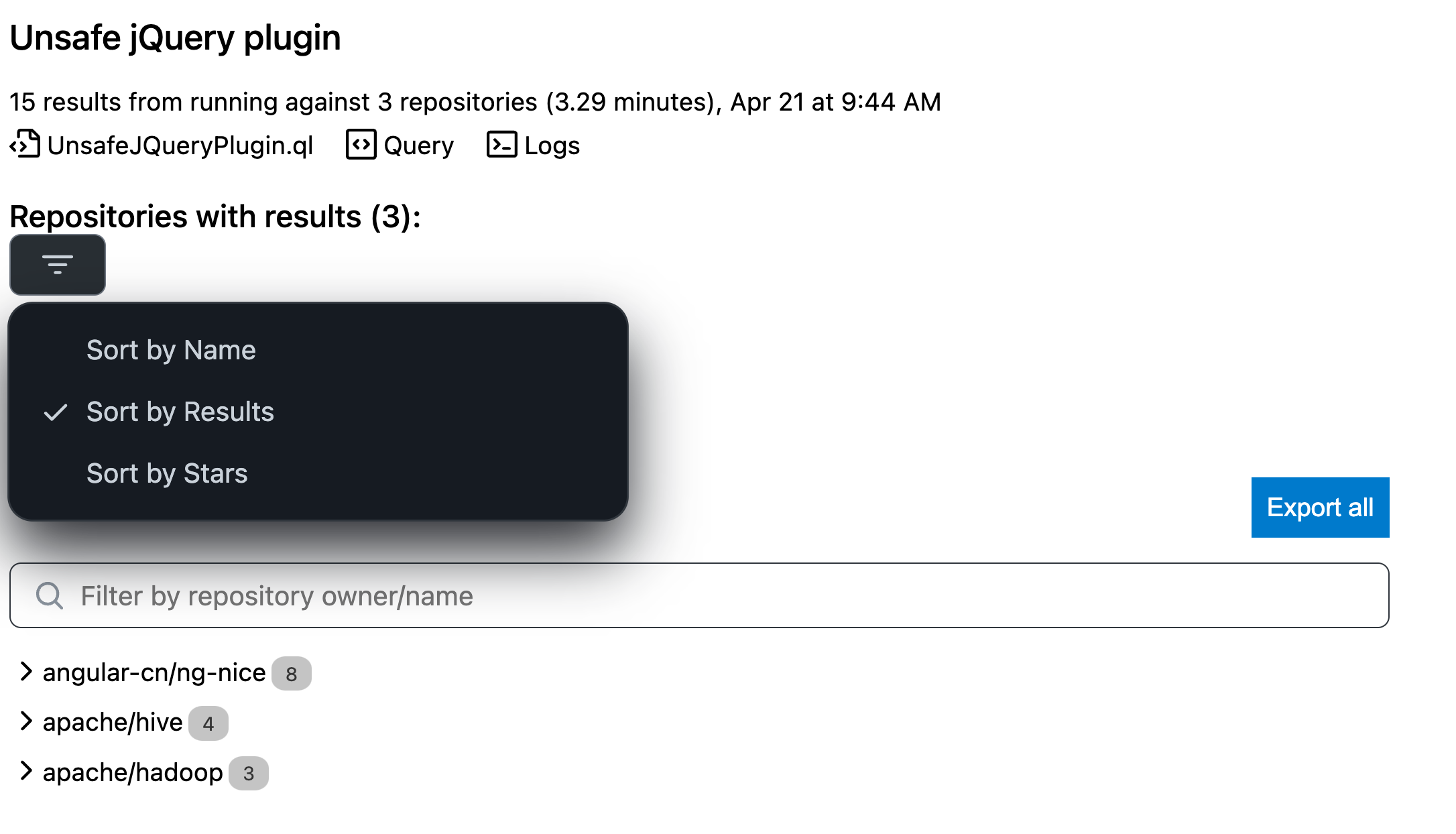
There was a problem hiding this comment.
Actually this looked better after running npm run build. I'm not sure why, I thought npm run watch would refresh everything when it first runs.
There are some styling issues still though.
- The colours are a bit off in light mode
- The menu opens up to the right - it should open to the left according to the designs
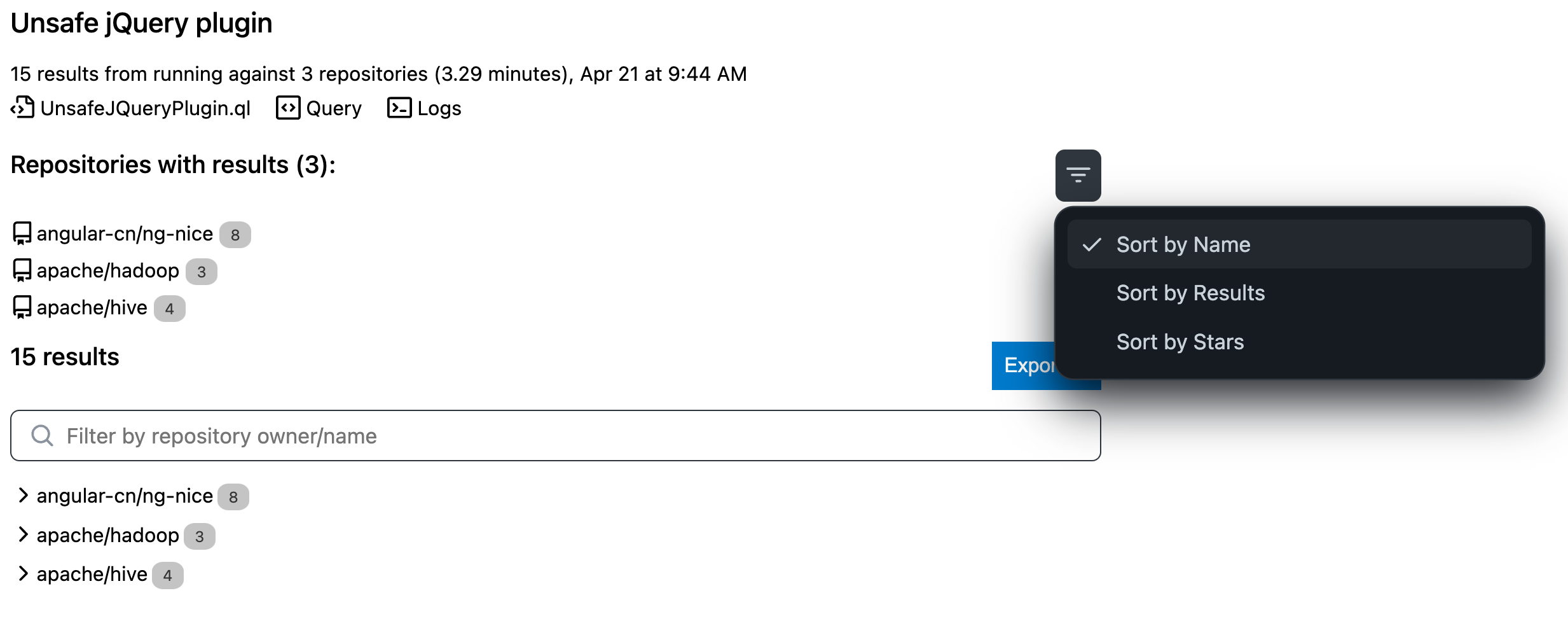
There was a problem hiding this comment.
Don't know if i have control over where the drop-down comes. I'll try to fix.
I'll also work on the background color.
There was a problem hiding this comment.
The menu open location is dependent on the width of the viewport. With a smaller screen, the menu will open on the other side. It's the default behaviour of this component. Do you think this is something to spend time on?
There was a problem hiding this comment.
And another thing that's odd is that on my screen, I'm getting the reverse colours. I wonder if it has something to do with what theme the IDE is using when you initially run compile??
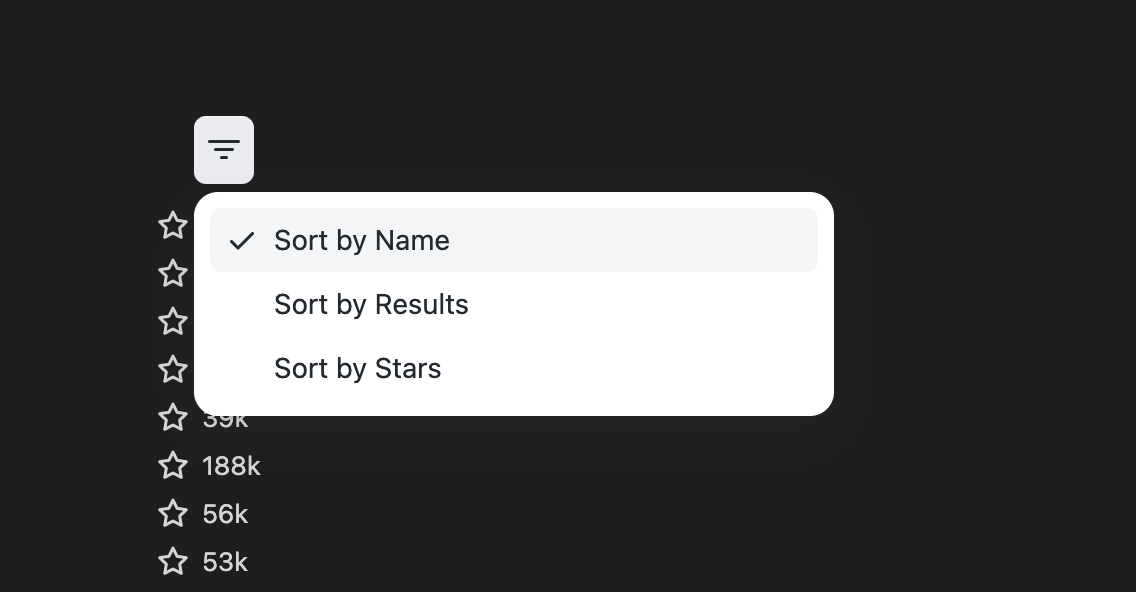
Odd. I'll have to look tomorrow.
There was a problem hiding this comment.
Discussed offline - we'll use the approach we have in the CodePaths component and work on our Primer theming solution.

|
Thanks for the review! |
|
I addressed all of your comments except for the theme styling. Something odd is happening and I'll need to look tomorrow. |
charisk
left a comment
charisk
left a comment
There was a problem hiding this comment.
As discussed, there are some comments to be addressed but most will be done before merging and a separate PR will address light theme issues.
Use `ActionMenu.Anchor` instead of `ActionMenu.Button`.

The theming styles are not correct. Will work on that next.
aeisenberg
force-pushed
the
aeisenberg/sort-remote-results
branch
from
a8dd01e to
3611b1f
Compare
|
Will work on theming and styling next. |
2 participants


Sort by stars, number of results, and name.
This also includes a graphql query that retrieves all the stars
for relevant repositories.
Here is an example of what it looks like:
This PR also includes an integration test that ensures the graphql call to get the stargazers counts for each repo works. I had to make a change to the credentials class to allow a way of instantiating based on an environment variable.