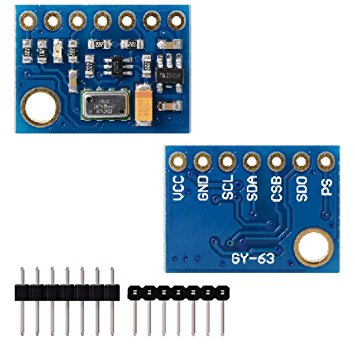
This gem let you connect to your MS5611 module through I2C.
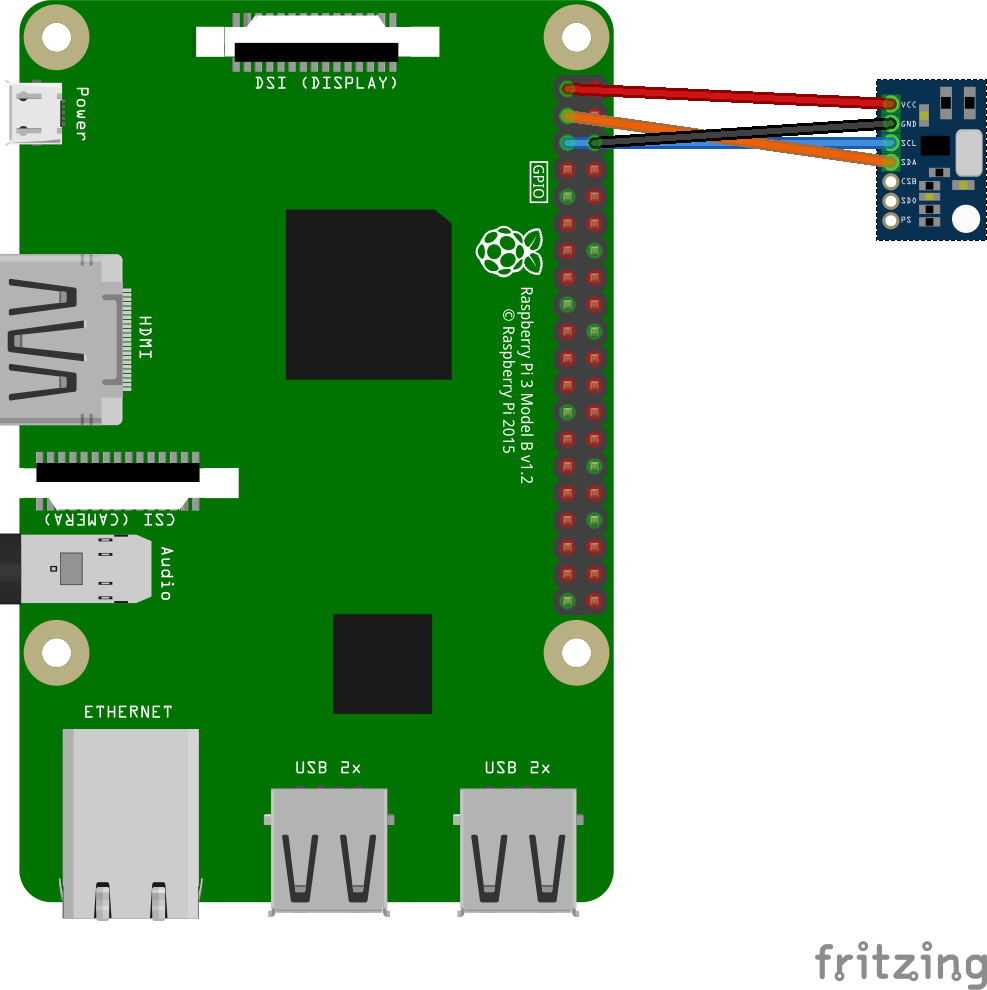
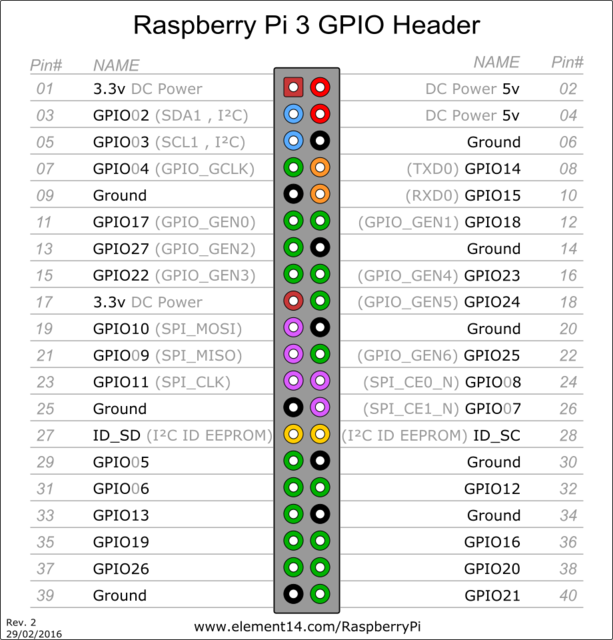
- 3.3v pin:01
- ground pin:06
- SDA pin:03
- SCLK pin:05
Add this line to your application's Gemfile:
gem 'ms5611', github: "https://github.com/github0013/ms5611.git"And then execute:
$ bundle
require "ms5611"

# Ms5611::I2c::Module.detect_i2c_bus_path
# will print something like /dev/i2c-1

# Ms5611::I2c::Module.print_i2c_addresses
# will print something like this to let you find your i2c device addres
# 0  1  2  3  4  5  6  7  8  9  a  b  c  d  e  f
# 00:          -- -- -- -- -- -- -- -- -- -- -- -- --
# 10: -- -- -- -- -- -- -- -- -- -- -- -- -- -- -- --
# 20: -- -- -- -- -- -- -- -- -- -- -- -- -- -- -- --
# 30: -- -- -- -- -- -- -- -- -- -- -- -- -- -- -- --
# 40: -- -- -- -- -- -- -- -- -- -- -- -- -- -- -- --
# 50: -- -- -- -- -- -- -- -- -- -- -- -- -- -- -- --
# 60: -- -- -- -- -- -- -- -- -- -- -- -- -- -- -- --
# 70: -- -- -- -- -- -- -- 77


#            i2c_device_address
# you need to find your i2c_device_address first.
# Ms5611::I2c::Module.print_i2c_addresses
# displays connected i2c device addresses

#            i2c_bus_path
# without i2c_bus_path keyword param, it will try to find a path by itself
ms5611 = Ms5611::I2c::Module.new(i2c_device_address: 0x77)

# OR ... specify the path if you already know
# Ms5611::I2c::Module.new(i2c_device_address: 0x77, i2c_bus_path: "/dev/i2c-1")

ms5611.temperature # 23.45
ms5611.pressure # 1017.89cat /sys/firmware/devicetree/base/model
Raspberry Pi Model B Plus Rev 1.2
cat /etc/os-release
PRETTY_NAME="Raspbian GNU/Linux 9 (stretch)"
NAME="Raspbian GNU/Linux"
VERSION_ID="9"
VERSION="9 (stretch)"
ID=raspbian
ID_LIKE=debian
HOME_URL="http://www.raspbian.org/"
SUPPORT_URL="http://www.raspbian.org/RaspbianForums"
BUG_REPORT_URL="http://www.raspbian.org/RaspbianBugs"require 'benchmark'
ms5611 = Ms5611::I2c::Module.new(i2c_device_address: 0x77)
Benchmark.bm 10 do |r|
r.report :pressure do
1000.times{ ms5611.pressure }
end
end
# user system total real
# pressure 3.280000 1.160000 4.440000 ( 43.774997)
##########################
# (43.774997 / 1000).round 4
# 0.0438 / call
##########################After checking out the repo, run bin/setup to install dependencies. Then, run rake spec to run the tests. You can also run bin/console for an interactive prompt that will allow you to experiment.
To install this gem onto your local machine, run bundle exec rake install. To release a new version, update the version number in version.rb, and then run bundle exec rake release, which will create a git tag for the version, push git commits and tags, and push the .gem file to rubygems.org.
Bug reports and pull requests are welcome on GitHub at https://github.com/[USERNAME]/ms5611.