Repository navigation
Releases: cutiecurses/equaudio
Release list
EquAudio 1.0.1

Changed
- The output-level line in the window and on the Touch Bar, and the Impact curves and waveform in the visualizer, are now drawn as smooth curves instead of straight segments between samples.
Notes
- Signed ad-hoc and not notarized: macOS asks you to approve it once on first launch (see the README).
- arm64 only.
SHA-256 of EquAudio-1.0.1-arm64.dmg: 72367e36a075e7c6788b45d8c1679a299514518218859b0cb55bc98e106ed667
EquAudio 1.0.0
EquAudio 1.0.0
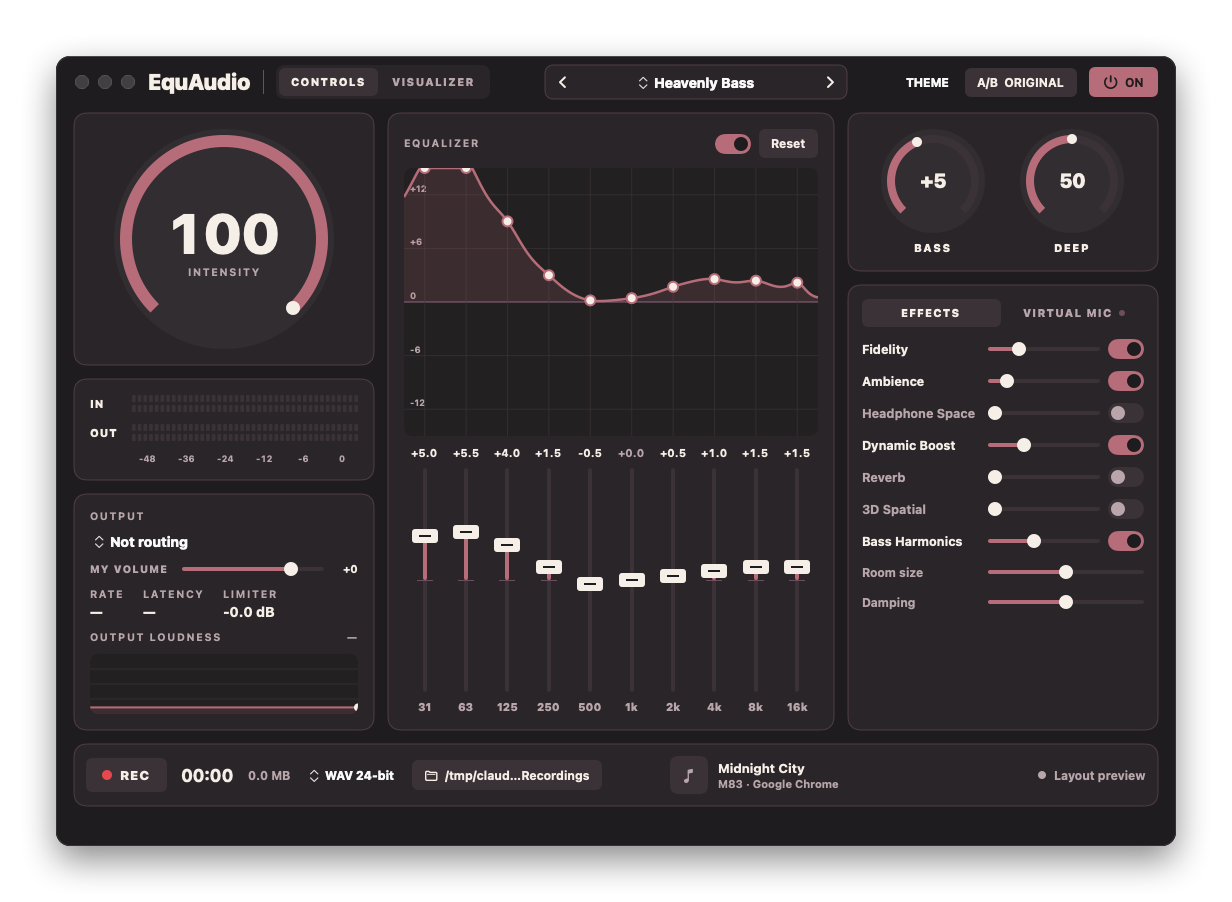
The first public release. A system-wide audio enhancer for macOS: it processes the audio of every app with a 10-band EQ, bass, clarity, loudness, stereo width and a look-ahead limiter. No driver, no account, nothing leaves your Mac.
Highlights
- Works on everything. Core Audio process taps (macOS 14.2+) instead of a virtual audio device: no driver, no admin password, nothing installed system-wide. If EquAudio quits, your apps play normally again.
- 10-band EQ, bass, clarity, loudness, width, crossfeed, reverb and 3D spatial, then a true-peak limiter so nothing above 0 dBFS reaches your speakers.
- Live visualizer with spectrum, input-vs-output impact, scope, radial and waterfall views.
- Recorder for the processed signal (WAV, ALAC, FLAC).
- Virtual mic for Discord, Zoom and OBS (needs the free BlackHole 2ch driver).
- Touch Bar, now-playing card and six colour themes.
Install
- Download EquAudio-1.0.0-arm64.dmg below and drag EquAudio onto Applications.
- Open it. macOS will block it the first time (see the note below).
- Click Allow when macOS asks for System Audio Recording.
Requires a Mac with Apple Silicon and macOS 14.2 or newer.
Heads-up: this build is not notarized. Notarization needs a paid Apple Developer Program membership, so the app is signed ad-hoc and Gatekeeper warns on first launch. Once: try to open it, click Done, then go to System Settings → Privacy & Security → Security and click Open Anyway. Or in Terminal:
xattr -dr com.apple.quarantine /Applications/EquAudio.appRather not trust a binary? Check the checksum below, or build it yourself:
./build.sh && ./scripts/make-dmg.sh.
Verify your download
bd2815690dd2c953b8d8fbe1074a607088bd4e940d6d819a7dc9a81aa4e6ed48 EquAudio-1.0.0-arm64.dmg
shasum -a 256 -c EquAudio-1.0.0-arm64.dmg.sha256Under the hood
33 unit tests in 11 suites pass. The audio thread is C++20 with no allocations, locks or Swift calls. See docs/ARCHITECTURE.md for the design and what was measured.
Not verified: the recording UI in a live session, screen-recorder interaction (QuickTime, OBS) with the processed signal, and Bluetooth devices.
Full changelog: CHANGELOG.md