Description:
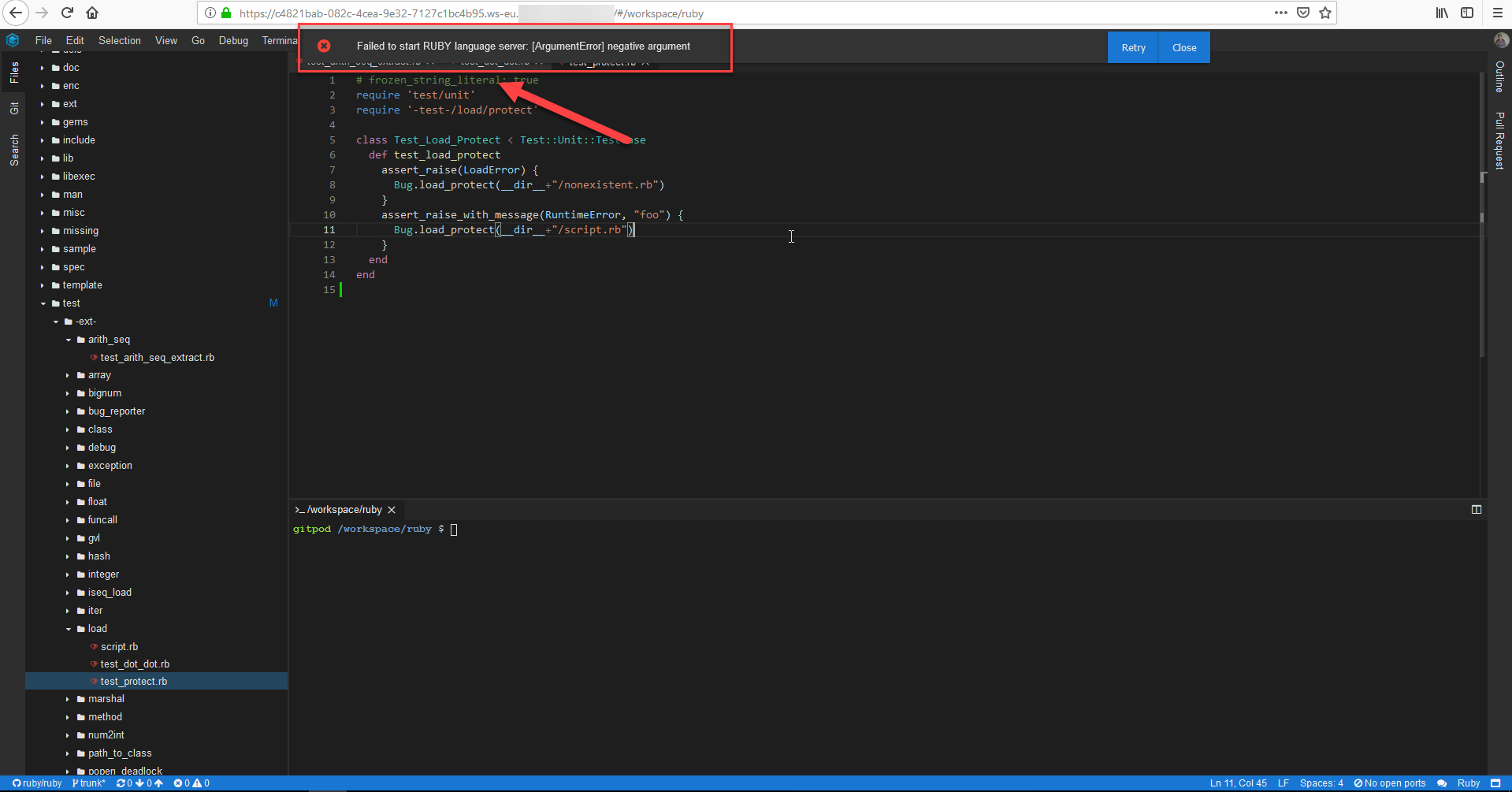
The "Failed to start RUBY language server" error is displayed in the "Theia" application after starting the "RUBY" repository
Steps To Reproduce:
- Login to the site
- Start the workspace (Language: RUBY, e.g. https://c4821bab-082c-4cea-9e32-7127c1bc4b95.ws-eu./#/workspace/ruby)
- Pay attention to the "Failed to start RUBY language server" error
Actual result:
The "Failed to start RUBY language server" error is displayed in the "Theia" application after starting the "RUBY" repository
Expected result:
The "RUBY" language server is started
Additional Information:
Win 10 Google Chrome 71.0.3578.98 // FF 64.0.2

Description:
The "Failed to start RUBY language server" error is displayed in the "Theia" application after starting the "RUBY" repository
Steps To Reproduce:
Actual result:
The "Failed to start RUBY language server" error is displayed in the "Theia" application after starting the "RUBY" repository
Expected result:
The "RUBY" language server is started
Additional Information:
Win 10 Google Chrome 71.0.3578.98 // FF 64.0.2