
A simple CLI tool for making git commits with a custom date, and a queue system for scheduling pushes over time.
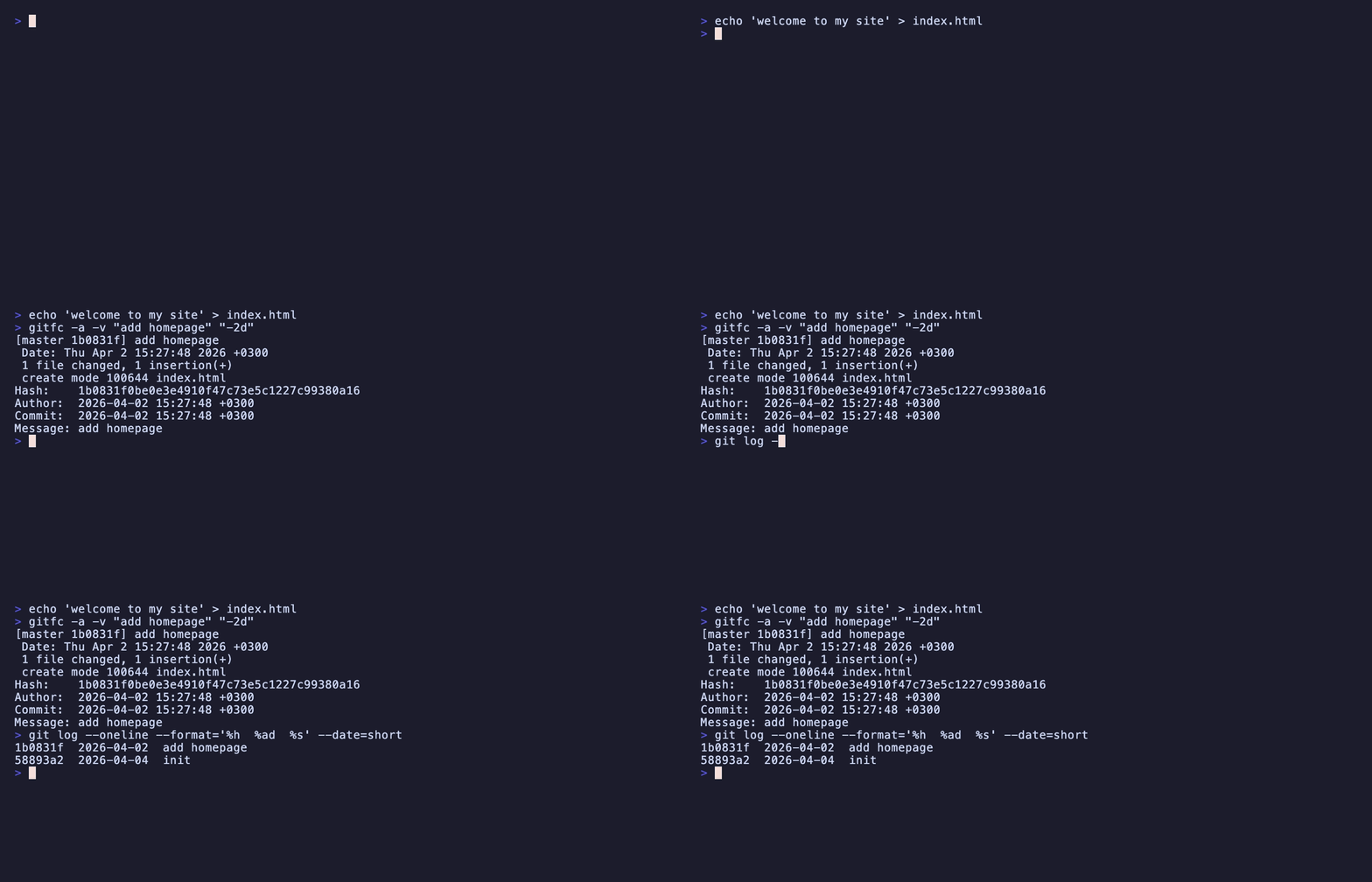
pip install gitfc
git clone https://github.com/chessitay/gitfc.git
cd gitfc
make install
For development (editable install):
make dev
To uninstall:
make uninstall
gitfc [flags] "commit message" [date]
Both the message and date are optional depending on which flags you use. If you skip the date, it defaults to right now.
| Input | What it means |
|---|---|
| (nothing) | Current date and time |
+15m |
15 minutes from now |
-2h |
2 hours ago |
+3d |
3 days from now |
14:30 |
Today at 14:30 |
2026-04-01 |
That date at midnight |
2026-04-01 14:30:00 |
Exact date and time |
| Flag | What it does |
|---|---|
-a |
Stage all changes before committing (git add -A) |
--amend |
Amend the previous commit instead of creating a new one |
-v, --verbose |
Print commit details (hash, date, message) after committing |
-p, --push |
Push to remote after committing |
--dry-run |
Show the command and resolved date without actually committing |
# Commit with current date and time
gitfc "my message"

# Commit staged changes, dated 2 days ago
gitfc "my message" "-2d"

# Stage everything and commit with a specific date
gitfc -a "my message" "2026-03-15 10:00:00"

# Amend the last commit's date to 1 hour ago, keep message
gitfc --amend "-1h"

# Amend with a new message and date
gitfc --amend "new message" "2026-04-01"

# Commit, push, and show details
gitfc -a -v -p "my message" "+30m"

# Preview what would happen without committing
gitfc --dry-run "my message" "2026-04-01 09:00:00"
The queue lets you batch-create commits locally and push them all at once. Commit dates are already baked into each commit, so they look natural on the remote regardless of when you push.
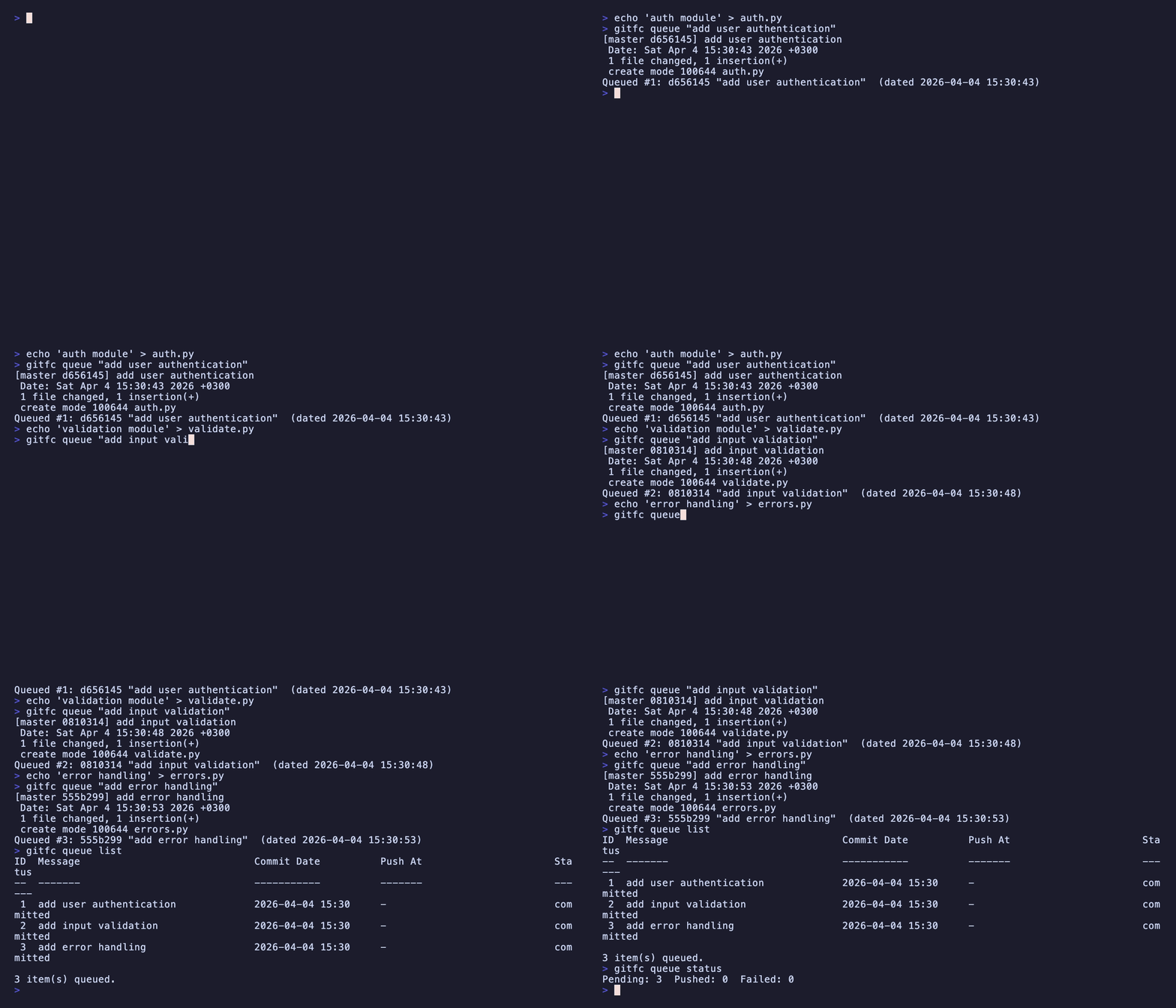
The idea: commits are created immediately (locally) with their target dates, then pushed together when you run the queue. You can also backdate each commit:
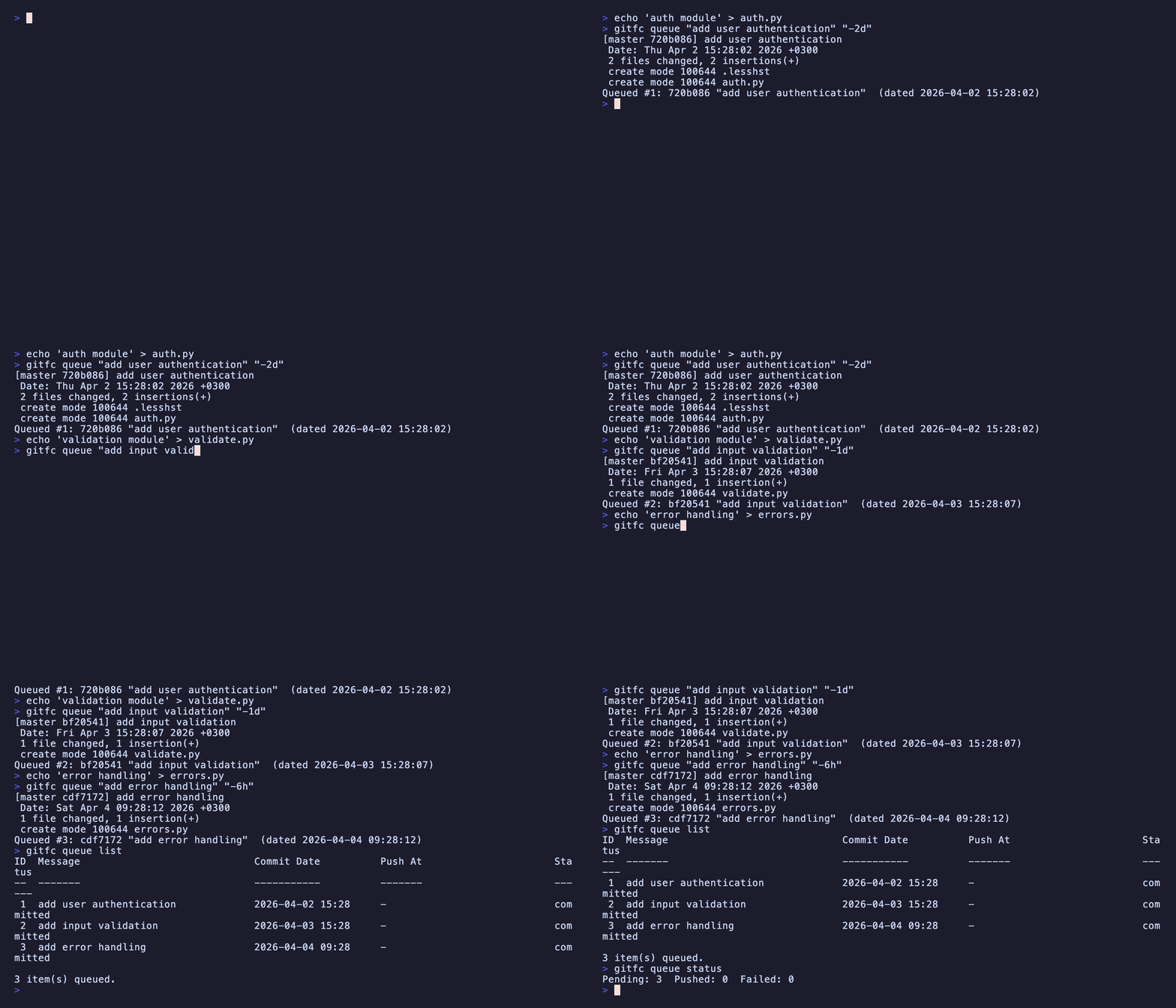
| Command | What it does |
|---|---|
gitfc queue "msg" [date] |
Add a commit to the queue (shorthand) |
gitfc queue add "msg" [date] |
Same thing, explicit |
gitfc queue list |
Show all queued items |
gitfc queue remove <id> |
Remove an item by ID |
gitfc queue clear |
Remove all pending items |
gitfc queue run [interval] [jitter] |
Push all pending items immediately |
gitfc queue status |
Show queue summary |
You can also use gitfc q instead of gitfc queue.
| Option | What it does |
|---|---|
[interval] |
Spacing for stored timestamps: 30m, 2h, 1d (optional, metadata only) |
[jitter] |
Random offset for timestamps: 5m, 10m (optional) |
--at <time> |
Start time for stored timestamps (default: now) |
--ids <ids> |
Comma-separated IDs in push order: 2,1,3 |
All items are pushed immediately regardless of interval. The interval/jitter/at options only affect the push_at timestamps stored as metadata.
# Add a few commits to the queue
git add feature1.py
gitfc queue "add user authentication"

git add feature2.py
gitfc queue "add input validation" "-1h"

git add feature3.py
gitfc queue "add error handling" "-30m"

# Check what's queued
gitfc queue list

# Push everything now
gitfc queue run

# Push with stored timestamps spaced 30m apart (metadata only)
gitfc queue run 30m 5m

# Push in a specific order
gitfc queue run --ids 3,1,2

# Check queue status
gitfc queue status
The project includes unit tests for the queue module (53 tests covering all queue operations).
pip install pytest
python3 -m pytest tests/ -v
Or add a test target via make:
make test
| Area | Tests |
|---|---|
get_db_path / get_db |
DB path resolution, schema creation, WAL mode |
queue add |
Success, amend, missing message, commit failure |
queue list |
Empty queue, message truncation, status ordering, relative time |
queue remove |
Success, not found, already pushed, failed items |
queue clear |
Force flag, confirmation prompt, pushed item preservation |
process_due_items |
Scheduling, jitter, branch mismatch, missing commit, push failure |
queue run |
Interval scheduling, jitter, --ids filter, --at flag, daemon mode |
handle_queue |
Dispatch, aliases (ls, rm), unknown action |
Disclaimer: AI was used to generate a big part of this tool (and wrote all of the unit tests).