💬 Ask Glubean AI anything — setup help, feature questions, comparisons
Runnable pattern recipes for Glubean. For full documentation, visit docs.glubean.com.
The best way to learn glubean is to let your AI agent guide you through it:
- Install the Glubean VS Code extension
- Clone and install:
git clone https://github.com/glubean/cookbook
cd cookbook && npm install
- Set up AI integration:
npx glubean config mcp && npx glubean config skill - Ask your AI:
/glubean what can you do? show me.
/glubean write a test for the GitHub users API
Your AI discovers tests, runs them via MCP, explains results, and teaches you patterns — all without leaving the editor. No docs required.
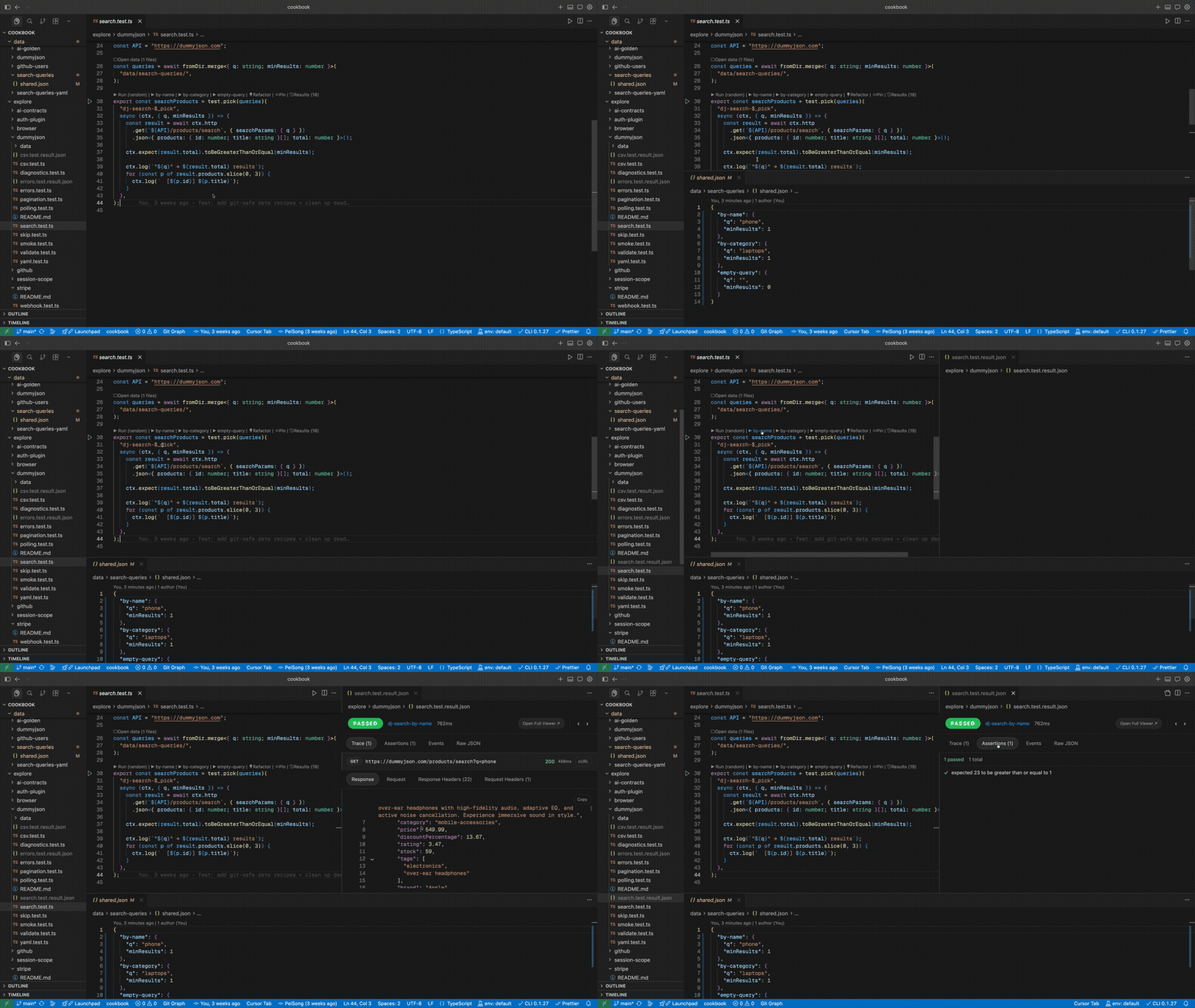
Highlight:
stripe/webhook.test.ts— one file that spins up a local server, opens a tunnel, registers a Stripe webhook, triggers a real event, verifies payload + signature, and cleans up automatically. Setup, multi-step orchestration, and teardown — in plain TypeScript. Try doing that in Postman.
Do not start with the hardest recipe.
The intended learning order is:
- No token, low setup:
explore/dummyjson/*Start with:explore/dummyjson/smoke.test.tsexplore/dummyjson/search.test.tsexplore/dummyjson/validate.test.ts
- Still no token, but shared config / public APIs:
explore/github/smoke/* - Local browser workflow:
explore/browser/* - Session and multi-step state:
explore/session-scope/* - Needs token or external setup:
explore/github/advanced/*,explore/stripe/*,explore/ai-contracts/*
If this is your first time with Glubean, stay in explore/dummyjson/ until the
editor loop feels natural. See Quick Start for setup help.
Set up MCP + AI skill so your editor can discover, run, and explain cookbook tests:
npx glubean@latest config mcp      # AI can discover, run, and diagnose tests
npx glubean@latest config skill    # AI learns glubean patterns to write tests
npx glubean@latest docs pull       # download SDK reference for AI context
Supports Claude Code, Codex, and Cursor. Learn more →
After setup, try:
/glubean run the dummyjson smoke tests and explain what each one does
-
Install the Glubean VS Code extension (or install VSIX for Cursor/VSCodium from Releases).
-
Clone this repo and install dependencies:
git clone https://github.com/glubean/cookbook cd cookbook npm install -
Open the repo in VS Code.
-
Open
explore/dummyjson/smoke.test.tsand click ▶ next to anytest(. -
Or run from the Glubean panel in the sidebar (Tasks section) if you prefer panel-driven execution.
No build step beyond npm install needed — the extension runs TypeScript directly.
If you later want to try token-based recipes, copy .env.secrets.example to
.env.secrets. That file is gitignored on purpose. The example uses ${NAME}
syntax so you can map host environment variables into the names used by this
project. If the raw token already exists in your shell or CI environment, you
do not need to copy that raw value into project files again.
If you prefer terminal workflow:
npm install
npx glubean run explore/dummyjson
CLI runs always write a machine-readable result file to:
.glubean/last-run.result.json
If you want a stable custom artifact path (for scripts/CI), pass
--result-json:
npx glubean run explore/dummyjson --result-json results/dummyjson.result.jsonThis repository includes ready-made scripts in package.json:
npm run explore:dummyjson
npm run explore:github:smoke
npm run explore:smoke
Each script writes a stable artifact under results/*.result.json and also
updates .glubean/last-run.result.json.
Start here first — low setup, no token:
  explore/dummyjson/smoke.test.ts         basic test, assertions, logs
  explore/dummyjson/search.test.ts        test.pick + fromDir.merge
  explore/dummyjson/csv.test.ts           fromCsv + test.each
  explore/dummyjson/yaml.test.ts          fromYaml + test.each
  explore/dummyjson/pagination.test.ts    pagination assertions
  explore/dummyjson/errors.test.ts        error handling assertions
  explore/dummyjson/validate.test.ts      ctx.validate + Zod
  explore/dummyjson/diagnostics.test.ts   metric + event + warn
  explore/dummyjson/polling.test.ts       ctx.pollUntil
  explore/dummyjson/skip.test.ts          test.skip

Then move here — still no token:
  explore/github/smoke/public.test.ts     shared config, public API
  explore/github/smoke/users.test.ts      test.each + fromDir

Then try local browser automation (needs Chrome):
  explore/browser/login.test.ts           form fill + navigation + assertions
  explore/browser/scrape.test.ts          data extraction with evaluate()
  explore/browser/dynamic.test.ts         dropdowns, checkboxes, lazy content

Then move to stateful workflows:
  explore/session-scope/profile.test.ts   session-backed auth reuse
  explore/session-scope/cart-workflow.test.ts multi-step + session state

Auth plugin patterns:
  explore/auth-plugin/bearer.test.ts      bearer token authentication
  explore/auth-plugin/apikey-query.test.ts API key in query param

Needs token or extra setup — leave these for later:
  explore/github/advanced/auth.test.ts    auth + multi-step
  explore/stripe/webhook.test.ts          webhook E2E (+ tunnel)

AI contract testing (needs OpenAI key):
  explore/ai-contracts/basic.test.ts      schema + semantic assertions
  explore/ai-contracts/regression.test.ts golden dataset with test.each
  explore/ai-contracts/consistency.test.ts N-runs stability check
  explore/ai-contracts/judge.test.ts      LLM-as-judge evaluation

Token/setup hint:
  copy .env.secrets.example -> .env.secrets
  then map host env vars with ${NAME}
  real .env.secrets stays gitignored

Project structure patterns:
  config/ai.ts                            shared AI plugin via definePlugin()
  config/browser.ts                       shared browser plugin via configure()
  config/github-api.ts                    shared HTTP client via configure()
  utils/stripe.ts                         pure helper functions for tests
| Pattern | File |
|---|---|
| Basic test structure | dummyjson/smoke.test.ts |
Data-driven named cases (pick) |
dummyjson/search.test.ts |
Data-driven file cases (each) |
github/smoke/users.test.ts |
CSV data loader (fromCsv) |
dummyjson/csv.test.ts |
YAML data loader (fromYaml) |
dummyjson/yaml.test.ts |
Schema validation (validate) |
dummyjson/validate.test.ts |
| Metrics + events + warnings | dummyjson/diagnostics.test.ts |
Polling (pollUntil) |
dummyjson/polling.test.ts |
Dynamic skip (skip) |
dummyjson/skip.test.ts |
Shared HTTP config (configure) |
config/github-api.ts |
| Browser plugin config | config/browser.ts |
| Browser login flow | browser/login.test.ts |
| Browser data extraction | browser/scrape.test.ts |
| Browser dynamic content | browser/dynamic.test.ts |
| Auth plugin: bearer token | auth-plugin/bearer.test.ts |
| Auth plugin: API key query | auth-plugin/apikey-query.test.ts |
| Authenticated requests | github/advanced/auth.test.ts |
| Multi-step state flow | github/advanced/auth.test.ts |
| Error handling | dummyjson/errors.test.ts |
| Pagination checks | dummyjson/pagination.test.ts |
| Webhook setup/teardown | stripe/webhook.test.ts |
| AI schema contract | ai-contracts/basic.test.ts |
| AI golden dataset regression | ai-contracts/regression.test.ts |
| AI consistency (N runs) | ai-contracts/consistency.test.ts |
| LLM-as-judge | ai-contracts/judge.test.ts |
AI plugin config (definePlugin) |
config/ai.ts |
| Pure test utilities | utils/stripe.ts |
Use *.local.json in any data/ directory for personal overrides.
- Shared files are committed
*.local.jsonstays uncommittedfromDir.mergelets local keys override shared keysfromDiradds local files as additional test cases
Example:
echo '{ "gaming-laptop": { "q": "gaming laptop", "minResults": 1 } }' \
> data/search-queries/mine.local.json- Documentation — full SDK, CLI, and extension docs
- SDK Reference — test API, configure, data loaders, assertions
- Data-Driven Testing — test.each, test.pick, YAML/CSV
- Limitations — trade-offs and known limitations
- VS Code Extension — install from Marketplace
This cookbook is pattern-first. Keep recipes short, runnable, and focused on one learning goal.
See CONTRIBUTING.md.