A Tandy Portable Disk Drive emultaor implemented on Arduino, using a micro-sd card for storage.
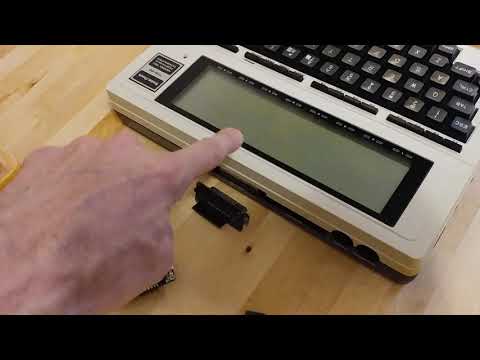
PDDuino is based on SD2TPDD by Jimmy Petit.
This fork adds:
- TPDD2-style bootstrapper (A way to install a TPDD Client onto the computer)
- Power saving sleep mode
- Current working directory displayed in TS-DOS
- Disk-activity led
- Support for Teensy 3.5 and 3.6 SDIO sd-card reader hardware
- Support for Adafruit Feather 32u4 Adalogger
- Support for Adafruit Feather M0 Adalogger (20200916 broken)
- Arduino-compatible microcontroller board with at least one hardware serial port
- SD card reader
- RS-232 to TTL/CMOS level shifter
- Serial cable
- Battery or usb power source for the microcontroller board
These boards have a small form-factor, and sd-card reader built-in:
Adafruit Feather 32u4 Adalogger
Adafruit Feather M0 Adalogger (20200916 broken)
Teensy 3.5
Teensy 3.6
Teensy 4.1 (not yet tested)
This adapter takes the place of a serial cable, and includes the level-shifter:
MounT
This adapter can power the microcontroller board from the M100:
BCR-USB-Power adapter
The following below are NOT needed if using the MounT adapter.
You would only need these for bread-boarding or building in a box attached by a cable.
RS-232<-->TTL/CMOS level-shifter module:
NulSom
Has a male connector and DTE pinout like a PC
Use the same special null-modem cable as for connecting a "Model T" to a PC.
Solder jumper wires on the back of the 9-pin connector to join pins 1, 4, and 6
DSR-DTR-DCD Wiring, top
DSR-DTR-DCD Wiring, bottom
This short-circuits the DSR/DTR detection, which pacifies TS-DOS so it will run, but means you can't test the bootstrap function except by wiring up a fake DTR/DSR signal using a pulldown resistor to gnd and a momentary button to vcc/3v3 on gpio pin 6.
RS-232 cable:
PCCables 0103
Or Any of these
TODO: find a ttl-serial module that actually supports the dsr/dtr lines.
https://www.pololu.com/product/126 breadboard-friendly single row of pins
https://www.amazon.com/dp/B0190WSINY/ needs jumper wires to a breadboard
Female plug, DCE pinout, needs a different serial cable, or adapters.
Assuming you are using a MounT adapter to host a Feather or Teensy.
Assuming you are using the BCR-USB adapter to power the MounT.
Assuming the portable is a Model 100.
Assuming you want to install TS-DOS.
-
Start with the Model 100 turned off.
Plug the MounT and BCR adapters into the Model 100 and connect the micro-usb cable from the BCR adapter to the MounT.
Eject the SD card. -
Place an ascii format BASIC loader on the root of the SD card, renamed as LOADER.DO.
You can use any of the loader files from dlplus.
Example, takeTS-DOS.100, and save it asLOADER.DOon the root of the SD card.
Note the two associated filesTS-DOS.100.pre-install.txtandTS-DOS.100.post-install.txt. -
Turn on the Model 100 while the SD card is still ejected.
The Teensy or Feather should now have a steady slow blinking LED, indication it's waiting for an SD card.
Don't insert the SD card yet. -
In BASIC, type
RUN "COM:98N1E"and press Enter. -
Insert the SD card.
-
Wait until the LED light goes out, then wait while the loader runs and eventually follow the on-screen directions.
You now have the ram version of TS-DOS installed! You can immediately use it to browse the contents of the SD card.
Exit BASIC and run TS-DOS.BA from the main menu. You can delete the TMP.DO file.
If you plan on using Ultimate Rom II, it has a "TS-DOS" feature which works by loading TS-DOS into ram on the fly, from a file on disk.
The file must be named DOS100.CO, and be in the root directory of the media.
This file can be downloaded from http://www.club100.org/nads/dos100.co, or,
a modified/updated version can be found here: http://www.club100.org/memfiles/index.php?direction=0&order=&directory=Ken%20Pettit/NewDos
At power-on the Model 100 rs232 port sets all data & control pins to -5v.
On RUN "COM:98N1E", pins 4 and 20 go to +5v.
- Change "PARENT.<>" to "..<>" if possible
- https://www.arduinolibraries.info/libraries/double-reset-detector_generic
- https://github.com/rocketscream/Low-Power
simplify the sleep calls, same lib for both avr and samd21 - RTC (Teensy has built-in rtc)
- play & record audio as virtual cassette (Teensy has built-in audio, and enough cpu & ram to use it)
- Battery level (Adalogger has built-in voltage reference and adc, and a built-in lipo charger)
- A command-line that can be accessed from the computer's terminal emulator for quicker file manipulation
- Hayes modem emulation using an ESP8266 (https://www.cbmstuff.com/proddetail.php?prod=WiModem232)
- FTP server/client access using an ESP8266
-
20200916 Feather M0 isn't working.
Unknown why. It used to work. -
Works with TS-DOS.
-
Doesn't work with TEENY. (hangs)
-
File transfers don't work with TpddTool.py .
Seems to be due to mis-matches in handling the space-padding in the filenames? -
Some kind of working directory initial/default state issue, which affects Ultimate Rom II loading DOS100.CO on the fly. If you have DOS100.CO in ram, then UR-2 works all the time, because it will use that copy if available.
TS-DOS from rom or ram, not via UR-2, seems to be working pretty well all the time.
TS-DOS from rom or ram, not via UR-2, can successfully load a file like DOS100.CO from the root dir, but Ultimate Rom 2 usually can not load that same file, but sometimes it can.
If you try to use TS-DOS from UR2 after a fresh power-cycle of both Arduino and M100, It doesn't work.
But If you load TS-DOS some other way (for example, use a REX to switch to TS-DOS rom), and use TS-DOS to read the directory listing once, then switch roms back to UR-2, THEN the TS-DOS menu entry in UR-2 works (successfully loads DOS100.CO from the disk).
Maybe TS-DOS does some kind of initialization that UR-2 isn't doing?
UR-2 works fine with a real TPDD/TPDD2 and other emulators like dlplus and LaddieAlpha, so maybe there is some sort of default condition that we should be resetting to? -
If you use UR-2 to load TS-DOS in ram, and switch to a subdirectory like /Games while in TS-DOS, then exit TS-DOS, then you can't use TS-DOS any more, because the next time UR-2 tries to load DOS100.CO from disk, SD2TPDD looks for /Games/DOS100.CO, which does not exist.
-
When UR-2 loads DOS100.CO, sucessfully or not, the LED doesn't shut off after.
-
Sometimes displays the "PARENT.<>" directory entry even when you are already in the root dir.
Goes away if you try to open PARENT.<> again when you're already in root.
20200819 b.kenyon.w@gmail.com
- Moved PCB to its own repo
- Added TPDD2-style bootstrap function
20200817 b.kenyon.w@gmail.com
- Added PCB adapter "PDDuino_Feather".
Takes the place of the serial cable and ttl-rs232 module.
Supports Adafruit Feather 32u4 Adalogger and Adafruit Feather M0 Adalogger.
20191025 b.kenyon.w@gmail.com
- Support Adafruit Feather M0 Adalogger
needs "compiler.cpp.extra_flags=-fpermissive" in ~/.arduino15/packages/adafruit/hardware/samd/1.5.4/platform.local.txt - Combine all boards supported into the same code
Time to break this out into a config.h file?
20180921 b.kenyon.w@gmail.com
- Support Teensy 3.5/3.6
- Support Adafruit Feather 32u4 Adalogger
- Macro-ify all serial port access, debug and tpdd client
- sleepNow() powersaving, idles at 3ma
- dmeLabel[] & setLabel() TS-DOS shows current working dir in top-right corner
- disk-activity led
- Added DME support
- Corrected some file name padding bugs
- Initial testing release with basic TPDD1 emulation