WebView-based subtitle styling renders EDGE_TYPE_DROP_SHADOW with bottom clipped #10148


Description

ExoPlayer Version
2.17.1
Devices that reproduce the issue
Mi 11 Lite
Devices that do not reproduce the issue
No response
Reproducible in the demo app?
Yes
Reproduction steps
//I added this codes in demo app PlayerActivity#onCreate to reproduce the issue
SubtitleView subView = playerView.getSubtitleView();
subView.setViewType(SubtitleView.VIEW_TYPE_WEB);
subView.setStyle(new CaptionStyleCompat(
/* foregroundColor= / Color.WHITE,
/ backgroundColor= / 0,
/ windowColor= / 0,
CaptionStyleCompat.EDGE_TYPE_DROP_SHADOW,
/ edgeColor= / Color.RED,
/ typeface= */ null
));
//the following code helps showing the issue clearly but is not necessary
subView.setFractionalTextSize(0.12f);
ViewGroup.MarginLayoutParams lp = (ViewGroup.MarginLayoutParams) subView.getLayoutParams();
lp.bottomMargin = 50;
subView.requestLayout();
Expected result
subtitle shows correctly
Actual result
subtitle shows with some letter's bottom shadow clipped, like y,g,p
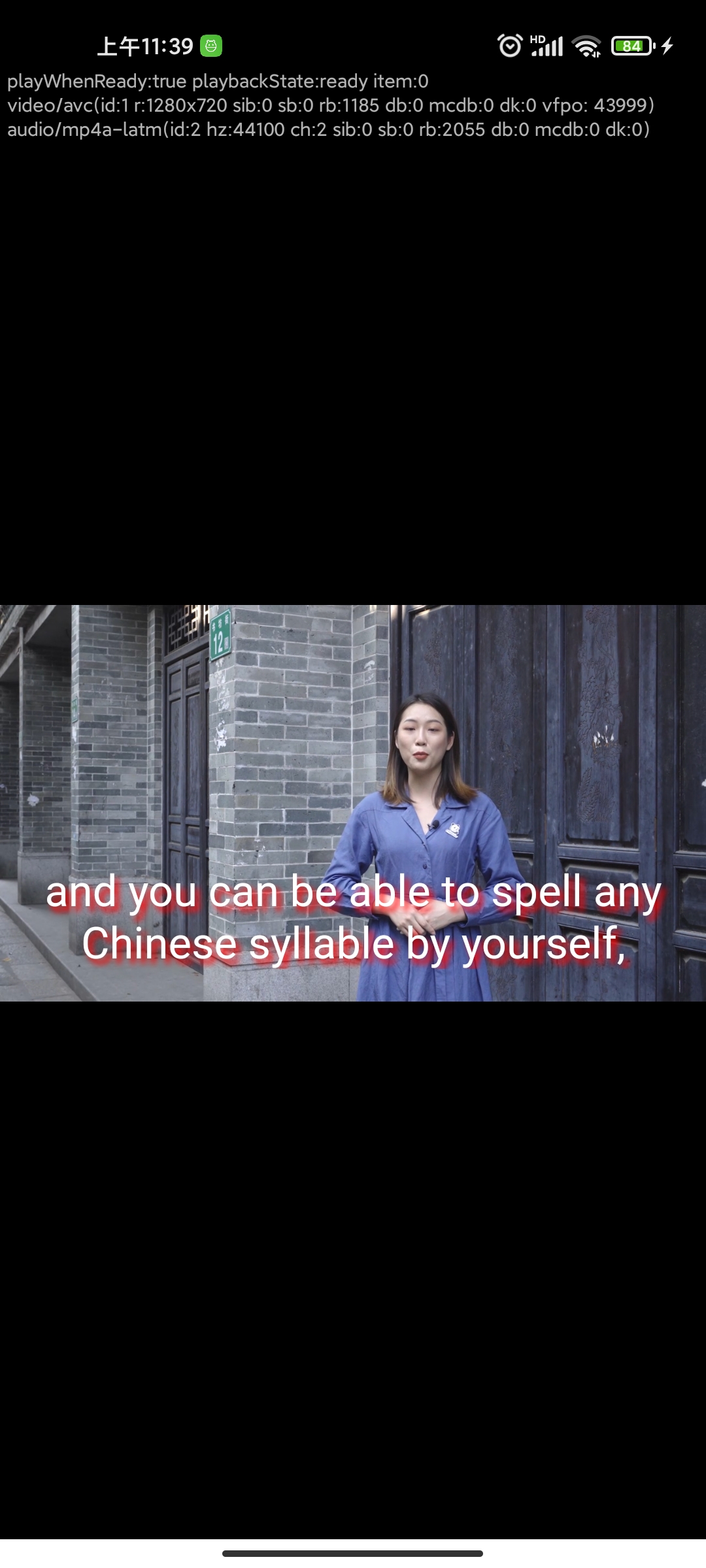
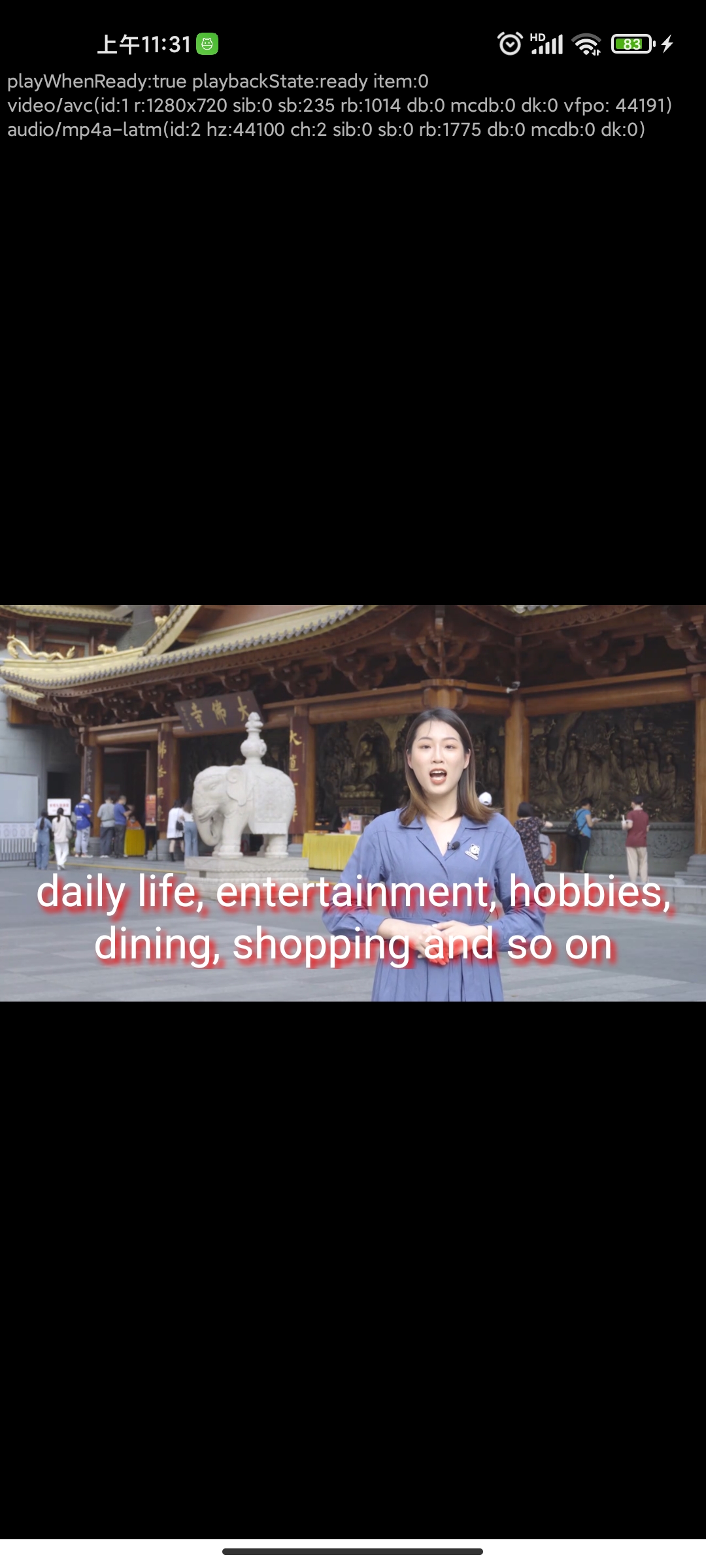
.
Media
{
"name": "test",
"samples": [
{
"name": "test subtitle shadow",
"uri": "https://test.5ideachinese.com/profile/video/2022/02/42846ed3e5f7dac6d1ab45638764c6ff_02_09.mp4",
"subtitle_uri": "https://test.5ideachinese.com/profile/2022/02/ee07baee3ad31d7d2d674b59d3d849c9.vtt",
"subtitle_mime_type": "text/vtt",
"subtitle_language": "en"
}
]
}
Bug Report
- You will email the zip file produced by
adb bugreportto dev.exoplayer@gmail.com after filing this issue.