13 Audio
What you'll learn: DRAW's per-theme sound effect bank and tracker-music player, plus how to swap, mute, and customize the audio experience.
🎯 Goal: Configure the creative audio experience.
DRAW emits short SFX for distinct UI actions — menus, tools, selection, fill, clipboard ops, layer ops, text entry, sliders, drag-and-drop, and more. The sounds live in the active theme's SOUNDS/ folder as WAV or OGG files. Replace any file with one of the same name to retheme that action without touching code.
You can:
- Globally enable / disable SFX.
- Adjust master SFX volume.
- Mute (independent of disabling).
DRAW plays tracker modules natively:
| Format | Description |
|---|---|
.mod |
Amiga ProTracker / FastTracker. |
.xm |
FastTracker II Extended Module. |
.it |
Impulse Tracker. |
.s3m |
Scream Tracker 3. |
.rad |
Reality Adlib Tracker. |
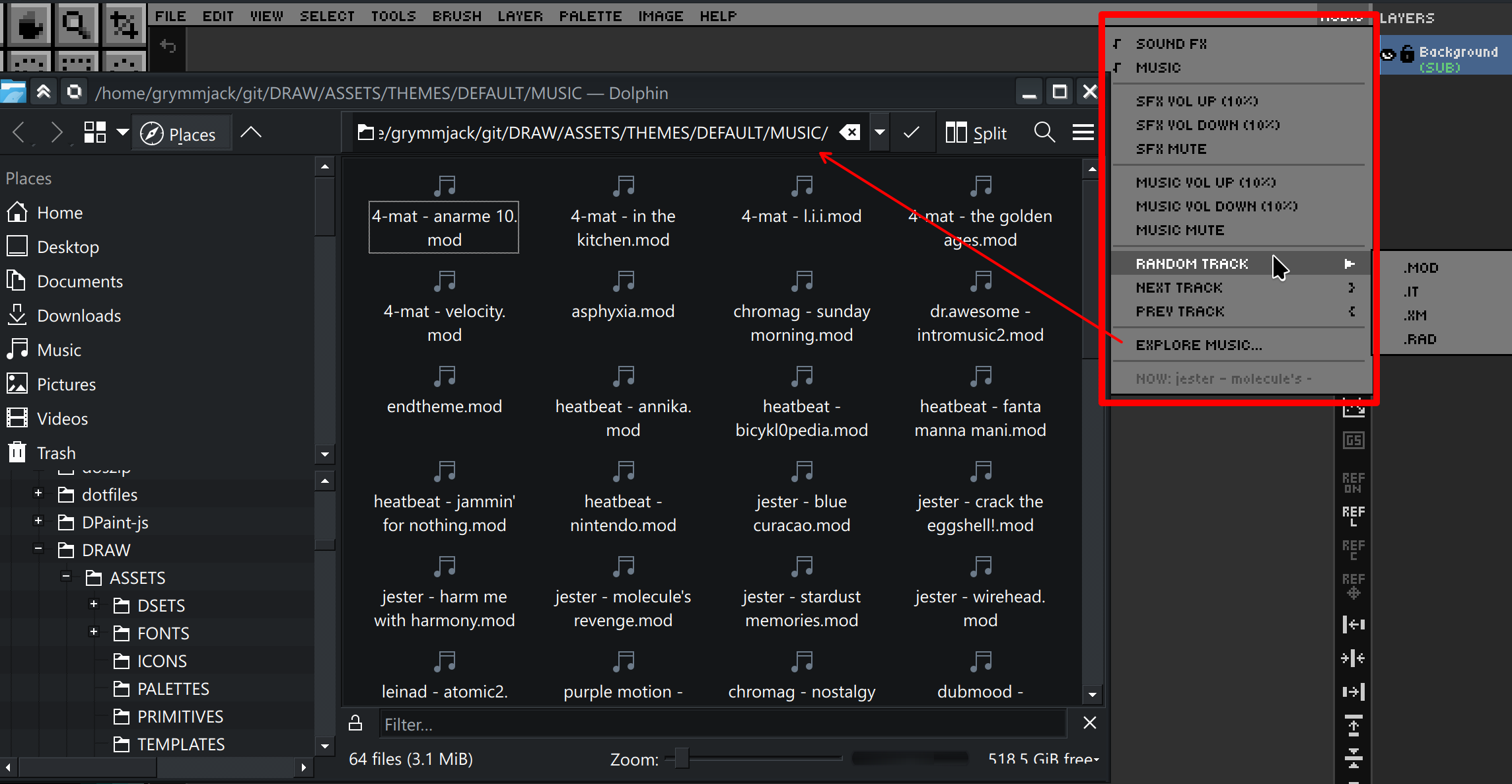
The Audio menu (rightmost in the menu bar) hosts:
- Auto-shuffle — when the current track ends, DRAW picks a random next track from the active music folder.
-
Next track —
} -
Previous track —
{ - Random track — picks at any time.
- Volume up / down — ±10% increments, independent of SFX volume.
- NOW PLAYING — read-only display of the current track and position.
- Explore Music Folder — opens the music directory in your OS file manager.
All audio settings persist in DRAW.cfg.
➡️ Next: Chapter 14 — Pixel Art Analyzer