Releases: guokaigdg/react-seed
Releases · guokaigdg/react-seed
v1.0.0 - 首发版 🎉

React Seed
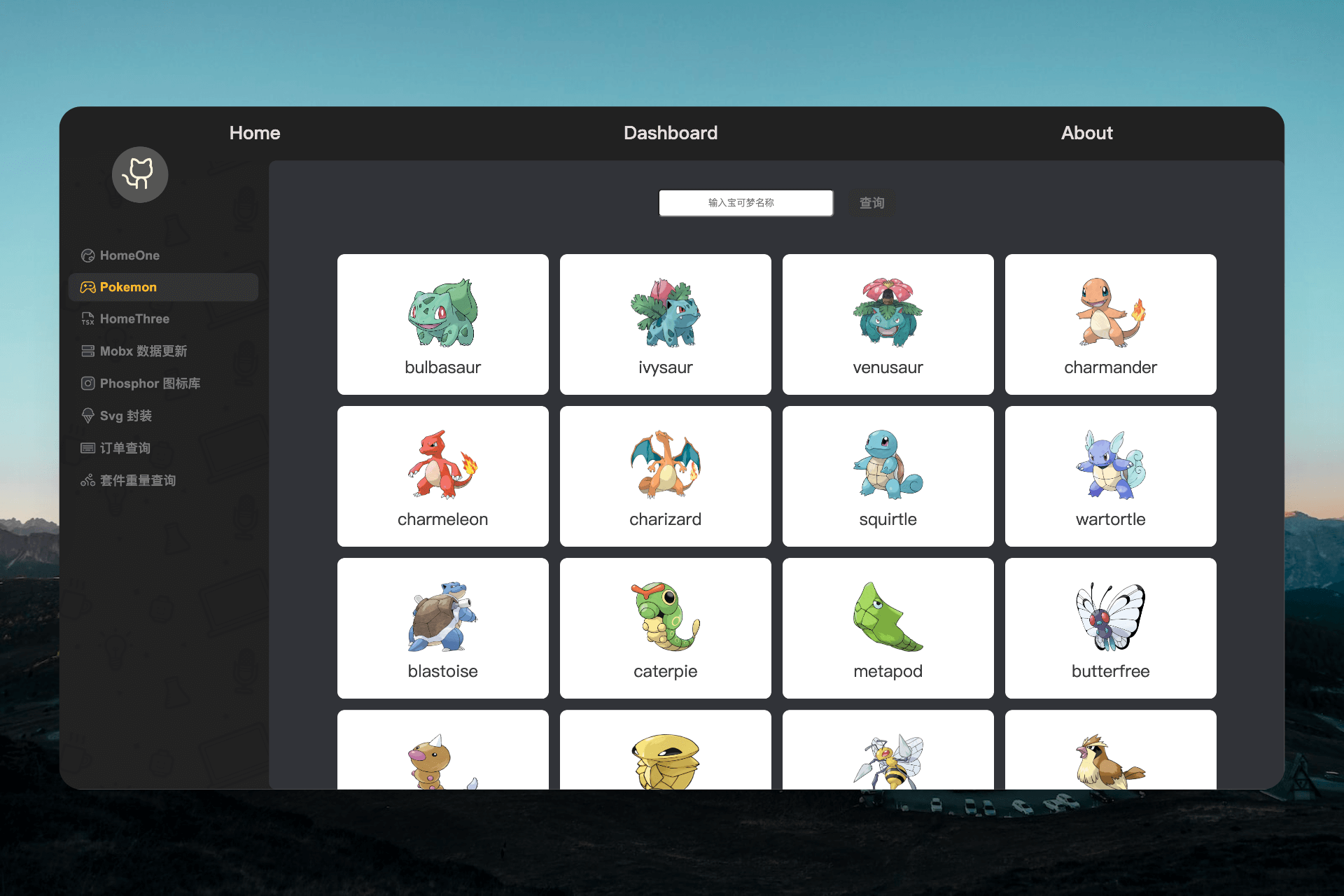
开箱即用的 React 前端模板


简体中文 | English
🔗 在线 Demo
- PC 端:react-seed
- 移动端:react-template-mobile
🪅 相关版本
- ⚡️ Vite 版本:react-template-vite
- 📱 移动端版本:react-template-mobile
✨ 特性
- 📦 开箱即用,无需额外配置
- 📝 关键模块均有注释说明,学习成本低
- 🚀 启动与编译迅速
- 🌱 易于定制,方便拓展
- 🛡️ 严格的代码规范
🚀 技术栈
| 分类 | 选型 | 版本 |
|---|---|---|
| 框架 | React + ReactDOM | 19.x |
| 语言 | TypeScript | 5.x |
| 构建 | Webpack(自定义配置) | 5.x |
| 路由 | react-router |
7.x |
| 状态 | MobX + mobx-react-lite |
6.x / 4.x |
| 请求 | axios + axios-retry | 1.x |
| 样式 | Less + CSS Modules + PostCSS | — |
| 图标 | @phosphor-icons/react + 自研 SvgIcon |
— |
| 规范 | ESLint 9 (flat config) + Prettier + Stylelint + husky + lint-staged + commitlint | — |
⌛️ 环境要求
- Node ≥ 18.0.0(CI 通过 volta 固定为 22.12.0)
- npm ≥ 7.0.0 / yarn ≥ 1.22.4 / pnpm 任选其一
🏃 快速开始
# 1. 安装依赖(任选其一)
npm install
# or
yarn install

# 2. 启动开发服务
npm run start
📦 打包发布
npm run build:qa     # 打包测试环境
npm run build:prod   # 打包生产环境
npm run deploy       # 打包并通过 gh-pages 发布
npm run clean        # 清理 node_modules
📂 项目结构
react-seed/
├── webpack/                 # 自定义构建配置
│   ├── config/              # webpack common/dev/prod 配置
│   └── server/              # dev server 启动入口
├── public/
│   ├── favicon.ico
│   └── index.html           # HTML 入口模板
├── src/
│   ├── index.tsx            # 应用挂载入口
│   ├── App.tsx              # 根组件 + useRoutes
│   ├── router/              # 集中式路由表(React.lazy + SuspenseLazy)
│   ├── api/                 # 接口层(axios 封装 + 按页面分目录)
│   ├── store/               # MobX stores
│   ├── components/          # 通用组件(统一 barrel 导出)
│   ├── view/                # 页面级组件
│   ├── constants/           # 常量 / 枚举
│   ├── interface/           # 业务类型定义
│   ├── types/               # 全局 .d.ts
│   ├── utils/               # 工具函数 + 自定义 Hook
│   ├── assets/              # 静态资源(含 svg sprite)
│   └── styles/index.less    # 全局样式
├── docs/                    # 设计资料、UI 参考、英文 README
├── eslint.config.mjs        # ESLint 9 flat config
├── tsconfig.json            # TS 配置(含 path alias)
├── AGENTS.md                # 面向 AI 编码助手的项目说明
└── package.json
🛠 开发指南
路径别名
在 tsconfig.json 与 Webpack 配置中均已定义,优先使用别名而非相对路径:
import {Button} from '@/components';
import {useStores} from '@/store';
新增页面
- 在
src/view/XxxPage/下创建index.tsx+index.less - 在
src/router/index.tsx中使用SuspenseLazy注册懒加载路由 - 如需顶部导航入口,编辑
src/view/Tab/index.tsx
新增 API
- 在
src/api/<page-name>/下创建index.ts与types/<page-name>.ts - 从
../request引入封装后的 request,调用request<ResponseT>({url, method, data}) - 请求/响应类型集中在同目录
types/下
状态管理(MobX)
- Store 构造函数调用
makeAutoObservable(this),异步赋值需包裹runInAction(...) - 在
src/store/index.ts的stores对象中注册新 store - 任何读取 observable 的组件必须使用
observer包裹
更详细的开发约定与 AI 协作说明,请参阅 AGENTS.md。
📝 代码提交规范
提交格式遵循 commitlint 规范:
git commit -m "<type>: <emoji> <subject>"
# 示例
git commit -m "feat: ✨ 新增订单查询页面"
常用 type:
| type | emoji | 说明 |
|---|---|---|
| feat | ✨ | 新功能 |
| fix | 🐛 | Bug 修复 |
| docs | 📝 | 文档变更 |
| style | 💄 | 样式调整(不影响逻辑) |
| refactor | 🔨 | 重构(既不增加新功能,也不修复 bug) |
| perf | ⚡ | 性能优化 |
| build | 📦 | 构建系统或依赖变更 |
| config | 🔧 | 配置文件修改 |
| chore | 🔥 | 其他杂项 |
| release | 🔖 | 发布版本 |
🏷 分支说明
| 分支 | 说明 |
|---|---|
| main | 主分支 |
| dev | 开发分支 |
| deploy | demo 部署分支 |
📚 相关参考
- 项目搭建:《从 0 到 1 搭建一个 React 项目开发模板》
- 开发资料:docs/data.md
🤝 如何贡献
- 📬 有问题欢迎提 Issues 或留言
- 🧙♀️ 欢迎所有的贡献者 查看如何贡献代码
💡 开源协议
该项目的代码和文档基于 MIT License 开源协议。