










|
|
|

|
|

|
BuildEstate features expertly crafted animations that enhance the user experience:
- Page Transitions: Smooth fade and slide transitions between routes
- UI Micro-interactions: Subtle feedback animations for all user actions
- Content Reveal: Staggered animations for list items and content sections
- Data Visualization: Progressive chart animations with interactive tooltips
- Image Galleries: Fluid carousels with zoom capabilities
- Loading States: Attractive loading skeletons and transitions
All animations are performance-optimized using Framer Motion's best practices for smooth experiences on all devices.






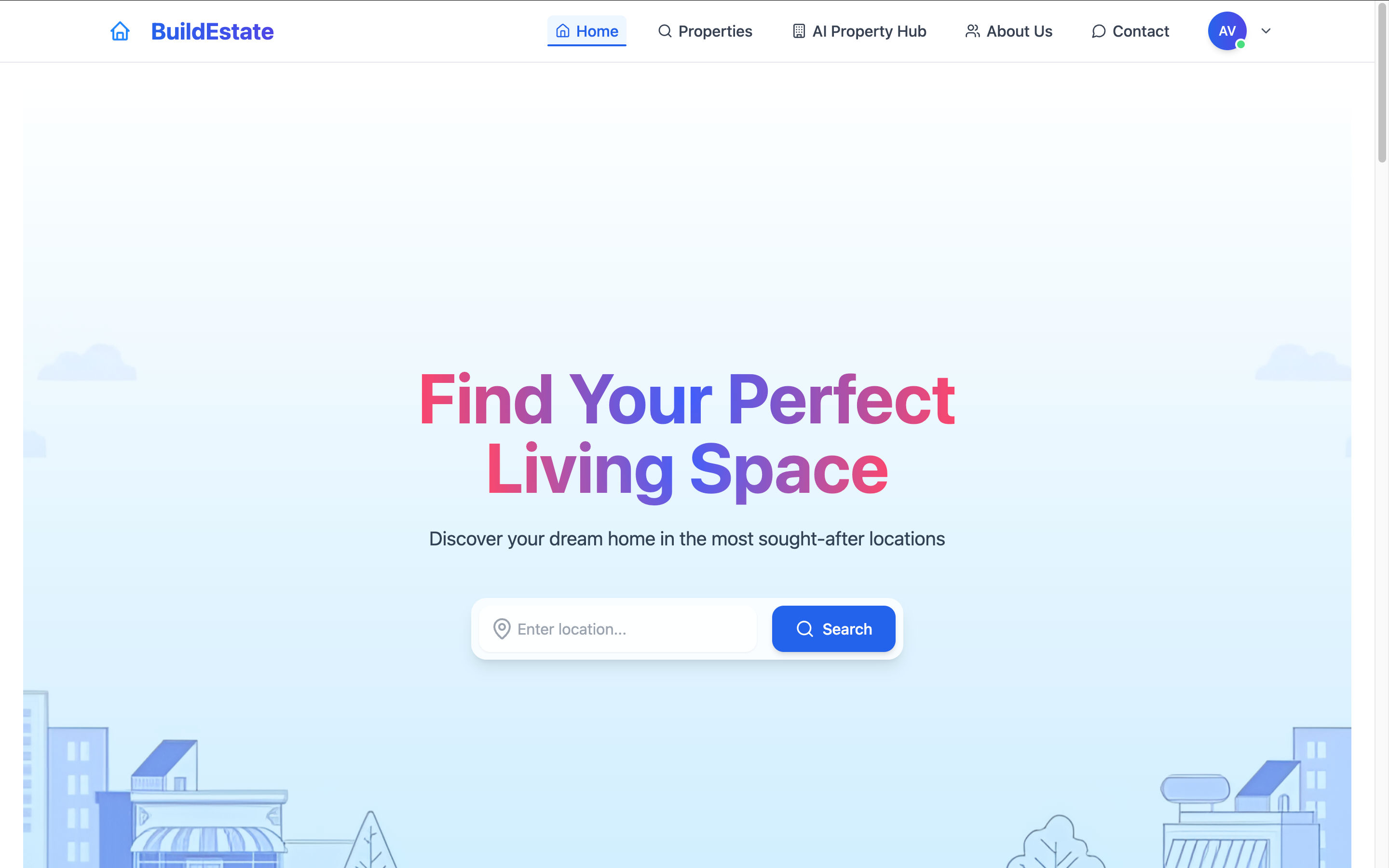
BuildEstate is a modern real estate platform that combines traditional property listing features with cutting-edge AI technology. The platform helps users find their ideal properties while providing valuable investment insights through machine learning algorithms.
The application consists of three main parts:
- Frontend: User-facing website with property listings and AI analysis tools
- Admin Dashboard: Comprehensive management interface for properties and users
- Backend API: Robust Express server with AI-powered data processing
Key differentiators include AI-powered property recommendations, real-time market analysis, and investment opportunity identification, all presented with fluid animations for an exceptional user experience.
- Node.js: v16.0.0 or higher
- npm or yarn: Latest stable version
- MongoDB: v4.4 or higher (local or Atlas)
- API Keys: Azure AI, FirecrawlJS, OpenAI (optional)
- Storage: At least 500MB free disk space
Step 1: Clone the repository
git clone https://github.com/AAYUSH412/Real-Estate-Website.git
cd Real-Estate-Website
Step 2: Environment configuration
Create the following environment files with these required variables:
Backend (.env)
PORT=4000
MONGODB_URI=your_mongodb_connection_string
JWT_SECRET=your_jwt_secret
EMAIL=your_email_for_notifications
PASSWORD=your_email_password
AZURE_API_KEY=your_azure_ai_key
FIRECRAWL_API_KEY=your_firecrawl_api_key
NODE_ENV=development
IMAGEKIT_PUBLIC_KEY=your_imagekit_public_key
IMAGEKIT_PRIVATE_KEY=your_imagekit_private_key
IMAGEKIT_URL_ENDPOINT=your_imagekit_url
Frontend (.env.local)
VITE_API_BASE_URL=http://localhost:4000Admin (.env.local)
VITE_BACKEND_URL=http://localhost:4000💡 Note: For testing without AI services, you can set dummy API keys. The core functionality will work, but AI features will return mock data.
Step 3: Install dependencies
# Install all dependencies with a single command
npm run setup

# Or install each package separately
cd backend && npm install
cd ../frontend && npm install
cd ../admin && npm install
Step 4: Start development servers
# Start all services concurrently
npm run dev

# Or start each service separately
cd backend && npm run dev
cd frontend && npm run dev
cd admin && npm run dev
This will launch:
- 🌐 Frontend: http://localhost:5173
- 👩💼 Admin Panel: http://localhost:5174
- ⚙️ Backend API: http://localhost:4000
Step 5: Docker deployment (optional)
For containerized deployment:
# Build and start all containers
docker-compose up --build

# Or run just the backend
docker-compose up backend
Default ports will be mapped to host machine:
- Backend API: http://localhost:4000
- Frontend: http://localhost:3000
- Admin Panel: http://localhost:3001
💾 Database setup
The application will automatically set up the MongoDB collections on first run.
For local development with sample data:
# Import sample data (from project root)
cd backend
npm run seed
This will populate your database with sample properties, users, and appointments.
🔑 Default admin credentials
After running the seed script, you can log in to the admin panel with:
- Email: admin@buildestate.com
- Password: admin123
project/
├── admin/                 # Admin dashboard React app
│   ├── src/
│   │   ├── components/    # Reusable UI components
│   │   ├── contexts/      # Auth and data contexts
│   │   ├── pages/         # Admin dashboard pages
│   │   └── services/      # API service layer
│   └── public/            # Static assets
│
├── backend/               # Express server and API
│   ├── config/            # Server configuration
│   ├── controller/        # Request handlers
│   ├── middleware/        # Express middleware
│   ├── models/            # Mongoose schemas
│   ├── routes/            # API routes
│   ├── services/          # External service integrations
│   └── utils/             # Helper utilities
│
└── frontend/              # User-facing React app
    ├── src/
    │   ├── assets/        # Images and static resources
    │   ├── components/    # UI components
    │   ├── context/       # Application state management
    │   ├── pages/         # Page components
    │   ├── services/      # API client services
    │   └── utils/         # Helper utilities
    └── public/            # Static assets



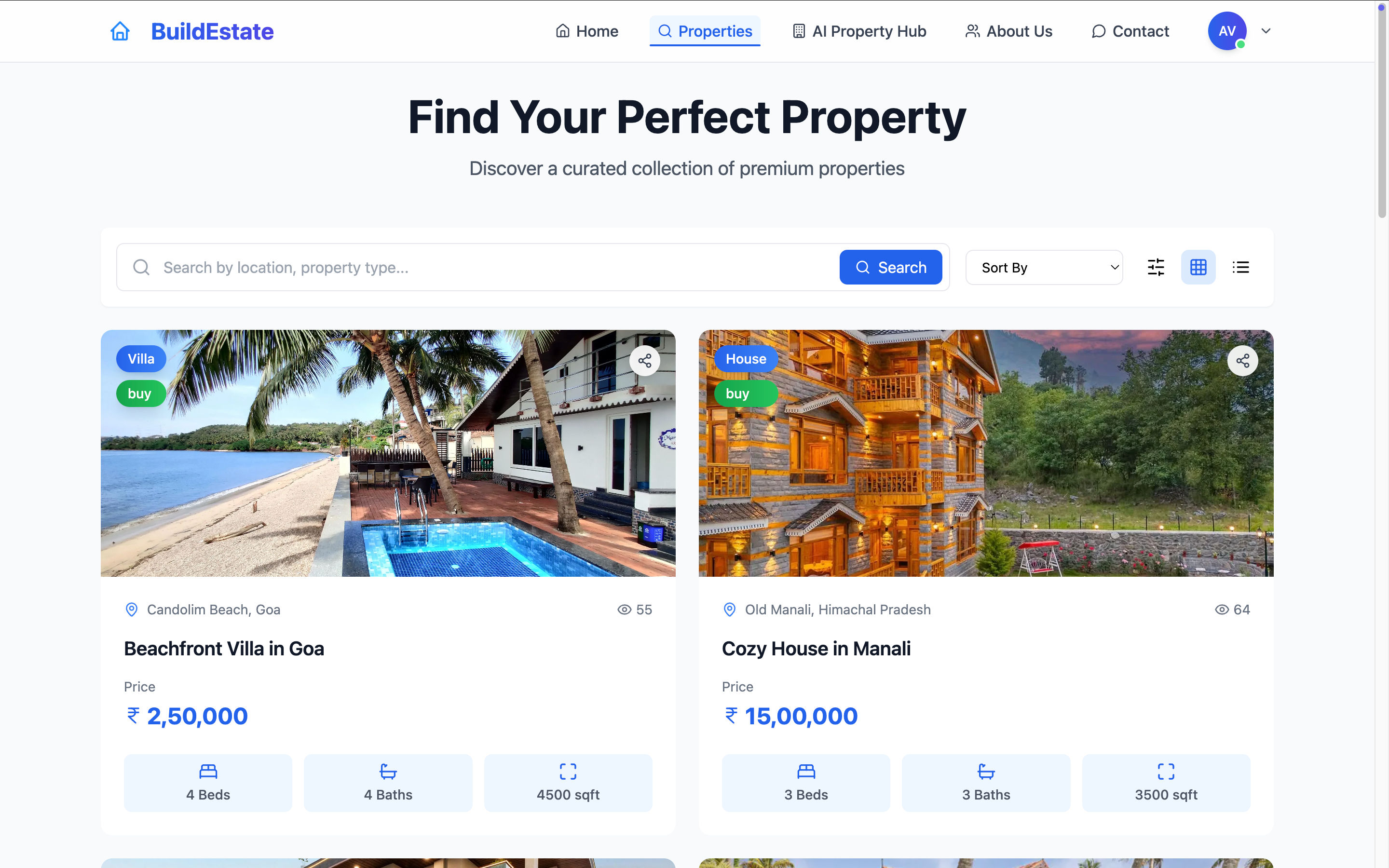
BuildEstate offers a sophisticated property search system with multiple filtering options:
- Location-based search with map integration
- Price range filters with dynamic market comparison
- Property type categorization (apartments, houses, villas, etc.)
- Amenity-based filtering with 15+ property features
- Saved search preferences for registered users

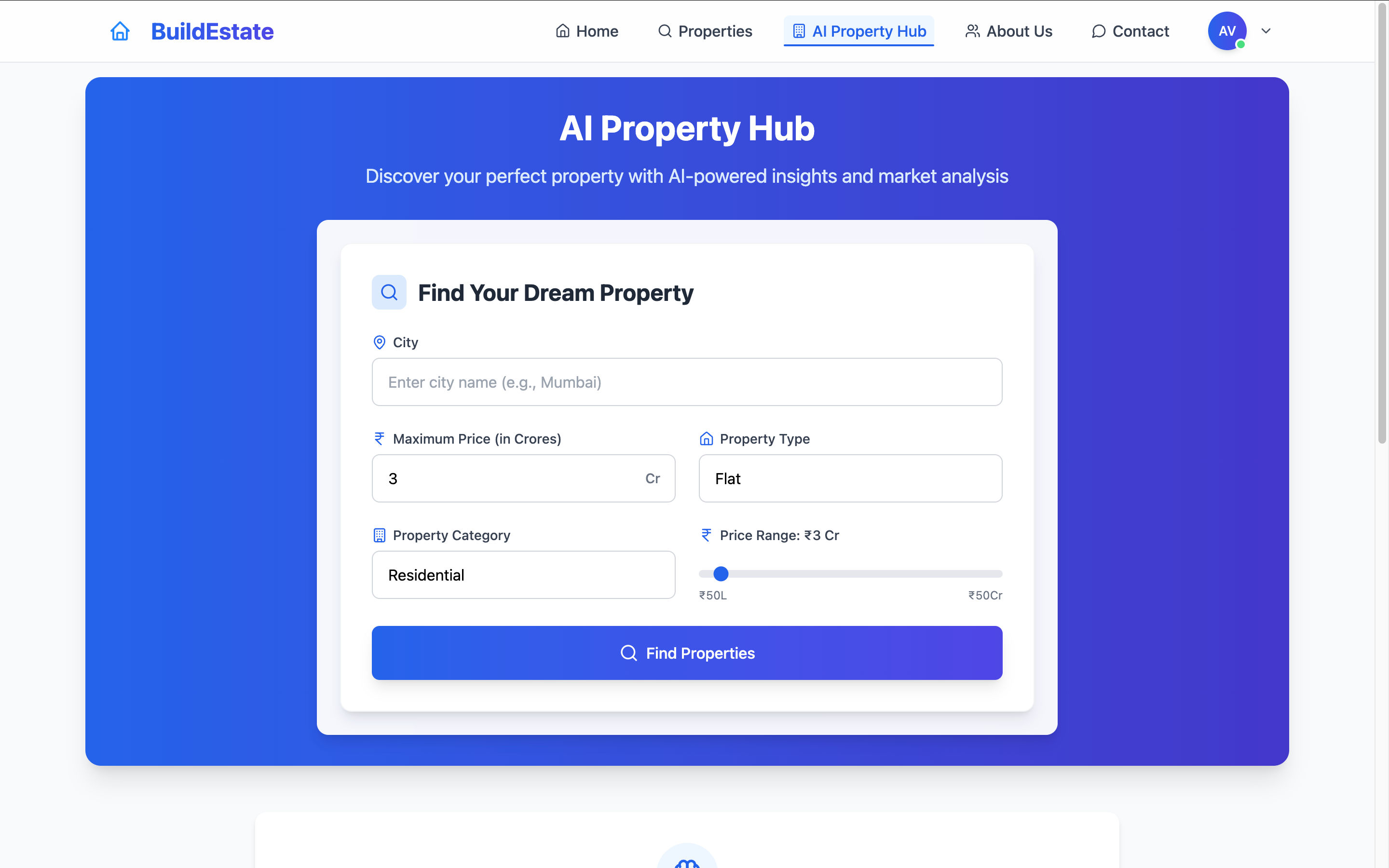
The platform provides valuable insights using multiple AI models:
- Price trend forecasting for different neighborhoods
- Rental yield calculations based on historical data
- Investment opportunity scoring with ROI predictions
- Neighborhood comparison with multiple metrics
- Personalized property recommendations
All data visualizations feature smooth animations and interactive elements for better understanding.
The platform offers comprehensive user account features:
- Secure authentication with JWT and refresh tokens
- Profile customization with saved preferences
- Favorite properties with smart categorization
- Viewing appointment scheduling and management
- Email notifications for account activities and property updates
- Newsletter subscription for market updates (opt-in)
BuildEstate includes a newsletter system for property updates and market trends:
- Subscription management via user profile
- Email preference center for customizing update frequency
- Market report delivery with AI-generated insights
- One-click unsubscribe option in all emails
- GDPR compliant data storage and processing
💡 Note about privacy: All user data is stored securely and used only for the purposes explicitly stated in our privacy policy. Users can request data deletion at any time.
Common Issues & Solutions
- MongoDB Connection Fails: Check your connection string in .env file and ensure your IP is whitelisted in MongoDB Atlas
- API Endpoints Returning 404: Verify the VITE_API_BASE_URL in frontend and admin .env files
- Admin Login Fails: Try resetting the admin password using the backend utility:
cd backend npm run reset-admin-password - JWT Token Errors: Ensure the JWT_SECRET is identical on all deployment environments
- Images Not Uploading: Check ImageKit credentials and connectivity
- File Size Errors: Reduce image size to under 5MB
- AI Analysis Not Working: Verify API keys for Azure and FirecrawlJS
- Empty Recommendations: The system needs at least 10 properties in database for meaningful recommendations
For additional help, open an issue with detailed error information.
 |
|
 |
|

We welcome contributions to BuildEstate! Please follow these steps:
- Fork the repository
- Create a feature branch:
git checkout -b feature/amazing-feature
- Make your changes
- Run tests:
npm run test - Commit your changes:
git commit -m 'Add some amazing feature' - Push to your branch:
git push origin feature/amazing-feature
- Open a pull request
Please read our Contributing Guidelines for more details.
- We use ESLint and Prettier for code formatting
- Component-based architecture for UI elements
- Jest for unit testing
- Documentation required for all new features
This project is licensed under the MIT License - see the LICENSE file for details.






Special thanks to all contributors and the open source community.




Built with ❤️ by Aayush Vaghela
© 2025 BuildEstate. All Rights Reserved.