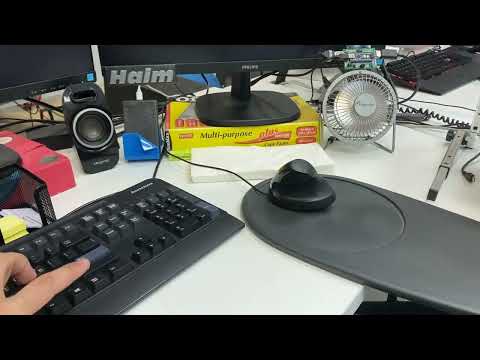
This project will make your personal office fan smart, as it will detect whether or not you are near you are workstation. The prototype will allow be able to detect a user that is in front of the fan using an ultrasonic sensor or by checking for the computer status, if the computer s locked, the fan will turn off automatically. Using the provided PowerShell script, you can also turn your fan on or off by pressing the Function key 9 (F9) on your keyboard. The expected target audience for this project is any lazy microcontroller hobbyist or anyone who wants to obtain knowledge about MCUs while making a cool project.
- Using no libraries except for the built in Arduino.h.
- Can detect a user's physical presence by measuring the distance between the fan and the nearest object (not a very accurate measure).
- Can detect a user's presence by receiving information from the user's computer (computer locked = user is not around).
- Allows you to control the connected fan with a press of a button on your computers keyboard.
- 1 Arduino Nano or Uno (in this case I used Arduino Nano)
- 1 Ultrasonic sensor HC-04 (Not an obligation)
- 1 Mini USB powered fan
- 1 1N4007 diode
- 3 PN2222 transistors
- 1 330 Ohm resistor
- 1 type A male USB connector (used to get external power supply to the fan from the computer)
- 1 type A female USB connector (used to connect the fan to the circuit)
Instead of type A USB connectors you can use USB cables and solder their wires directly to the PCB. The diode and transistors can be replaced to other models with similar specifications. If you only want the fan to be turned off with the computers lock (and without detecting physical presence), you don't need the ultrasonic sensor.


To supply power to the circuit you can use the Arduino USB connector or the Power supply connector (on Arduino Uno).
The Arduino board uses the ultrasonic sensor (if enabled) to send an echo signal to the user that bounces back to the sensor and detects a physical presence by calculating the distance with the time it took for the signal to bounce back to the sensor.
If you decide not to use the ultrasonic sensor, the provided PowerShell script will constantly pass information from the computer to the microcontroller about the computers status (whether it's locked or unlocked).
The MCU will then use this information to turn the connected fan on or off.
In order to detect if your PC is locked and change the fan status accordingly, use the PowerShell executables, make sure to run the "Fan_controller.exe" while the "Fan_controller_base.exe" is in the same folder.
Code for the Arduino is available here
Code for the PowerShell script is available here
The PowerShell executables are located here
Examine this demo video