
A lightweight, non-intrusive, black-box WordPress vulnerability scanner with a CLI and Flask web dashboard. Written in Python with a modular architecture — each check is in its own file.
Legal Notice: Only scan websites you own or have explicit written authorisation to test. Unauthorised scanning may violate computer crime laws (CFAA, Computer Misuse Act, etc.).
| Category | Checks |
|---|---|
| WP Detection | Meta tags, wp-content paths, REST API link headers, login page |
| Version Enum | Meta generator, RSS feed, readme.html, asset ?ver= parameters |
| Plugin Enum | Passive HTML scraping + active probing of 40+ common plugins |
| CVE Matching | Cross-reference detected plugins/themes with bundled CVE database |
| Sensitive Files | wp-config backups, .env, .git, debug.log, phpinfo.php, SQL dumps |
| Directory Listing | Checks /uploads/, /plugins/, /themes/, /wp-includes/ |
| XML-RPC | Detects exposure + multicall brute-force risk |
| REST API | User enumeration via /wp-json/wp/v2/users |
| Auth Enum | /?author=N username disclosure |
| Login Security | CAPTCHA, rate-limiting, 2FA detection |
| Security Headers | CSP, HSTS, X-Frame-Options, X-Content-Type-Options, Referrer-Policy, Permissions-Policy |
| SSL/TLS | HTTPS enforcement, weak protocol detection, certificate validation |
| WAF Detection | Cloudflare, Sucuri, Akamai, WP Engine, Kinsta, etc. |
| Cookie Security | Secure, HttpOnly, SameSite flag checks |
# Clone or extract the project
cd wp_scanner

# Create a virtual environment (recommended)
python3 -m venv .venv
source .venv/bin/activate      # Windows: .venv\Scripts\activate

# Install dependencies
pip install -r requirements.txt# Basic scan
python cli.py https://example.com
# Slower, more polite scan
python cli.py https://example.com --delay 1.5
# Passive only (no active plugin probing)
python cli.py https://example.com --no-active-probe
# Output JSON to file
python cli.py https://example.com --output /tmp/report.json
# Raw JSON to stdout (for piping / CI)
python cli.py https://example.com --json-only | jq .risk_summary
# Verbose debug logging
python cli.py https://example.com --verbose| Code | Meaning |
|---|---|
| 0 | No findings (or Info only) |
| 1 | Low-severity findings |
| 2 | Medium-severity findings |
| 3 | High-severity findings |
| 4 | Critical findings |
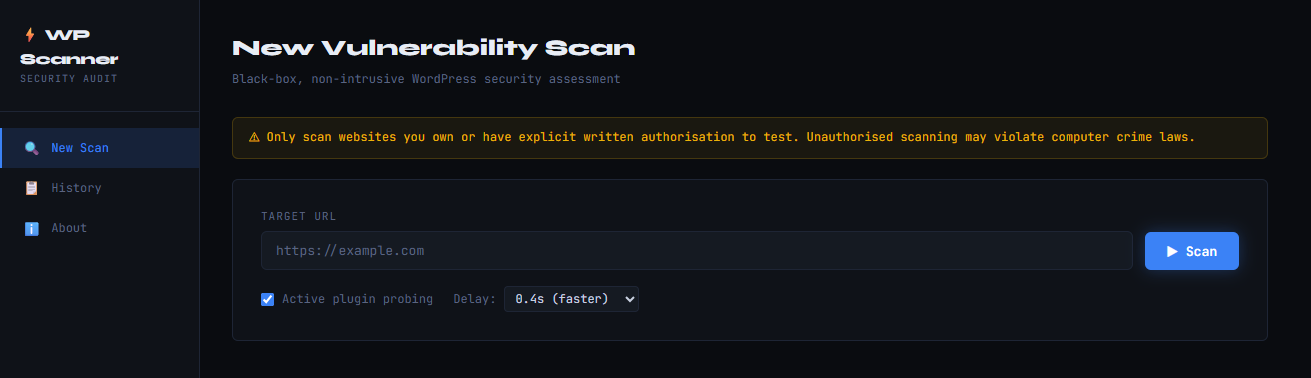
python app.py
# Open http://127.0.0.1:5000 in your browser
Optional flags:
python app.py --host 0.0.0.0 --port 8080 --debug ╔══════════════════════════════════════════════════════╗
║ WordPress Security Scanner v1.0 ║
╚══════════════════════════════════════════════════════╝
[████████████████████████░░░░░░░░░░░░░░░░░░░░░] 55% Checking endpoints…
═══════════════════════════════════════════════════════════════
WP SECURITY SCANNER — REPORT
═══════════════════════════════════════════════════════════════
Target : https://example.com
Scanned : 2024-01-15 14:32:01
Duration : 48.3s
WORDPRESS DETECTION
─────────────────────────────────────────────────────────────
Status : ✔ DETECTED (confidence: 95%)
Version : 6.1.3 ← OUTDATED
Version source: HTML meta generator tag
WAF / CDN : ✔ Cloudflare
PLUGINS & THEMES
─────────────────────────────────────────────────────────────
Plugins detected (7):
• contact-form-7 — v5.3.0
• elementor — v3.10.1
• woocommerce — v7.6.0
… and 4 more
Active theme: Astra (v3.7.5)
RISK SUMMARY
─────────────────────────────────────────────────────────────
🔴 Critical 2 ████
🟠 High 4 ████████
🟡 Medium 6 ████████████
🔵 Low 8 ████████████████
⚪ Info 2 ████
Risk Score: 74/100
[███████████████████████████████░░░░░░░░░]
FINDINGS (22 total)
═══════════════════════════════════════════════════════════════
1. 🔴 [Critical] Vulnerable plugin: Elementor (installed: 3.10.1) CVE: CVE-2023-32243
─────────────────────────────────────────────────────────────
Plugin 'Elementor' (elementor) (installed: 3.10.1) is affected by
CVE-2023-32243 — Privilege escalation allows unauthenticated account
takeover. CVSS Score: 9.8.
✔ FIX: Update 'Elementor' to the latest version immediately via
Dashboard → Plugins → Update, or deactivate/remove the plugin if
it is not required.
2. 🔴 [Critical] Sensitive file exposed: /wp-config.php.bak
─────────────────────────────────────────────────────────────
wp-config.php backup — may expose database credentials. The file
is publicly accessible at https://example.com/wp-config.php.bak.
✔ FIX: Delete this file immediately. Add to .htaccess:
<Files *.bak>
deny from all
</Files>
wp_scanner/
├── cli.py                    # Command-line interface (argparse)
├── app.py                    # Flask web application
├── requirements.txt
├── README.md
│
├── scanner/                  # Core scanner modules
│   ├── __init__.py
│   ├── core.py               # Orchestrator — runs all modules
│   ├── utils.py              # HTTP session, UA rotation, helpers
│   ├── detector.py           # WordPress detection
│   ├── version.py            # Version enumeration & CVE lookup
│   ├── plugins.py            # Plugin & theme enumeration
│   ├── endpoints.py          # Endpoint & file checks
│   ├── headers.py            # Security header & SSL analysis
│   └── report.py             # Report builder & formatter
│
├── data/
│   └── cve_data.json         # Bundled CVE / vulnerability database
│
├── templates/
│   └── index.html            # Flask web UI
│
└── scans/                    # Auto-saved scan reports (JSON + TXT)
Scanner.scan_with_progress()          ← generator yields progress events
    │
    ├── detect_wordpress()            detector.py
    ├── enumerate_version()           version.py  ─── cve_data.json
    ├── enumerate_plugins()           plugins.py  ─── cve_data.json
    ├── run_all_endpoint_checks()     endpoints.py
    └── run_all_header_checks()       headers.py
            │
            └── build_report()       report.py
                    │
                    ├── print_terminal_report()
                    ├── save_json_report()
                    └── save_text_report()
The Flask app streams scan_with_progress() events to the browser via Server-Sent Events (SSE), enabling real-time progress without WebSockets.
The bundled data/cve_data.json can be updated manually or replaced with a
live feed. Structure:
{
  "plugins": {
    "plugin-slug": {
      "name": "Plugin Display Name",
      "vulnerabilities": [
        {
          "affected_versions": "<= 1.2.3",
          "cve": "CVE-YYYY-NNNNN",
          "severity": "High",
          "description": "What the vulnerability does",
          "cvss": 8.1
        }
      ]
    }
  }
}
You can also integrate the WPScan Vulnerability Database API by replacing
load_cve_data() in scanner/core.py with an API call to
https://wpscan.com/api/v3/.
| Parameter | Default | Description |
|---|---|---|
--timeout |
12s | HTTP request timeout |
--delay |
0.6s | Delay between requests (rate limiting) |
--no-active-probe |
False | Disable active plugin probing |
--output |
auto | Custom path for JSON report |
--no-save |
False | Don't save reports to disk |
--json-only |
False | Output raw JSON to stdout |
--no-color |
False | Disable ANSI colours |
--verbose |
False | Debug logging |
- No credentials required — black-box only
- No exploitation — detection and disclosure only
- Rate limited — configurable delay between requests (default 0.6s)
- Read-only — only GET and HEAD requests; no POST/PUT/DELETE
- No DoS — single-threaded sequential requests
- User-Agent rotation — mimics real browser traffic