Professional Setup Guide (Ubuntu Server 24.04 LTS)
This guide outlines the recommended hardware and operating system configuration for running OpenClaw on a Raspberry Pi 5.
For stability, long-term support, and Docker compatibility, the recommended OS is:
Ubuntu Server 24.04 LTS (64-bit)
Ubuntu 24.04 LTS is officially supported on the Raspberry Pi 5 and receives security updates until April 2029, making it ideal for a production or semi-production server setup.
🔗 Useful Links:
- Ubuntu Server for Raspberry Pi: https://ubuntu.com/download/raspberry-pi
- Raspberry Pi Imager: https://www.raspberrypi.com/software/
- Raspberry Pi 5 Documentation: https://www.raspberrypi.com/documentation/computers/raspberry-pi.html
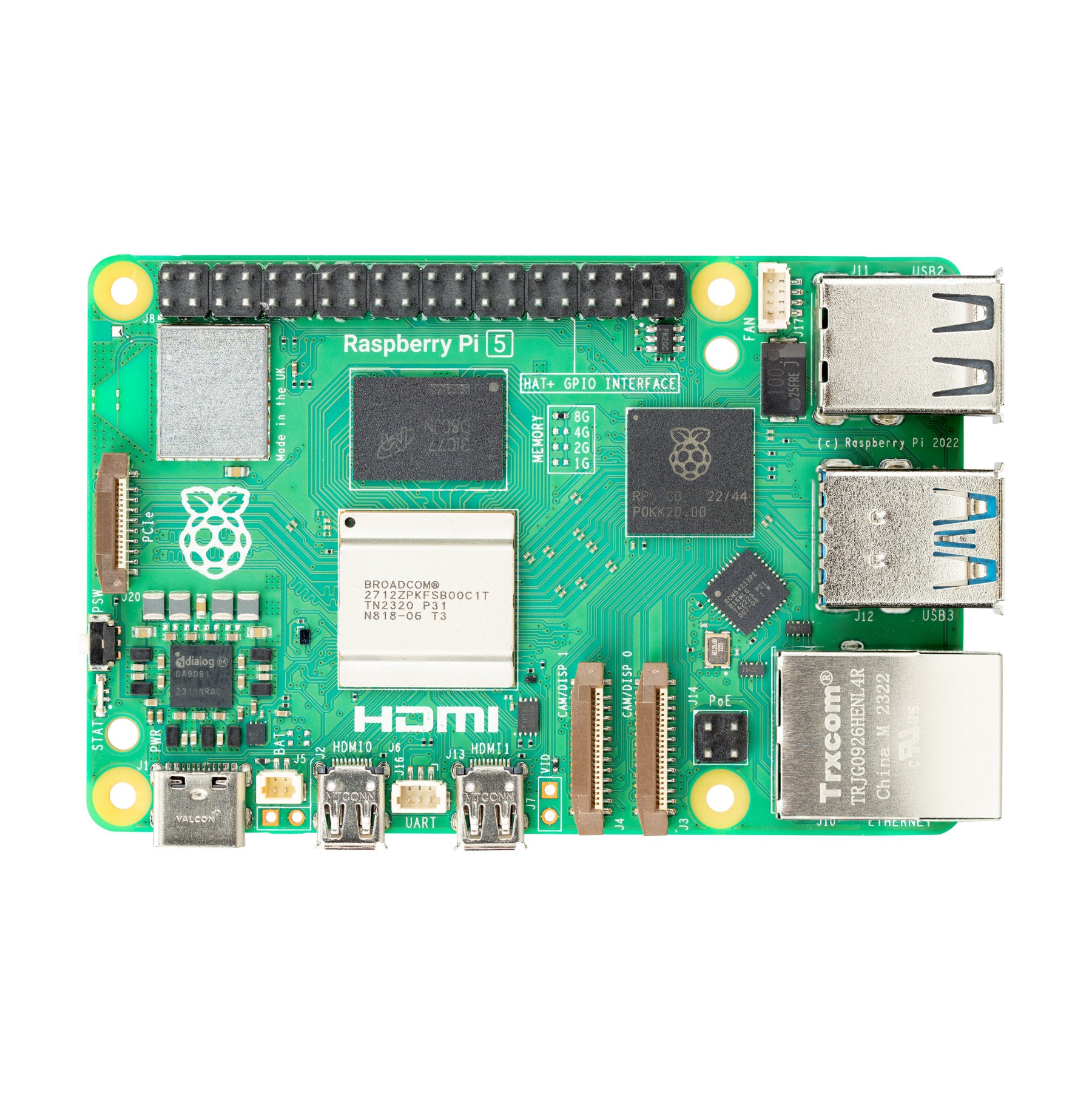

- Raspberry Pi 5 – 8GB RAM
-
4GB may work for cloud API-based usage.
-
8GB provides headroom for:
- Running Docker containers
- Small local AI models
- More complex OpenClaw workflows
- Better system responsiveness under load
High-speed storage significantly improves system performance.
- Class 10 or A2-rated microSD card
-
NVMe SSD via PCIe interface
- Faster boot
- Faster Docker container startup
- Better overall responsiveness
- Increased reliability for sustained workloads
- Official Raspberry Pi 27W USB-C Power Supply
- Required for stable operation under CPU + USB load
- Undervoltage can cause crashes and data corruption
-
Active cooling is required
- Official Active Cooler or equivalent
- Prevents thermal throttling
- Ensures sustained performance under AI or Docker workloads

- Officially supported on Raspberry Pi 5
- Long-Term Support (LTS)
- Excellent Docker compatibility
- Extensive documentation
- Stable base for headless deployments
The simplest installation method uses Raspberry Pi Imager.
Download and install:
👉 https://www.raspberrypi.com/software/
Available for:
- Windows
- macOS
- Linux
Inside Raspberry Pi Imager:
-
Click Choose Device
- Select:
Raspberry Pi 5
- Select:
-
Click Choose OS
- Navigate to:
Other general-purpose OS → Ubuntu → Ubuntu Server 24.04 LTS (64-bit)
- Navigate to:
Click the ⚙️ Advanced Options (gear icon) before writing the image.
Configure:
- Hostname (e.g.,
openclaw.local) - Username
- Secure password
- Enable SSH
- (Optional) Configure Wi-Fi credentials
This allows headless setup without connecting a monitor.
-
Select your:
- microSD card
- OR NVMe SSD (via USB adapter or PCIe HAT)
-
Click Write
-
Wait for verification to complete
- Insert storage into the Raspberry Pi 5
- Connect Ethernet (recommended)
- Connect power
- Wait ~1–2 minutes for first boot initialization
If SSH was enabled:
ssh username@hostname.localExample:
ssh openclaw@openclaw.localAfter logging in:
sudo apt update && sudo apt upgrade -yOfficial Docker installation guide: https://docs.docker.com/engine/install/ubuntu/
Quick install:
curl -fsSL https://get.docker.com | sudo sh
sudo usermod -aG docker $USER
Log out and back in afterward.
- Ubuntu Server 24.04 LTS (64-bit) installed
- 8GB Raspberry Pi 5 used
- Official 27W PSU connected
- Active cooling installed
- System updated
- Docker installed and working
- NVMe configured (if applicable)
- Prefer Ethernet over Wi-Fi for stability
- Use NVMe for production deployments
- Monitor temperature:
vcgencmd measure_temp- Monitor undervoltage warnings:
dmesg | grep voltageFor a stable and future-proof OpenClaw deployment:
Raspberry Pi 5 (8GB) + NVMe SSD + Ubuntu Server 24.04 LTS + Active Cooling
This setup provides:
- Long-term OS support (through 2029)
- Strong Docker compatibility
- Excellent performance-to-cost ratio
- Headless server reliability