Creating an offline maptile archive
There are two tools for creating offline tile-archives (=a file containing the tiles of an area at different zoom-levels): Mobile atlas creator and osmandMapCreator Mobile atlas creator is THE program to do the job. Unfortunately for legal reasons many tilesources have been stripped from it's list. osmandMapCreator does not have this restriction (yet) and so you can use it to download tiles from e.g. Google Terrain maps, but they arrive in a osmand-specific format that you'll have to convert then using Mobile Atlas Creator. In this tutorial I will only explain the use of Mobile Atlas Creator because it is simpler and you may not even need the other one as you can get a subscription for stunning (alps-)maps here, and you can enter your subscription in the MOBAC-settings-dialog. Moreover I explain how to add the free opencycle map to MOBAC, which is reasonably good for creating terrain maps.
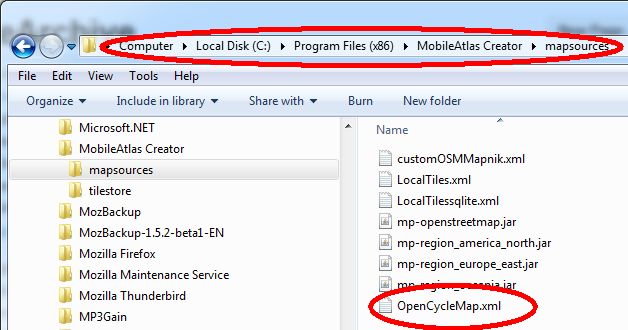
Download Mobile Atlas Creator (MOBAC). Now you go its installation directory and into the directory 'MobileAtlas Creator/mapsources'. And save the file OpenCycleMap.xml into it. This creates an extra tile source for MOBAC that has some terrain-data in it:
Open Mobile Atlas Creator
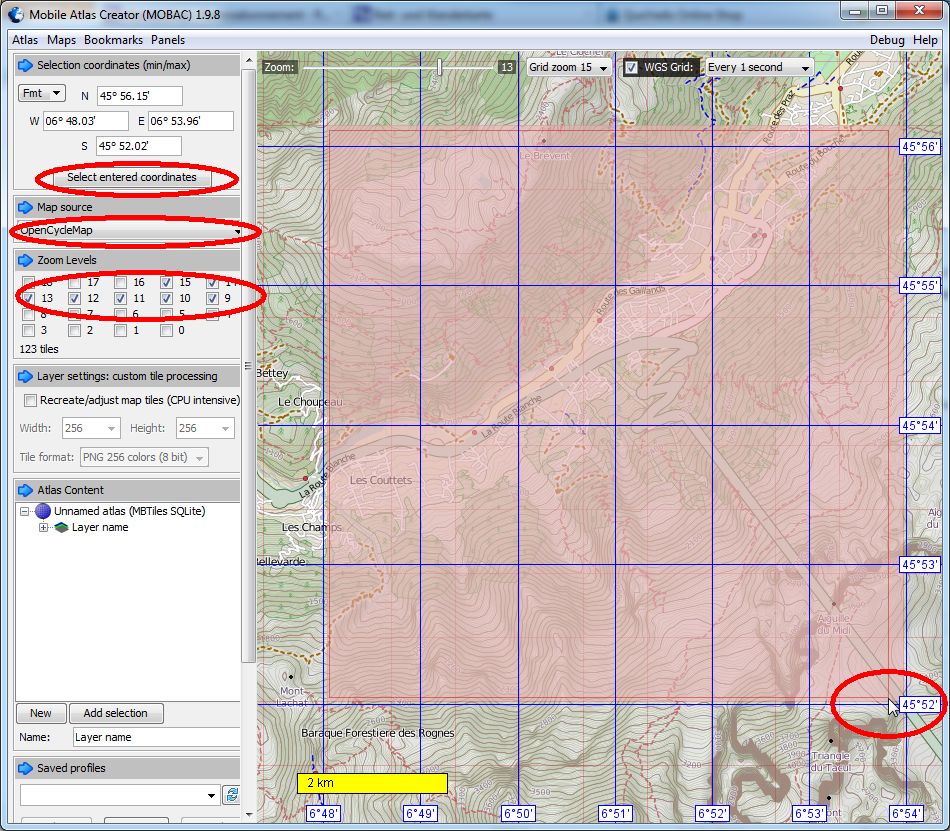
Because you put the xml-file in the right directory, the Opencycle-map will show up at the bottom of the Map source Drop-box. Select it. Then you select the area you want to make an offline archive of. Please keep it small: for your time, but also because in case of overuse general restrictions can be enforced), do press the button 'Select entered coordinates'. Just leave the checkboxes as they are in the picure. Zoomlevel 15 is enough. If you zoom deeper, Gaggle will enlarge the tiles of zoomlevel 15. If you select higher zoomlevels, your offline-archive will get exponentially bigger and heavily tax the tileserver. In the 'Atlas Content' click 'New',
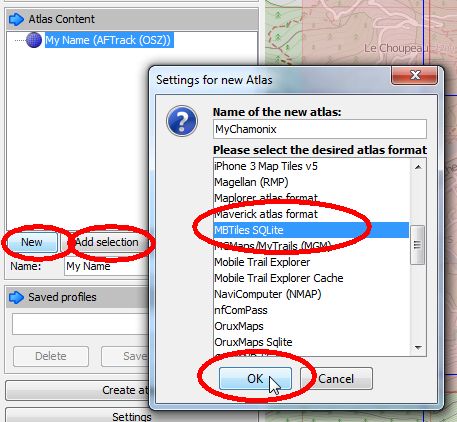
fill out your preferred name for your archive and select MBTiles SQLite from the list. Next you click 'AddSelection'. Now you want to specify where to save your archive. Click Settings and choose the directory where you want your archive to be saved:

Now everything is ready and you can click: Create Atlas, and your archive will be created:
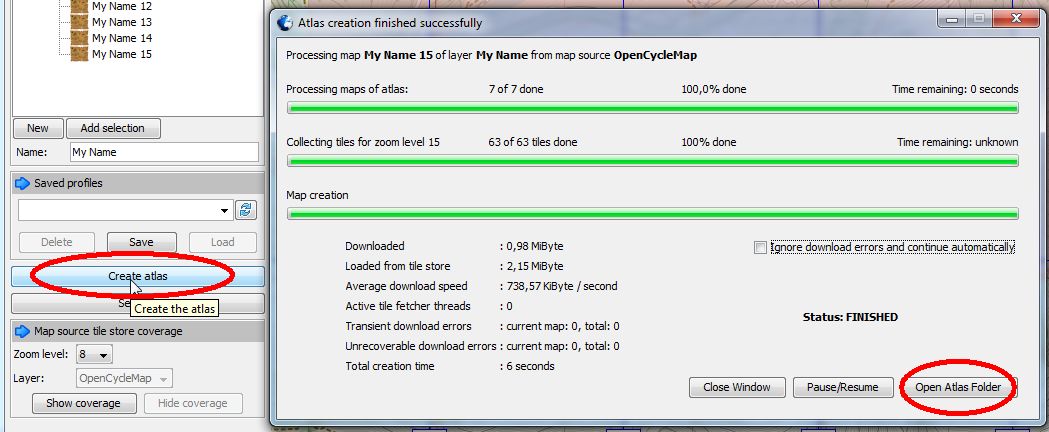
After it is finished you click 'Open Atlas Folder' to reveal your new Archive:
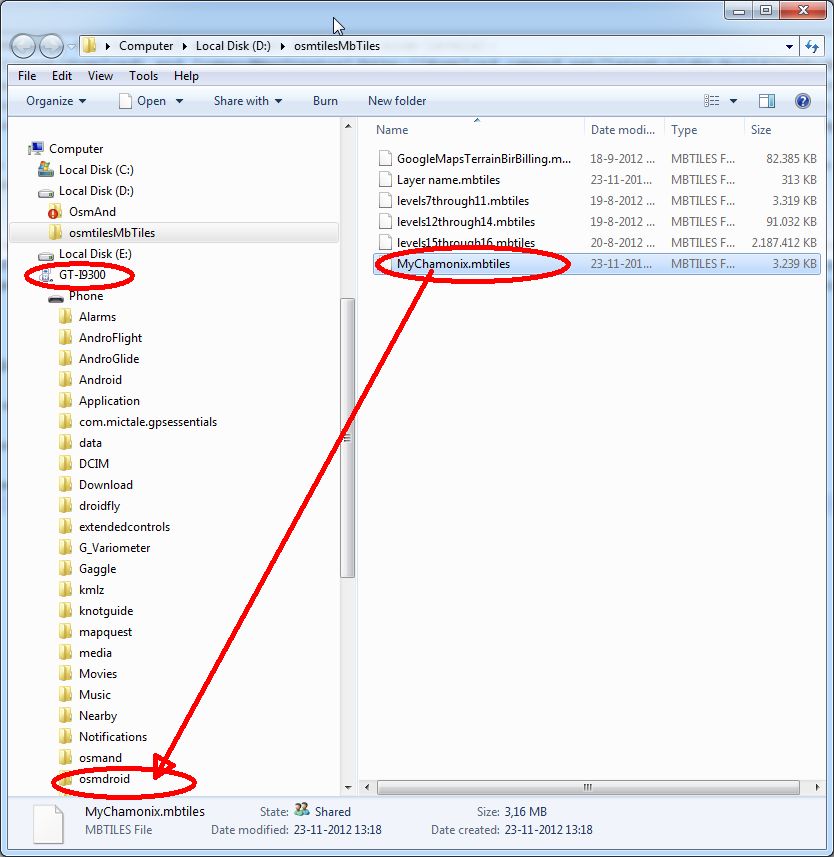
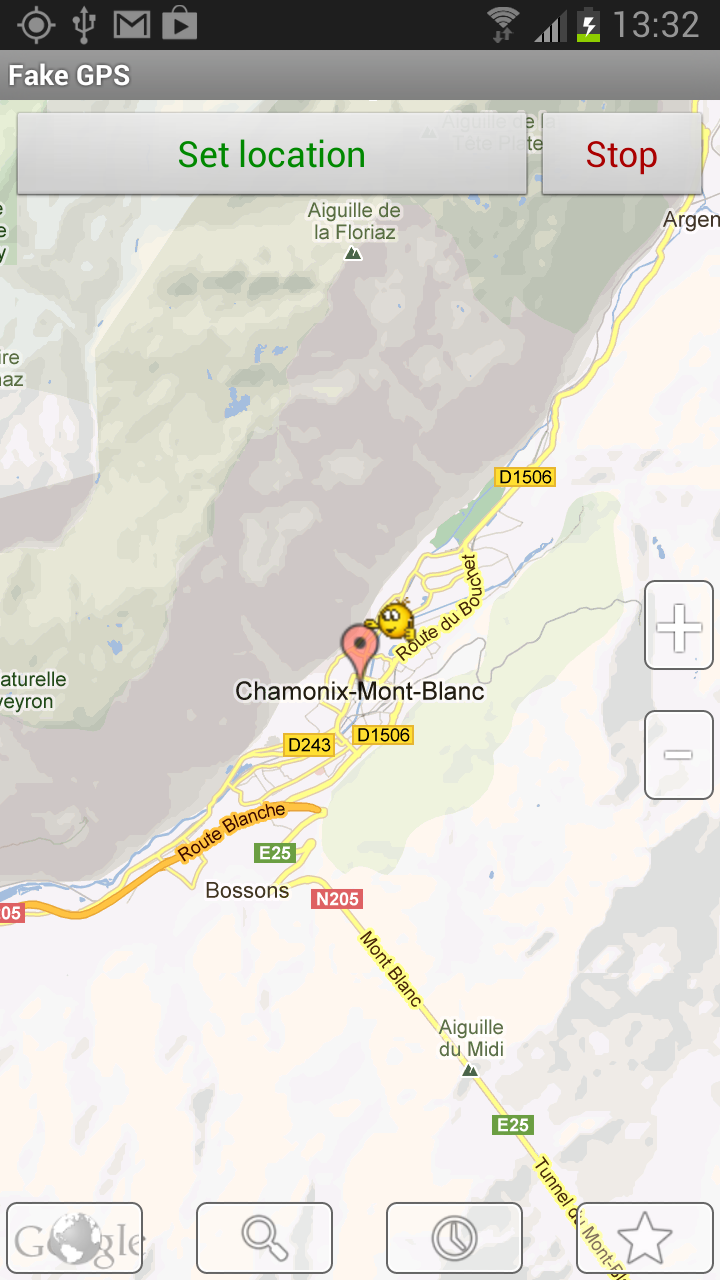
attach your phone or tablet and copy the archive into the osmdroid-directory. To test put yourself at a fake GPS-location inside your map (e.g. using Fake GPS or My Fake Location):
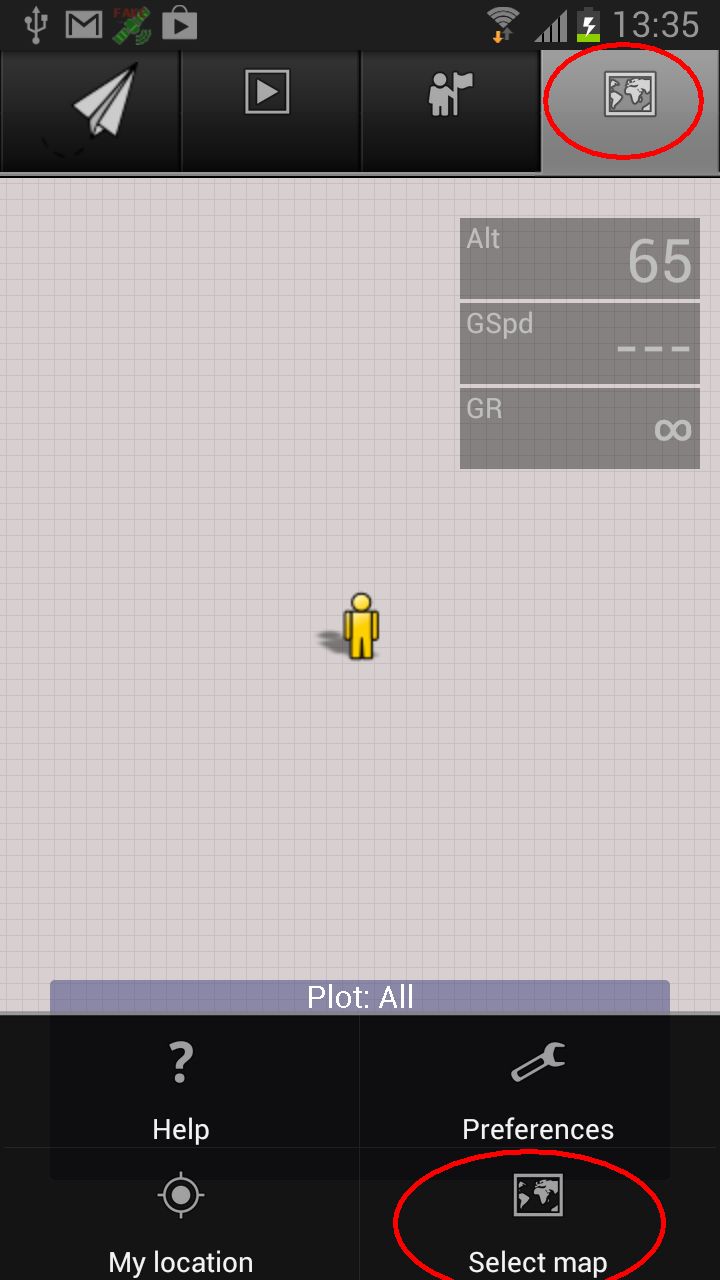
Now open Gaggle, go to the Maps tab, tap the preferences button of the device and select 'Select Map':
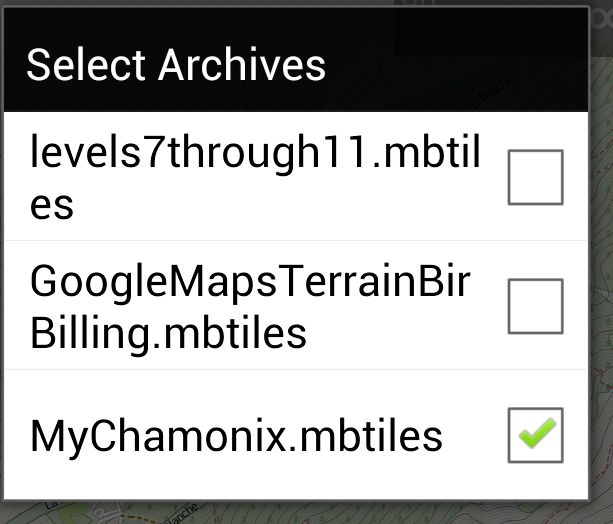
tap archive:
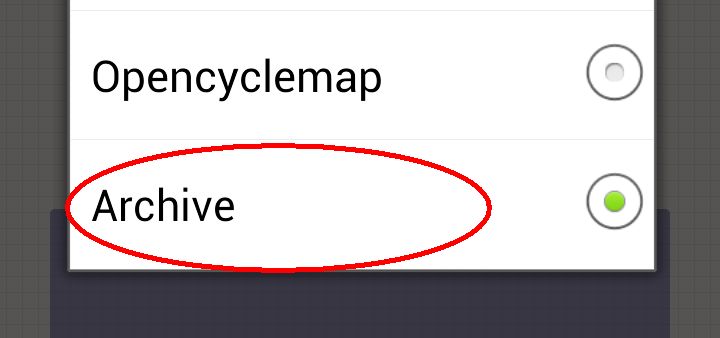
and check the archive you created:
Now select open the preferences-menu again and tap 'My Location', to go to the location you installed using the fake location:
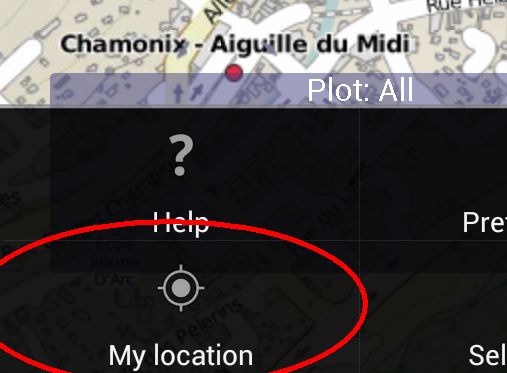
You should now see the archive at work, also without internet connection! Gaggle makes it possible to zoom deeper than what you have downloaded, because at deeper levels it simply enlarges the last (most detailed) available zoomlevel. Done!