
Note: Since this app requires Shizuku for some features, the Shizuku service stops automatically in the Official Shizuku App. To prevent this happening, Uninstall the Original Shizuku and Install this Shizuku Fork (Click Here) and after installed, then run shizuku normally and make sure that you go to shizuku app, on the top right, click settings icon and click "Watchdog" which prevents Shizuku service from Stopping !!)
Think Different :)
Everyone's Ratings: Click Here
If you would like to write a Review, you must install the app, then go to App's settings > Rate and Review
If you liked any of my apps, a Donation using UPI (INR) or Buy Me A Coffee ($) is a must: Donate
GitHub: Download ⬇️
🌐 Cool Apps Recommending Channel:
Join Now
📢 Everlasting Support Group:
Join Now
🔭 To contact me through Telegram: @hariprabhu1008
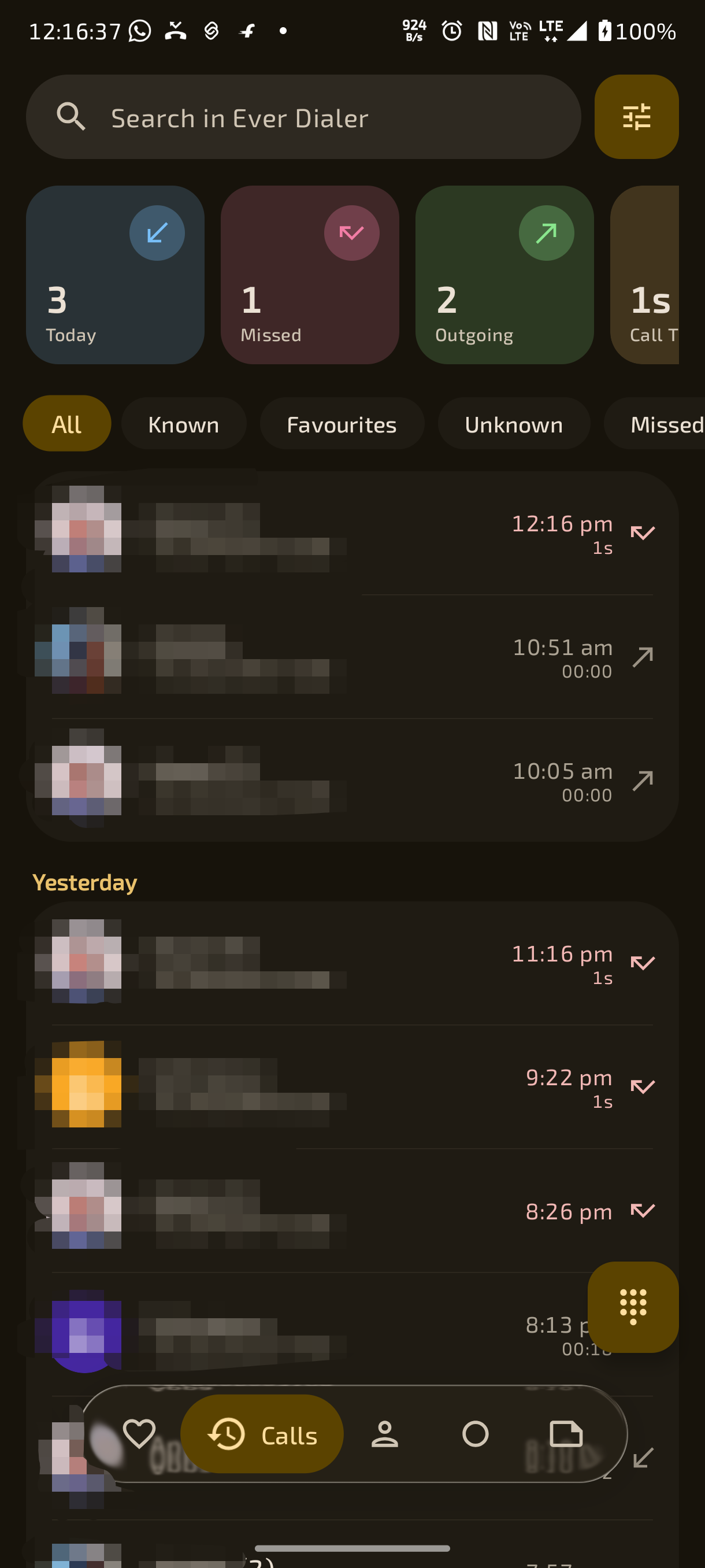
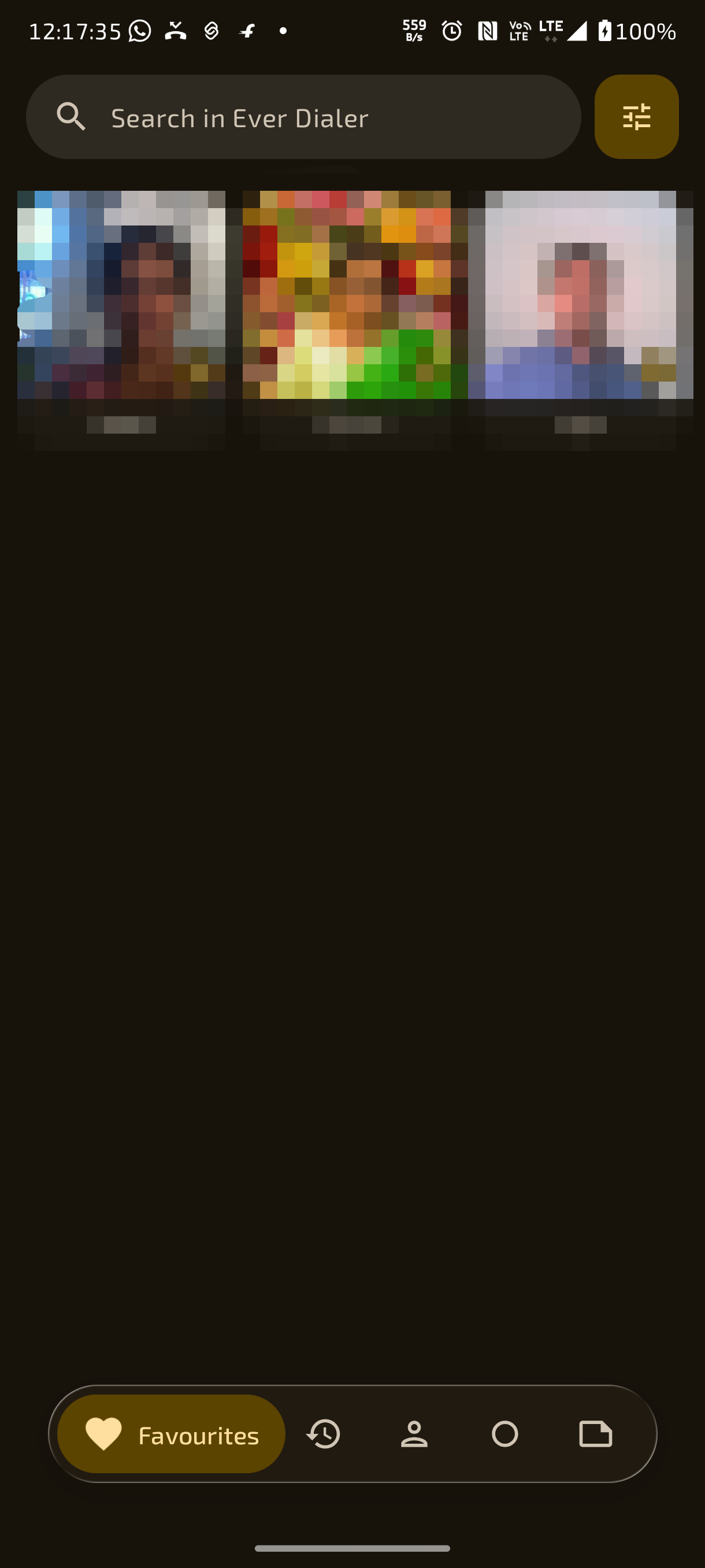
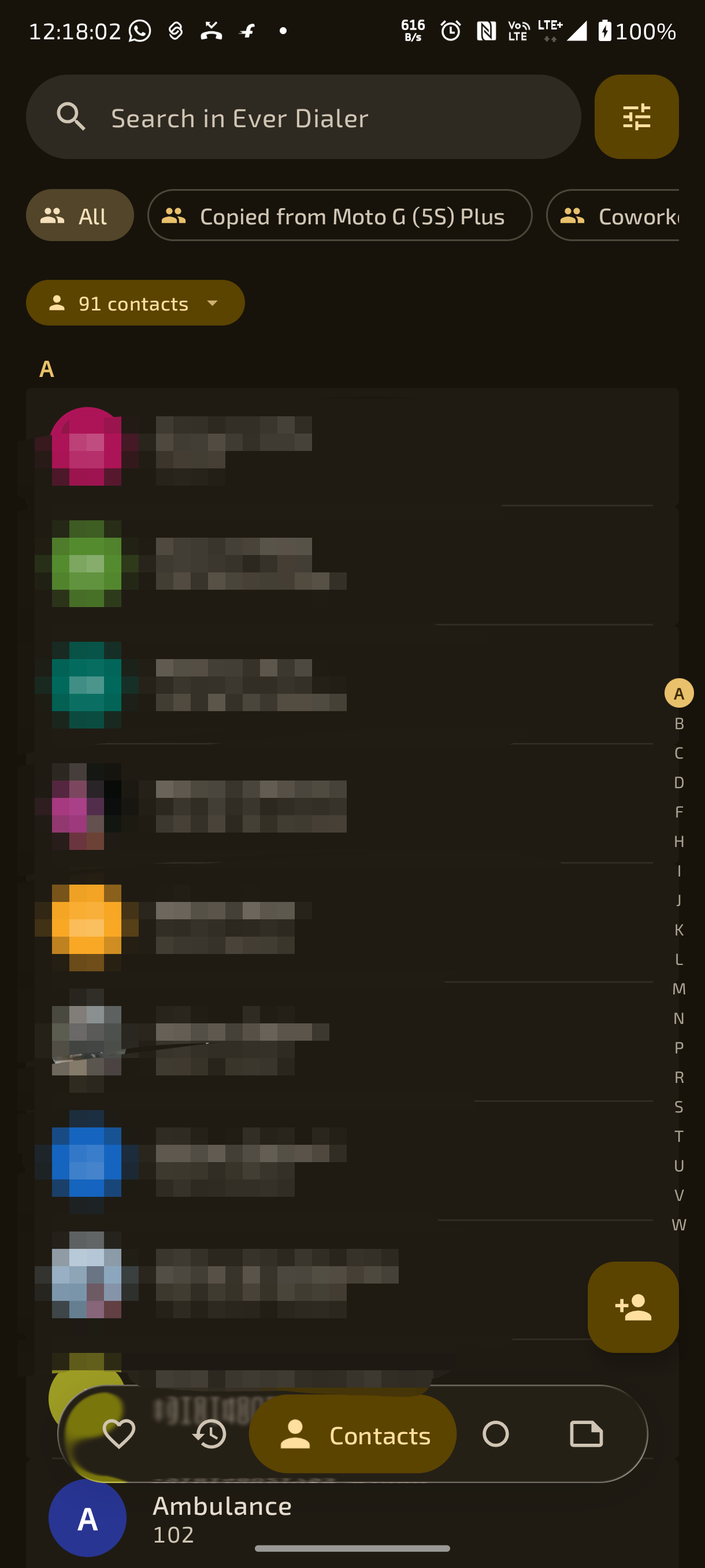
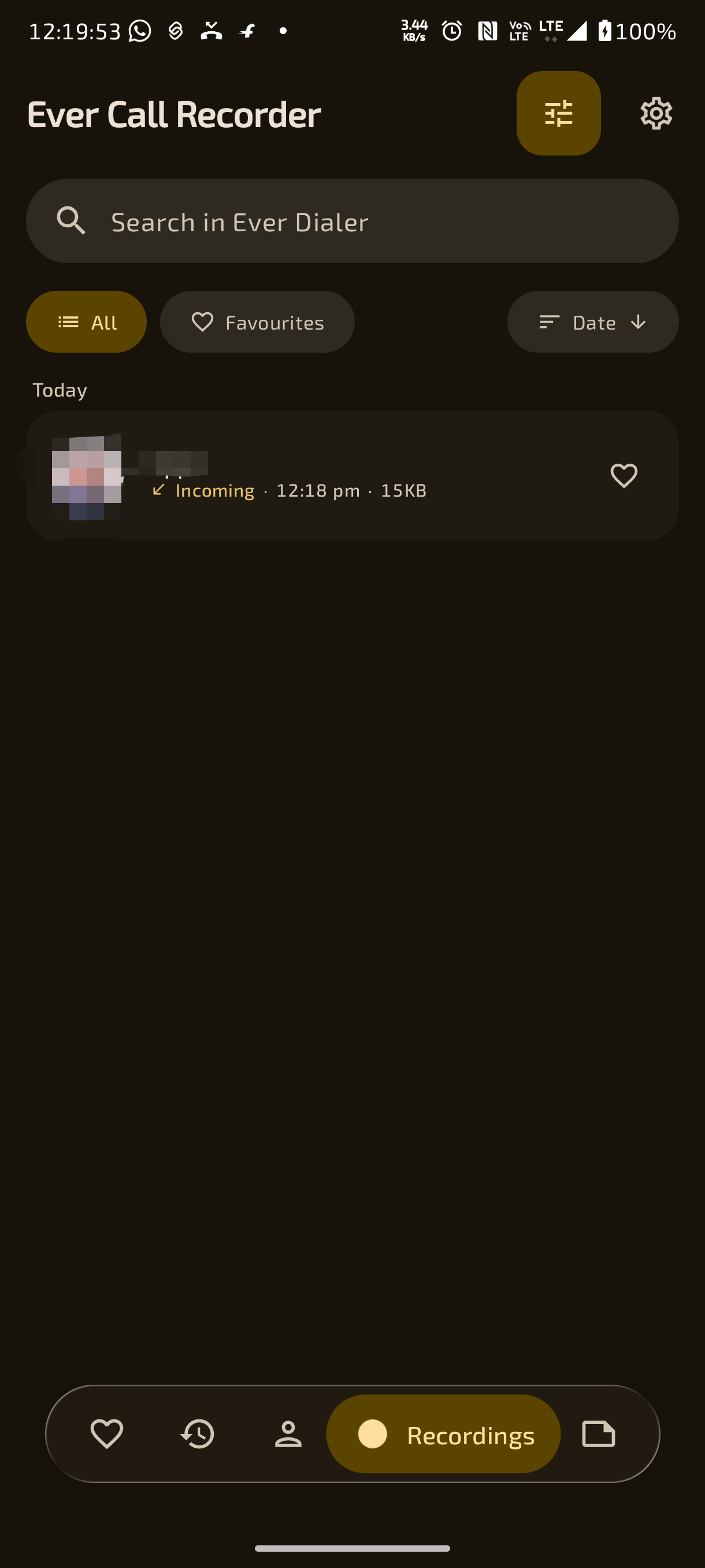
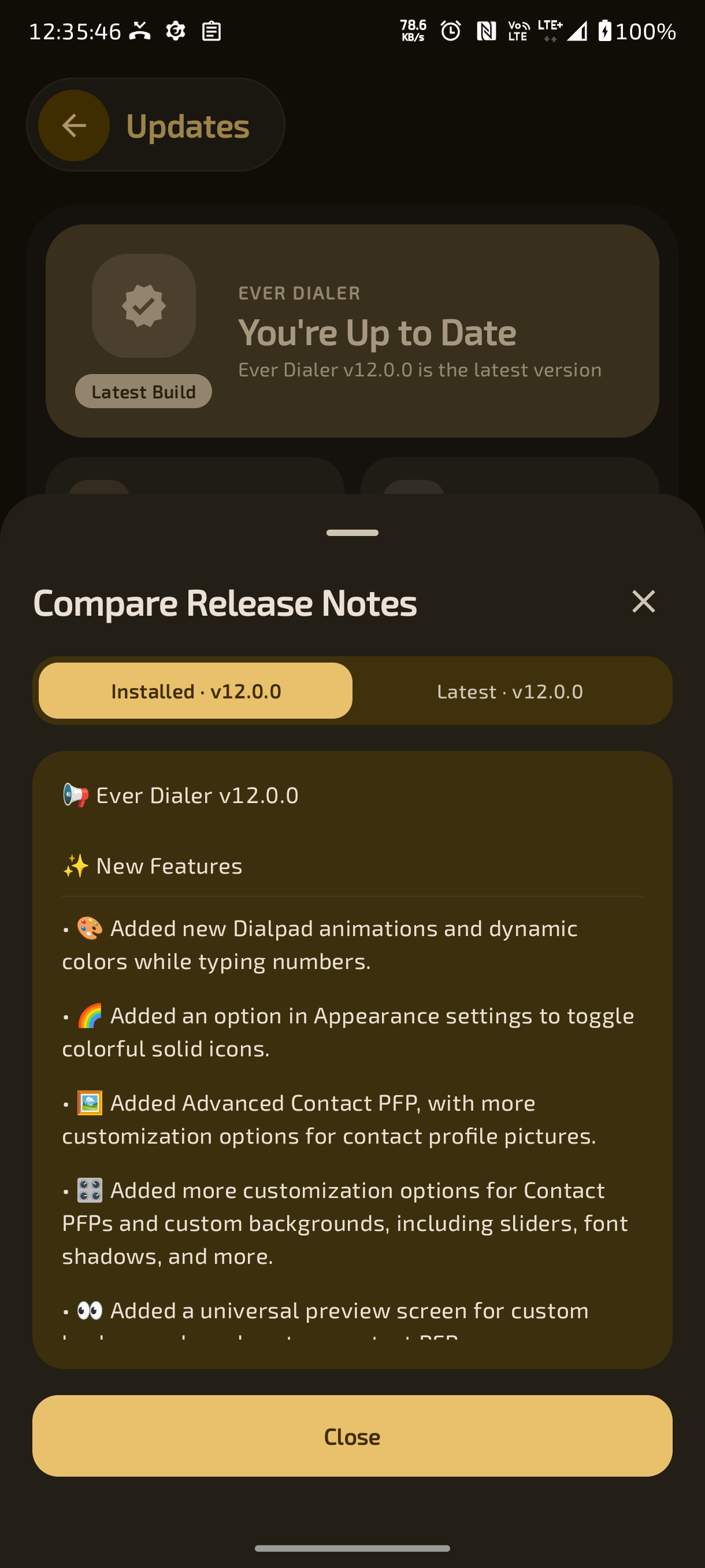
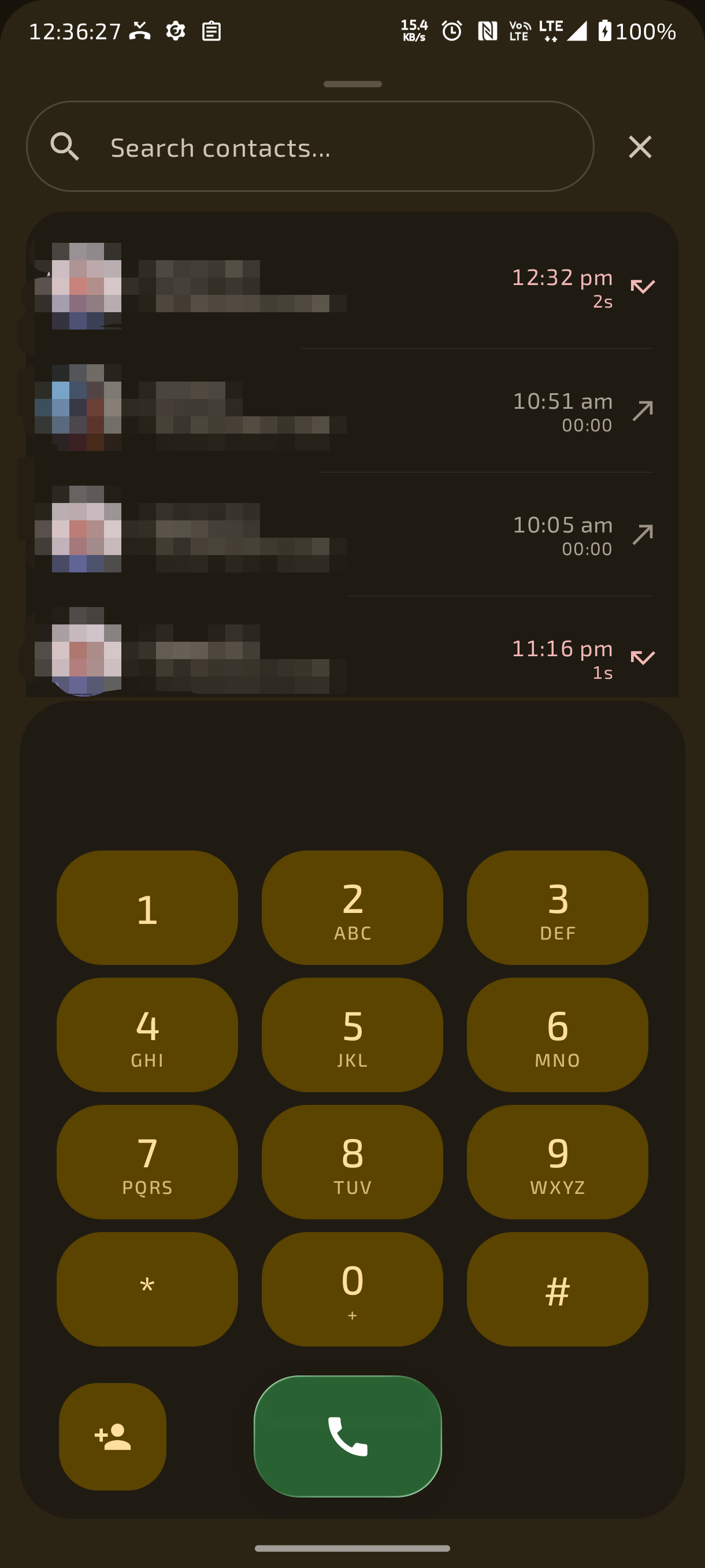
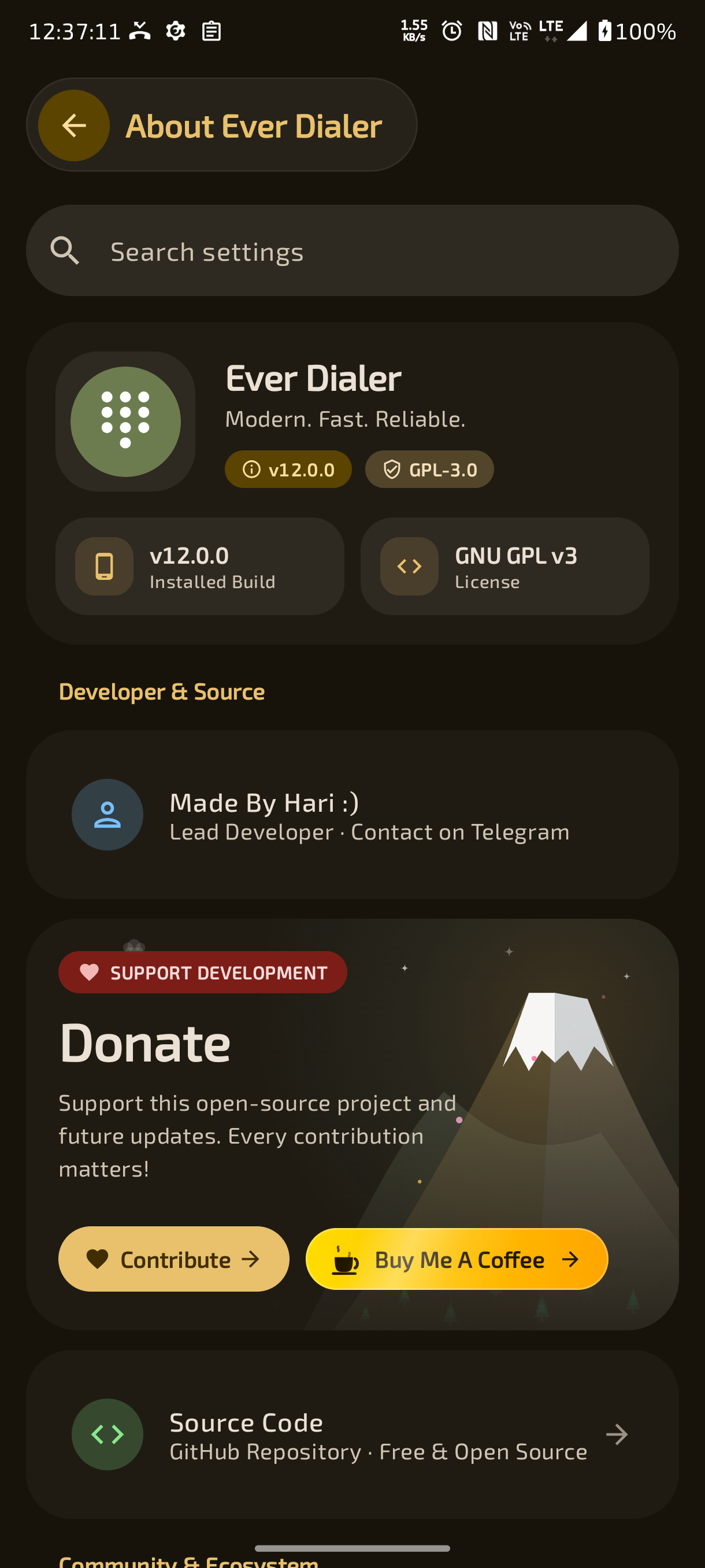
- 📞 Make & Receive Phone Calls – Full-featured, reliable default phone dialer and call manager for Android.
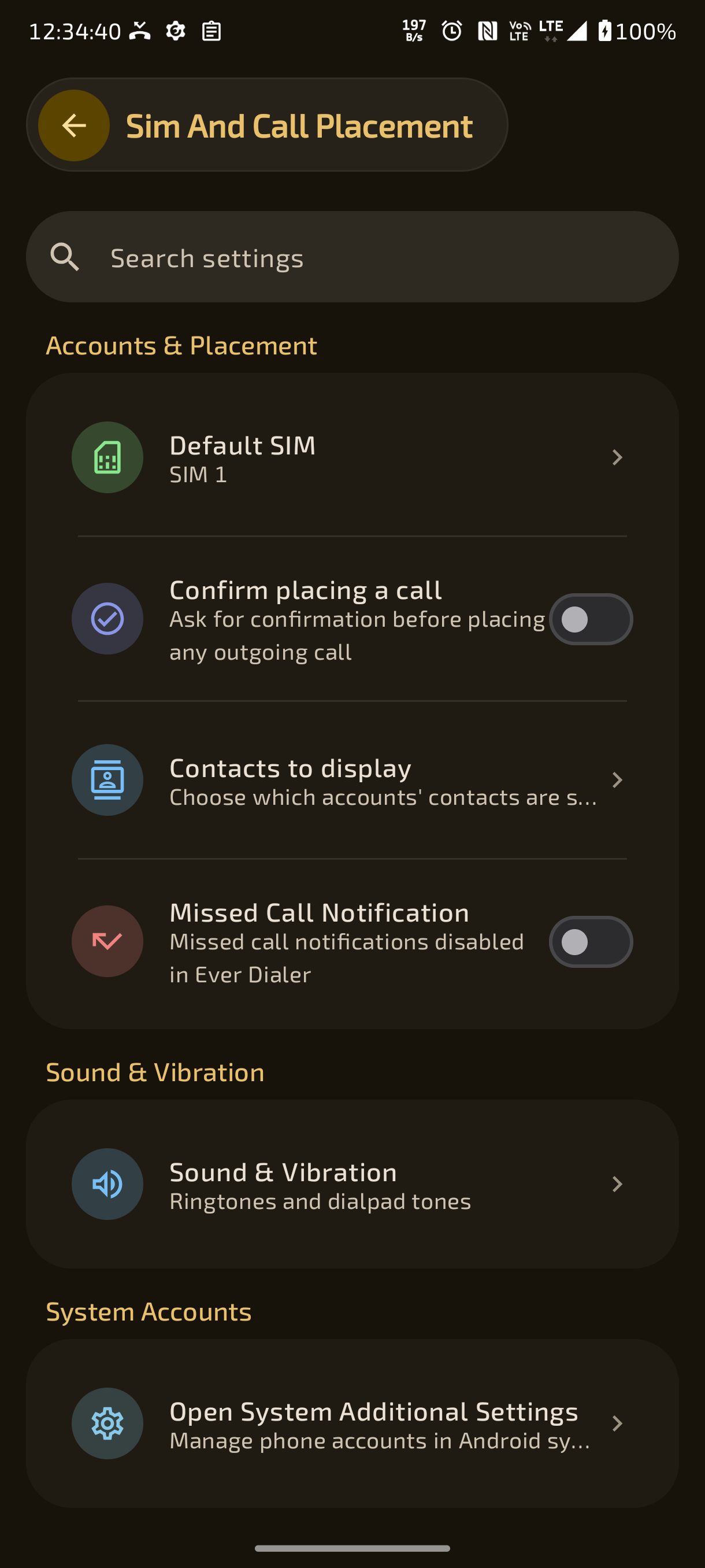
- 📱 Multi-SIM Support & Selection – Dual-SIM / multi-SIM support with per-call SIM selection dialog and default SIM preferences.
- 📇 Per-Contact SIM Binding – Automatically remembers and uses the preferred SIM card for specific contacts.
- 🧠 Smart Call-Log-Based SIM Selection – Automatically dials using the SIM card previously recorded in call history for that number.
- 🔁 Last-Used Global SIM Memory – Option to automatically default to the SIM card used in the most recent outgoing call.
- 🎨 Customizable SIM Card Colors – Interactive palette and color picker dialog to customize SIM 1 and SIM 2 accent colors across the app.
- 🏷️ SIM Slot Badges in History & Dialer – Color-coded SIM 1 and SIM 2 badges displayed directly on call log entries and dialer buttons.
- 🛡️ Confirm Placing Call Dialog – Optional confirmation sheet displaying contact photo, name, number, SIM badge, and Cancel/Call buttons to prevent accidental dials.
- 🌐 Call Accounts Management – View and switch between active telecom calling accounts and carrier profiles.
- ⚡ Direct Tap-to-Call Mode – Optional setting to immediately place a call upon tapping any contact or log entry without intermediate screens.
- 🔁 Auto Redial – Automatically retries busy, unanswered, or rejected calls with configurable retry counts and intervals.
- 📢 Auto Speakerphone on Proximity – Automatically toggles the loudspeaker when the device is moved away from the ear during an active call and reverts to earpiece when near.
- 🛡️ Pocket Mode Accidental Touch Prevention – Uses proximity and light sensors to prevent accidental call answering or rejecting while in a pocket or bag.
- 📐 Proximity Sensor with Ear-Orientation Angle Guard – Prevents false screen-offs on sensitive proximity sensors by verifying both proximity and ear-held inclination angle, with customizable slant sensitivity slider and live tester.
- ⌨️ USSD & MMI Code Execution – Full support for dialing carrier USSD codes, balance checks, and supplementary service codes.
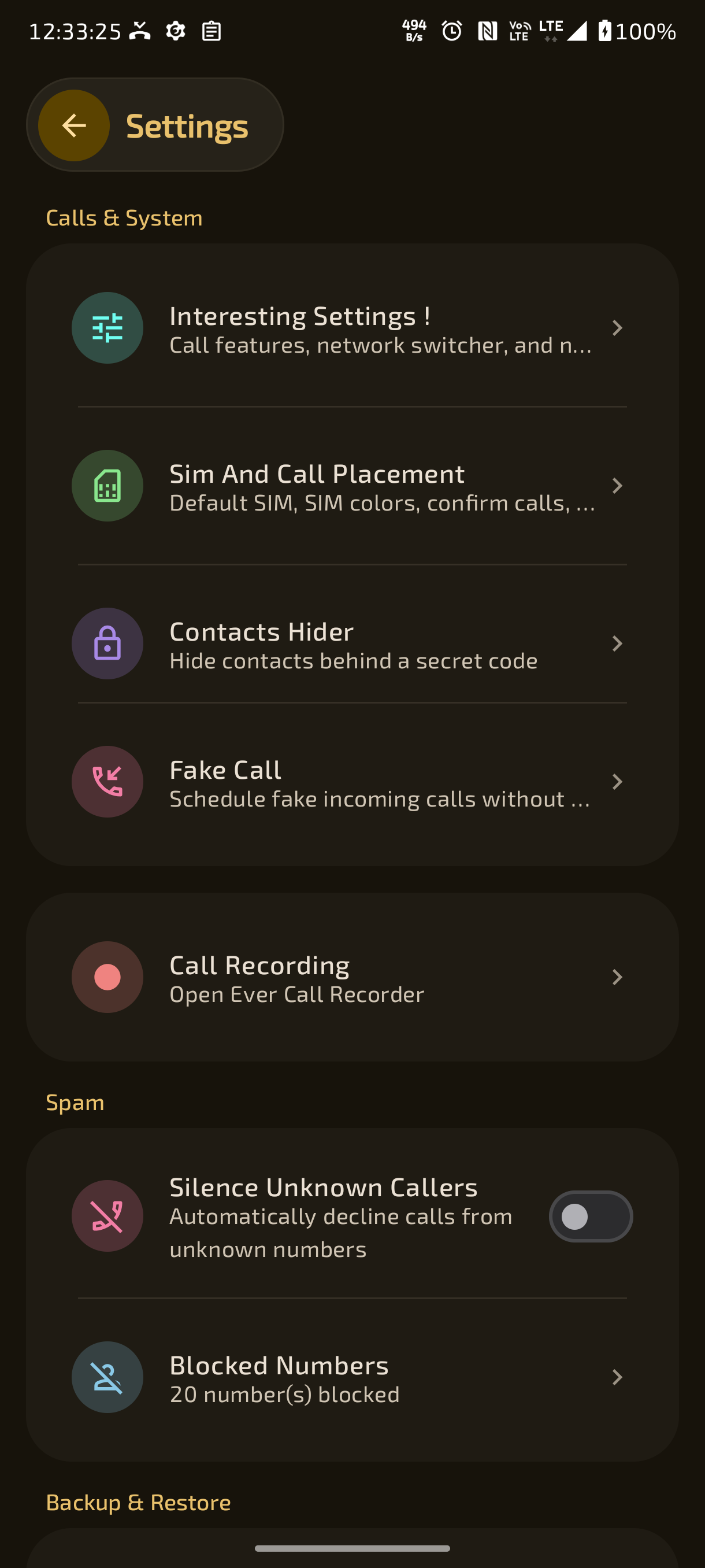
- 🚫 Comprehensive Call & Spam Blocking – Block unwanted callers, spam numbers, private numbers, and unknown callers with a built-in blacklist manager.
- 📲 Default Phone App Integration – Built-in system prompt and seamless setup workflow to register Ever Dialer as the default phone handler.
- 🔍 Predictive T9 Search – Instant contact matching by name, initials, or phone number as you type on the dialpad.
- 🧠 Dialpad Memory – Automatically preserves the last typed or dialed digits when reopening the dialpad.
- 📱 Dual SIM Dialpad Call Buttons – Option to display dedicated SIM 1 and SIM 2 call buttons directly on the dialpad instead of a single call button.
- 🕒 Recent Call Logs on Empty Dialpad Search – Displays recent call history entries in the dialpad search list before any digits are typed.
- ⚡ One-Tap Speed Dial – Assign favorite contacts to long-press keys (1–9) for instant speed dialing.
- 🔔 Expressive Dialpad Tone Styles – Choose between 5 custom dialpad sound profiles: Standard DTMF, Piano, Water Drop, Mechanical Keyboard, and Sci-Fi.
- 🔊 DTMF Keypress Audio Feedback – Real-time dual-tone multi-frequency keypress feedback during dialing and active calls.
- 📬 Voicemail Key Shortcut – Long-press key '1' to quickly dial carrier voicemail.
- ➕ International Prefix Formatting – Long-press key '0' to insert the '+' international dialing prefix with automated E.164 normalization.
- 🕵️ Dialpad Secret Code Execution – Dial hidden passcodes directly into the dialpad to unlock hidden contacts or secret menus.
- ✋ Ergonomic One-Handed Dialpad Alignment – Optimized keypad layout for comfortable single-handed operation.
- 📋 Quick Number Copy & Paste – Long-press dialpad input to quickly paste, copy, or format phone numbers.
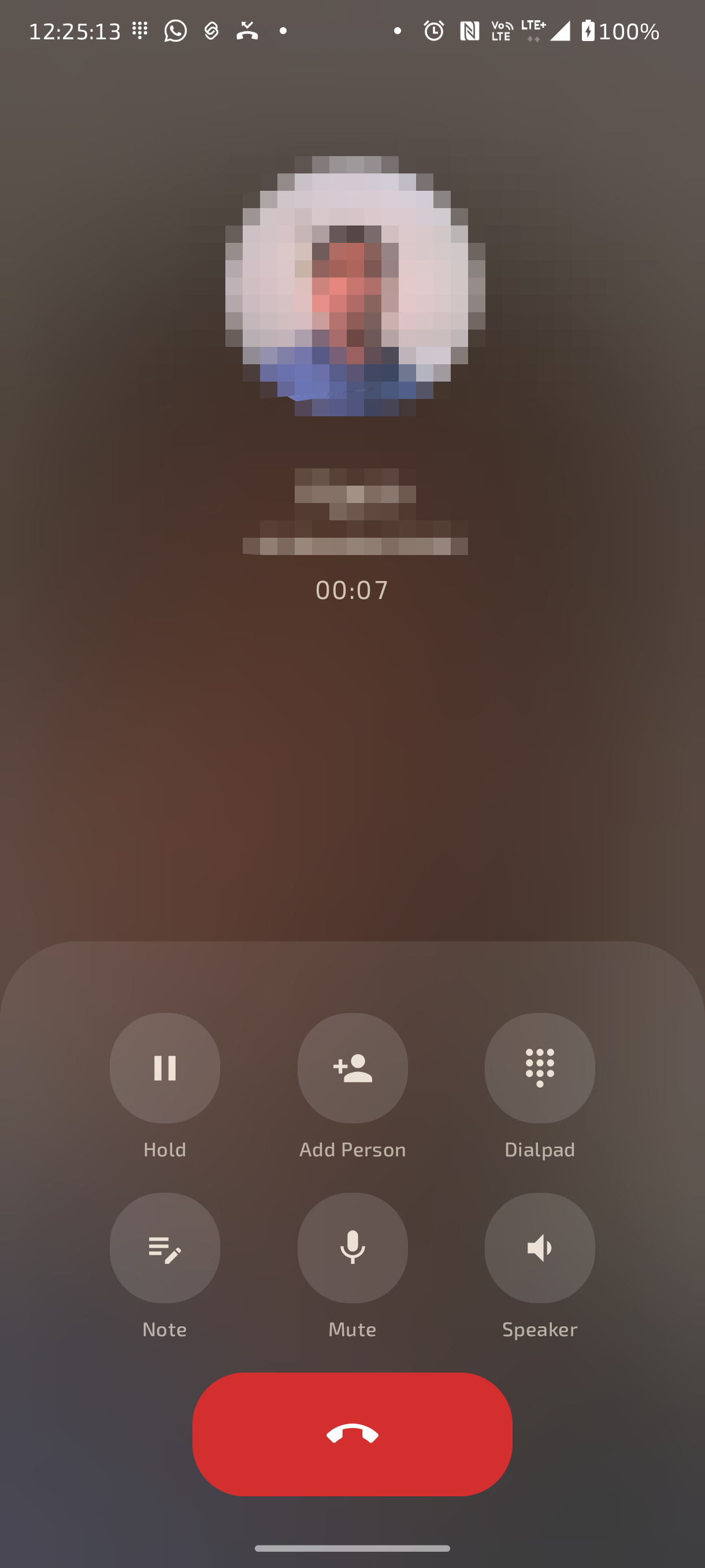
- 🎛️ Expressive In-Call Controller – Modern Material 3 action bar for mute, speaker, bluetooth, dialpad, hold, add call, and call notes.
- 🖐️ Draggable Freeform Button Placement – Freely drag and reposition every in-call action button anywhere on the screen with persistent coordinates.
- 👁️ Call Button Visibility Controls – Individually show or hide any of the 10 in-call action buttons to streamline the caller screen.
- 📏 Dynamic Element Sizing Slider – Dynamically scale call button sizes from 75% to 150% for optimal touch targets.
- 🔴 Hangup Button Width Customization – Adjust the width and appearance of the end-call button (compact pill to full-width bar, 40% to 100%).
- 🏷️ Toggleable Action Button Labels – Option to display or hide text labels beneath in-call action buttons for a clean aesthetic.
- ⏸️ Call Hold & Resume – Place ongoing calls on hold with visual hold indicators and resume anytime.
- 🔀 Conference & Multi-Call Merging – Manage call waiting, swap active calls, and merge multiple lines into conference calls.
- 🎧 Bluetooth & Audio Routing – One-tap switching between Earpiece, Speakerphone, Bluetooth Headsets, and Car Audio.
- 🔢 In-Call Keypad Overlay – Slide-up DTMF keypad during active calls for navigating automated IVR phone trees and menus.
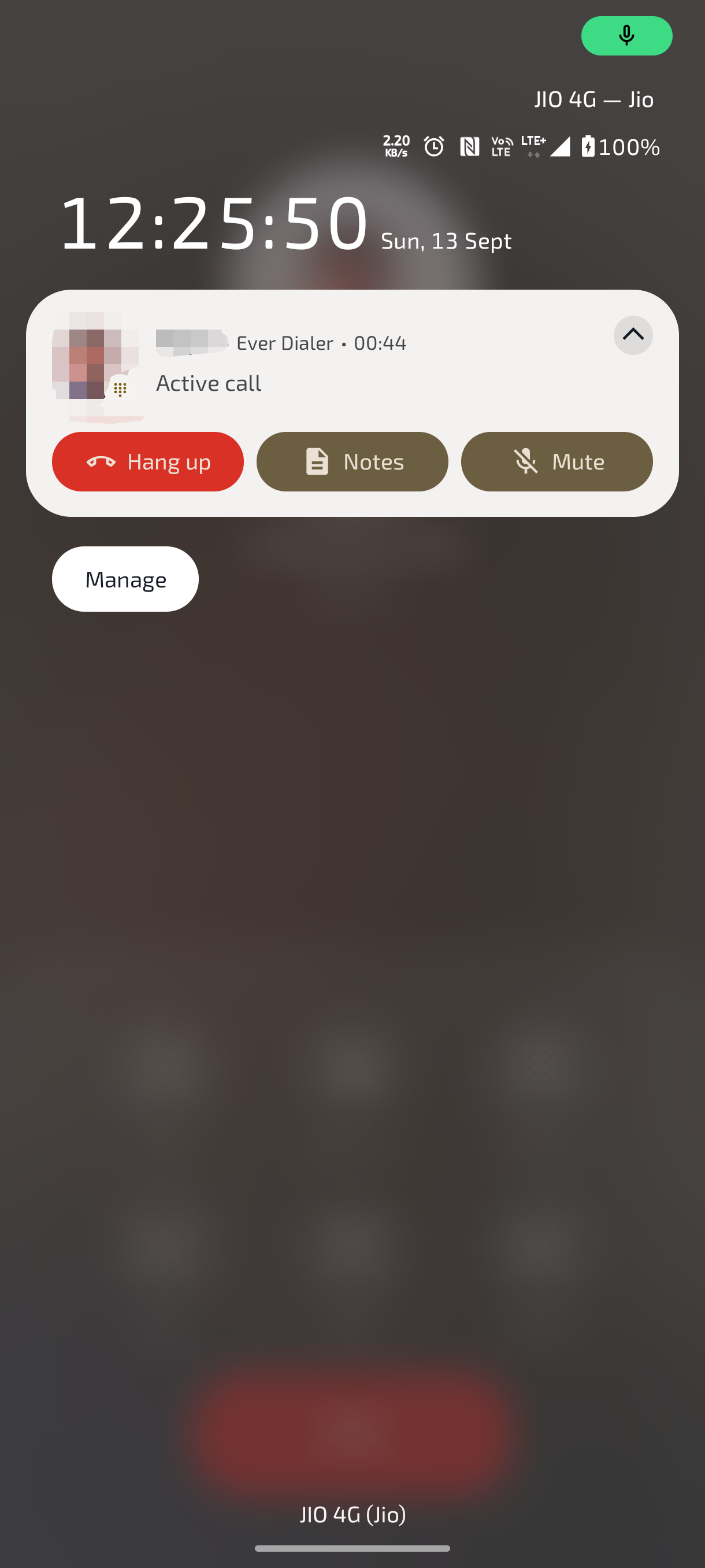
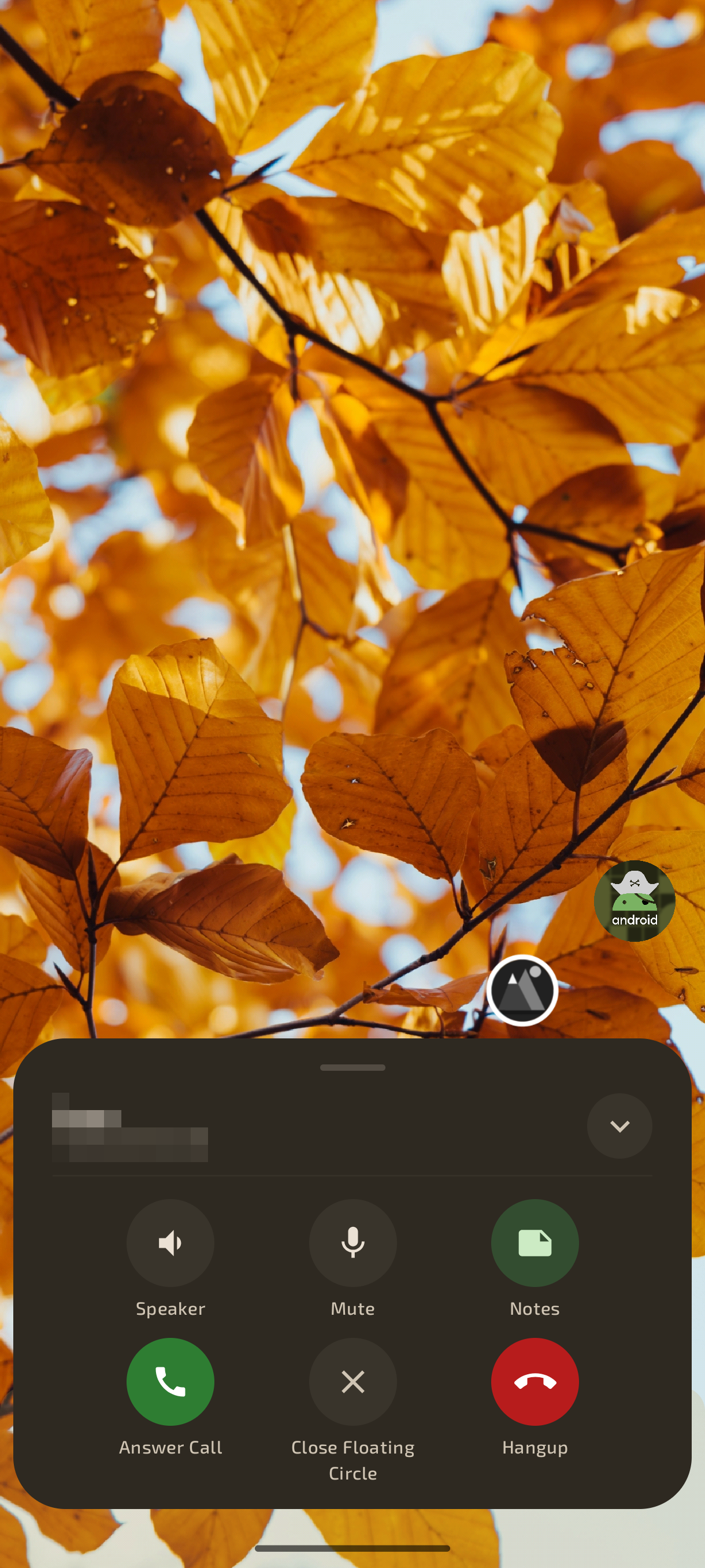
- 🫧 Floating Ongoing Call Bubble – Draggable floating overlay bubble when navigating outside the app during an active call, with quick speaker, mute, and hangup actions.
- ⏱️ Live Call Duration & Status Indicators – Crystal-clear live call timer, network HD call badges, and audio route status indicators.
- 🖼️ Custom Wallpaper Backgrounds – Set custom photos, downloaded wallpapers, or high-resolution gallery images for ongoing calls.
- 🎬 Looping Video Backgrounds – Set custom animated looping MP4 or MKV videos as active ongoing call backgrounds.
- 📱 Device Wallpaper Extraction – Automatically pull and apply your active home or lock screen wallpaper into the call screen.
- 🔄 Auto-Refreshing Wallpaper Sync – Automatically re-extracts and updates caller backgrounds whenever device system wallpaper changes.
- ✂️ Background Media Editor – Built-in pan, zoom, blur (0–25dp), dim/darken (0–100%), and video playback speed controls (0.25x–2.0x).
- 👤 Per-Contact Call Backgrounds – Assign individual, unique wallpaper or video backgrounds for specific contacts.
- 🎭 Custom Contact Profile Picture (PFP) Engine – Fine-tune avatar size (10% to 100%), shape (Circular vs Rounded Square), zoom, pan, and blur.
- 🧩 Granular PFP Replacement Rules – Apply custom avatars to all contacts, only contacts without photos, or all except those with existing photos.
- 📺 Full-Screen Edge-to-Edge Caller UI – Edge-to-edge immersive caller layout extending behind status and navigation bars.
- 🎨 Caller Font Color Modes – Choose between automatic contrast colors, pure white with drop shadows, or any custom HEX/ARGB color.
- 🔤 Dynamic Caller Font Size Scaling – Adjust caller text size from 0.7x to 1.5x with real-time preview.
- 🌑 High-Contrast Text Drop Shadows – Multi-layer drop shadows ensuring caller details remain legible over bright or busy video backgrounds.
- 🌗 Caller Element Theme Engine – Switch ongoing call buttons and cards between Auto, Light, and Dark element styles.
- 👁️🗨️ Simulated Live Preview Canvas – Interactive live mockup in settings showing exact real-time adjustments before applying.
- 👁️ Contact Name & Number Visibility Toggles – Independently toggle phone number, SIM badge, or contact name visibility on call screens.
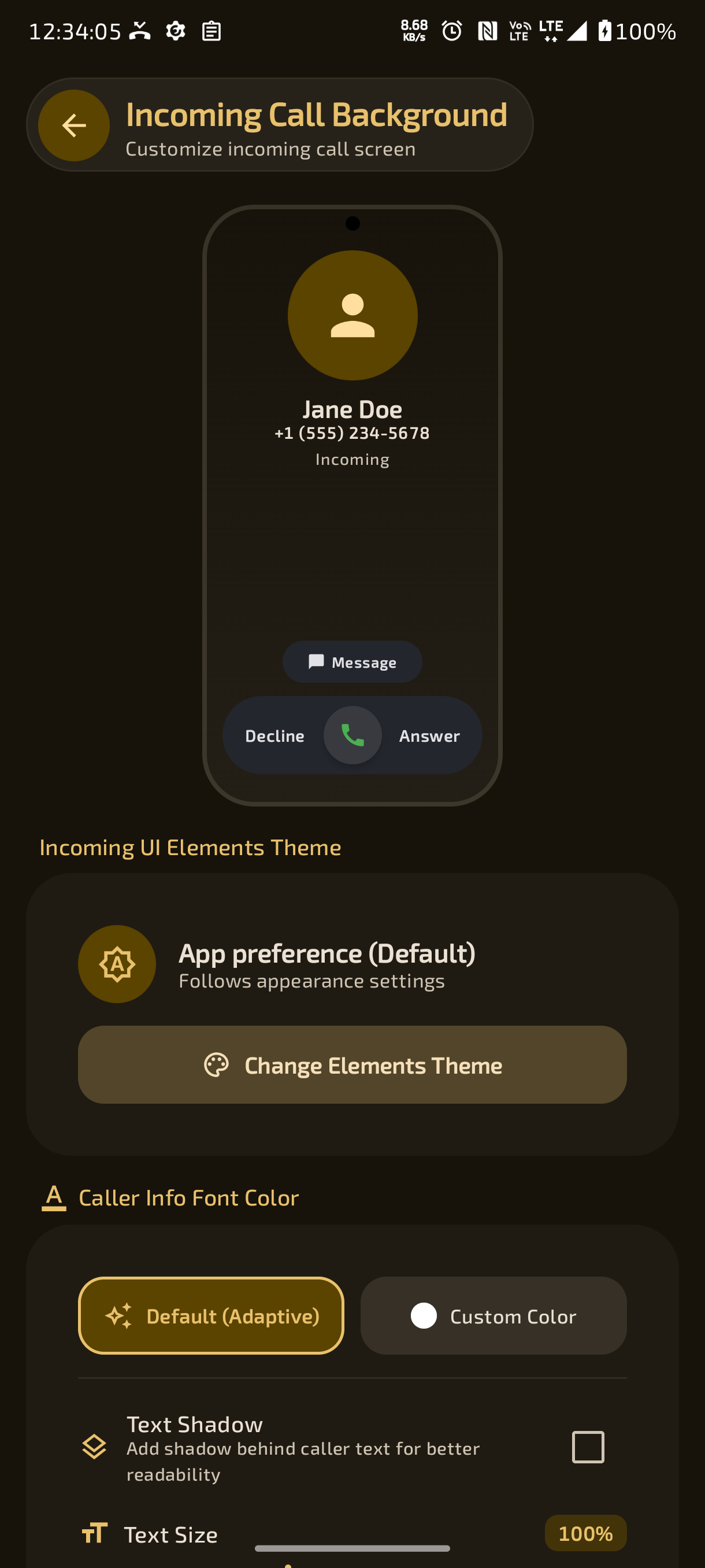
- 🌄 Custom Incoming Call Backgrounds & Videos – Personalize incoming call alerts with custom wallpapers, gallery pictures, or looping videos.
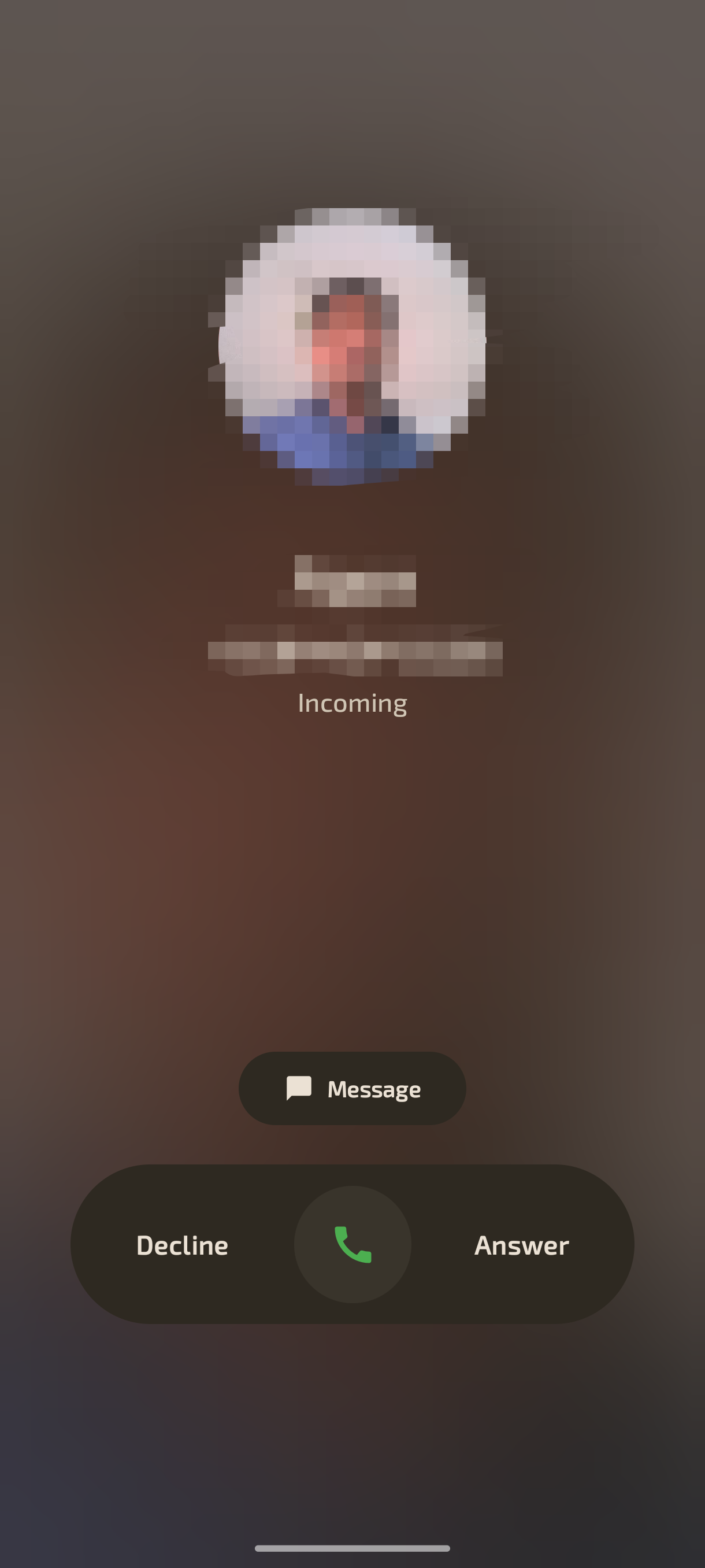
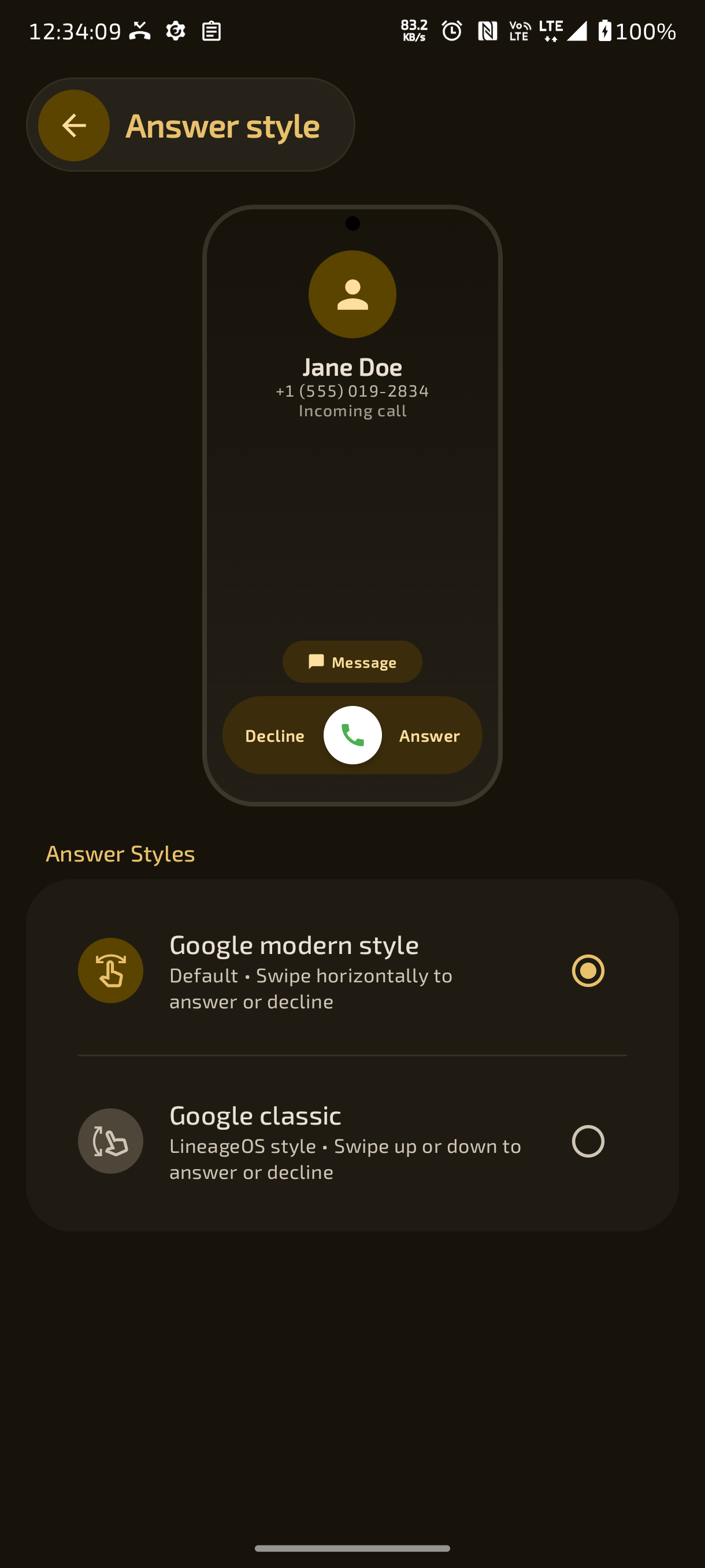
↔️ Dual Answer Styles – Choose between Google Modern horizontal swipe pill and Google Classic dual ripple swipe-up buttons with interactive live preview.- 🔔 Full-Screen Call Alerts Over Apps & Lock Screen – Reliable full-screen heads-up display and incoming screen over locked devices and running apps.
- 🔕 Incoming Quick Mute Button – One-tap mute button on the incoming call screen to silence the ringer without rejecting the call.
- 💬 Quick SMS Response Bar – Reject incoming calls with pre-configured quick SMS messages ("I'll call you back", "In a meeting", etc.).
- 📨 Default Quick-Reply Messaging App Selector – Choose your preferred app for quick replies (SMS, WhatsApp, Telegram, or Always Ask).
- 👤 Incoming Contact PFP & Number Visibility Toggles – Choose whether to display avatar pictures and phone numbers on incoming calls.
- 🔤 Dynamic Incoming Font Size Scaling – Scale incoming caller text size between 0.7x and 1.5x.
- 🎨 Per-Contact Incoming Themes & Avatars – Tailor incoming screen styles and media independently for family, friends, or work contacts.
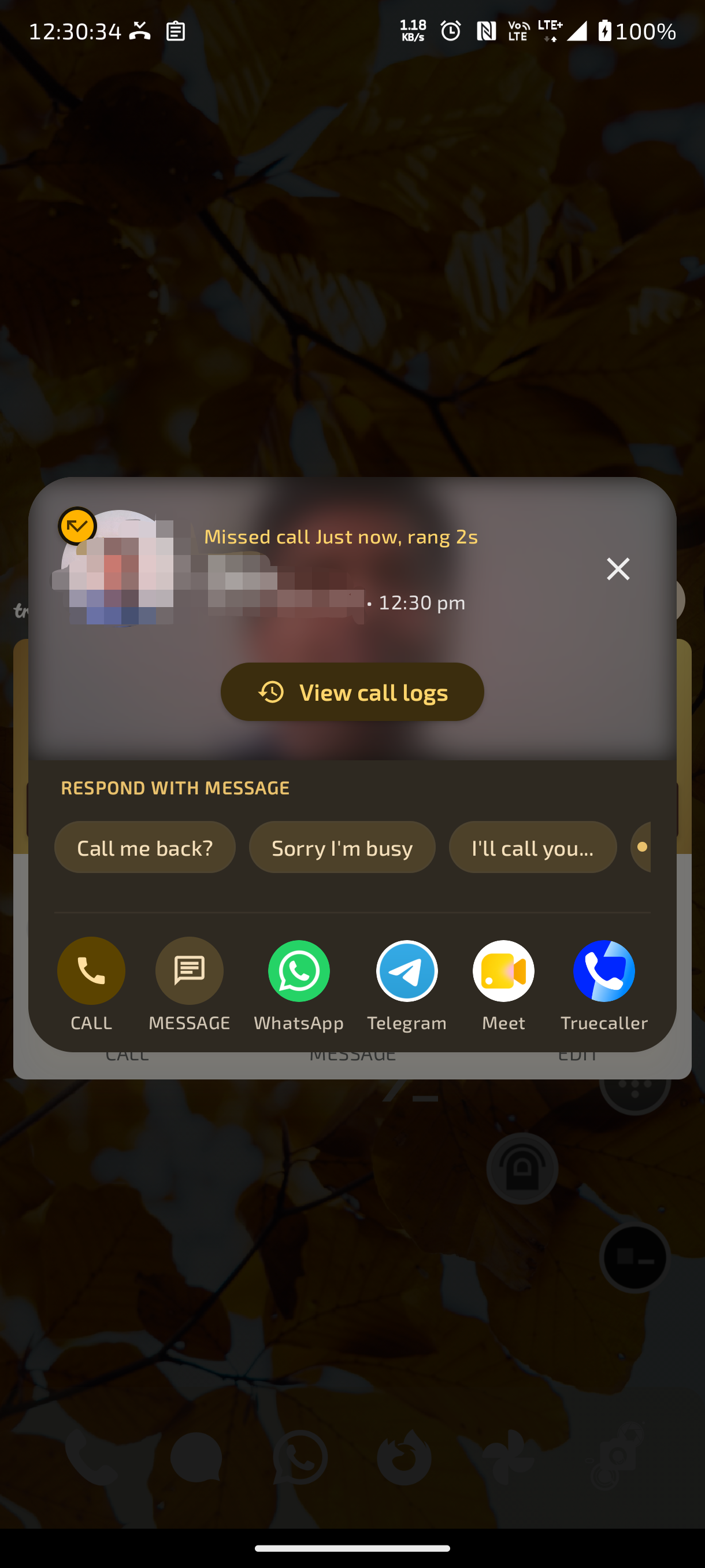
- 🪟 Floating Interactive Missed Call Popup Window – Draggable floating overlay appears over any app when an incoming call is missed.
- ⏱️ Live Ringing Duration Counter – Displays exactly how long the caller's phone rang before the call was missed (e.g., "Rang for 18s").
- 📞 One-Tap Instant Callback Button – Call back immediately from the floating popup without having to open the main app.
- 💬 Customizable Quick Reply Templates – Three user-configurable canned message buttons for instant SMS or messaging replies.
- ✍️ Inline Custom Message Composer – Type and send a personalized message directly inside the popup with keyboard focus.
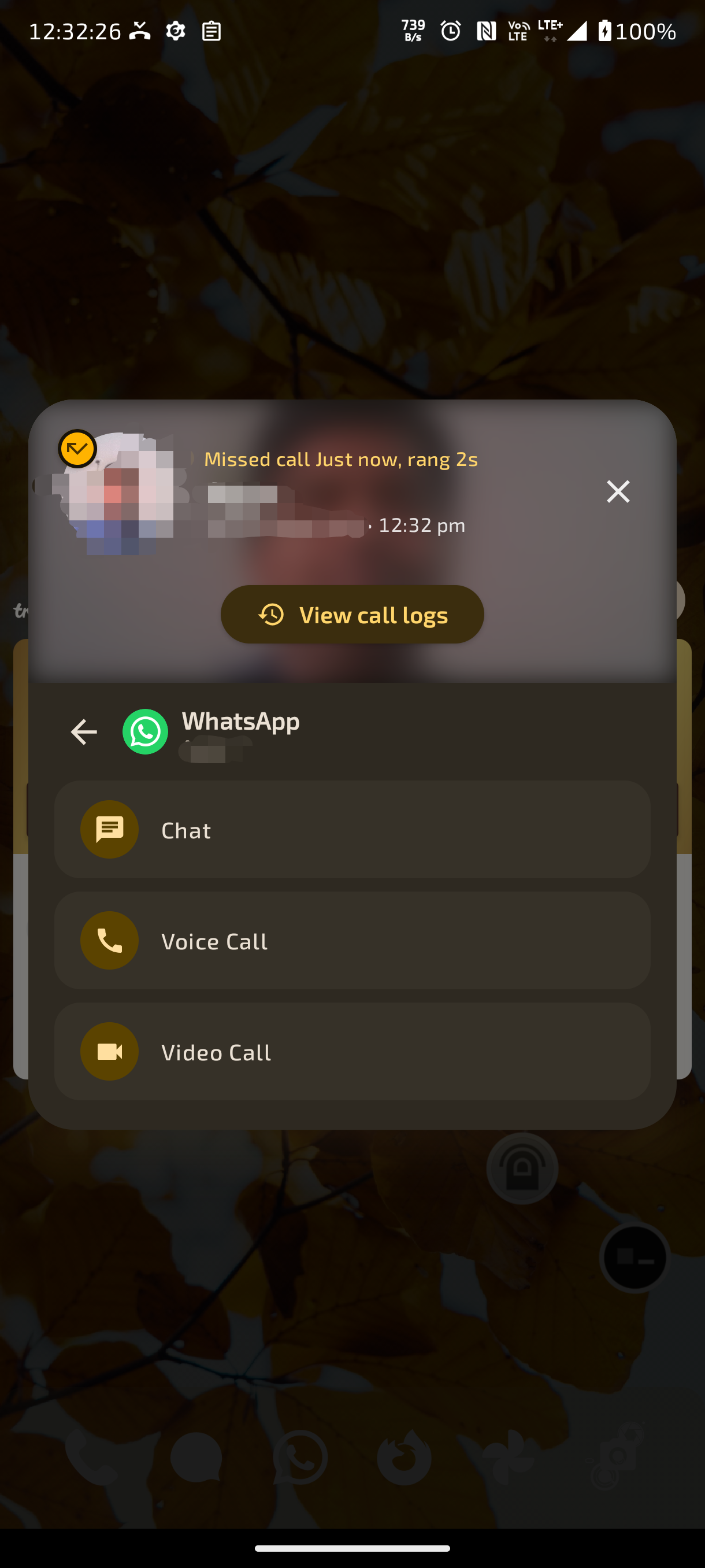
- 🚀 Social Messaging Shortcuts – Send quick replies via WhatsApp or Telegram directly from the missed call popup.
- 🔁 Always-Show Post-Call Popup Option – Optionally show the floating popup after every completed call ends for instant follow-up notes or messages.
- 👁️ Built-in Missed Call Popup Live Previewer – Preview and test the popup layout, colors, and quick reply actions directly from Settings.
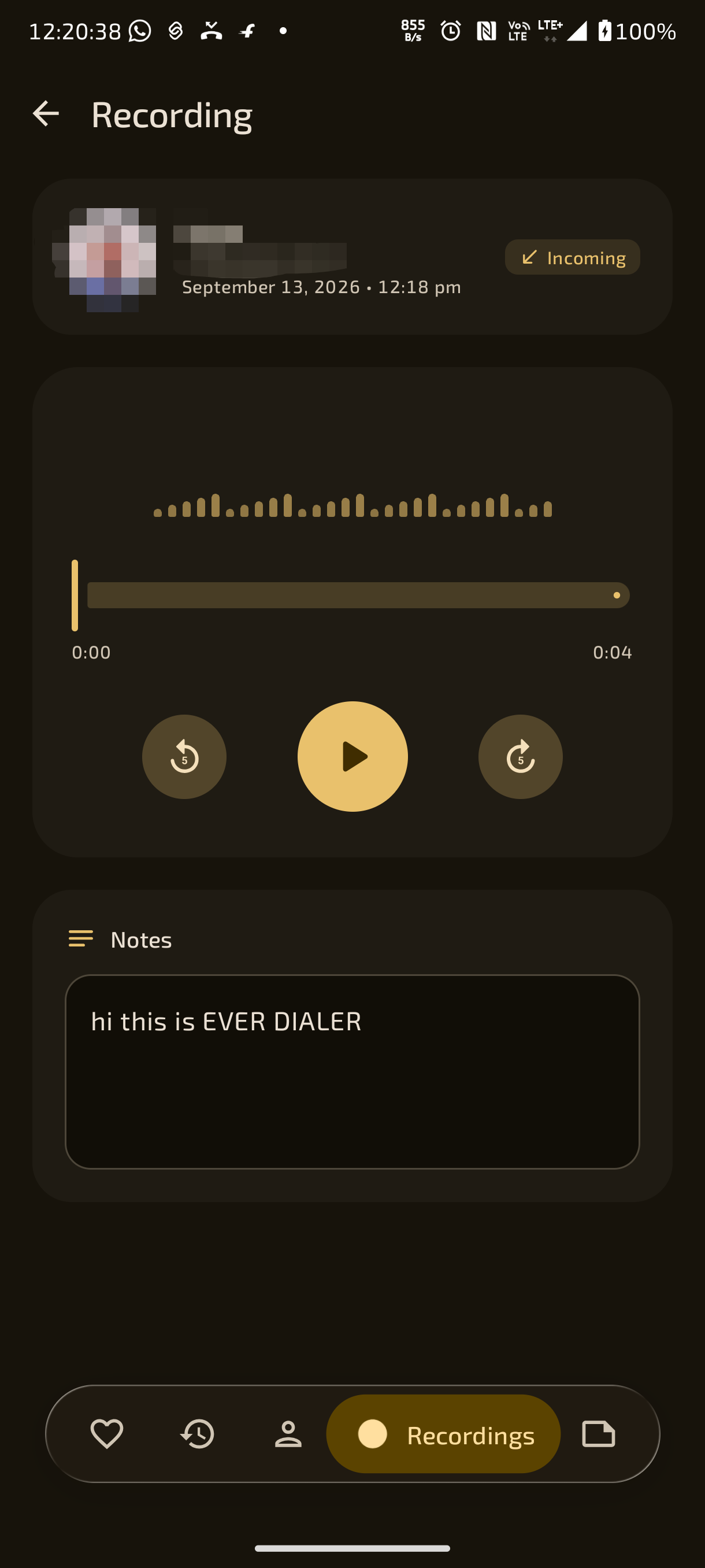
- 🎙️ Rootless Internal Call Recording via Shizuku – Record crystal-clear two-way call audio without root using Shizuku shell service integration.
- 🤫 Zero Call Announcements – Clean, private call recording with no "This call is now being recorded" voice warnings.
- ⚙️ Scrcpy Audio Engine Architecture – High-fidelity internal audio capture powered by background scrcpy-server audio tunneling.
- 💬 VoIP & App Call Recording (WhatsApp & Telegram) – Capture voice calls made through WhatsApp and Telegram via Notification Listener service integration.
- 🎼 Multiple Lossless & Compressed Audio Codecs – Choose from AAC, OPUS, WAV (Lossless PCM), FLAC, or AMR-WB.
- 🎚️ Configurable Audio Bitrate – Fine-tune audio quality from 64 kbps up to 320 kbps for optimal balance of fidelity and file size.
- 📻 Custom Audio Sample Rates – Select sample rates from 8 kHz (speech-optimized) up to 48 kHz (studio quality).
- 🔄 Automatic Two-Way Call Recording – Automatically record all incoming and outgoing calls seamlessly in the background.
- 🎯 Selective Per-Contact Recording Rules – Selectively record all contacts, only specified contacts, or record all while excluding specific contacts.
- ❓ Unknown Numbers Auto-Record Rule – Dedicated rule to automatically record calls from numbers not saved in your contacts.
- 🌐 Cross-Country & International Call Exclusion – Automatically skip recording incoming or outgoing international calls.
- 🕶️ Anonymous & Private Call Exclusion – Option to skip recording calls from private or hidden caller IDs.
- 📞 Record-On-Answer Option – Option to start audio capture only once the call is answered, or begin immediately upon ringing/dialing.
- 🔔 Post-Recording Quick Actions Notification – Interactive post-call notification allowing you to Open, Share, or Delete the recorded audio file with one tap.
- 📁 Dual Storage Modes (Public SAF Folder vs Private Internal Storage) – Save recordings to a user-chosen SAF folder or keep them in isolated private app storage inaccessible to other apps.
- 🧹 Automated Recording Purge (By Age & Storage Size) – Automatically delete old recordings after a set number of hours/days or when storage limit is exceeded.
- 🏷️ Customizable Recording Filename Templates – Format recording filenames using dynamic tags like
{contact_name},{date},{direction}, and{phone_number}. ▶️ Built-in Recording Player & Waveform Visualizer – Play back, pause, seek, and inspect recorded calls with interactive waveform scrubbing.- 📤 Direct Audio Sharing & Export – Share call recordings to messaging apps, email, or cloud storage with one tap.
- 🔒 App Lock Protection for Call Recordings – Protect the call recordings archive with Biometrics, PIN, or Password.
- 👥 Complete Contact CRUD – Create, view, edit, and delete device and Google account contacts with real-time synchronization.
- 📝 Rich Multi-Field Contact Information – Store multiple phone numbers, emails, physical addresses, websites, nicknames, notes, and events.
- ⭐ Favorites & VIP Pinning – Star and pin VIP contacts into the dedicated Favorites screen for instant access.
- 🗂️ Contact Groups Management – Create, edit, rename, and delete custom contact groups with full support for system/Google groups.
- 👥 Dedicated Contact Groups Tab – Optional bottom navigation tab dedicated to browsing and organizing contact groups.
- 🗃️ Account Storage Filtering – Filter displayed contacts by storage account: Google Accounts, Device/Phone, or SIM.
- 📦 Move Contacts Between Storage Accounts – Seamlessly transfer contacts between Google accounts, local device storage, and SIM cards.
- 🔢 Per-Contact Default Phone Number – Assign a default phone number for contacts with multiple numbers to bypass the number chooser on calls and messages.
- 📷 Contact QR Code Generator (vCard) – Instantly generate a scannable vCard QR code on any contact card for touchless contact sharing.
- 🔍 Built-in Contact QR Code Camera Scanner – Scan vCard QR codes using your camera to save contacts in seconds without typing.
- 🎵 Per-Contact Custom Audio Ringtones – Assign unique system or custom audio ringtones to individual contacts.
- 🔗 Duplicate Contact Cleaner & Merger – Detect and merge duplicate contact entries containing matching phone numbers.
- 🧹 Hide Duplicate Numbers within Contact Cards – Automatically cleans up and hides identical phone numbers stored under the same contact profile.
- 📄 vCard (.vcf) Export & Import – Export contacts to standard
.vcffiles or restore contacts from external storage. - 🔤 Fast Alphabetical Scroll Indexer – Smooth A–Z jump bar for rapidly browsing through thousands of contacts.
- ☑️ Multi-Contact Selection & Batch Operations – Select multiple contacts for bulk deletion, sharing, or hiding.
- 📐 Customizable Contact Info Section Hierarchy – Reorder and toggle any of the 13 contact detail sections: Quick Actions, Info, Social, Notes, Description, Events, History, SIM, Backgrounds, PFP, Ringtone, Default Number, Saved In.
- 🎂 Contact Events, Anniversaries & Birthdays – Track and view contact birthdays, anniversaries, and custom dates directly on contact cards.
- 🔀 Contact Display Ordering Preferences – Sort contacts by First Name or Last Name with customizable display preferences.
- 👤 Name Non-Contacts as "Unknown" Toggle – Option to cleanly display unsaved phone numbers as "Unknown" across contact cards and lists.
- 💬 Direct WhatsApp Chat Launcher – Open a WhatsApp chat with any contact or dialed number without needing to save them first.
- 📞 Direct WhatsApp Voice & Video Calling – Initiate WhatsApp voice or video calls directly from contact cards and dialpad menus.
✈️ Direct Telegram Chat & Calling Integration – Launch Telegram chats and direct voice/video calls through installed Telegram clients and forks.- 📹 Google Meet Direct Video & Voice Calling – Place one-tap Google Meet voice and video calls through native Tachyon intent integration.
- 🔍 Truecaller Reverse Number Lookup Shortcut – One-tap shortcut to search and identify unknown phone numbers via Truecaller.
- 🖼️ Dynamic App Launcher Badges & Authentic Icons – Quick-action buttons dynamically load and display authentic WhatsApp, Telegram, Meet, and Truecaller icons.
- 🌐 Automated E.164 International Number Normalization – Automatically formats locally dialed numbers with proper country codes for social messaging apps.
- 📜 Comprehensive Chronological Call History – Detailed logs for incoming, outgoing, missed, rejected, and blocked calls.
- ⏱️ Detailed Call Analytics & Timestamps – Exact call duration, start time, end time, SIM card used, and call type breakdown.
- 👥 Contact-Based Call Grouping – Automatically aggregates repeated calls with the same contact into clean, expandable rows.
- ⏳ Cumulative Total Talk Time Counter – View total talk time duration for individual contacts or entire call log history.
- 📊 Total Calls Made Counter Badge – Summary counter badge showing the total number of calls placed in history.
- 🕒 12-Hour & 24-Hour Time Format Toggle – Switch between standard 12-hour (AM/PM) and 24-hour military timestamp displays.
- 🔴 High-Visibility Missed Call Indicators & Badges – Prominent missed call indicators, duration of ringing, and Android system notification sync.
- 🧹 Automated Call Log Cleaner for Unknown Numbers – Automatically purges call logs from unknown numbers after a set duration (1h, 24h, 7d, etc.).
- 🗑️ Selective & Bulk Call History Deletion – Delete individual call history entries, clear a single contact's history, or wipe all logs.
- ⚡ Instant Callback & Message Swipe Actions – Swipe or tap call log entries to quickly call back, send SMS, or view contact notes.
- 🏷️ Call History Header Filter Chips – Quick filter chips at the top of call logs: Today, Missed, Outgoing, Call Time, Contacts, and Groups.
- 💾 Two-Tier Disk & In-Memory Call Log Caching – Instant zero-lag call history loading from JSON disk cache with background ContentObserver sync.
- 📒 Per-Contact Dedicated Notebook – Create, edit, and keep persistent notes attached to specific contact profiles and phone numbers.
- ☁️ Phone-Only Local Notes vs Cloud-Synced Descriptions – Support for private phone-only notes as well as Google/system-synced contact description notes.
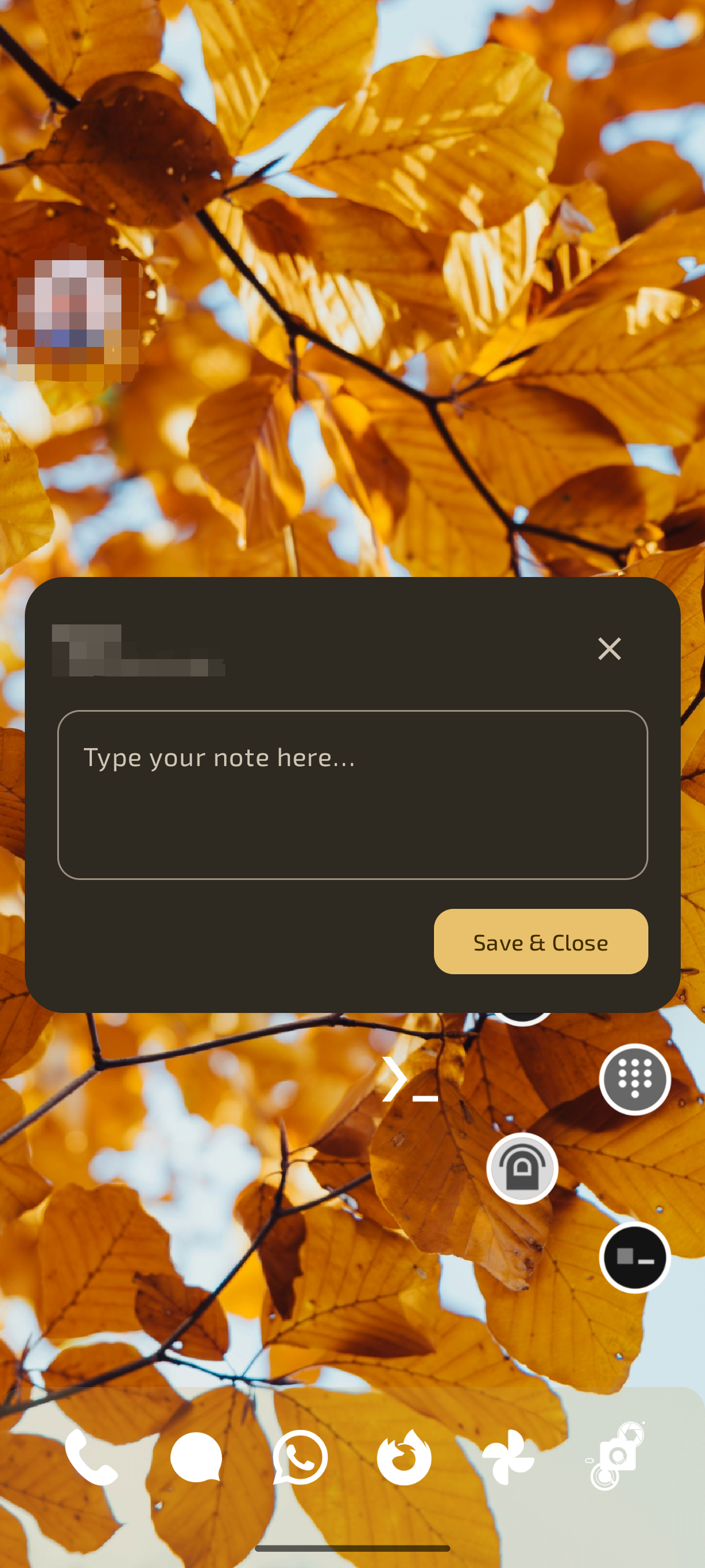
- 💬 In-Call Floating Quick Notes Bubble – Floating draggable overlay bubble appears during calls to take notes without leaving the call.
- 💾 Auto-Save & Dismiss Sync – Tap outside or press Save & Close to automatically sync notes to the contact's record.
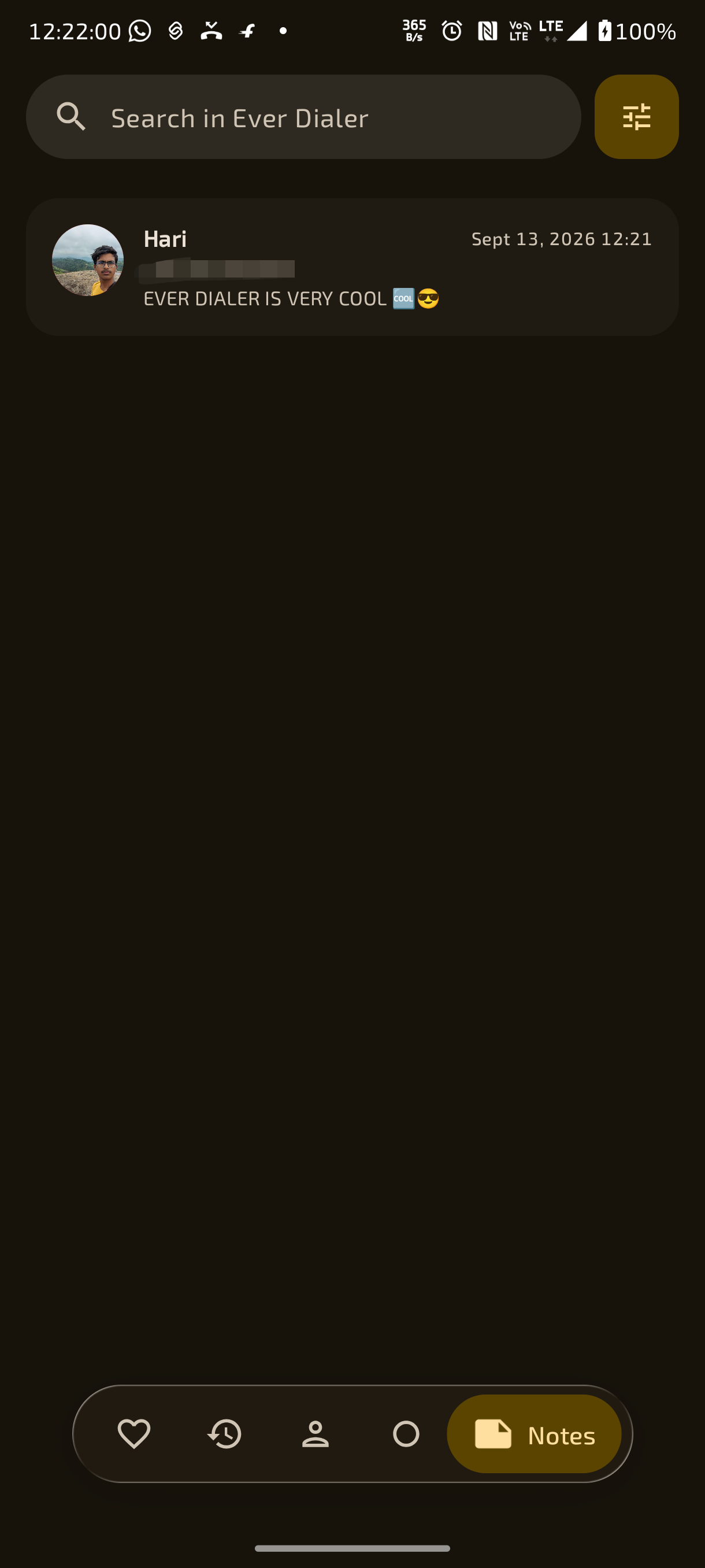
- 🗃️ Central Notes Manager Screen – Browse, search, edit, and organize all contact notes in one central location.
- 🔗 Integrated Call Recording Notes – Option to view and manage notes attached to call recordings directly within the central Notes section.
- 🗑️ Synchronized Recording & Note Deletion – Option to automatically delete associated contact notes when call recordings are purged.
- 🧹 Multi-Selection Bulk Note Deletion – Select and delete multiple notes at once with confirmation prompts.
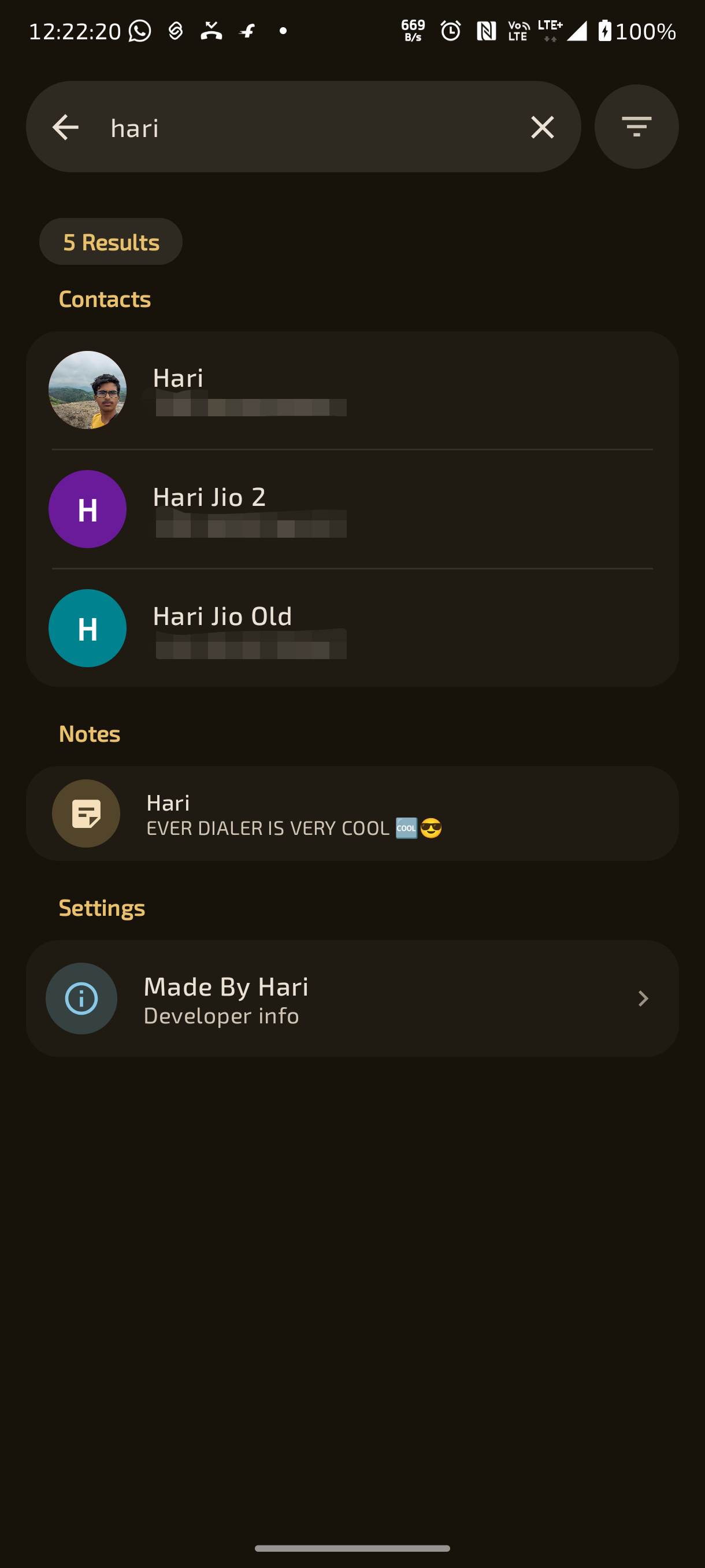
- 🔍 Fast Full-Text Notes Search Engine – Search through all your notes instantly by contact name, phone number, or note contents.
- 📄 Ongoing Call Notes Quick Access – View and update existing notes directly on the caller interface during active calls.
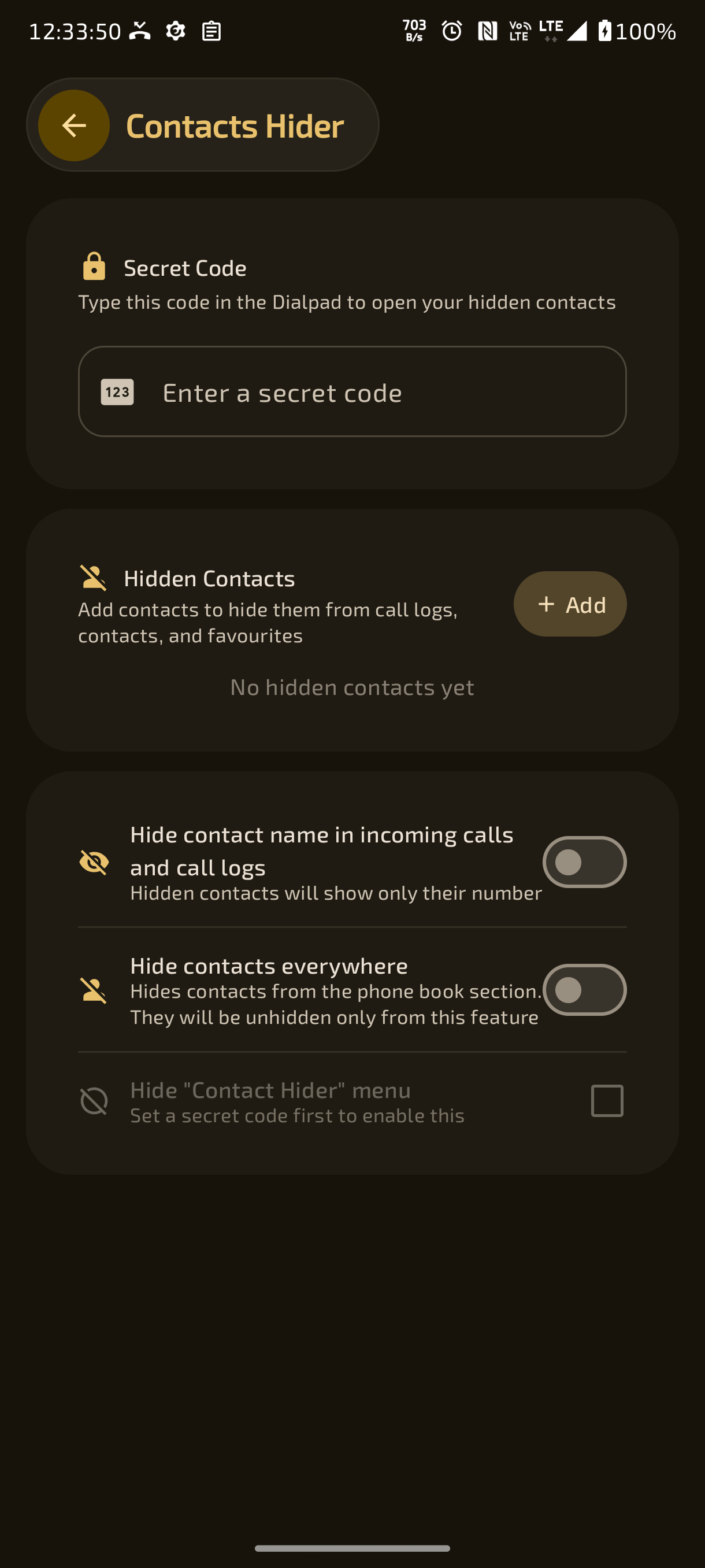
- 🔒 Contacts Hider with Dialpad Secret Passcode – Hide private contacts from lists and call logs; access them only by typing a secret code in the dialpad.
- 👁️ Granular Contact Hiding Scopes – Hide contacts specifically from the contacts tab, from call logs, or completely across the entire app.
- 💾 Encrypted Backup Storage for Hidden Contacts – Automatically maintains secure local backup data so hidden contacts are never lost during system changes.
- 🕶️ Hidden Caller Identity Masking on Incoming Calls – Option to mask hidden contacts' names on incoming call screens and notifications.
- 🕵️ Stealth Settings Menu Mode – Option to hide the "Contacts Hider" menu item itself from Settings once a passcode is configured.
- 🔓 App Launch Biometric Lock – Secure Ever Dialer with fingerprint, face unlock, or device credentials upon opening.
- 🔑 Multi-Method Authentication – Support for System Biometrics, Custom App PIN, or Custom App Password.
- 🛡️ Protected Outgoing & Incoming Calls – Require biometric verification before placing or answering calls for All Calls, Specified Contacts, or Excluded Contacts.
- 📋 Searchable Protected Contacts Manager – Easily select and manage which contacts require biometric authentication.
- 🎭 Scheduled Simulated Incoming Phone Calls – Schedule simulated incoming phone calls with custom contact names, phone numbers, and avatars.
- ⚙️ Android Telecom ConnectionService Integration – Dispatches fake calls through Android's real Telecom ConnectionService subsystem so they appear as genuine system calls.
- ⏲️ Exact Clock Time & Countdown Timers – Trigger fake calls at a specific clock time or after a relative countdown (30s, 2m, 10m, etc.).
- 🗓️ Repeating Day Schedules – Set fake calls to automatically repeat on chosen days of the week.
- 🧠 Persistent Fake Call Form Memory – Automatically remembers your last-used fake call settings for rapid scheduling.
- ⚡ Context Menu One-Tap Trigger – Option to add a "Fake Call" trigger directly into contact and dialpad context menus for quick escape situations.
- 📱 Authentic Incoming Call Screen Simulation – Uses Ever Dialer's authentic incoming call UI with ringtone, vibration, and swipe-to-answer.
- 📋 Active Fake Call Manager Screen – Toggle, edit, or delete scheduled fake call entries with live countdown status.
- 👂 Raise to Answer – Automatically answer incoming calls simply by raising the phone to your ear using proximity and motion sensors.
- 📐 Intelligent Slant Angle & Inclination Tracking – Advanced accelerometer inclination tracking to prevent accidental answers while moving or walking.
- 🔄 Answer at Any Angle Mode – Flexible detection mode allowing calls to be answered even when lying down or holding the phone tilted.
- 📱 Flip to Decline & Silence Call – Quickly silence or decline incoming calls by turning the phone face-down on a flat surface.
- 🔊 Gesture Audio Beep & Vibration Feedback – Short feedback tone or haptic pulse confirming sensor gesture detection.
- 🌧️ Rain Mode Wrist Shake Gesture (Left-Right-Left-Right) – Answer or decline calls with a quick wrist shake when the screen is wet, wearing gloves, or hands are dirty.
- 🎚️ Tunable Rain Mode Shake Intensity – Slider to adjust shake sensitivity from gentle to firm with gravity compensation.
- ⚙️ Rain Mode Actions & End Active Call – Configure rain mode incoming action (Answer vs Decline) and optionally end active calls by shaking.
- 🔬 Rain Mode Interactive Live Shake Tester – Test shake gestures and see live sensor feedback directly inside the settings screen.
- 🔕 Hardware Volume Button Do Not Disturb (DND) Shortcut – Toggle system DND modes using custom hardware volume key click patterns (e.g., Up-Up-Down-Down).
- 🔒 Lock-Screen-Only Volume DND Activation – Restrict volume button DND switching to when the screen is locked to avoid accidental triggers.
- ⏱️ Configurable Volume Key Sequence Delay Tolerance – Adjust the maximum allowed delay between volume button presses from 300ms to 2000ms.
- 📜 Scrollable Recent Calls Home Screen Widget – Interactive launcher widget displaying recent call history with tap-to-call and live auto-refresh.
- ⚡ Direct Call 1-Tap Home Screen Widget – Pinned home screen widget to place immediate phone calls to any contact with a single tap.
- 🛠️ Direct Call Launcher Widget Configuration Activity – Search and pick any contact number to create customized direct-dial launcher widgets.
- 📇 Contact Profile Info Home Screen Widget – Pinned launcher widget to jump directly to any contact's profile details.
- 📌 Pinned Launcher App Shortcuts – Long-press the launcher app icon to quickly access Search, Dialpad, and VIP shortcuts.
- 📶 Dedicated Cellular Network Mode Switcher – Force 5G Only (NR Only), 4G/LTE Only, 5G/4G Auto, or legacy network bands.
- 🎛️ Quick Settings Notification Tile Service – One-tap Quick Settings tile to cycle network modes directly from the notification shade.
- 🔋 Screen State Network Automation – Automatically switches to power-saving 4G when the screen turns off and restores 5G when screen turns on.
- 🪫 Battery Saver Network Automation – Automatically switches network mode to 4G/LTE when Android Battery Saver is activated.
- 🚀 Per-App Network Mode Automation – Automatically switch to 5G Only when launching specific apps (e.g. games, downloaders) and revert on exit.
- 📱 Dual SIM Network Switching (SIM 1 & SIM 2) – Select and toggle network radio modes independently for SIM 1 or SIM 2.
- ⚙️ Configurable Primary & Secondary Toggle Modes (Mode A / Mode B) – Configure custom Mode A and Mode B presets for instant 1-tap switching.
- 🛠️ Multiple Control Engines (Shizuku & Root) – Supports direct network mode switching via Shizuku shell service or Superuser Root.
- 🔄 Boot & Connectivity Auto-Restoration Receivers – Restores your preferred network mode automatically after device reboot or SIM changes.
- 🌐 Over 25 Cellular Radio Network Modes Supported – NR, LTE, GSM, WCDMA, CDMA, EvDo, TD-SCDMA, and combined global bands.
- 📊 Live Cellular Telephony Diagnostics & Signal Metrics – Inspect live SIM state, network operator, signal strength, radio technology, and data activity.
- 💎 Material Design 3 Expressive Architecture – Built with Jetpack Compose following Google's latest Material Design 3 guidelines.
- 🌈 Dynamic Monet Wallpaper Color Extraction – Automatically extracts and applies harmonious color palettes derived from your system wallpaper.
- 🌓 Six Appearance Theme Modes – Choose from Auto (System), Light, Dark, Pure White, AMOLED Black, and Auto Black/White.
- 🎨 2D Interactive HSV Custom Color Picker – Freely choose any custom primary accent color with live Hue, Saturation, and Value controls.
- 🧪 Granular Saturated Color Modes – Selectively apply saturated colors to Light, Dark, Pure White, or AMOLED Black themes.
- 🎚️ Dual Independent Light & Dark Saturation Sliders – Fine-tune accent color saturation separately for Light theme and Dark theme.
- 🔆 Solid Action Icons (Bright vs Dim Styles) – Switch solid icon themes between Bright High-Contrast and Dimmed Subtle styles for dark mode.
- 🔘 Circle Action Icons Styling – Toggle rounded circular backgrounds for action icons throughout the entire app interface.
- 👤 Avatar Customization Suite (Photos, Initial Letters, Colorful Monograms) – Independently toggle contact photos, first-letter placeholders, and colorful backgrounds.
- 🔤 Custom TTF / OTF Font File Loader – Import any custom TrueType or OpenType font file from device storage with live preview.
- 📏 In-App Font Size Scaling & System Display Density Tuning – Adjust font sizes from 10sp to 24sp and fine-tune system display scaling.
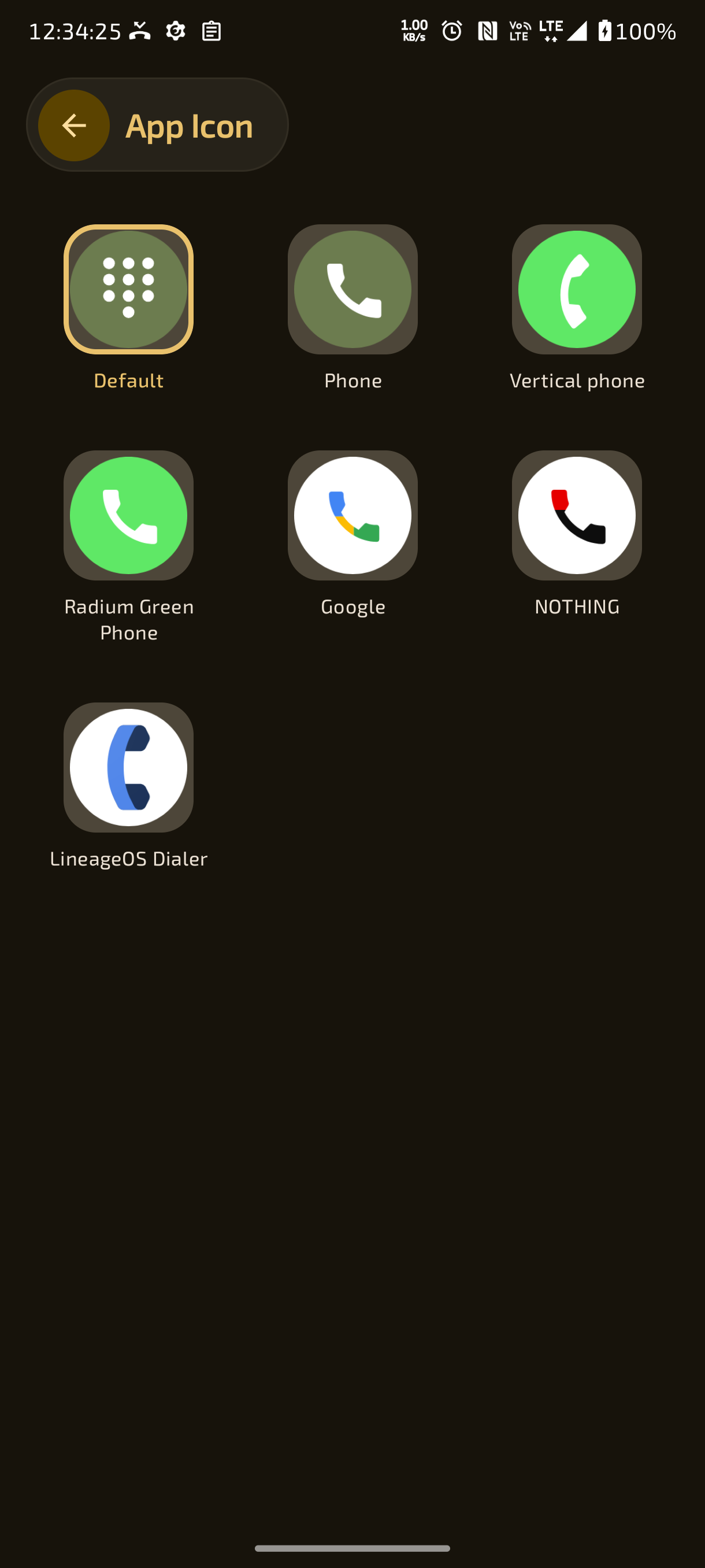
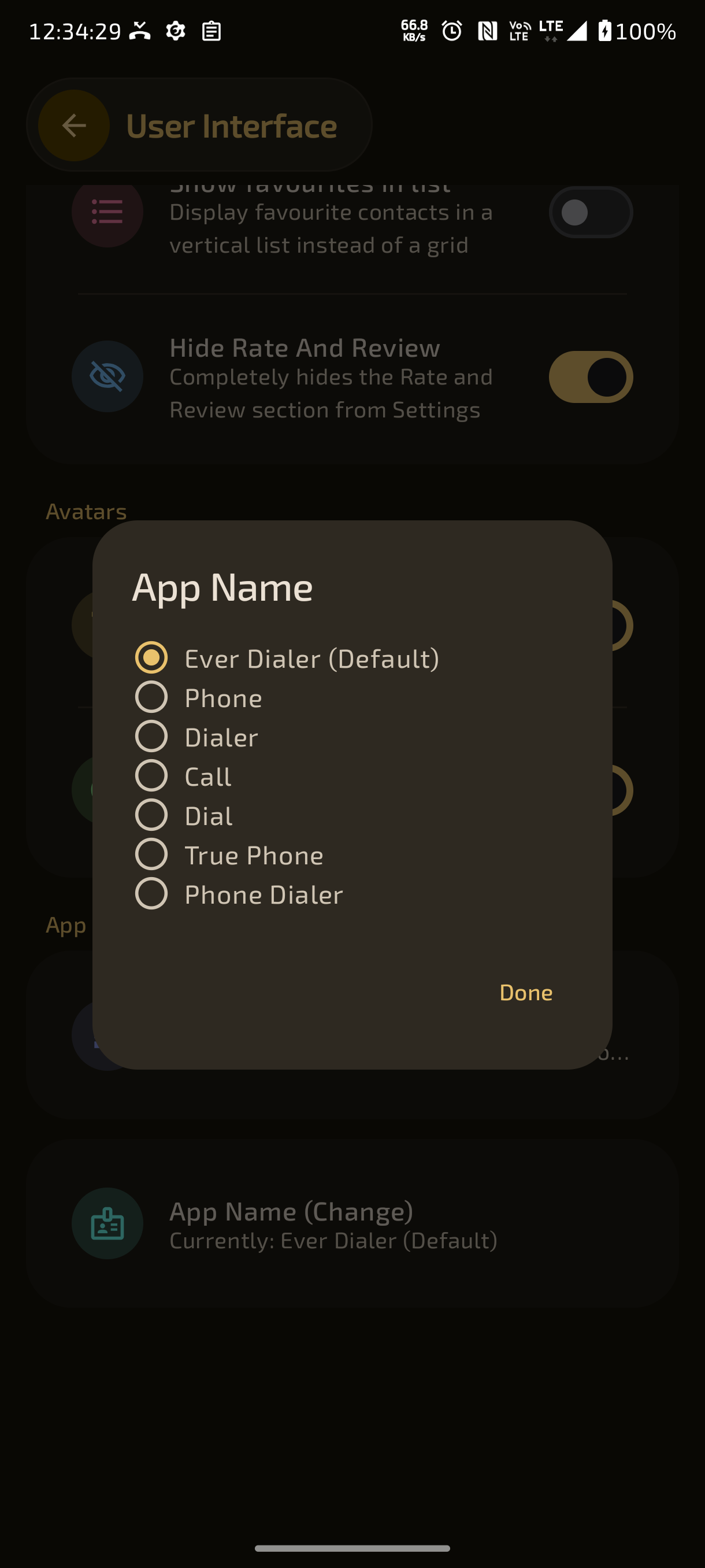
- 📱 42 Launcher Icon & App Name Preset Combinations – Choose from 7 launcher app icon styles and 6 app name aliases: Ever Dialer, Phone, Call, Dial, True Phone, Phone Dialer.
- 🏷️ Customizable Launcher Label Aliases – Rename the launcher app title to match your preferred home screen aesthetic.
- 💧 Material Liquid You Translucent Glass Engine – Translucent frosted-glass visual treatment across cards, sheets, and system dialogs.
- 🧊 Granular Liquid Glass Element Toggles – Individually toggle glass effects for Bottom Nav Bar, Dropdown Menus, Dialpad Call Button, Contacts FAB, and Recents FAB.
- 🌫️ Hardware-Accelerated Surface Blur Controls – Independently enable hardware-accelerated background blur across each UI surface.
- 🎬 Dual Page Transition Styles (Material Zoom vs Windows Phone Tilt) – Switch between fluid Material Zoom transitions and classic Windows Phone perspective-tilt page animations.
- 💨 Velocity-Based Motion Blur Animation – Real-time velocity-based motion blur during screen transitions and sheets.
- 🔙 Android 14+ Predictive Back Gesture Animations – Seamless predictive back progress animations when navigating between screens.
- 🏃 Kinetic Scroll Momentum Smoothing – Fluid scroll animation physics across contacts, call history, and settings.
- 🛑 Smooth Call Hangup Collapsing Animations – Smooth shrink, fade, and collapse exit animations when terminating phone calls.
- 📳 Precision Multi-Level Haptic Feedback – Tactile vibrations for dialpad keypresses, button clicks, swipes, and call connections.
- 🎚️ Custom Haptic Intensity Slider & Preview Tester – Fine-tune vibration amplitude from Light to Strong and test vibration patterns before saving.
- 👆 Precision List Scroll Haptic Ticks – Tactile haptic detents while scrolling through lists, with customizable ticks-per-centimeter and vibration amplitude.
- 📳 Call Connect & Disconnect Tactile Vibrations – Gentle vibration alerts when an outgoing call is answered or when the other party hangs up.
- 🔊 Deep System Audio & DND Configuration Shortcuts – One-tap direct navigation from Settings to system Sound, Vibration, and Do Not Disturb panels.
- 💊 Floating Pill Bottom Navigation Bar – Sleek floating pill navigation bar with active tab indicators and smooth transitions.
- 📑 7-Tab Modular Architecture – Full support for 7 primary tabs: Favourites, Calls, Contacts, Groups, Recordings, Notes, and Dialpad.
↕️ Drag-and-Drop Bottom Nav Tab Reordering – Reorder navigation tabs in any sequence you prefer.- 👁️ Individual Tab Visibility Toggles – Show or hide any of the 7 tabs to streamline your workspace.
- 🔘 Icon-Only Minimalist Bottom Nav Mode – Toggle compact bottom navigation bar hiding all text labels for an ultra-clean layout.
- 🏠 Customizable Startup Destination Tab – Choose whether the app launches into Calls, Contacts, Favourites, or Dialpad.
- ☎️ Auto-Open Dialpad on Launch Option – Option to automatically pop open the dialpad keypad immediately upon app launch.
↔️ Fluid Edge Swipe Tab Navigation – Effortlessly swipe horizontally between tabs with kinetic page transitions.- 🏷️ Expanding Active Tab Pills – Smooth expanding pill animations showing the title of the currently selected section.
- 📋 Full Context Menu Customizer – Reorder and toggle any of the 12 context menu actions across Favourites, Call Logs, and Contacts.
- 🔍 Multi-Category Search Engine with 6 Dedicated Filter Toggles – Instantly filter global search by Contacts, Non-Contacts, Recordings, Contact Notes, Recording Notes, and Settings.
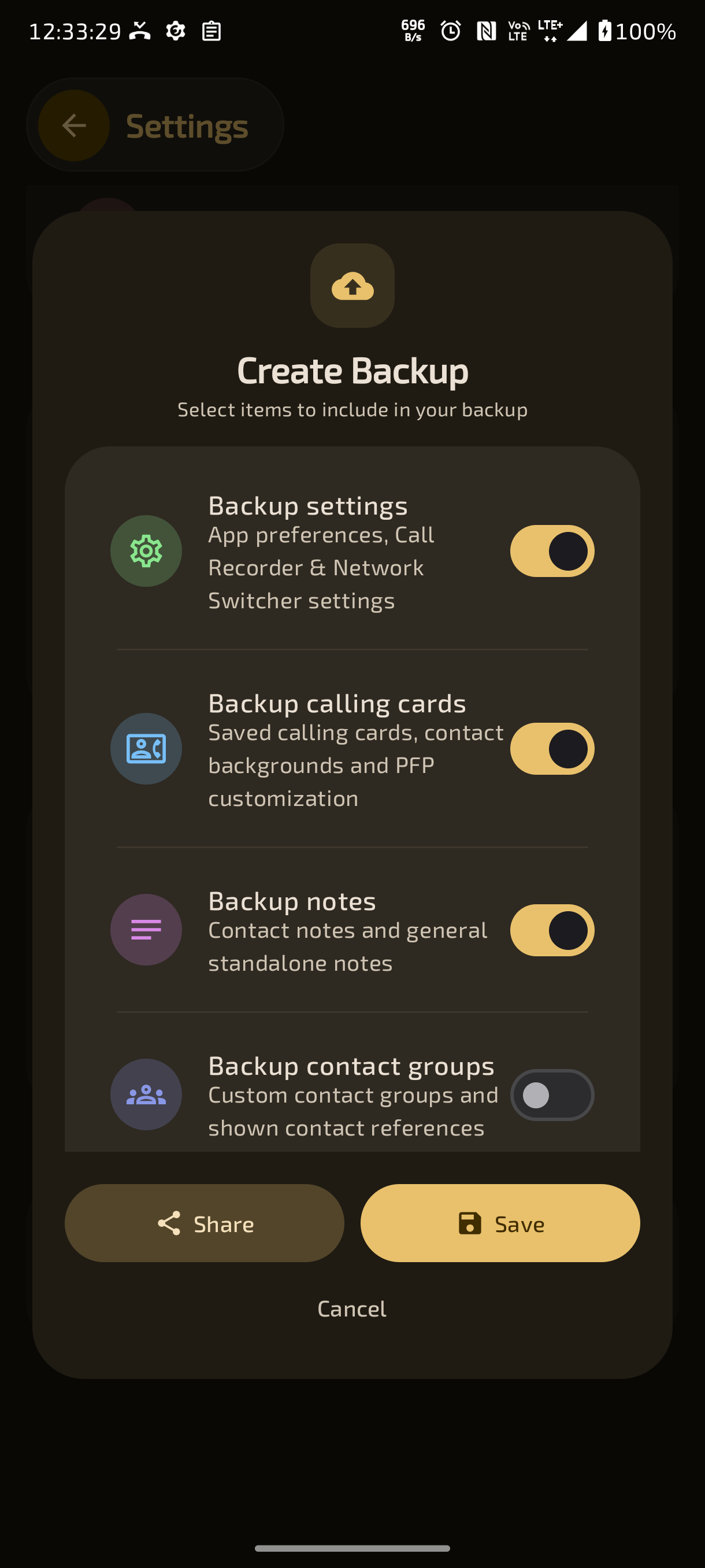
- 💾 One-Click Comprehensive Settings Backup (
.everdialer) – Export all app preferences, caller UI designs, button positions, and custom settings into an archive. - ♻️ Seamless Full Configuration Restore – Restore entire app configurations, themes, and caller cards on new devices in seconds.
- 📄 Human-Readable JSON Data Portability – Clean, portable JSON format allowing easy manual inspection and backup archiving.
- 🧹 Automated Background Cache & Orphaned Media Cleaner – Background maintenance service automatically purges orphaned caller wallpapers, temporary files, and stale caches.
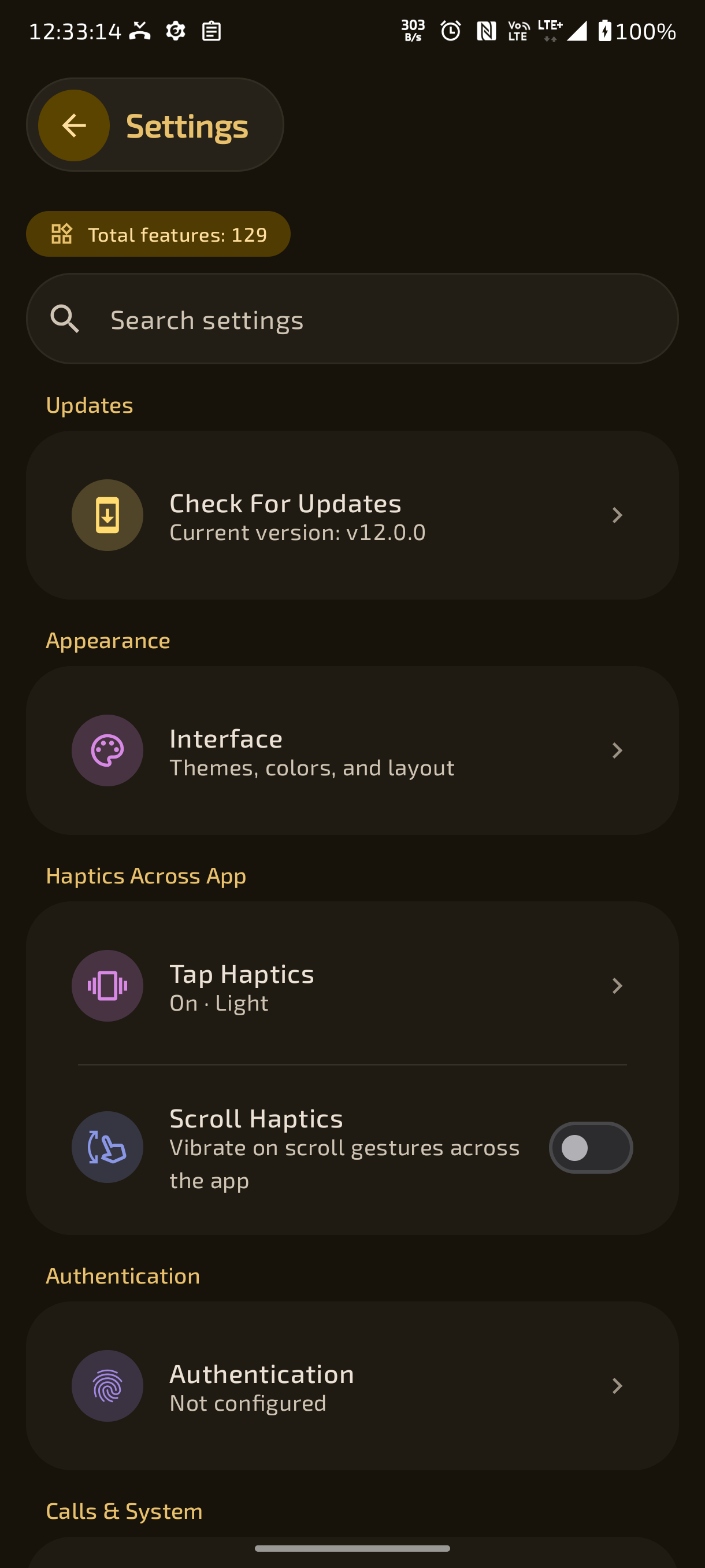
- 🔍 Fast In-App Settings Search Engine – Instant search bar across all settings with real-time query highlighting and deep section navigation.
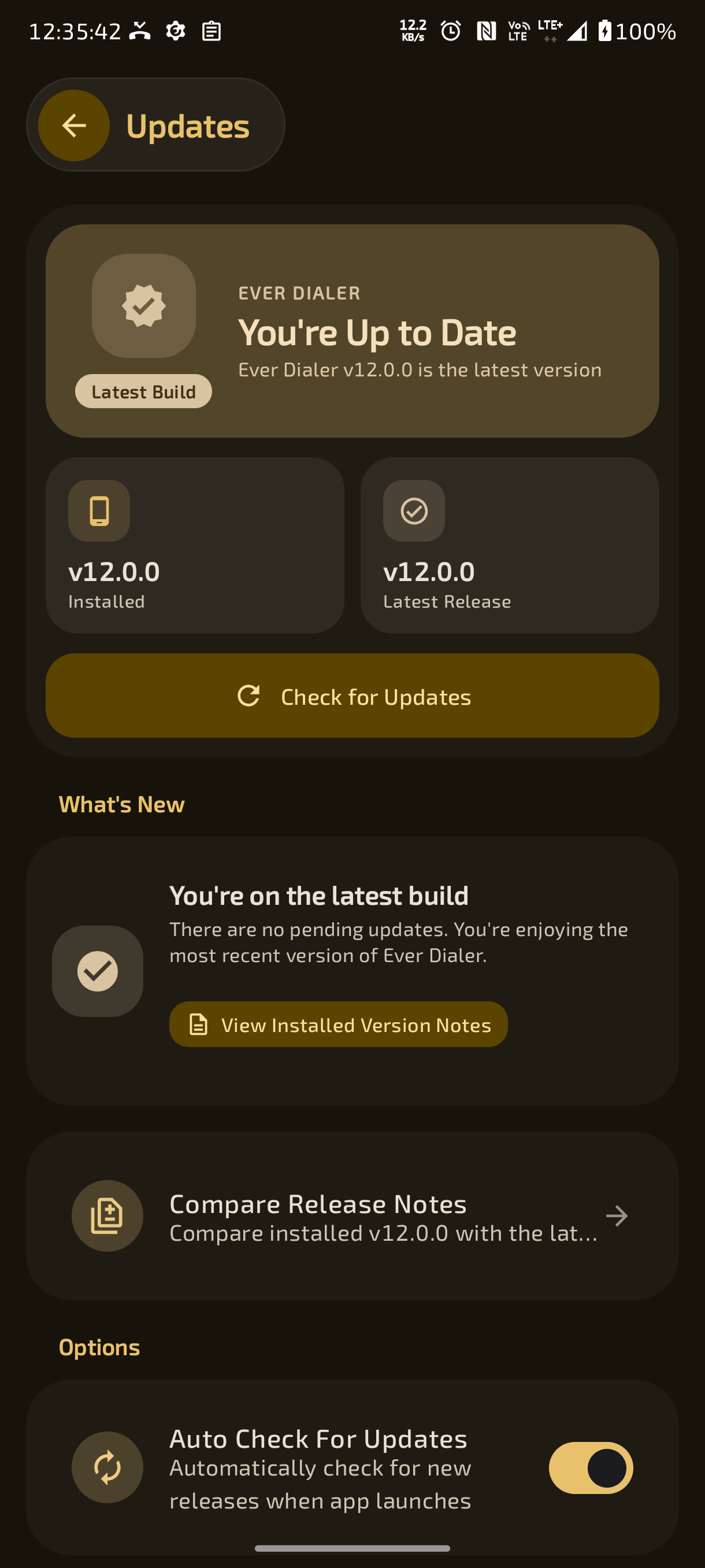
- 🔄 In-App GitHub Releases & Auto-Update Checker – Automatically checks for new GitHub releases with changelog display and direct APK download.
- 📦 Built-in Background APK Downloader & Installer – Download and update Ever Dialer directly from within the app without external app stores.
- 👋 Guided First-Run Permission & Dialer Setup Wizard – Step-by-step onboarding wizard for default dialer setup, essential permissions, and Shizuku pairing.
- ⭐ In-App Rate & Review Community Portal – Community review portal with direct feedback submission and developer responses.
- 🔓 100% Free, Ad-Free, Tracker-Free & Open Source – Completely open-source codebase with zero trackers, zero telemetry, and zero ads.
- 📢 Everlasting Community & Support Integration – Direct links to official Telegram support groups, announcement channels, and developer contacts.
- Create a Google form (with sign in required - to prevent multiple reviews and easily editable)
- Link the Google form with sheets (Name it as Original form)
- Create another Google form and name it as Website and link all the columns except the gmail column with the Original form (This is because the original form contains G-mail, which is not supposed to be exposed)
- Linking is easy, just make the original form to be visible to everyone temperorarly, share the link to AI and ask AI to give the code to link it in the another sheet (This will make the Website form to be automatically updated based on the changes in the original form)
- It will give you the code, and paste it there
- Then in the website form, click file > share > publish it on web > publish it as CSV > Publish.
- Now the Link form the website works a backend raw data
- If you want to have replies to your website, create a new column in the Website form as replies and type your replies to the respective people who you wanted to.
The source code of Rate and Review are open, Check it out: Click Here
┈➤ P Dialer
┈➤ ShizuCallRecorder
┈➤ Network Switch
┈➤ Raise To Answer
┈➤ Wallpaper Export
┈➤ LineageOS Dialer
┈➤ Playwrite USA Modern
┈➤ Comfortaa
┈➤ Patrick Hand
┈➤ Gochi Hand