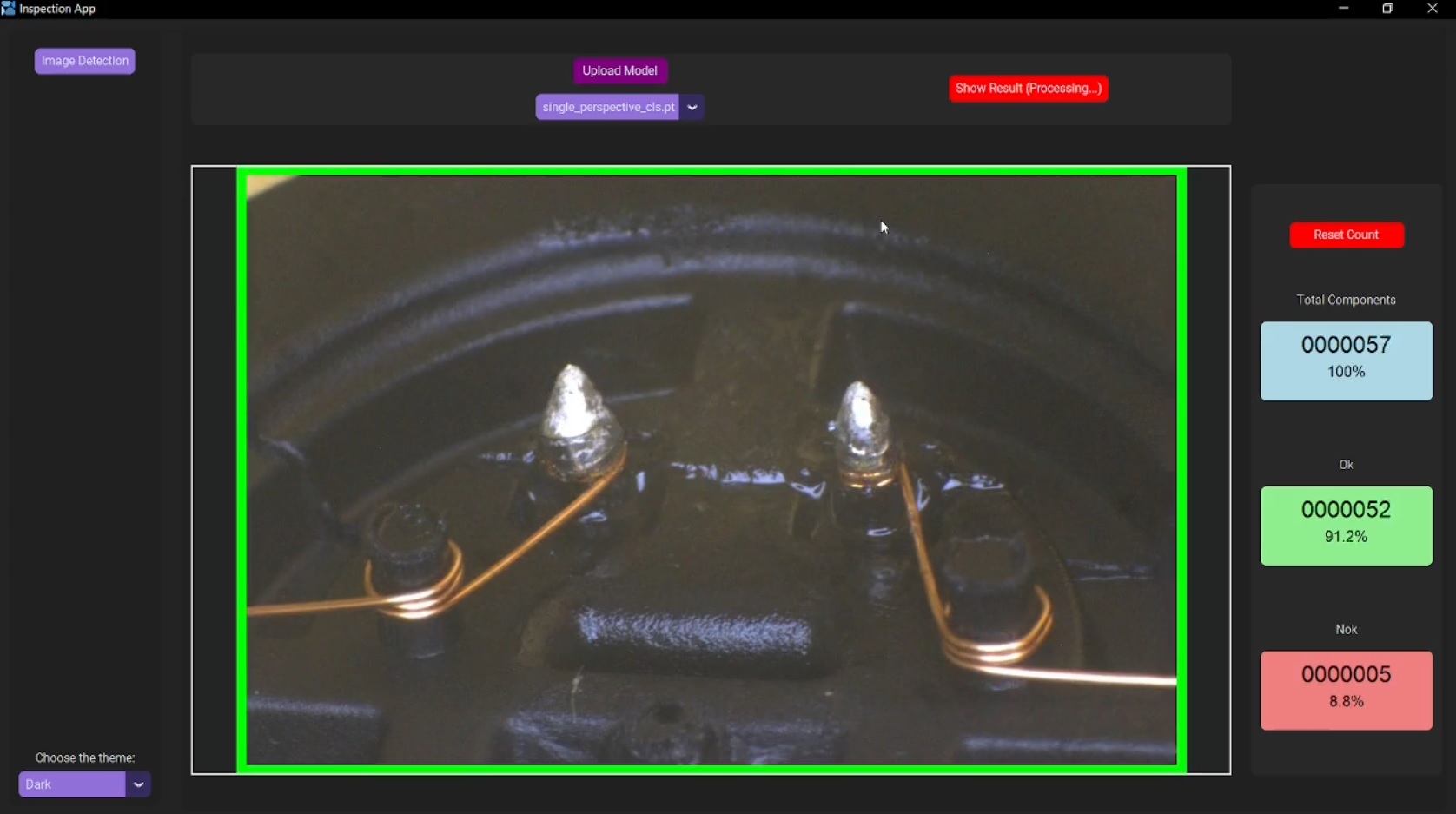
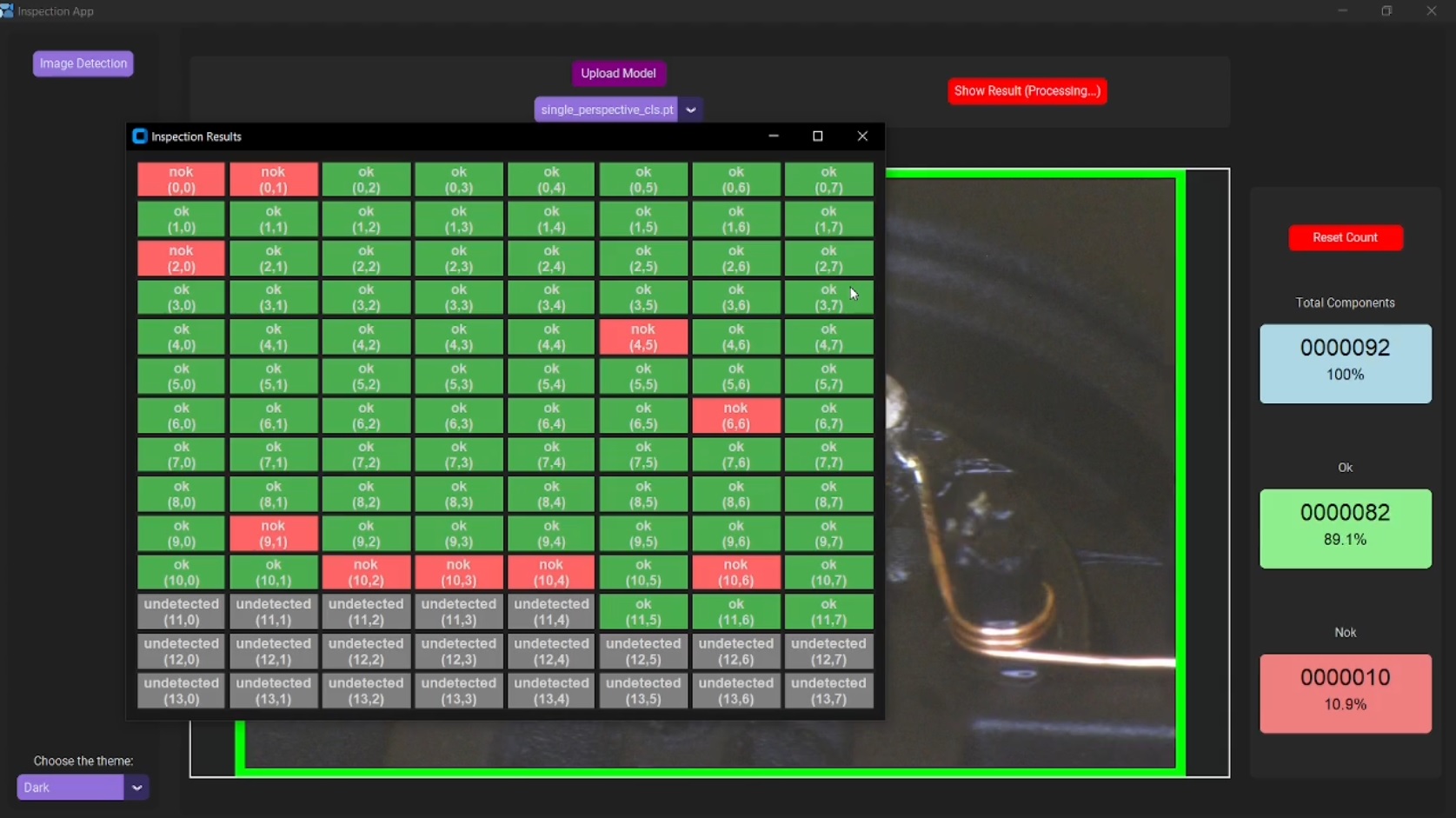
This project is an image classification application that uses the YOLO model to classify industrial images into predefined categories from a production line. It processes images in real-time from a monitored folder and visualizes results in a grid format. The application provides an easy-to-use interface with the ability to upload models, counters with their perspective percentages, and display image processing results with bounding boxes and on the industrial grid.
The project includes scripts for:
- Inference: Run inference on a folder of images using a pre-trained model.
- Training and Evaluation: Train and evaluate a YOLOv11 model with custom hyperparameters, augmentations, and optional layer freezing.
-
Clone the repository:
git clone https://github.com/hassanfaham/YOLO-Single-Classification-Grid.git cd YOLO-Single-Classification-Grid -
Install dependencies:
pip install -r reqs
-
Make sure you have Python 3.11 installed.
-
Download the YOLO model file and place them in the appropriate folder (check the configuration file).
-
Running the App:
- Start the application UI:
python app_ui.py
- Upload a model through the GUI (or add its path to the config file) and monitoring a folder will start for new images.
- The app will automatically process images and display them in the grid format, showing the classification status as "OK" or "NOK".
- Start the application UI:
-
Inference:
-
Run the
inference.pyscript to perform inference using a pre-trained model on a folder of images (with changing the paths of the model used and the folder of images):python scripts/inference.py
-
The script supports running inference on a single model or a folder of models and images. It will save annotated results for each processed image.
-
-
Training and Evaluation:
-
To train a model, use the
train_and_eval.pyscript (with changing the paths of the model used and the folder of dataset used):python scripts/train_and_eval.py
-
The script trains YOLO model, evaluates it, and computes precision, recall, F-scores, and inference speed.
-
Video is found in the Assets folder
App files/app_ui.py: The main user interface for the application.App files/model_manager.py: Handles loading and managing machine learning models.App files/processing_manager.py: Monitors the folder and processes images.App files/thread_manager.py: Manages threading for background tasks.App files/fatal_error_handler.py: Handles and logs fatal errors.App files/logger_config.py: Configures the logging system for the app.App files/config.json: Configuration file for the app.Scripts/inference.py: Script for performing inference on a folder of images using a pre-trained model.Scripts/train_and_eval.py: Script for training and evaluating a YOLOv8/YOLOv11 model.reqs: A file listing the required dependencies for the project.
- Python 3.11
- Required libraries:
customtkinterpillowopencv-pythonnumpytorchwatchdogloguruultralytics(for YOLO)
You can install the dependencies by running:
pip install -r reqs