- Tutorials how to coverage data from verilog file into the report web-based.
- This is an example how to coverage data from verilog testbench file into html-based, which will be used later to indicate its content on the web-based.
- This tutorial is based on the instructions by Tomin Abraham Verilog Code Coverage.
- What we have to do 1st is to choose the right directory of the verilog file and testbench file to work on these 2 files.
vmap (library name) (library name)
vlog -coveropt 3 +cover +acc (file name(design)).v (file name(testbench)).v
vsim -coverage -vopt (library name).(module name(testbench)) -c -do "coverage save -onexit -directive -codeAll (report name).ucdb; run -all"
vcover report -html (report name).ucdb
Step 5 (Optional): If the index.html file doesn't appear in the file covhtml report then you have to follow these step
vcover report -html (report name)
vsim -coverage -vopt (library name).(module name(testbench)) -c -do "coverage save -onexit -directive -codeAll (report name).ucdb; run -all"
vcover report -html (report name).ucdb
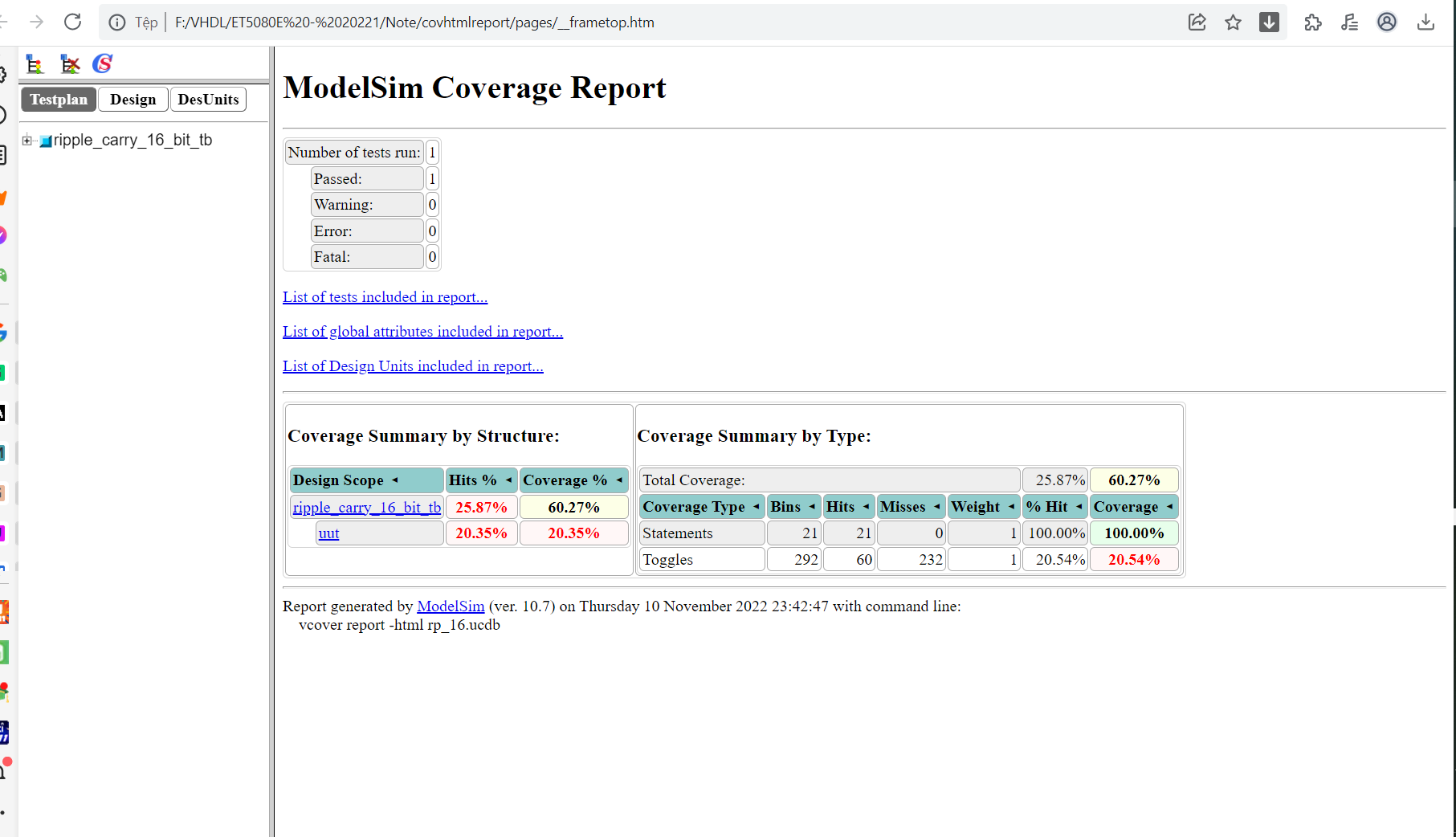
Step 6: Open the covhtml file and click the index.html, the final report will be opened on the website based.
The final result should be looked as the below :