AAA Code v0.7.5

Import Your Projects from Claude — One Click
First-time setup just got friendly. Until now, every workspace had to be typed in by hand — path, name, one at a time. v0.7.5 looks at the projects you've already used with Claude Code and offers to import them in one click.
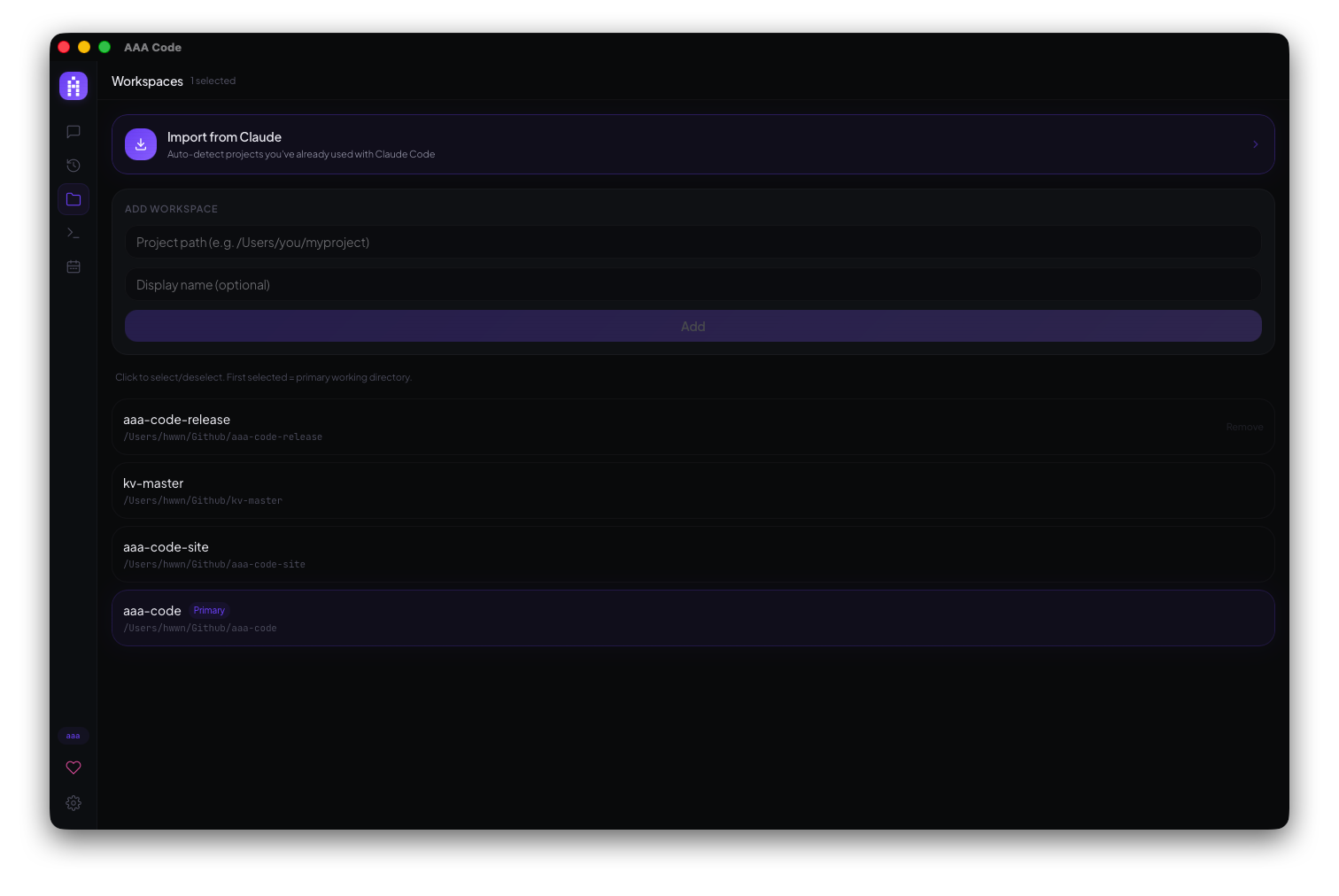
- A new Import from Claude card sits at the top of the Workspaces panel — it auto-detects every project from your Claude Code history that isn't a workspace yet.
- Pick all of them or just the ones you want: each project shows its path and when you last worked on it, sorted by most recent.
- On a fresh install with no workspaces, AAA Code offers the import automatically on first launch — open the app and your projects are one click away.
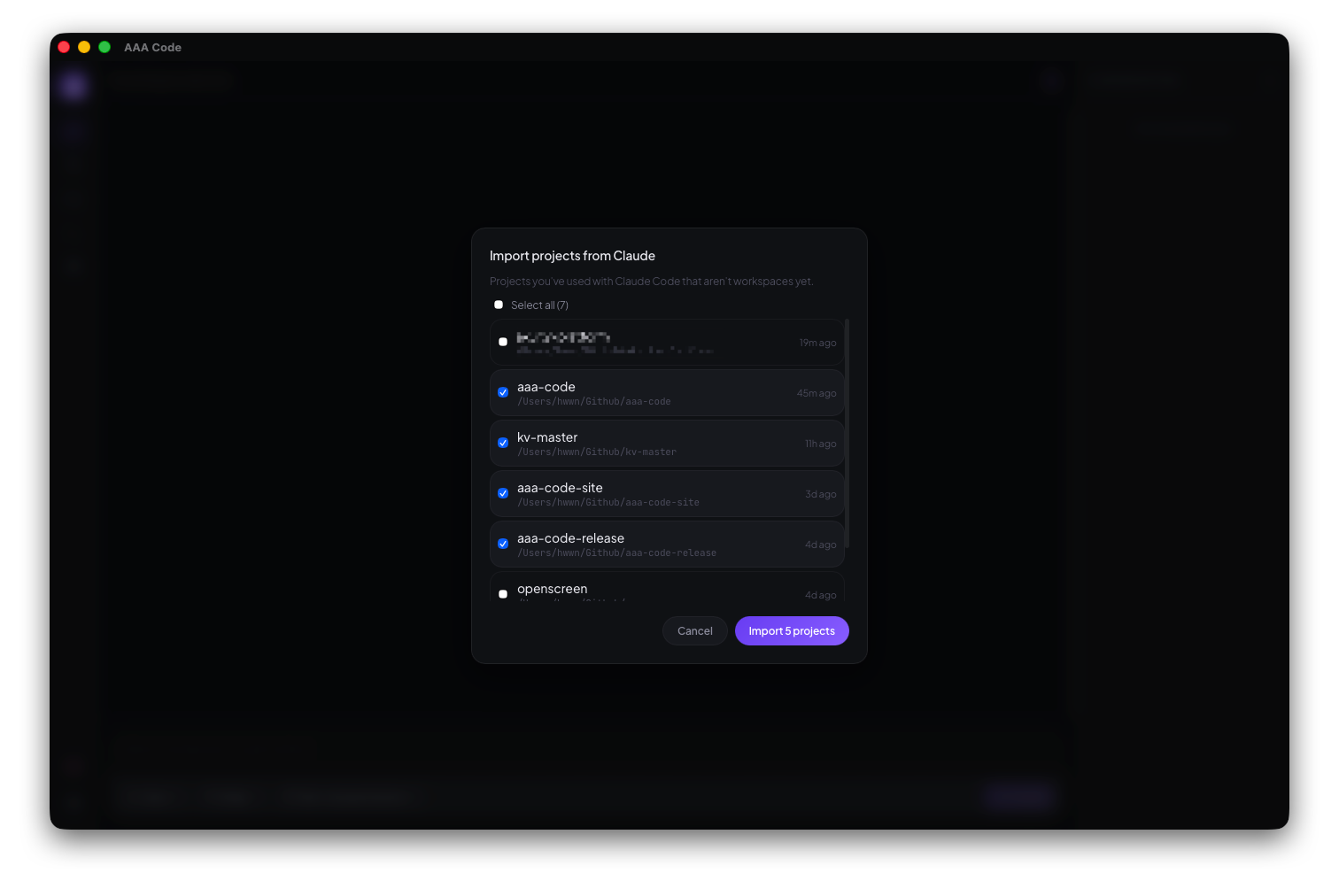
Only real projects make the list (git repositories that still exist on disk), already-added workspaces are filtered out, and everything happens locally — nothing leaves your machine.