This repository was archived by the owner on May 19, 2025. It is now read-only.
This repository was archived by the owner on May 19, 2025. It is now read-only.
Issues with month and year picker in scroll mode #215


Description

Subject of the issue
When in the infinite scroll mode the month and year picker act a bit strange. If your default range is during the current month of the current year the pickers show the month correct but last year rather than this year. Also when using the left/right scroll arrows to jump between months it seems to go back a month on the first click but the second click causes the date grid jump back to last year.
The following screenshot (default start and end date of yesterday):
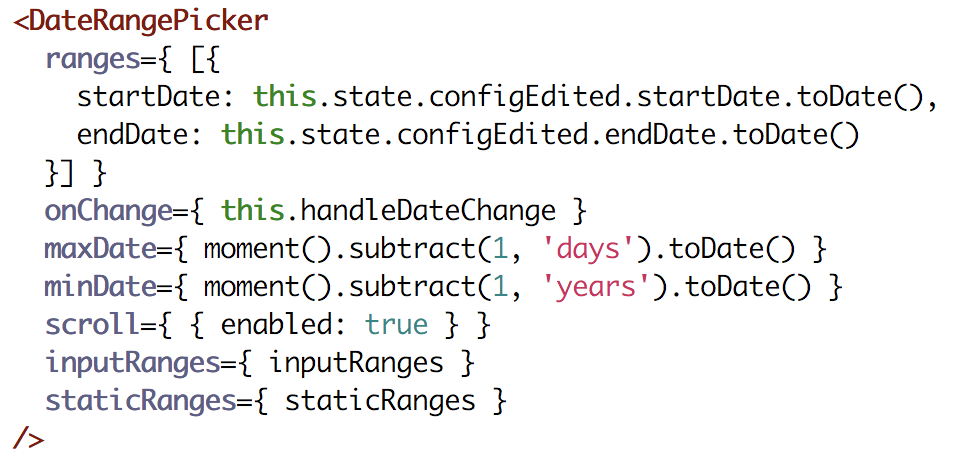
Produces:

Notice how the year is off in the month and year picker but the grid shows the correct selection.
[BUG] Bug Reproduce Steps
- Create a DateRangePicker with a default range that has a start and end date of yesterday and is set to infinite scroll.
- Display the picker in a browser and notice the year dropdown is last year rather than the current year.
- Use the left/right scroll arrows and notice the grid jumping between last year and this year.
[BUG] Expected behaviour
- The month and year picker should have the correct date to match the range.
- The left/right arrows should go to the correct months.
Environment
Package Version: 1.0.0-beta
React version: 16.4
Node version: 8.9.4
Browser: Chrome 67
Metadata
Metadata
Assignees
Labels
No labels