
A local code review tool designed for the coding agent workflow. Review AI-generated changes in a GitHub PR-like web UI, leave inline comments, then hand them back to your coding agent to fix.
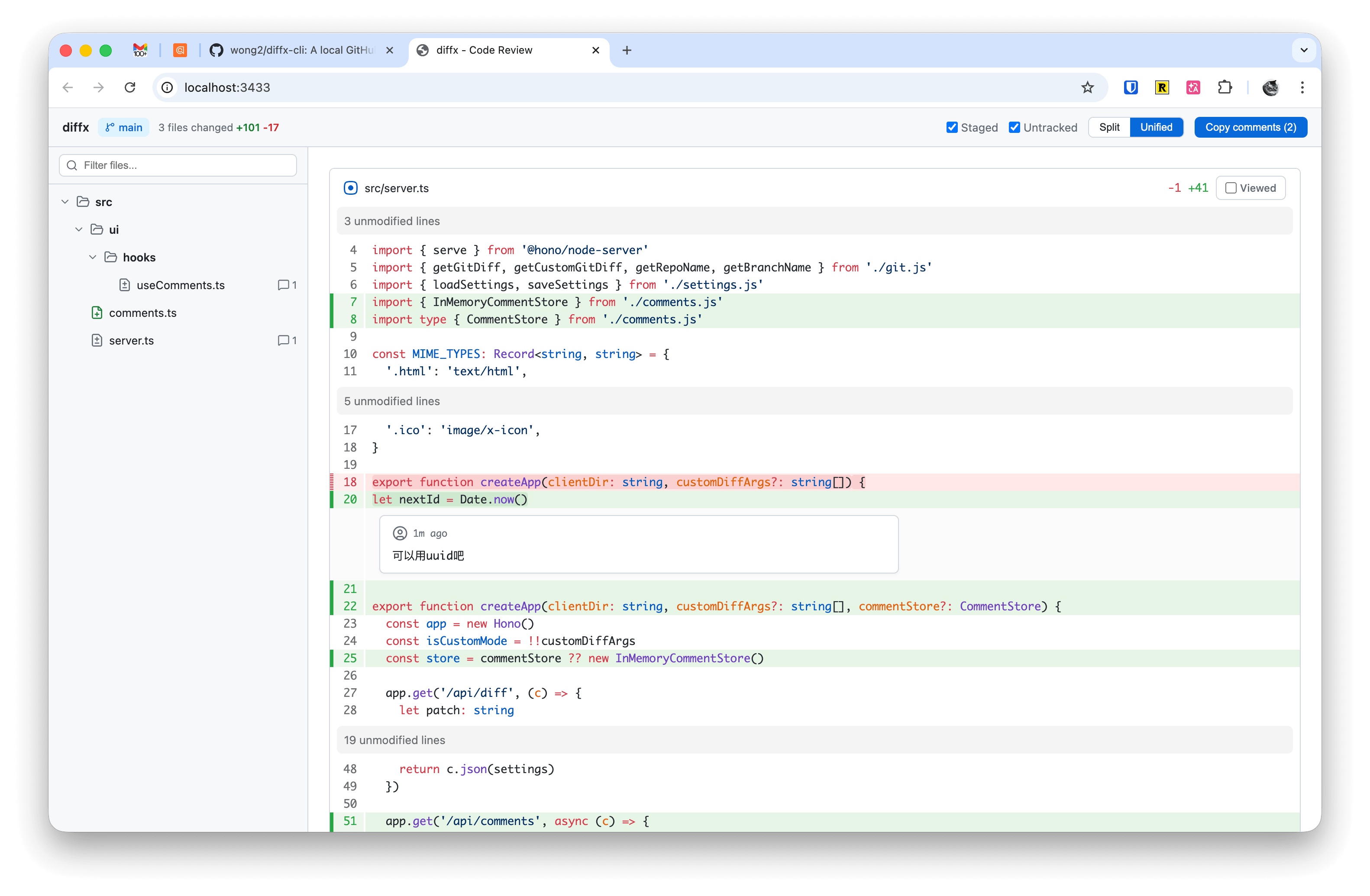
npm install -g diffx-cliRun in any git repository:
diffxThis starts a local server and opens your browser with a diff review UI.
diffx [options] [-- <git-diff-args>]

Options:
  -p, --port <port>   Server port (default: 3433)
  --no-open           Don't auto-open browser

Examples:
  diffx                          # Review working tree changes
  diffx -p 8080                  # Use custom port
  diffx -- HEAD~3                # Diff against 3 commits ago
  diffx -- main..HEAD            # Diff between branches
  diffx -- --cached -- src/      # Staged changes in src/
- Split / Unified view — Toggle between side-by-side and inline diff
- Syntax highlighting — Powered by Shiki with GitHub themes
- File tree — Hierarchical file browser with search filter and file change-type icons
- Inline comments — Click the
+button on any line to add a review comment - Comment replies — AI agents can reply to comments via API, displayed with bot avatar in the UI
- Comment status tracker — Sidebar widget showing open, replied, and resolved comment counts with click-to-navigate links
- Copy comments — One-click copy all comments as structured XML for AI coding agents
- Image preview — Side-by-side comparison for added, modified, and deleted images
- Viewed tracking — Mark files as reviewed to track progress
- Staged / Untracked toggles — Choose which changes to include
- Custom diff commands — Pass any
git diffarguments after-- - EditorConfig support — Respects
.editorconfigfor per-file tab size - Persistent settings — Your preferences are saved across sessions
When you click "Copy comments", the output is structured XML optimized for AI agents:
<code-review-comments>
<file path="src/utils/parser.ts">
<comment line="42">
<code>+ const parsedToken = tokenize(input)</code>
Rename `x` to `parsedToken` for clarity.
</comment>
<comment line="15">
<code>- if (input != null) {</code>
This null check removal may cause a bug when `input` is undefined.
</comment>
</file>
</code-review-comments>
Each comment includes the commented code line with a +/- prefix indicating whether it's an added or removed line.
Install the diffx skills to use diffx directly from your AI coding agent:
npx skills add wong2/diffxThe review workflow uses two commands:
/diffx-start-review— Launches the diffx server and opens the browser. Review your changes and leave inline comments./diffx-finish-review— The agent fetches all comments from the running diffx server via API, applies the requested changes, and marks each comment as resolved. The browser UI updates in real time as comments are resolved.
MIT