different align for each widget at a Colum #1261


-
|
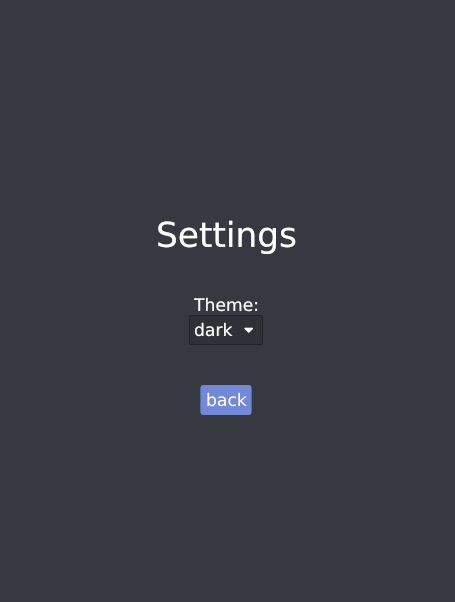
If it possible to give widgets a different align at the same Colum? let content = Column::new()
.align_items(Align::Center)
.push(Text::new("Settings").size(40))
.align_items(Align::Start)
.push(Space::with_height(Length::Units(40)))
.push(Text::new("Theme:"))
.align_items(Align::End)
.push(
PickList::new(
&mut win.settings.pick_list_theme,
vec![ThemeTitel::Light, ThemeTitel::Dark],
Some(win.settings.pick_list_theme_value),
|value| Message::Settings(MsgSettings::ThemeSelected(value)),
)
.style(&win.theme),
)
.push(Space::with_height(Length::Units(40)))
.align_items(Align::Center)
.push(Button::new(&mut win.settings.button_back, Text::new("back"))
.on_press(Message::Settings(MsgSettings::Back))
.style(&win.theme));But the |
Beta Was this translation helpful? Give feedback.
Replies: 1 comment 3 replies

-
|
You cannot use Instead, you can achieve different alignment by wrapping the items of the use iced::alignment;
use iced::{Column, Container, Element, Length, Sandbox, Settings, Text};
pub fn main() -> iced::Result {
Example::run(Settings::default())
}
#[derive(Default)]
struct Example;
impl Sandbox for Example {
type Message = ();
fn new() -> Self {
Self::default()
}
fn title(&self) -> String {
String::from("Alignment - Iced")
}
fn update(&mut self, _message: ()) {}
fn view(&mut self) -> Element<()> {
Column::new()
.padding(20)
.width(Length::Fill)
.push(Text::new("Left aligned"))
.push(
Container::new(Text::new("Centered!"))
.width(Length::Fill)
.align_x(alignment::Horizontal::Center),
)
.push(
Container::new(Text::new("Right aligned"))
.width(Length::Fill)
.align_x(alignment::Horizontal::Right),
)
.into()
}
}
|

Beta Was this translation helpful? Give feedback.

-
|
Thanks for the fast answer. But sadly |
Beta Was this translation helpful? Give feedback.

-
|
Sure! You can use use iced::alignment::{self, Alignment};
use iced::{
Column, Container, Element, Length, Sandbox, Settings, Space, Text,
};
pub fn main() -> iced::Result {
Example::run(Settings::default())
}
#[derive(Default)]
struct Example;
impl Sandbox for Example {
type Message = ();
fn new() -> Self {
Self::default()
}
fn title(&self) -> String {
String::from("Alignment - Iced")
}
fn update(&mut self, _message: ()) {}
fn view(&mut self) -> Element<()> {
Column::new()
.padding(20)
.align_items(Alignment::Fill)
// The `Column` will grow to fit its contents. We use some `Space` here as an example
.push(Space::with_width(Length::Units(200)))
.push(
Container::new(Text::new("Left aligned"))
.width(Length::Fill)
.align_x(alignment::Horizontal::Left),
)
.push(
Container::new(Text::new("Centered!"))
.width(Length::Fill)
.align_x(alignment::Horizontal::Center),
)
.push(
Container::new(Text::new("Right aligned"))
.width(Length::Fill)
.align_x(alignment::Horizontal::Right),
)
.into()
}
}
|
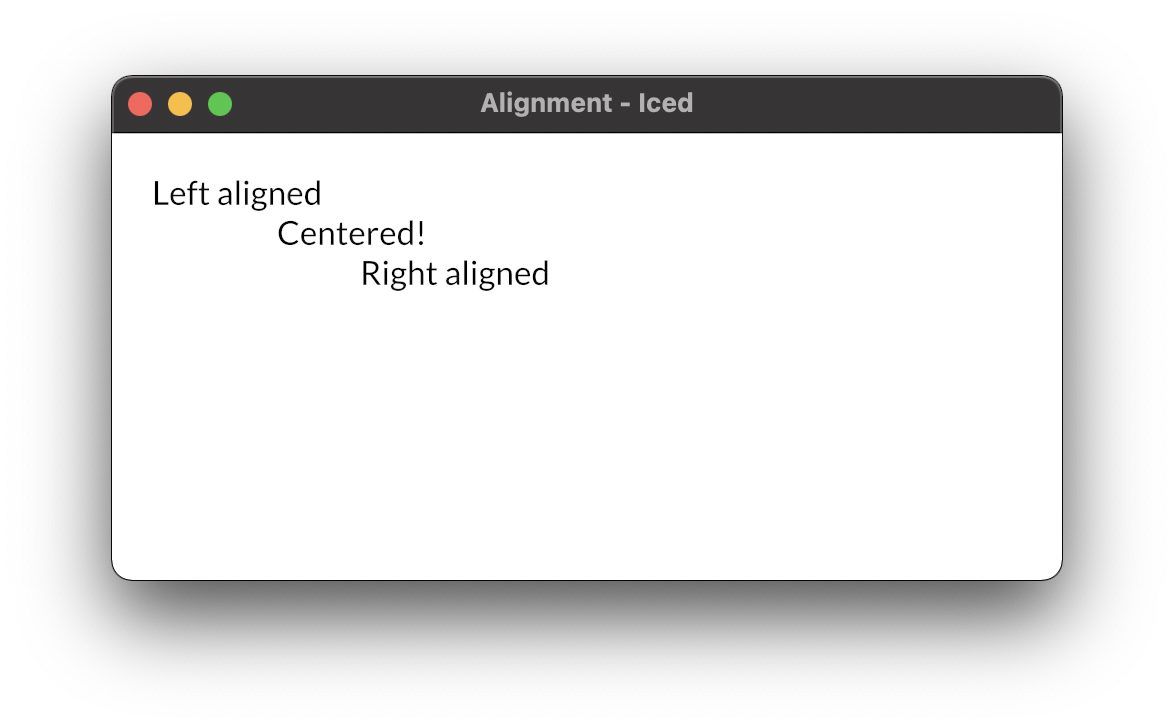
Beta Was this translation helpful? Give feedback.
-
|
Thanks that is exactly what I was trying. |
Beta Was this translation helpful? Give feedback.


You cannot use
align_itemslike that. In general, widgets are declarative and the order in which properties are set does not alter the resulting widget tree.Instead, you can achieve different alignment by wrapping the items of the
Columnin aContainer. For instance: