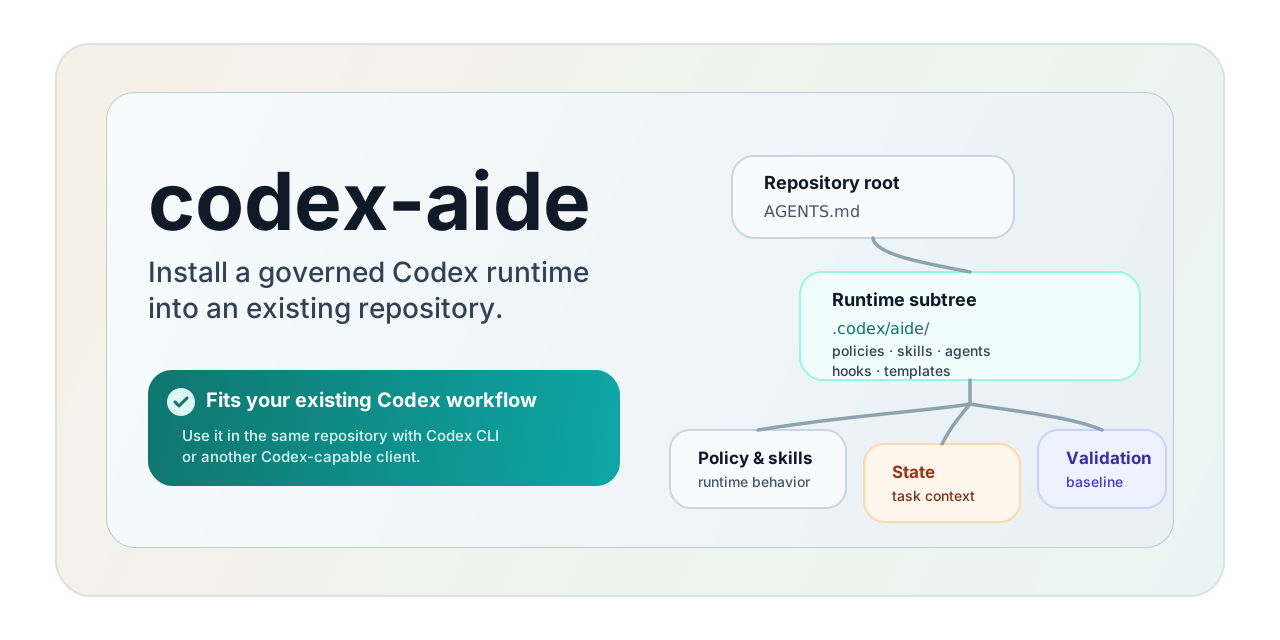
Install the Aide-managed workflow and governance layer in projects that use Codex.
For projects where AI work should follow one managed workflow instead of scattered prompts and personal habits. If you work through Codex CLI or another compatible client, codex-aide lets Aide manage intake, routing, state, governance, validation, and delivery through Codex.
| Quick Start | Installation | Built for Codex | Docs | 中文介绍 |
Many Codex setups begin as scattered prompts, copied notes, and local rules. That can work inside one project for a while, but once you want the same way of working across multiple projects and need long-running work to stay manageable, consistency becomes hard to maintain.
codex-aide packages that into a project workflow and governance layer with:
- a stable project entry for AI work
- one
Aide-managed workflow for intake, routing, state, governance, validation, and delivery - durable state for long-running work and cross-session continuity
- a layout teams can review, refresh, and reuse
- an installation path you can run again as the product evolves
| Without codex-aide | With codex-aide |
|---|---|
| Every project has to define and maintain its own way of working with AI | One Aide-managed baseline can be reused across projects |
| Implementation context drifts and starts making mistakes as conversations grow | Aide keeps implementation context aligned through state, routing, and governance rules |
| Long-running work and task context go out of sync across sessions | Task state, context, and progress stay available across sessions |
| Development, testing, and delivery rely on ad hoc human coordination around AI output | Aide brings a consistent, governable workflow baseline that carries development, testing, and delivery together |
Requirements:
- Node.js
>=20for npm installation - A project you use through Codex CLI or a Codex-capable client
Choose one installation path below.
|
📦 npm install Fastest standard path |
🌐 git install Pull the starter and copy it directly |
🤖 AI install Let your coding agent do the setup |
Use this when Node.js is available.
npm i -g @icellus/codex-aide
cd /path/to/your/project
codex-aide install
Optional:
codex-aide install --target /path/to/project
codex-aide install --dry-runUse this when you want to pull the starter and copy it into the project yourself.
git clone --depth 1 https://github.com/icellus/codex-aide.git /tmp/codex-aide
cd /tmp/codex-aide

cp starter/AGENTS.md /path/to/project/AGENTS.md
mkdir -p /path/to/project/.codex
cp starter/config.toml /path/to/project/.codex/config.toml
cp starter/hooks.json /path/to/project/.codex/hooks.json
cp -R starter/aide /path/to/project/.codex/aide
This uses the same starter layout, but it does not apply the installer's merge and preservation behavior automatically.
Use this when you want a coding agent to do the setup in the current project.
Give your agent this instruction:
Follow https://raw.githubusercontent.com/icellus/codex-aide/master/INSTALL.md to install codex-aide into the current project.
The install guide lives in INSTALL.md.
The package ships this starter layout:
starter/AGENTS.md
starter/aide/AGENTS.md
starter/aide/**
The installer maps it into the target repository like this:
starter/AGENTS.md      -> <repo>/AGENTS.md
starter/config.toml -> <repo>/.codex/config.toml
starter/hooks.json       -> <repo>/.codex/hooks.json
starter/aide/AGENTS.md -> <repo>/.codex/aide/AGENTS.md
starter/aide/**        -> <repo>/.codex/aide/**
The goal is to keep the project root light, keep codex-aide files together under .codex/aide/, and let the root contract hand day-to-day AI workflow management to Aide.
For Codex CLI hook-driven runtime syncing and delegated subagent routing, the installer also materializes .codex/hooks.json and seeds .codex/config.toml with codex_hooks = true plus multi_agent = true. If your Codex setup ignores repository-local config.toml, enable both features in ~/.codex/config.toml or launch Codex with codex --enable codex_hooks --enable multi_agent.
codex-aide is for projects that want Aide to manage AI work through Codex. It is not a standalone GUI product and it is not a generic prompt pack.
To use codex-aide as intended, work from:
- Codex CLI
- another client that reads project instructions and works against the installed codex-aide files
If Codex is already part of how you work in the project, codex-aide is meant to let Aide manage that project workflow through Codex by default, not replace it with a separate product.
If the client ignores project instructions or never touches the installed codex-aide files, codex-aide will not behave as intended.
codex-aide can live alongside other installed skills. Its workflow state and governance files stay grouped under .codex/aide/, and the default behavior still comes from the project root contract plus the Aide role contract, so coexistence is fine by default.
In practice, this is a good fit when:
- you want AI work in the project to follow one managed workflow instead of per-user habits
- other skills can coexist without becoming the default owners of
codex-aidefiles and decisions - you want one reusable governance and delivery baseline instead of rebuilding process from scratch
This is usually not a good fit when:
- the client ignores repository instructions or installed runtime files
- another system also wants to become the project-level default authority for the same route, state, or governance decisions
- another skill is expected to take over
.codex/aide/**as its own default write surface - you only want a lightweight prompt snippet rather than an installed repository workflow
Some repository-structure ideas here were informed by community work, including agents-zone-skillset.
If you are maintaining this repository itself, start from a git checkout of codex-aide and run the repository checks there.
git clone https://github.com/icellus/codex-aide.git
cd codex-aide
node scripts/validate-codex-aide-dev.mjs full
npm pack --dry-runMIT