


Clone repository:
cd ~/racecar_ws/src
git clone https://github.com/mit-rss/wall_follower_sim.git
Rebuild workspace with colcon build:
cd ~/racecar_ws
colcon build --symlink-install
source install/setup.bash
Wall follower lives in the ROS node initialized in the Python script at:
wall_follower/wall_follower.py
First, open rviz using the right-click menu in the NoVNC browser graphical interface (which can be accessed at http://localhost:6080/vnc.html?resize=remote after the docker container is started).
Launch the racecar simulator by running (from any directory):
ros2 launch racecar_simulator simulate.launch.xml
You should see a car in a map (walls are black, empty space is grey) and colorful points on that map representing lidar detections.
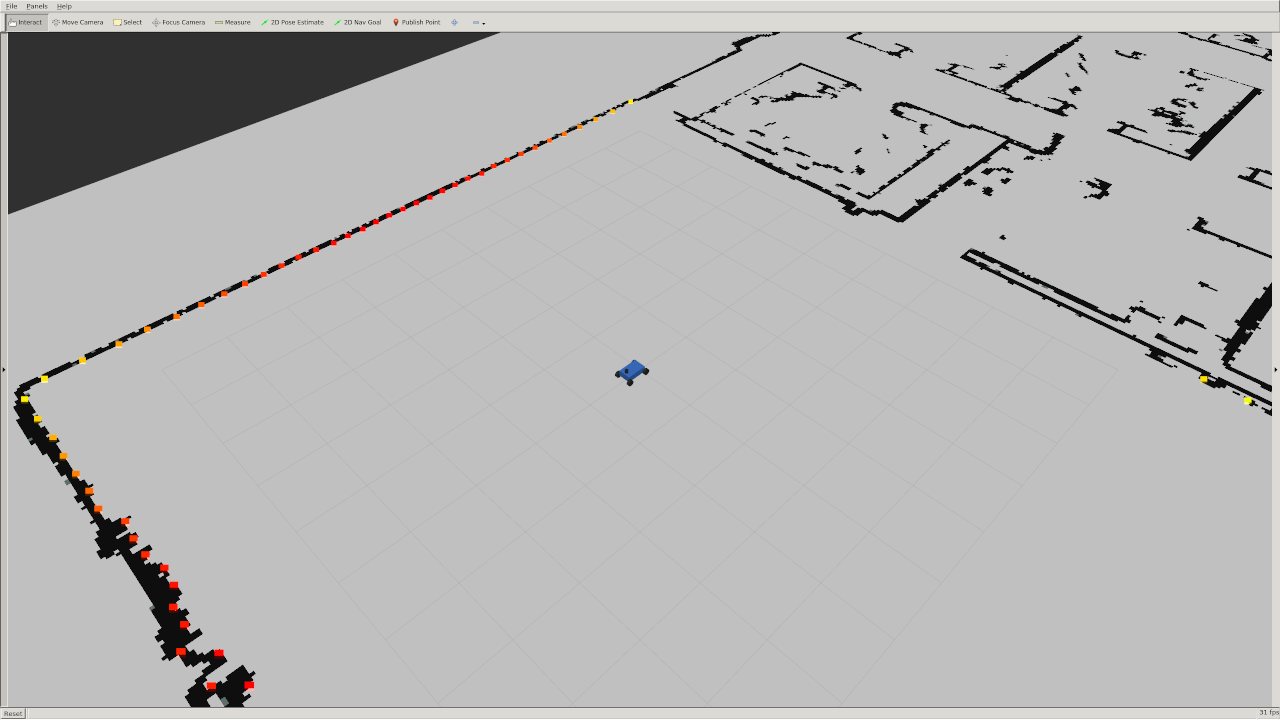
You can change the position of the robot by clicking the "2D Pose Estimate" button on top of rviz and placing the arrow somewhere on the map.
ros2 launch wall_follower wall_follower.launch.xml