For designing task use: https://app.diagrams.net/
Pre-Requisites:
- .Net Core 3.1 installed.
- Visual Studio or VS Code installed.
- npm and nvm.
Steps to Create the project (using Visual Studio)
- Launch Visual Studio as an administrator.
- Choose "Create a new project"
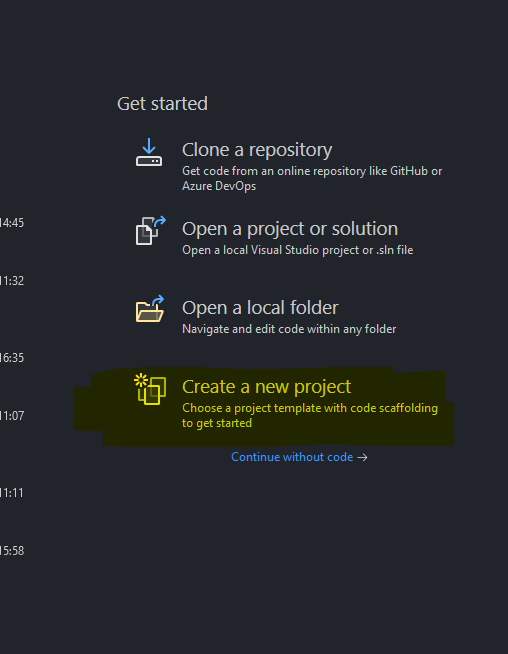
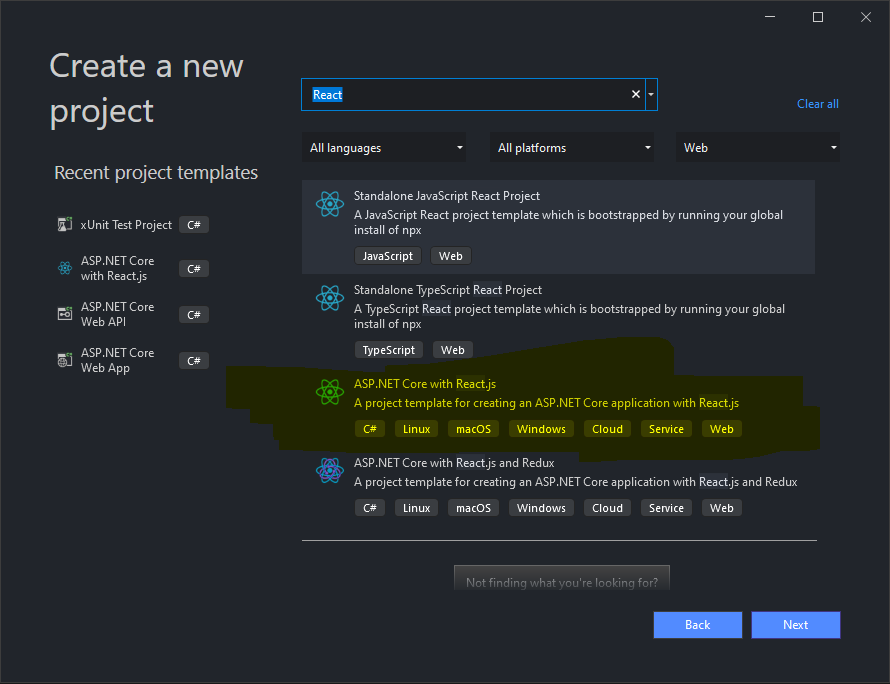
- Search for React template, choose project type "ASP.NET Core with React.js" and click "Next"
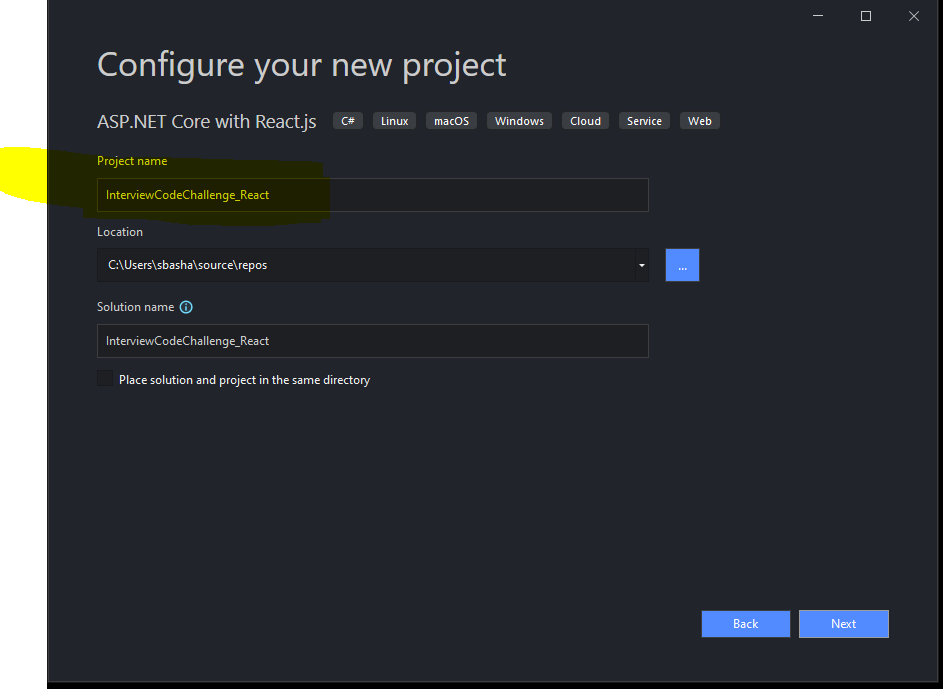
- Enter the project name as "InterviewCodeChallenge_React" and click "Next"
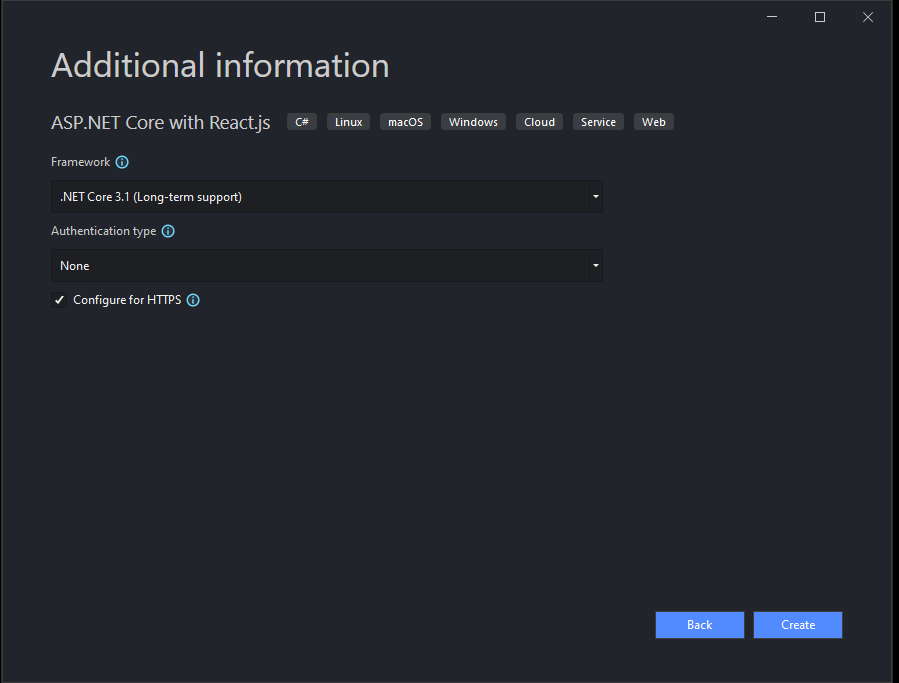
- Choose Framework -> .Net Core 3.1 and click on "Create"
- Try building and running the template project.
Run the Project using Visual Studio:
Troubleshooting:
- Build Failure with "The command "npm install" exited with code 1."
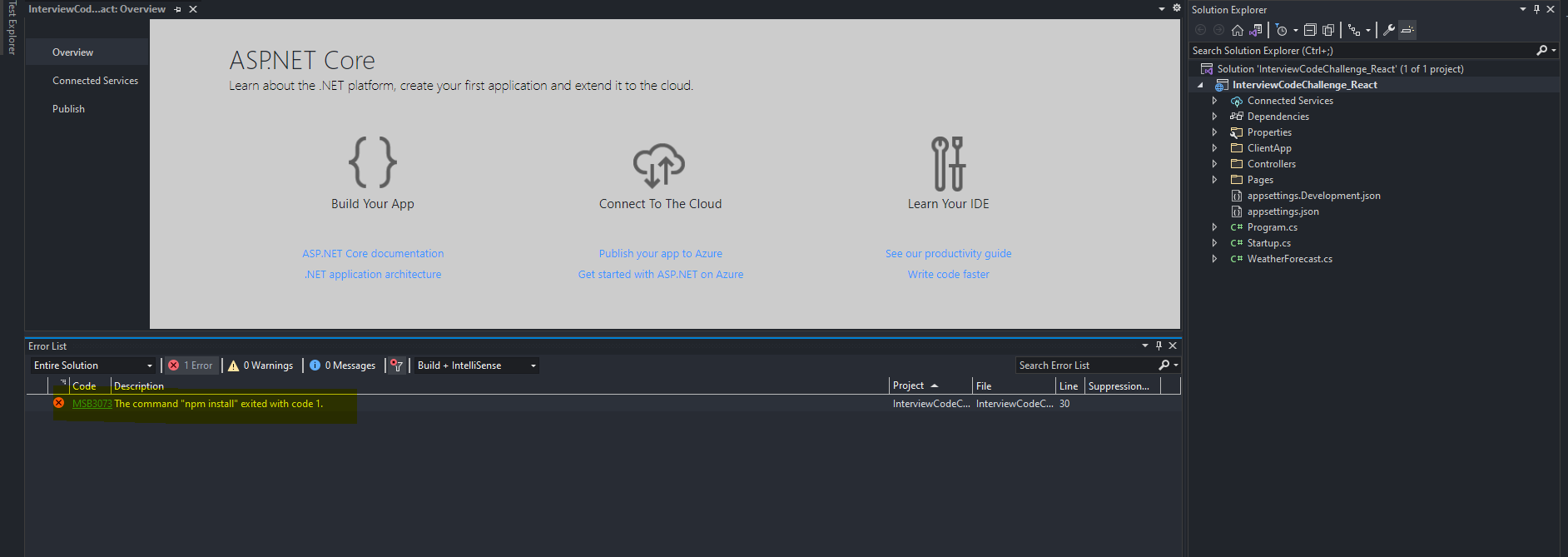
- Resolution:
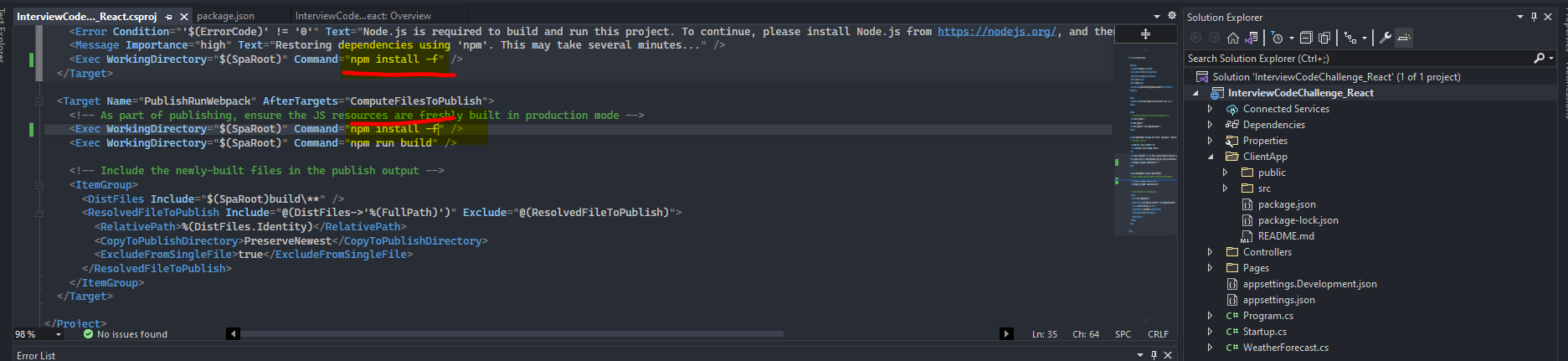
- Open the .csproj file and update the npm install command to install with force
Run the project using VS Code.
- Open the project folder using VSCode.
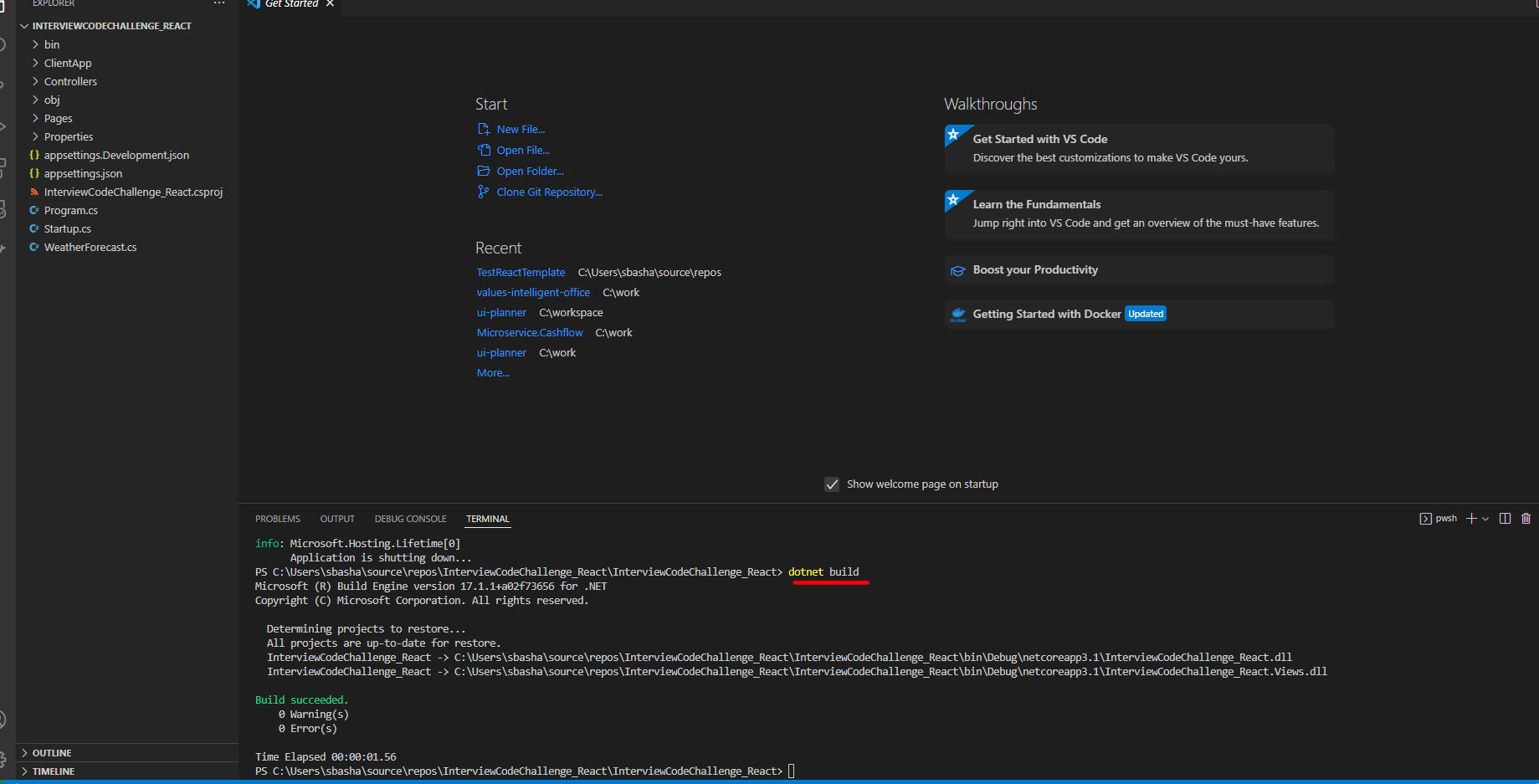
- Using terminal in the project directory, enter the command "dotnet build"
- Using terminal in the project directory, enter the command "dotnet run"

- Navigate to the URL mentioned in the terminal to browse.