Home
A Midnight Commander built around plugins.
A panel does not have to show a directory. Its contents can come from a module loaded at runtime, so a git working tree, containers, Kubernetes objects, an S3 bucket or a remote host are browsed with the same keys as a local directory. The editor has a plugin framework of its own, and the viewer understands structured data and live output rather than plain text only.
This is a fork of GNU Midnight Commander, based on version 4.8.33. It runs on the OS console, in xterm, and over ssh.
It is not an official GNU package. Report issues
here, not upstream. Version
numbering is its own line and starts at v6.0.1.
A panel no longer has to show a directory. Its contents can come from a
plugin loaded at runtime: git, docker, Kubernetes, MongoDB, S3, FTP/FTPS,
SFTP, Samba, systemd, shell connections, External Panelize, and arcmc. The
old built-in ftpfs and sftpfs VFS modules are gone, replaced by the FTP
and SFTP plugins.
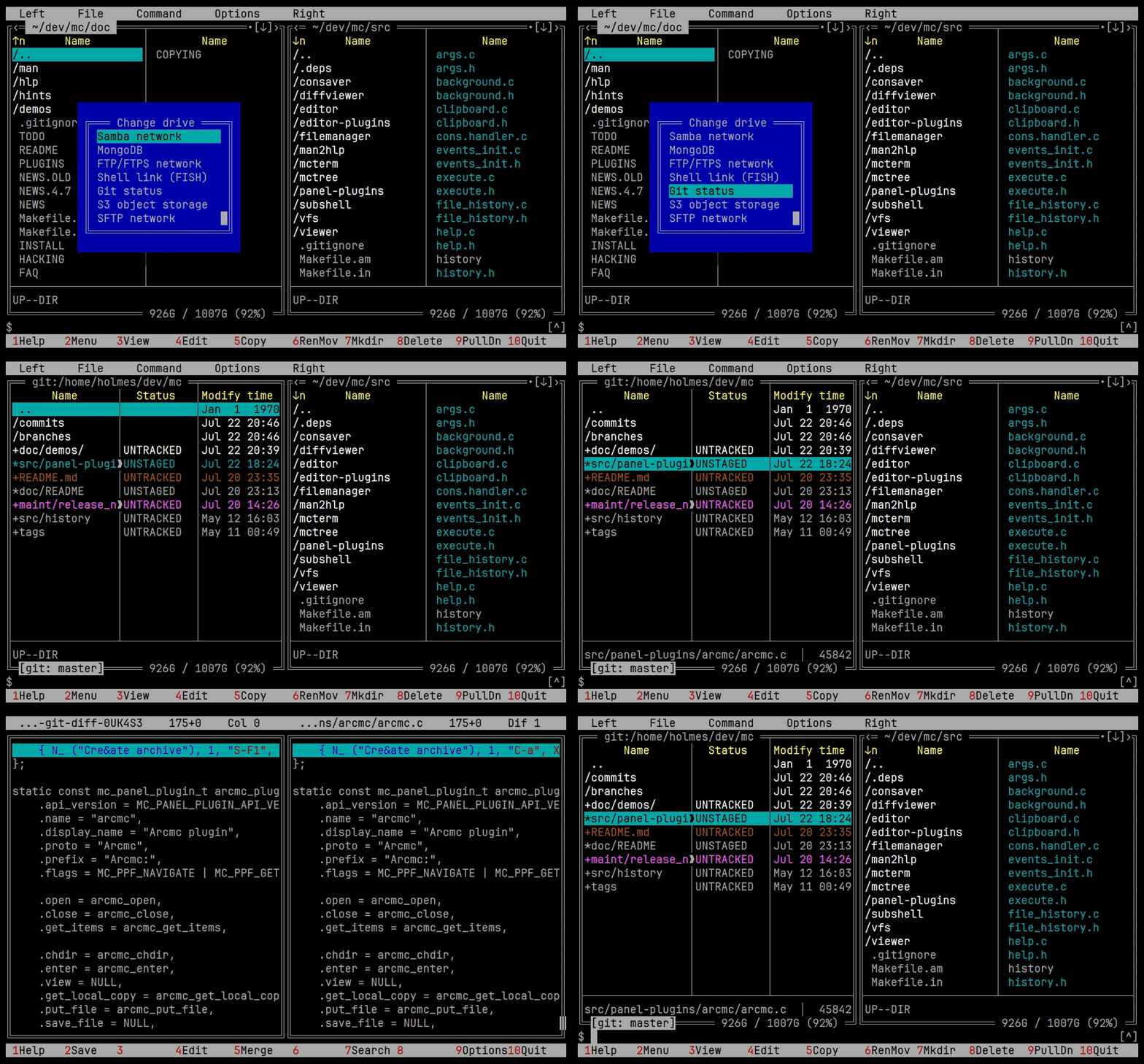
The git panel lists working tree changes and opens a file's diff in place.
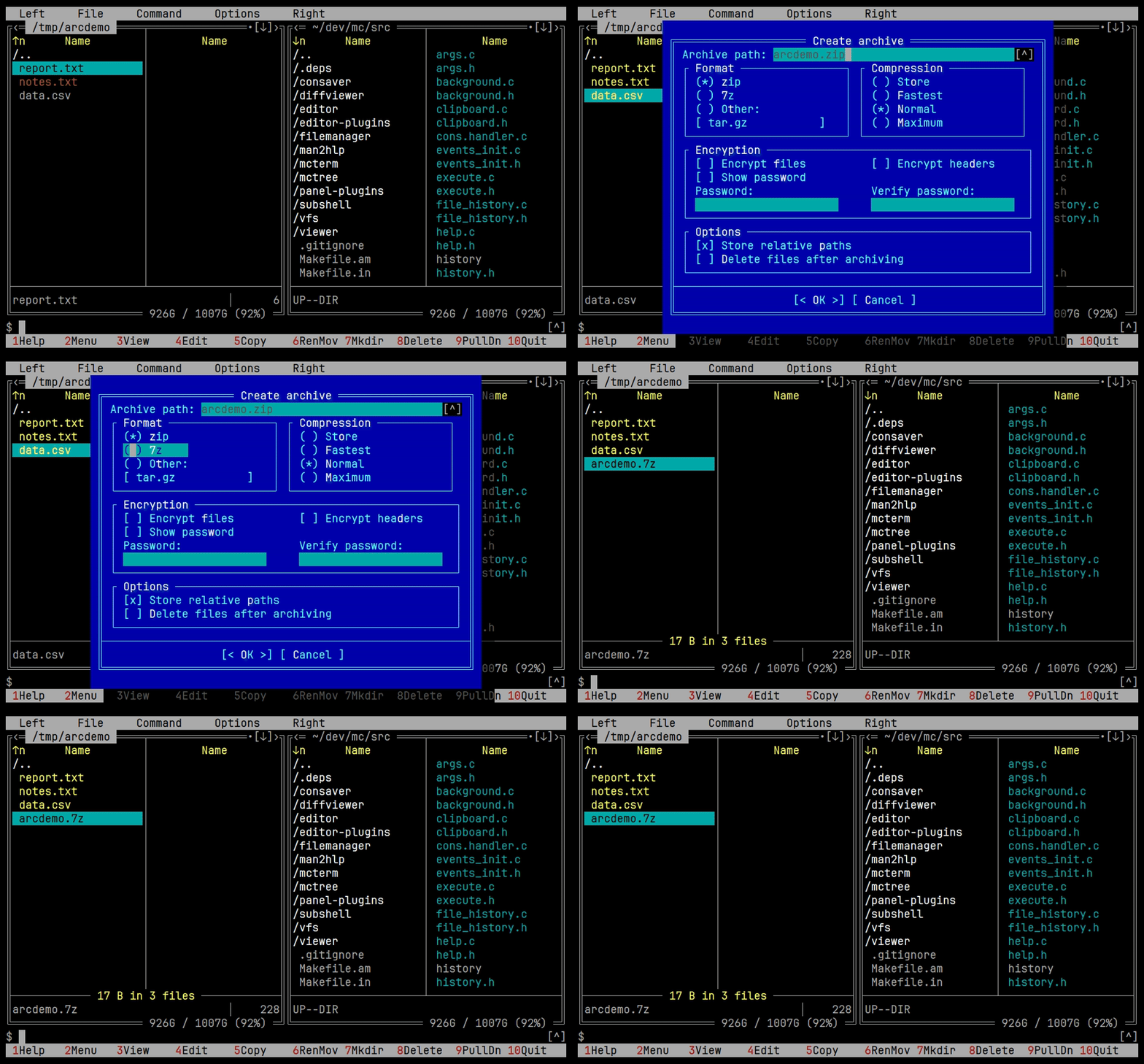
An archive manager built on libarchive. Browse, create, pack and extract zip, 7z, tar.* and cpio, with progress and a working cancel.
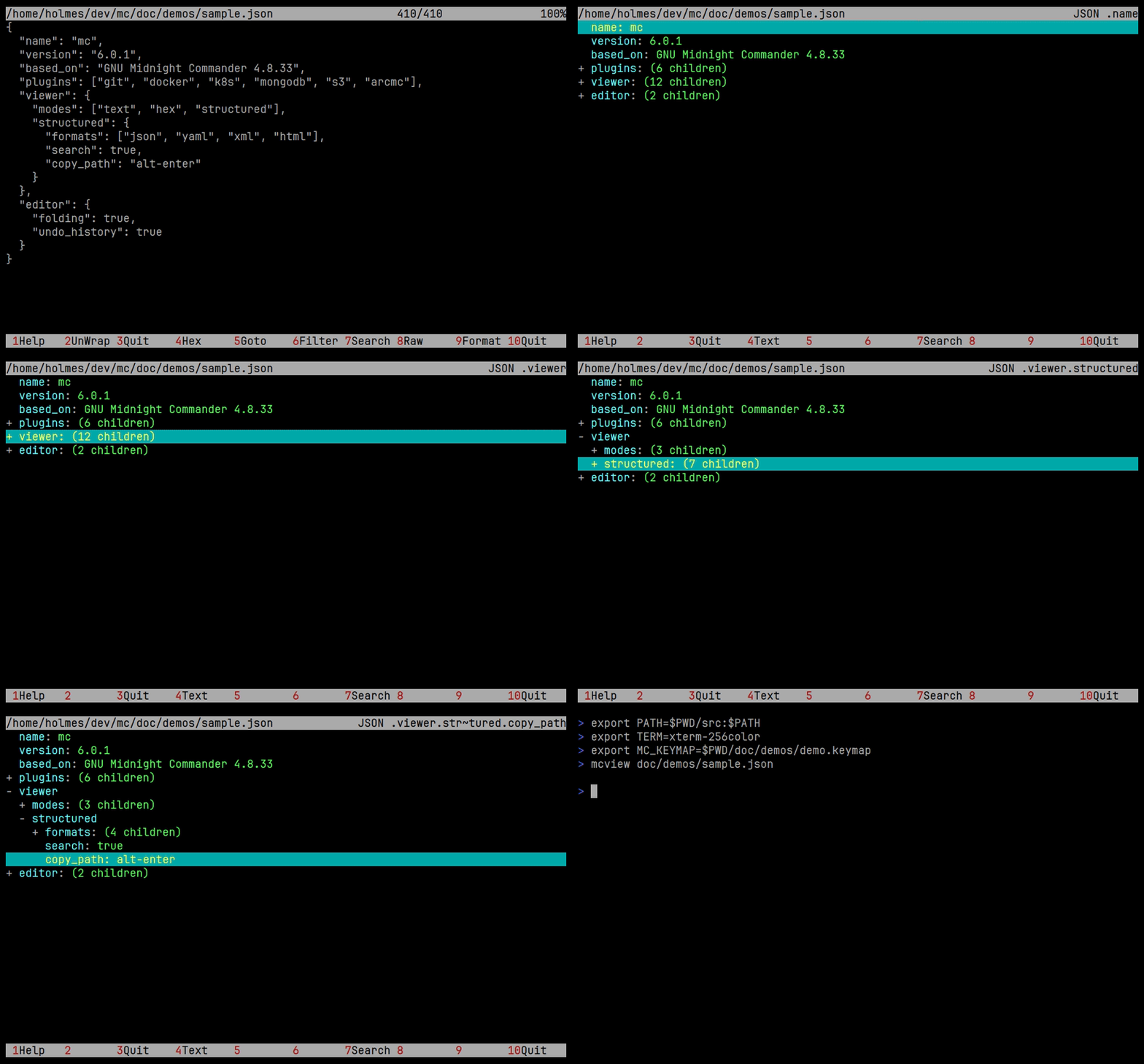
Structured data gets a tree instead of a wall of text. JSON, YAML, XML and HTML fold, expand, search, and hand you the path to the node under the cursor.
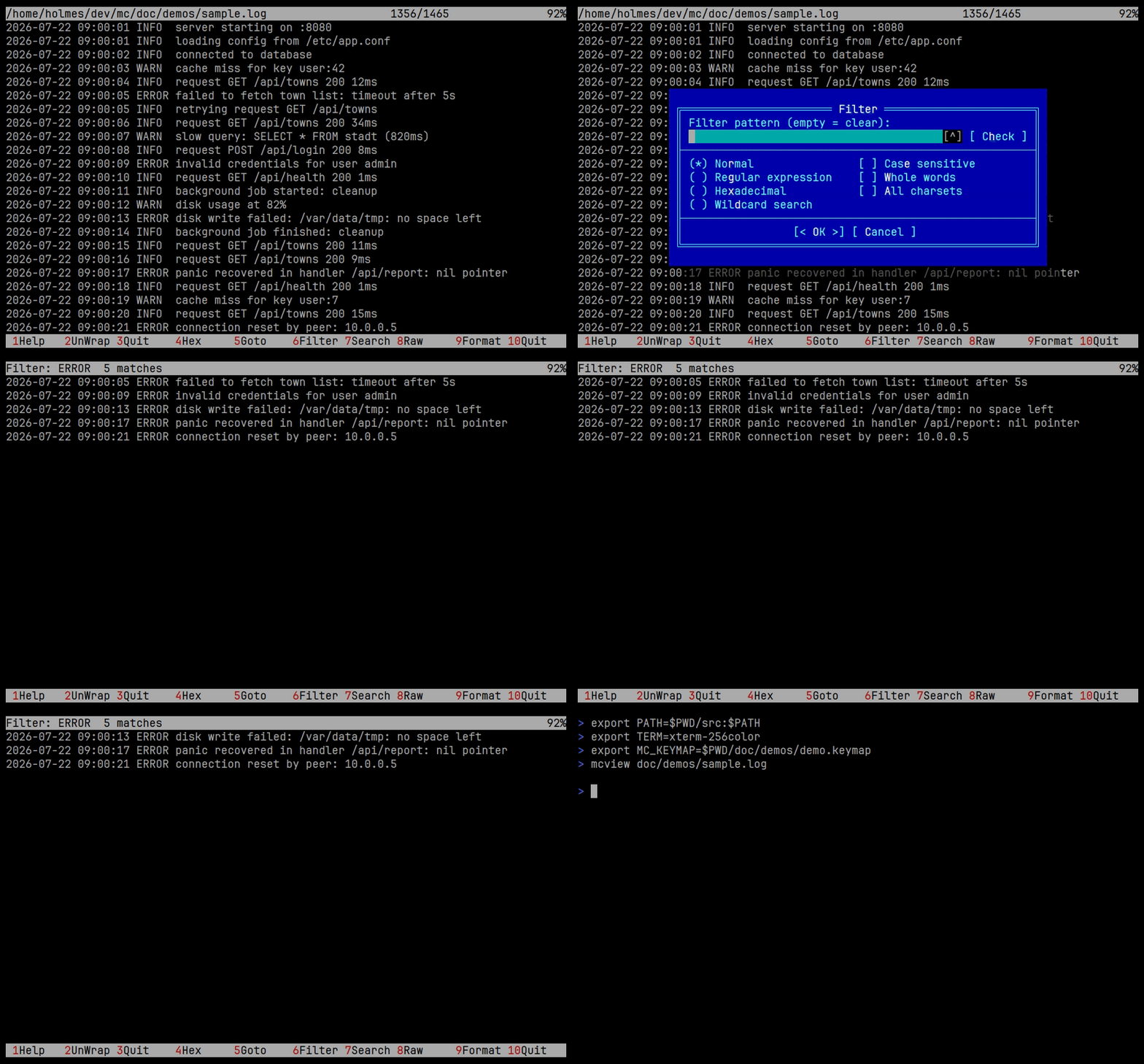
Logs get a live filter that keeps only the matching lines while you type, and you can jump between matches without leaving it.
The viewer also renders ANSI colour, replays terminal recordings, and streams output from a command that never ends.
Code folding, a browsable undo history, a macro explorer, and a plugin framework for extending the editor itself.
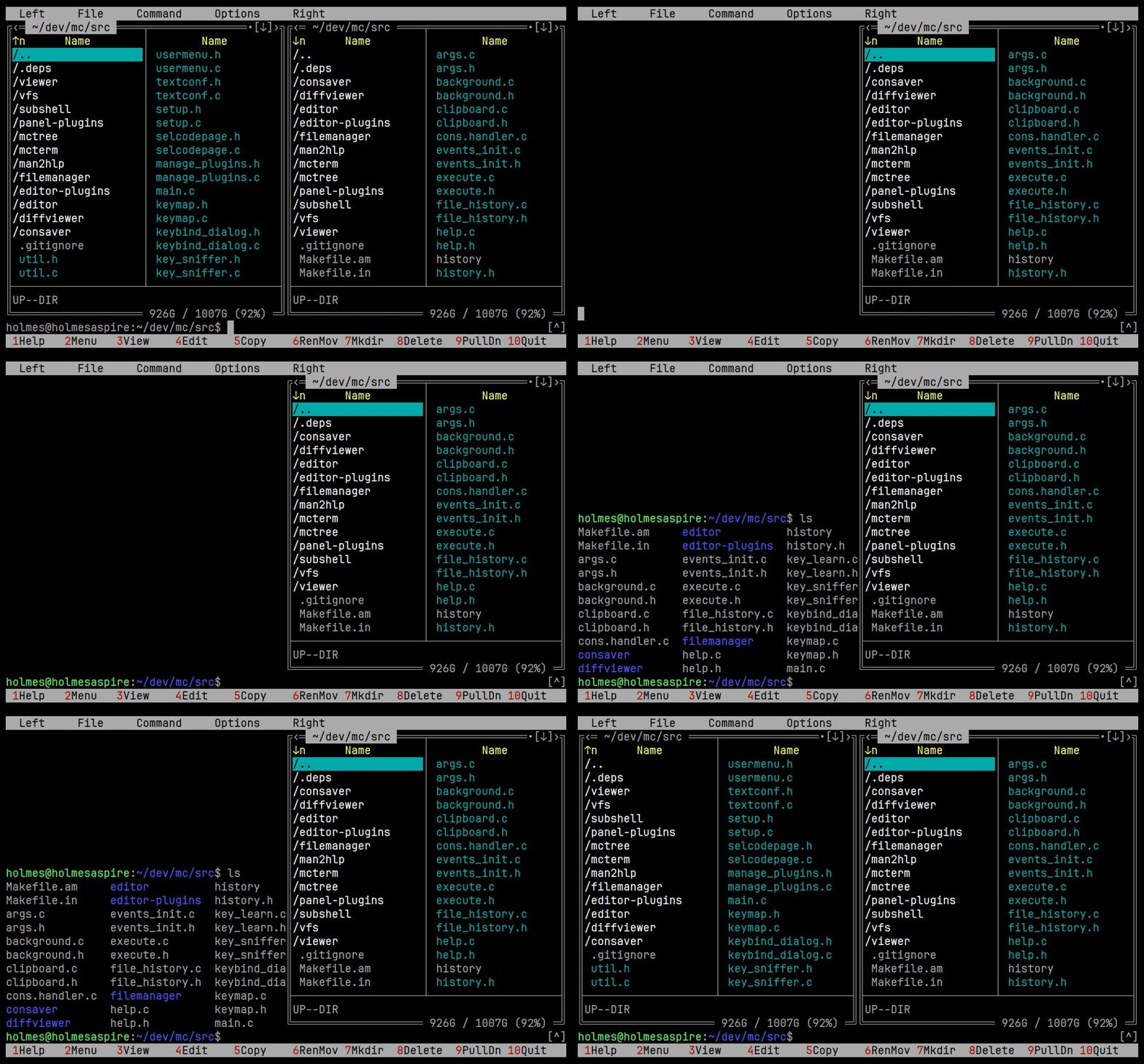
A shell inside the file manager. The panels follow its current directory.
View modes you can edit yourself, dialogs for managing key bindings and for learning what your terminal sends, and the classic flow of hiding a panel to get room for a command.
Press F1 inside mc, or read the mc(1), mcedit(1) and mcview(1)
manual pages.
For a problem, open an
issue with mc --version,
your OS and distribution, and the compiler and configure flags if you know
them. For a crash, attach a backtrace: gdb mc core, then where.
- Releases, what changed in each version
- Demos, how the recordings on this wiki are made
- Coding style, conventions for patches
- Source, the repository
GNU General Public License, version 3 or any later version.