
✔️ pages/index.tsx = Homepage and list all Blogs
✔️ pages/post/[slug].tsx = Details Blog
✔️ pages/api/createComment.ts = API createComment that store data to sanity studio
Create an .env.local and follow the name .env.example and get the API Keys based on the steps below
Sanity API KEYS
1. Create a Sanity account
2. Create new project
3. npm install -g @sanity/cli && sanity init
4. After you create new project, Go to your project, you will see the PROJECT ID at the top
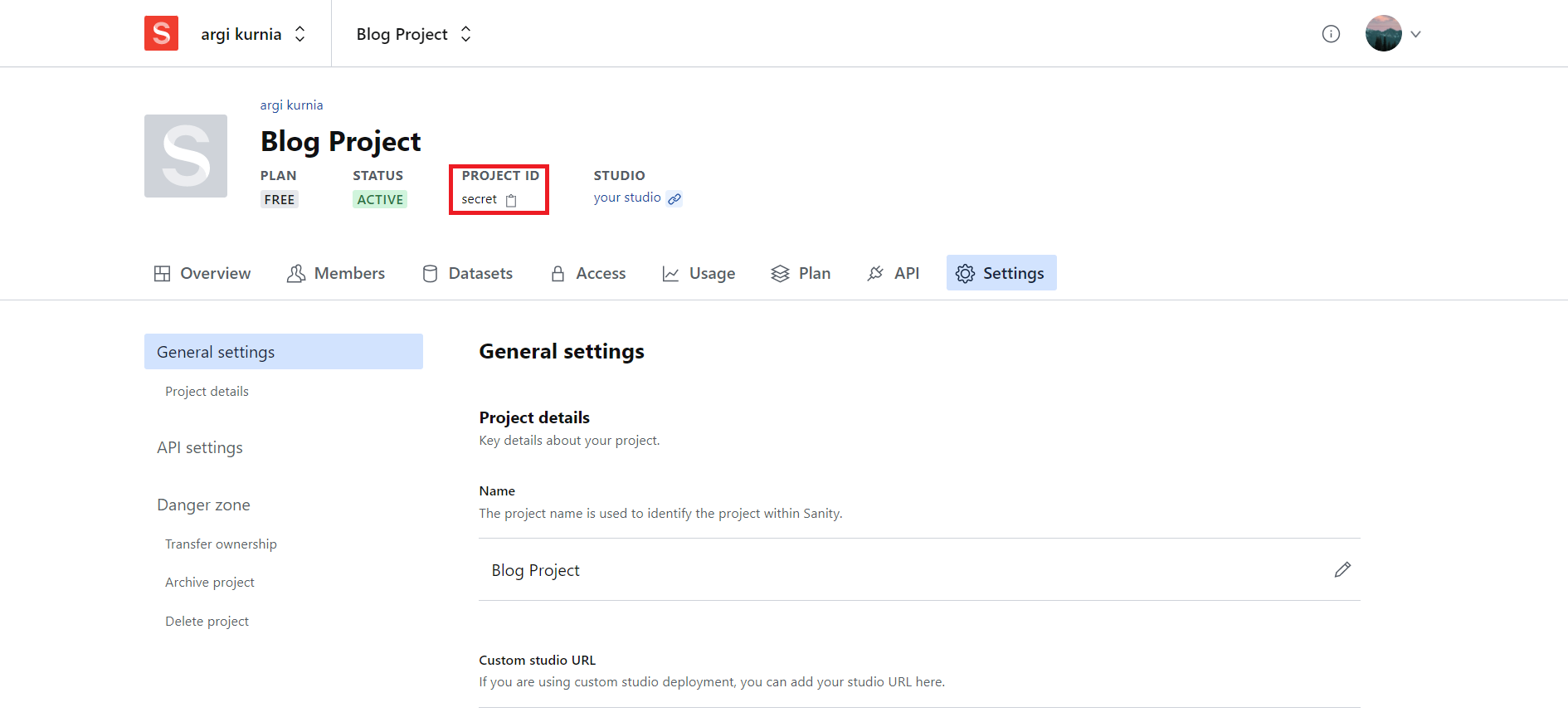
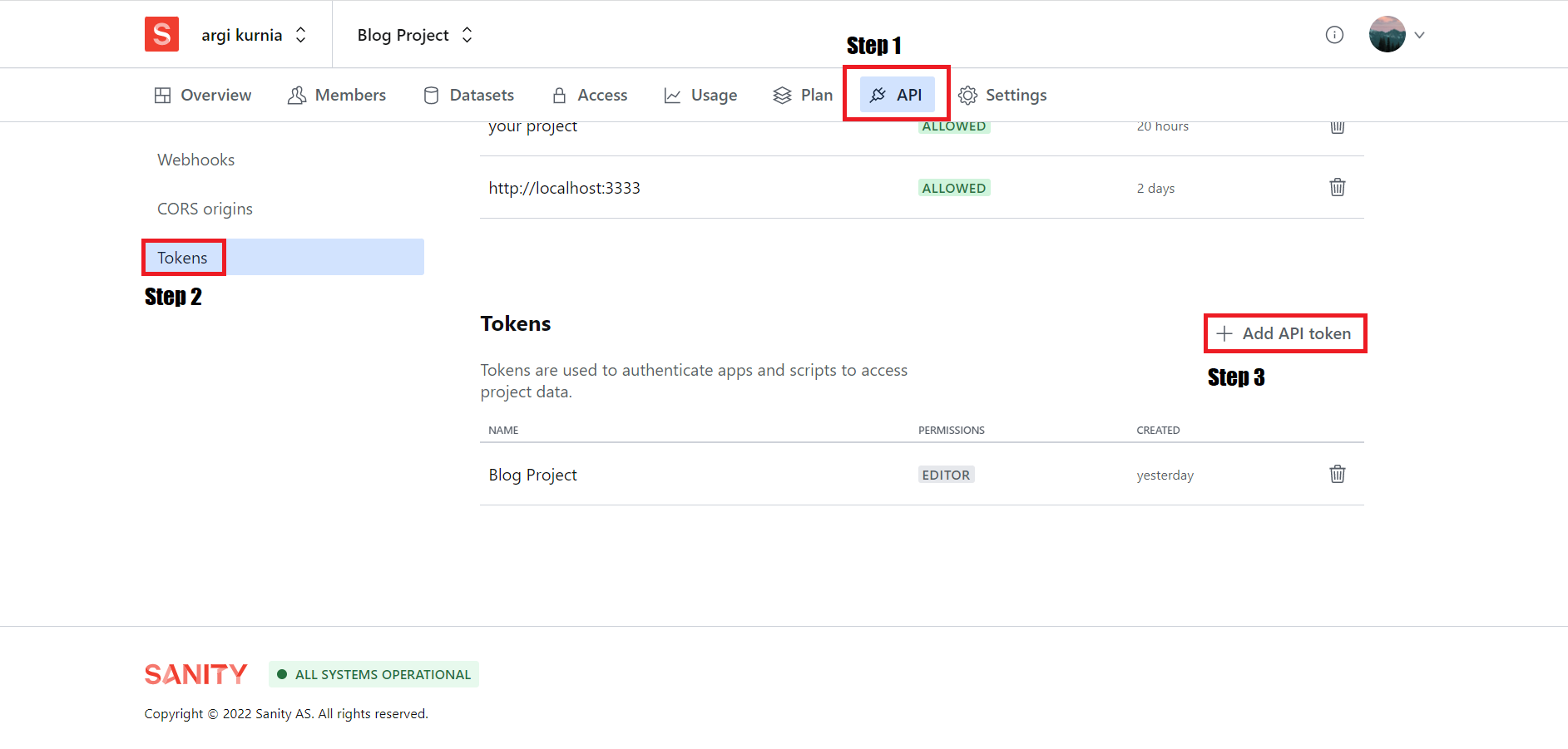
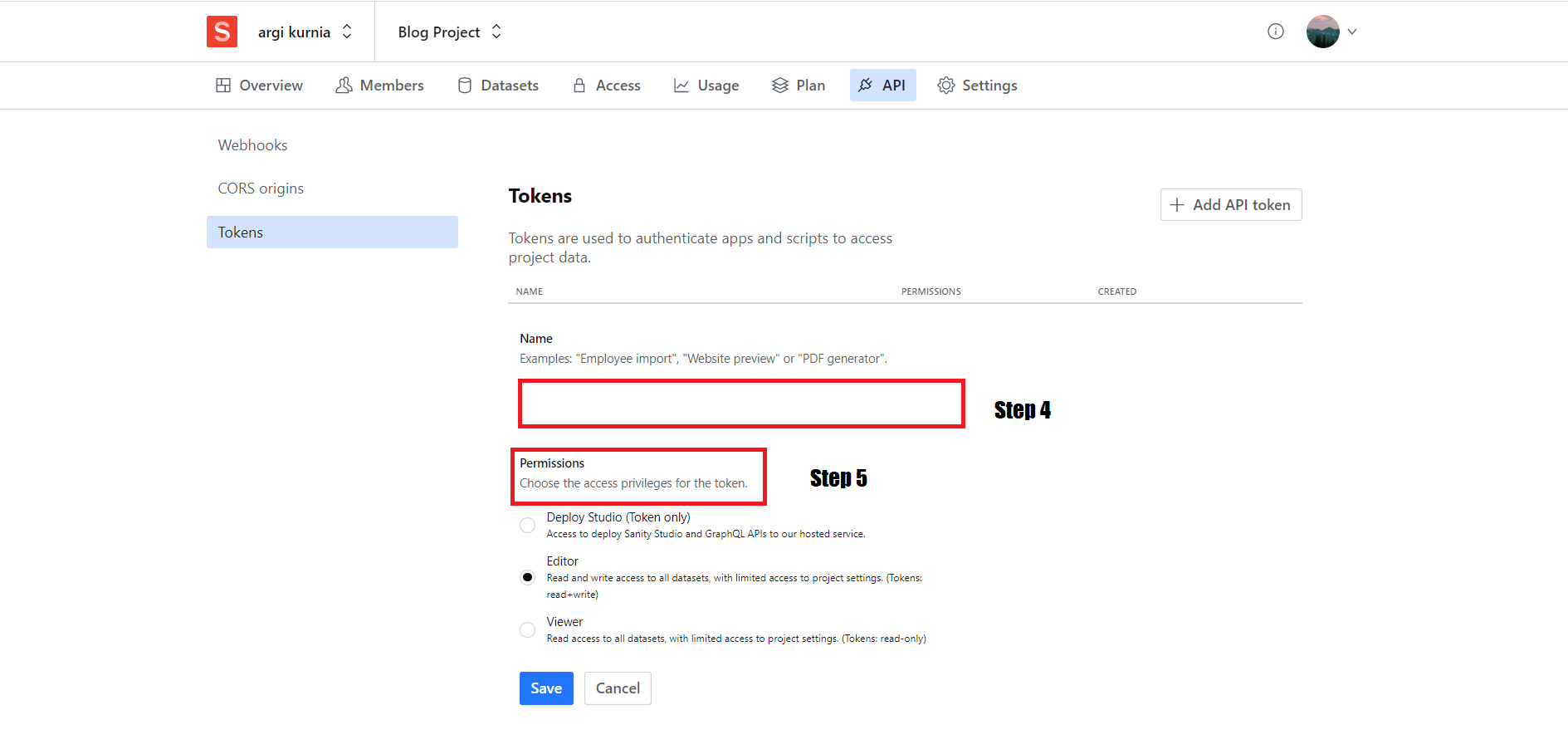
- Put it into the environment variables according to
.env.exampleand you're all set!
Deploy the example using Vercel:
- Javascript
- ReactJS
- NextJS
- Typescript
- TailwindCSS
- Sanity
Install the dependencies with npm i or yarn
Start the project by npm run dev or yarn dev
Execute create-next-app with npm or Yarn to bootstrap the example:
npx create-next-app --example with-tailwindcss with-tailwindcss-app
# or
yarn create next-app --example with-tailwindcss with-tailwindcss-app
Deploy it to the cloud with Vercel (Documentation).