Ghost is an open-source blogging platform that runs on Node.js. It features a theming system , multi-user blogging capabilities and a markdown editor that lets you see a live preview of the content you are working on.
This README explains how you to integrate Ghost with KeystoneJS without the need for redirections to another domain or subdomain. This is based off this blog post.
####
1. Prerequisites
My local environnment is a Linux machine installed with node, npm, git, mongoDB and the Heroku toolbet:
$ uname -a
Linux nic-Aspire-5251 3.13.0-32-generic #57-Ubuntu SMP Tue Jul 15 03:51:08 UTC 2014 x86_64 x86_64 x86_64 GNU/Linux
$ node -v
v0.10.36
$ npm -version
1.4.28
$ heroku version
heroku-toolbelt/3.25.0 (x86_64-linux) ruby/1.9.3
$ git version
git version 1.9.1
$ mongod -version
db version v2.6.7
2015-02-10T22:11:18.004-0500 git version: a7d57ad27c382de82e9cb93bf983a80fd9ac9899
IMPORTANT! Ghost requires Node v0.10.x
Ghost also requires a relational database to be installed. I will use a mysql server, but you might want to use a PostgreSQL database if you deploy your app to Heroku and need to sync local and production databases.
~/sandbox$ sudo apt-get install mysql-server
... (will ask for a password..)
~/sandbox$ ps -aux | grep "mysql*"
mysql     1077  0.0  0.8 887508 24656 ?        Ssl  10:22   0:17 /usr/sbin/mysqld
Let's create an empty database that Ghost will use for storing its data:
~/sandbox$ sudo mysql -p
Enter password:
Welcome to the MySQL monitor.  Commands end with ; or \g.
Your MySQL connection id is 886
Server version: 5.5.41-0ubuntu0.14.04.1 (Ubuntu)

Copyright (c) 2000, 2014, Oracle and/or its affiliates. All rights reserved.

Oracle is a registered trademark of Oracle Corporation and/or its
affiliates. Other names may be trademarks of their respective
owners.

Type 'help;' or '\h' for help. Type '\c' to clear the current input statement.

mysql> create database ghostDB;
Query OK, 1 row affected (0.02 sec)

mysql>
####
2. Creating a KeystoneJS app
I will assume that you can install and successfully run a KeystoneJS sample app on your local dev machine using the Yeoman generator (see footnote 1):
~/sandbox$ yo keystone

Welcome to KeystoneJS.
? What is the name of your project? keystone-ghost
? Would you like to use Jade, Swig, Nunjucks or Handlebars for templates? [jade | swig | nunjucks | hb? Would you like to use Jade, Swig, Nunjucks or Handlebars for templates? [jade | swig | nunjucks | hbs] jade
? Would you like to use LESS or SASS for stylesheets? [less | sass] less
? Would you like to include a Blog? No
...
------------------------------------------------

Your KeystoneJS project is ready to go!

~/sandbox/keystone-ghost$ node keystone.js

------------------------------------------------
KeystoneJS Started:
keystone-ghost is ready on port 3000
------------------------------------------------
We answered 'no' when asked to include a Blog to our KeystoneJS app. As a consequence, the generator will not include a Blog link in the top navigation bar of our welcome page.
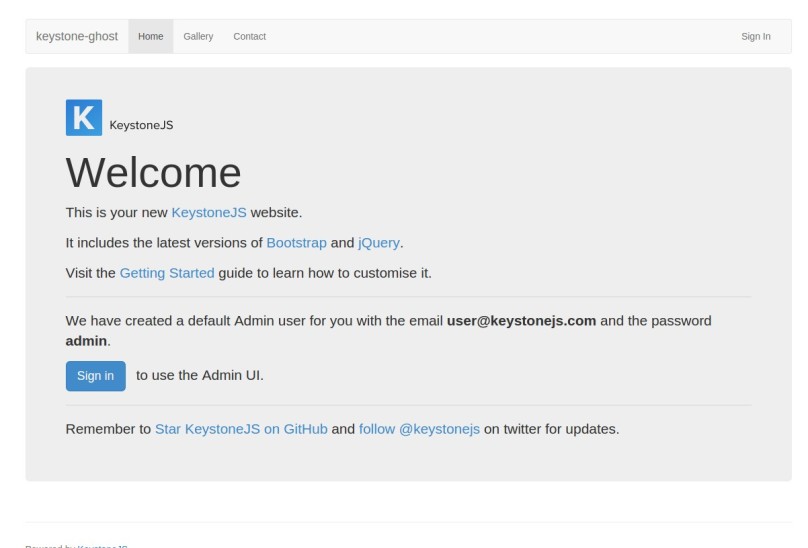
Let's add the link back by editing middleware.js, located under the /routes folder:
exports.initLocals = function(req, res, next) {

	var locals = res.locals;

	locals.navLinks = [
		{ label: 'Home',	key: 'home',	href: '/' },
	// add blog entry here
		{ label: 'Blog',	key: 'blog',	href: '/blog' },
        { label: 'Gallery',	key: 'gallery',	href: '/gallery' },
		{ label: 'Contact',	key: 'contact',	href: '/contact' }
	];

	locals.user = req.user;

	next();

};
####
3. Using Ghost as a node module
We want to run the Ghost blogging platform as a sub application to our KeystoneJS app. Let's install Ghost as a node module (see footnote 2):
~/sandbox/keystone-ghost$ npm install ghost --save
~/sandbox/keystone-ghost$ npm list ghost
keystone-ghost@0.0.0 /home/nic/sandbox/keystone-ghost
└── ghost@0.5.8
You should now have ghost in your package.json dependencies. Open the keystone.js file and make the following changes to it:
At the top of the keystone.js file
// Simulate config options from your production environment by
// customising the .env file in your project's root folder.
require('dotenv').load();

// Require keystone
var keystone = require('keystone'),
	app = keystone.express(),    // create an app instance
	path = require('path'),
	ghost = require('ghost');

keystone.init({
	'name': 'keystone-ghost',
	'brand': 'keystone-ghost',
	'less': 'public',
	'static': 'public',
	'favicon': 'public/favicon.ico',
	'views': 'templates/views',
	'view engine': 'jade',
	'app': app,                    // add this option here
	'emails': 'templates/emails',
	'auto update': true,
	'session': true,
	'auth': true,
	'user model': 'User',
	'cookie secret': ')"36]MBV[ySg,TH%"i@lPbAu544,^dJmbi=8"|9x`q.@aB_V"GXp%pF_b4@{*%l%'
});
REMARK:
Instead of letting Keystone create an express instance for us, we explicitly create one and pass it to Keystone as an option property (see footnote 3).
At the bottom of the keystone.js file
// add this function call instead of keystone.start()
ghost({
	config: path.join(__dirname, 'ghostConfig.js')
}).then(function(ghostServer) {
	app.use('/blog', ghostServer.rootApp);
	keystone.start();
});

// comment out the keystone.start line
//keystone.start();
REMARK:
The Ghost module exports a function, declared as
ghostin the above, that returns a Javascript promise of a GhostServer object. The callback takes a reference to this object. The first line of the callback mounts on '/blog' an express app instance that was created by Ghost. The ghostServer object propertyrootApprefers to what Ghost calls theblogApp. It's the app that will handle requests coming off your blog urls (see footnote 4).
We can pass an options object to the ghost function. Currently, the only property supported is config, which specifies the location of a ghost configuration file. Ghost uses the configuration file to understand how it should run for various environments. The Ghost module source code contains a template configuration file that we can edit for our current local environment:
~/sandbox/keystone-ghost$ cd node_modules/ghost
~/sandbox/keystone-ghost/node_modules/ghost$ ls -a
.   bower.json  config.example.js  core          index.js  LICENSE       .npmignore    PRIVACY.md
..  .bowerrc    content            Gruntfile.js  .jscsrc   node_modules  package.json  README.md
~/sandbox/keystone-ghost/node_modules/ghost$ cp config.example.js ~/sandbox/keystone-ghost/ghostConfig.js
Open the ghostConfig.js file and make the following changes to the development property of the config object:
    development: {
        // The url to use when providing links to the site, E.g. in RSS and email.
        // Change this to your Ghost blogs published URL.
        url: 'http://localhost:3000/blog',       // modify this line

        database: {
            client: 'mysql',                     // changed to mysql
		    connection: {
                host     : '127.0.0.1',          // added host
                user     : 'root',				 // added user
                password : 'root',			     // added password
                database : 'ghostDB',			 // added db name
                charset  : 'utf8'				 // added charset
            },
			debug: false
        },
        server: {
            // Host to be passed to node's `net.Server#listen()`
            host: '127.0.0.1',
            // Port to be passed to node's `net.Server#listen()`, for iisnode set this to `process.env.PORT`
            port: '3000'                         // changed port number
        },
        paths: {                                // add paths property
            contentPath: path.join(__dirname, '/content/')
        }
    },
REMARK:
The contentPath property specifies the location of the content folder used by Ghost for apps, data, images and themes. You can specify an alternative location by changing its value.
The last step before starting the web server is to copy the content folder found under node_modules/ghost to our app's root directory:
~/sandbox/keystone-ghost/node_modules/ghost$ cp -rf content ~/sandbox/keystone-ghost/

~/sandbox/keystone-ghost$ ls -ah
.                  content        ghostConfig.js  .gitignore   models        Procfile  templates
..                 .editorconfig  ghostconfig.js  .jshintrc    node_modules  public    updates
config.example.js  .env           ghost.md        keystone.js  package.json  routes
Let's start our keystone app:
~/sandbox/keystone-ghost$ node keystone.js
Migrations: Up to date at version 003

------------------------------------------------
KeystoneJS Started:
keystone-ghost is ready on port 3000
------------------------------------------------

Warning: Ghost no longer starts automatically when using it as an npm module.
 If you're seeing this message, you may need to update your custom code.
 Please see the docs at http://tinyurl.com/npm-upgrade for more information.
REMARK:
The warning printed by Ghost is displayed automatically after 5 seconds unless Ghost starts the web server for us (using the
ghostServer.startfunction). In our context, however, we do not want Ghost to start the web server (see footnote 5). The warning can be safely ignored.
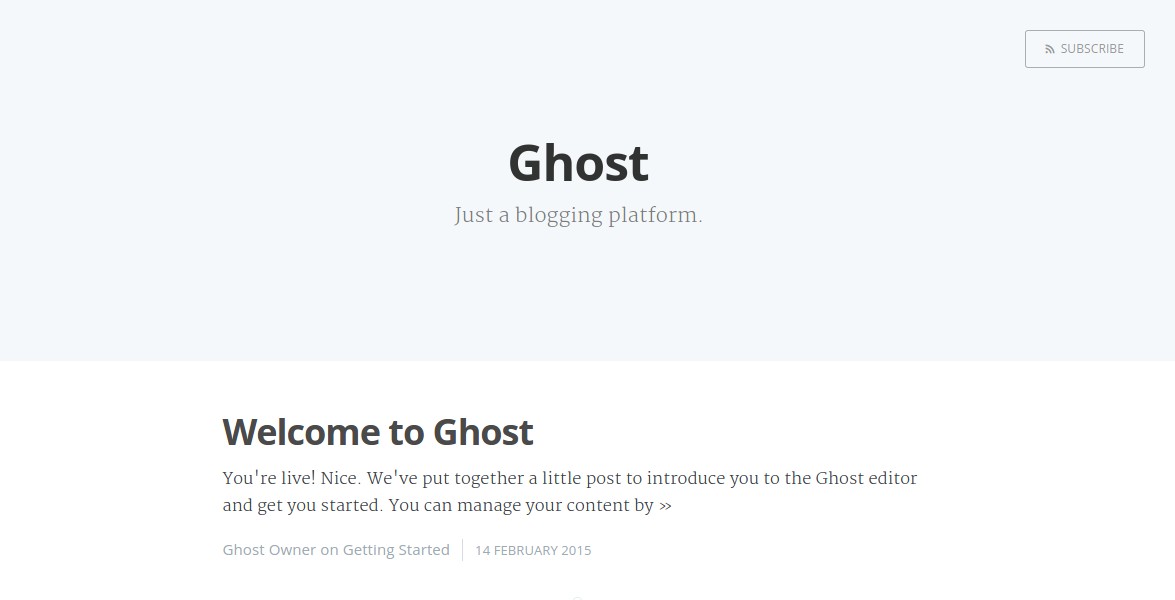
If you click the Blog link on the welcome page, you should see Ghost's home page:
####
4. Deploying to Heroku
Heroku offers various datastores as add-ons. We will use the PostgresSQL add-on, which has a free plan with a 10K row limit. First, we need to prepare the KeystoneJS app to be deployed to Heroku by adding the MongoLab add-on and setting some config vars (see footnote 1) :
~/sandbox/keystone-ghost$ git init .
Initialized empty Git repository in /home/nic/sandbox/keystone-ghost/.git/
~/sandbox/keystone-ghost$ git add .
~/sandbox/keystone-ghost$ git commit -am "init commit"
[master (root-commit) ccf6f6d] init commit
 153 files changed, 36054 insertions(+)
...
~/sandbox/keystone-ghost$ heroku create
Creating salty-sierra-2843... done, stack is cedar-14
https://salty-sierra-2843.herokuapp.com/ | https://git.heroku.com/salty-sierra-2843.git
Git remote heroku added

~/sandbox/keystone-ghost$ heroku apps:rename keystone-ghost
Renaming salty-sierra-2843 to keystone-ghost... done
https://keystone-ghost.herokuapp.com/ | https://git.heroku.com/keystone-ghost.git
Git remote heroku updated

~/sandbox/keystone-ghost$ heroku config:set CLOUDINARY_URL=cloudinary://333779167276662:_8jbSi9FB3sWYrfimcl8VKh34rI@keystone-demo
Setting config vars and restarting keystone-ghost... done, v3
CLOUDINARY_URL: cloudinary://333779167276662:_8jbSi9FB3sWYrfimcl8VKh34rI@keystone-demo

~/sandbox/keystone-ghost$ heroku config:set NODE_ENV=production
Setting config vars and restarting keystone-ghost... done, v14
NODE_ENV: production

~/sandbox/keystone-ghost$ heroku addons:add mongolab
Adding mongolab on keystone-ghost... done, v4 (free)
Welcome to MongoLab.  Your new subscription is being created and will be available shortly.  Please consult the MongoLab Add-on Admin UI to check on its progress.
Use `heroku addons:docs mongolab` to view documentation.
Once these steps are performed, we can add the PostgresSQL add-on to our Heroku app.
~/sandbox/keystone-ghost$ heroku addons:add heroku-postgresql
Adding heroku-postgresql on keystone-ghost... done, v6 (free)
Attached as HEROKU_POSTGRESQL_RED_URL
Database has been created and is available
 ! This database is empty. If upgrading, you can transfer
 ! data from another database with pgbackups:restore.
Use `heroku addons:docs heroku-postgresql` to view documentation.
Open your ghostConfig.js file and edit the production object property:
	production: {
		url: 'http://keystone-ghost.herokuapp.com/blog',   // add your url
		mail: {},
		database: {
			client: 'postgres',
			connection: {
				host: process.env.POSTGRES_HOST,          // add host
				user: process.env.POSTGRES_USER,          // add user
				password: process.env.POSTGRES_PASSWORD,  // add password
				database: process.env.POSTGRES_DATABASE,  // add db name
				port: '5432'
			},
			debug: false
		},
		fileStorage: false,                            // turn off file storage
		server: {
			// Host to be passed to node's `net.Server#listen()`
			host: '0.0.0.0',                           // let heroku figure it out
			// Port to be passed to node's `net.Server#listen()`, for iisnode set this to `process.env.PORT`
			port: process.env.PORT                     // use assigned port number
		},
		paths: {
			contentPath: path.join(__dirname, '/content/')
		}
	},
Obtain your POSTGRES database credentials using heroku pg:credentials and set the corresponding process environment variables using heroku config:set:
~/sandbox/keystone-ghost$ heroku pg:credentials DATABASE
Connection info string:
   "dbname=dc63fs7hi45svb host=ec2-54-197-249-212.compute-1.amazonaws.com port=5432 user=lfeuordvsgaftr password=0ZS6YxRG9edAvx38mjlY9Qywaw sslmode=require"
Connection URL:
    postgres://lfeuordvsgaftr:0ZS6YxRG9edAvx38mjlY9Qywaw@ec2-54-197-249-212.compute-1.amazonaws.com:5432/dc63fs7hi45svb

~/sandbox/keystone-ghost$ heroku config:set POSTGRES_HOST=ec2-54-197-249-212.compute-1.amazonaws.com
Setting config vars and restarting keystone-ghost... done, v7
POSTGRES_HOST: ec2-54-197-249-212.compute-1.amazonaws.com

~/sandbox/keystone-ghost$ heroku config:set POSTGRES_USER=lfeuordvsgaftr
Setting config vars and restarting keystone-ghost... done, v8
POSTGRES_USER: lfeuordvsgaftr

~/sandbox/keystone-ghost$ heroku config:set POSTGRES_PASSWORD=0ZS6YxRG9edAvx38mjlY9QywawSetting config vars and restarting keystone-ghost... done, v9
POSTGRES_PASSWORD: 0ZS6YxRG9edAvx38mjlY9Qywaw

~/sandbox/keystone-ghost$ heroku config:set POSTGRES_DATABASE=dc63fs7hi45svb
Setting config vars and restarting keystone-ghost... done, v10
POSTGRES_DATABASE: dc63fs7hi45svb
Before deploying our app to Heroku, we need to make sure Heroku uses a Node version that is 0.10.x. Open your package.json file and change the caret range for a tilde range for the node property:
{
  "name": "fred",
  "version": "0.0.0",
  "private": true,
  "dependencies": {
    "async": "~0.9.0",
    "dotenv": "~0.4.0",
    "ghost": "^0.5.8",
    "keystone": "~0.3.0",
    "underscore": "~1.7.0"
  },
  "devDependencies": {
    "gulp": "~3.7.0",
    "gulp-jshint": "~1.9.0",
    "jshint-stylish": "~0.1.3",
    "gulp-watch": "~0.6.5"
  },
  "engines": {
    "node": "~0.10.22",
    "npm": ">=1.3.14"
  },
  "scripts": {
    "start": "node keystone.js"
  },
  "main": "keystone.js"
}
Commit your changes and deploy to Heroku:
~/sandbox/keystone-ghost$ git commit -am "fix node version and ghost production settings"
[master c4103de] fix node version and ghost production settings
 2 files changed, 15 insertions(+), 7 deletions(-)

~/sandbox/keystone-ghost$ git push heroku master
Counting objects: 187, done.
Delta compression using up to 8 threads.
Compressing objects: 100% (175/175), done.
Writing objects: 100% (187/187), 392.51 KiB | 0 bytes/s, done.
...
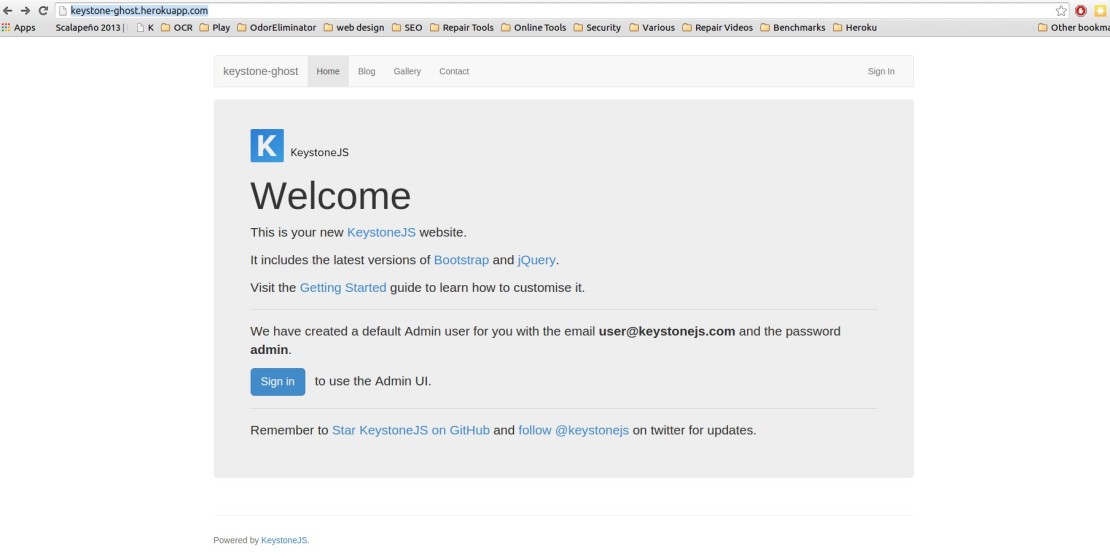
After Heroku is finished deploying your app, open your browser to keystone-ghost.herokuapp.com and you should see a welcome page with a link to your Ghost blog!
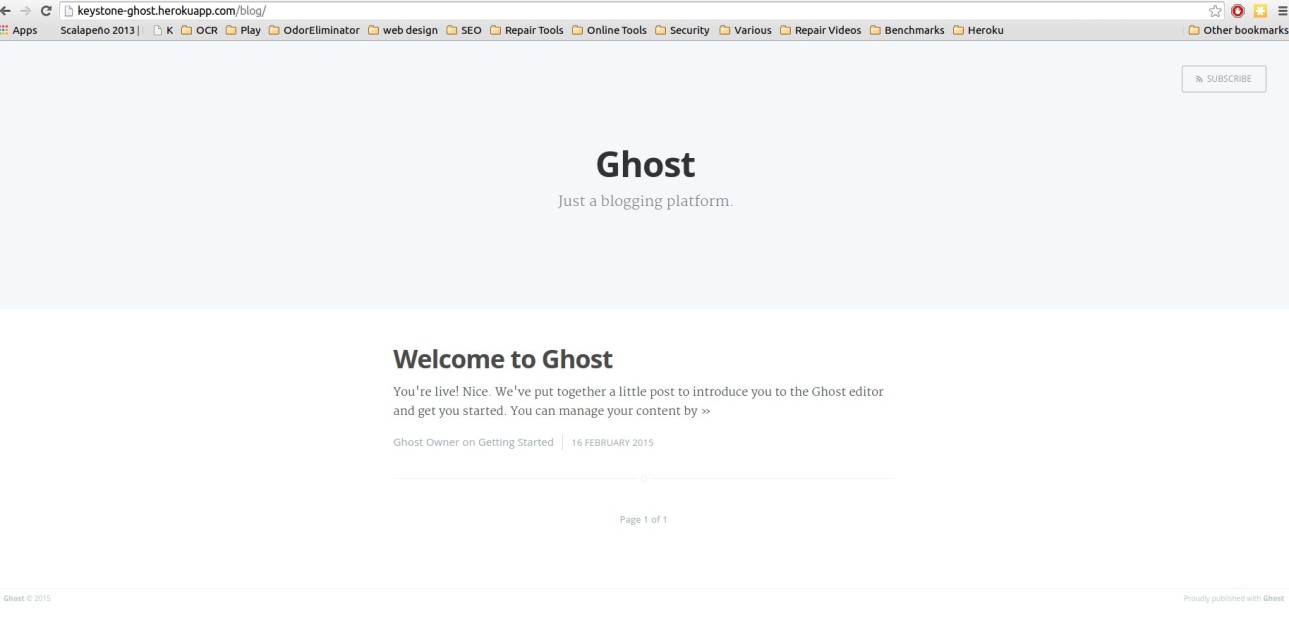
Voila! You now have a KeystoneJS app that runs Ghost for its blogging platform.
Combining KeystoneJS and Ghost can be done relatively quickly and gives you an alternative to running your blog using KeystoneJS, which might require a bit more tweaking to make it look as you intend it. Ghost's live-preview markdown editor is a killer feature that attracted me to this system. It really makes the process of writing posts more enjoyable. Maybe it's something Keystone can integrate down the line...
####
Footnotes
1: Newcomers to KeystoneJS: please see this post for step-by-step instructions on how to accomplish this task.
2: Ghost is still at major version zero, which according to the semver spec, implies that the public API may still be unstable. Hence, I would avoid the use of semver ranges (tilde and caret) until Ghost evolves to major version 1.0.
3: The old way of passing an app to Keystone was to use the connect function. This is now deprecated in version 0.3.0. See (http://localhost:8080/docs/configuration#options-project) for more information.
4: This excludes urls of the form /blog/ghost/*. These urls are handled by the adminApp, created by Ghost and mounted on /blog/ghost.
5: An alternative to starting the web server using Keystone.start is to let Ghost start the web server and listen for incoming connections by invoking the ghostServer.start() function.