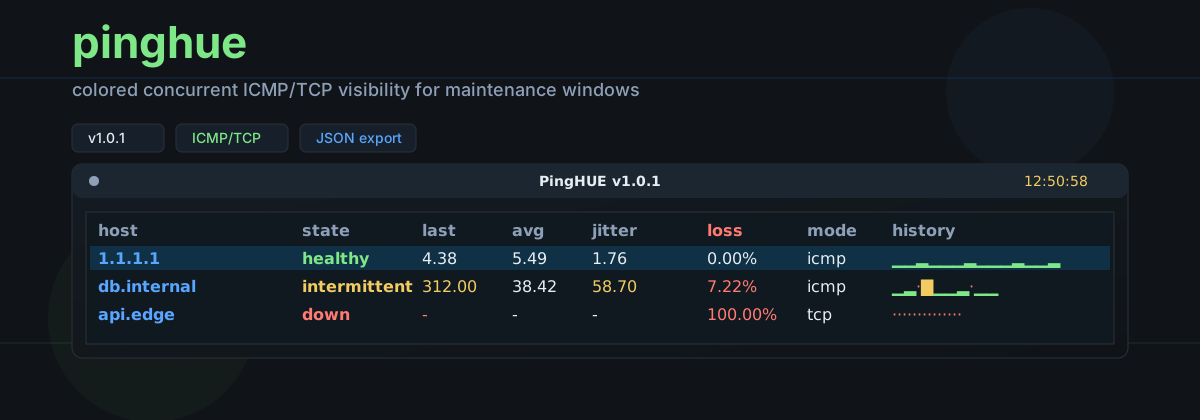


pinghue is a colored, concurrent ICMP/TCP ping monitor for maintenance windows. It gives operators a dense terminal view for many hosts at once and can also write structured JSON for reports, cron jobs, and CI checks.
Current version: 1.0.1.
The command-line interface and JSON output are stable public interfaces. JSON output uses schema_version: 1; breaking JSON changes require a new schema version.
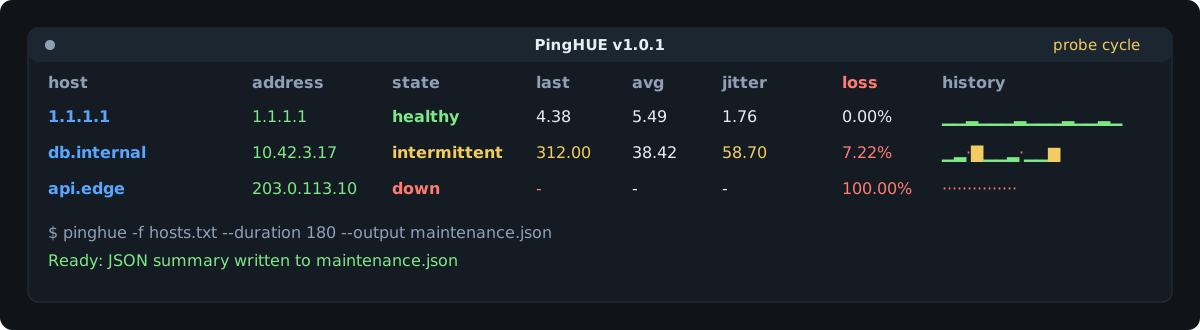
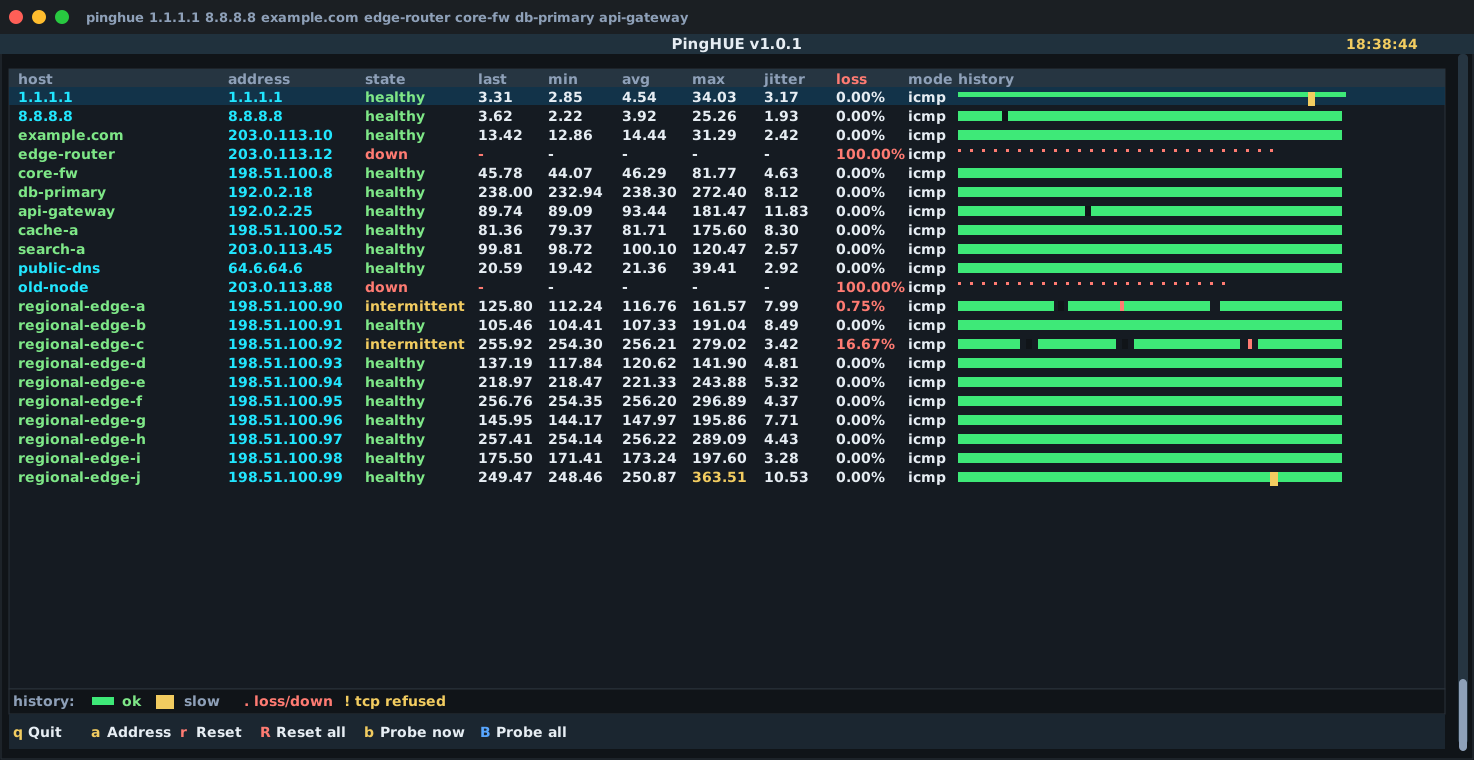
- A focused terminal monitor for maintenance windows, migrations, and quick reachability checks.
- A concurrent ICMP/TCP probe runner with a readable Textual TUI.
- A scriptable probe tool with
--no-tui,--count,--duration, and--output. - A JSON-producing report helper for post-maintenance evidence.
- A local operator tool designed for macOS and Linux.
- Not a Prometheus, Smokeping, Zabbix, or NMS replacement.
- Not a long-running metrics database or alerting system.
- Not a privileged daemon.
- Not a packet capture or traceroute tool.
- Not a service that accepts remote network requests.
The 1.0 support contract is macOS and Linux on Python 3.10 through 3.13. CI runs on both macOS and Linux for every supported Python version.
The TUI assumes an ANSI-capable terminal with Unicode glyph support. Windows and other POSIX platforms are outside the declared 1.0 support scope unless explicitly added later.
pinghue treats CLI flags and JSON exports as compatibility contracts. schema_version: 1 is the JSON v1 contract: additive fields are non-breaking, but removing fields, changing field types, changing enum values, or changing required-field behavior requires a new schema version.
CLI removals, flag renames, and incompatible behavior changes are deprecated for at least one minor release before removal. Deprecated flags continue to parse during that window and release notes identify the replacement. Patch releases do not intentionally break CLI or JSON consumers.
Starting with 1.0.0, release versions follow semantic versioning: patch releases are bug fixes, minor releases may add compatible behavior, and major releases are reserved for breaking CLI or JSON changes.
Recommended isolated installs from PyPI:
uv tool install pinghueor:
pipx install pinghuePlain pip also works inside a virtual environment:
python -m pip install pinghueHomebrew is available through the inxbit/tap tap:
brew install inxbit/tap/pinghueThe tap repository is inxbit/homebrew-tap; Homebrew exposes it as inxbit/tap.
For contributors, install from a local clone in editable mode:
git clone https://github.com/inxbit/pinghue.git
cd pinghue
python -m venv .venv
. .venv/bin/activate
python -m pip install -e ".[dev]"
The dev extra installs the local package plus the test, type-checking, linting, build, and schema-validation tools used by the repository.
pinghue 1.1.1.1 8.8.8.8 example.com
pinghue -f hosts.txt
pinghue -p 443 example.com
pinghue -p 1 127.0.0.1 -c 1 --no-tui
pinghue --output maintenance.json 1.1.1.1 example.com
pinghue --host-label maintenance-window --output maintenance.json 1.1.1.1
Host files are plain text. Blank lines and lines starting with # are ignored.
Host files must be regular files, at most 1 MiB, and at most 5,000 lines.
# edge and core checks
1.1.1.1
8.8.8.8
example.com
internal-db.corp
pinghue defaults to ICMP mode:
pinghue 1.1.1.1 example.comTCP mode is enabled by passing a port:
pinghue -p 443 example.com api.internalUse no-TUI mode for scripts, cron, CI, and package smoke tests:
pinghue -p 443 example.com -c 3 --no-tuiExample no-TUI output:
2026-05-14T18:32:11.420000+00:00 1.1.1.1 ok latency=9.20ms
2026-05-14T18:32:11.421000+00:00 example.com ok latency=14.08ms
2026-05-14T18:32:12.420000+00:00 api.internal timeout latency=-
pinghue [OPTIONS] [TARGET ...]
| Option | Default | Description |
|---|---|---|
TARGET ... |
none | Hostnames or IP addresses to probe. Required unless --check is used. |
-f, --file PATH |
none | Read targets from a plain-text host file. Blank lines and # comments are ignored. |
-p, --port PORT |
ICMP | Enable TCP connect checks against PORT. Valid range: 1-65535. |
-4, --ipv4 |
off | Force IPv4 resolution/probing. |
-6, --ipv6 |
off | Force IPv6 resolution/probing. |
-n, --numeric |
off | Skip DNS and require IP literals. |
-i, --interval SEC |
1.0 |
Seconds between probes. Minimum: 0.1. |
--timeout SEC |
interval | Per-probe timeout in seconds. Must be greater than 0. |
-c, --count N |
continuous | Stop after N probes per target. |
--duration SEC |
continuous | Stop after elapsed seconds. |
--no-tui |
off | Print one line per probe instead of launching the TUI. |
--output PATH |
none | Write a JSON run summary on exit. |
--no-samples |
off | Omit per-probe samples from JSON output. |
--concurrency N |
64 |
Maximum concurrent probes, 1-1024; ICMP mode uses a dedicated thread pool sized to this limit. |
--jitter-threshold MS |
50.0 |
Mark jitter as attention-worthy above this standard deviation. |
--fail-threshold COUNT |
3 |
Classify a host as down after this many consecutive failed probes. |
--fail-on-any-down |
off | Return a non-zero exit code when any target finishes down. |
--fail-on-all-down |
off | Return a non-zero exit code only when all targets finish down. --fail-on-down remains a compatibility alias. |
--history-style STYLE |
bar |
One of bar, dots, sparkline, or none. |
--check |
off | Run the environment doctor and exit. |
--resolve-name HOST |
example.com |
With --check, resolve this host for DNS diagnostics. Defaults to the first target when provided. |
--quiet |
off | With --check, suppress output and use only the exit code. |
--host-label LABEL |
local |
Operator-controlled host label written to JSON output. |
-v, --version |
none | Print the installed version. |
-h, --help |
none | Print help. |
| Key | Action |
|---|---|
q |
Quit. |
a |
Show or hide resolved addresses. |
r |
Reset the selected host. |
R |
Reset all hosts. |
b |
Probe the selected host immediately. |
B |
Probe all hosts immediately. |
The default history style is a fixed-scale colored bar:
- Green bar: successful probe.
- Amber bar: successful probe at or above the slow-latency threshold.
- Red
./·: timeout, loss, or down state. - Amber
!: TCP refused.
Successful latency uses ▁▂▃▄▅▆▇█.
The fixed mapping keeps rows comparable:
| Latency | Glyph |
|---|---|
<=1ms |
▁ |
<=3ms |
▂ |
<=10ms |
▃ |
<=30ms |
▄ |
<=100ms |
▅ |
<=300ms |
▆ |
<=1000ms |
▇ |
>1000ms |
█ |
Use --history-style dots, --history-style sparkline, or --history-style none when a terminal font or workflow needs a simpler display.
pinghue classifies each host from the whole run, not just the most recent probes. down requires --fail-threshold consecutive failures; any packet loss, or jitter above --jitter-threshold, marks a host intermittent. Because loss and jitter are cumulative over the run, a host that blips once and then recovers stays intermittent (not healthy) until you reset it (r or R in the TUI). This is intentional: a maintenance-window report should reflect everything that happened, not only the final moments.
pinghue uses a low-glare Slate + Signal palette designed for long maintenance windows: dark structure, high-contrast text, and saturated status colors that make the affected metric stand out quickly.
| Role | Hex | Used for |
|---|---|---|
| Background | #101418 |
Terminal body and empty space. |
| Panel | #151b22 |
Table surface and primary content areas. |
| Header | #1b2630 |
Title bars and footer bands. |
| Border | #2a313a |
Table outlines and separators. |
| Text | #e6edf3 |
Normal readable values. |
| Muted | #8ea0b8 |
Labels, secondary text, and inactive chrome. |
| Green | #7ee787 |
Healthy state, successful probes, and normal history bars. |
| Amber | #f2cc60 |
Slow latency, high jitter, intermittent state, and TCP refused markers. |
| Red | #ff7b72 |
Loss, down state, timeouts, and failed history markers. |
| Selection Blue | #58a6ff |
Focus accents and selected-row treatment. |
Run the doctor before relying on ICMP mode:
pinghue --checkLinux may block unprivileged ICMP sockets. TCP mode does not need special privileges:
pinghue -p 443 example.comIf pinghue --check reports that your GID is outside net.ipv4.ping_group_range, the preferred fix is to allow only your current group:
gid="$(id -g)"
sudo sysctl -w "net.ipv4.ping_group_range=${gid} ${gid}"
echo "net.ipv4.ping_group_range=${gid} ${gid}" \
  | sudo tee /etc/sysctl.d/99-pinghue.conf
The broader range 0 2147483647 also works, but enables unprivileged ICMP for every local group on the system.
The capability alternative is available but must be re-applied after binary upgrades:
sudo setcap cap_net_raw+ep "$(command -v pinghue)"Do not set capabilities on a shared Python interpreter.
--output PATH writes one JSON document per run. The schema lives at schemas/output-v1.schema.json, and an example lives at examples/pinghue-output-example.json.
pinghue -f hosts.txt --duration 180 --output maintenance.jsonUse --no-samples when you only need final per-target statistics.
Every output document includes:
schema_versionpinghue_version- run metadata (including
samples_window) - probe configuration
- ordered target results
- per-target stats
- optional per-probe samples
Per-target stats (sent, received, loss, latency, jitter) are computed over every probe in the run, so stats.sent reflects the whole run. The per-target samples array retains only the most recent run.samples_window probes (currently 1000). On long runs stats.sent therefore exceeds len(samples) — that is expected windowing, not a truncated file. When reconciling evidence, treat samples as the recent tail and stats as authoritative for the full run; --no-samples omits the array entirely.
The run.host field defaults to local to avoid leaking workstation hostnames. Use --host-label when a report needs an operator-selected system or maintenance-window label.
pinghue is a local CLI/TUI. It does not run a server, accept remote requests, store credentials, or require secrets. The security-sensitive areas are:
- terminal rendering of operator-supplied hostnames and OS error strings
- Linux ICMP privilege configuration
- local output paths selected by the operator
- release workflow integrity
See pinghue-threat-model.md, security-best-practices-report.md, and SECURITY.md.
Published release channels:
- GitHub repository:
inxbit/pinghue - GitHub Actions CI on Linux and macOS
- GitHub Release with sdist and wheel artifacts
- PyPI trusted publishing through a protected
pypienvironment - Homebrew tap:
inxbit/tapfrominxbit/homebrew-tap
The release workflow is tag-driven:
git tag -s vX.Y.Z -m "Release vX.Y.Z"
git push origin vX.Y.Zpytest
pytest --cov=pinghue --cov-report=term-missing --cov-fail-under=80
ruff check .
mypy src
pip-audit
SOURCE_DATE_EPOCH=0 python -m build --no-isolation
twine check dist/*Run the development commands from a clone installed with python -m pip install -e ".[dev]". The pytest --cov line reports line and branch coverage; CI enforces a coverage floor.
MIT. See LICENSE.