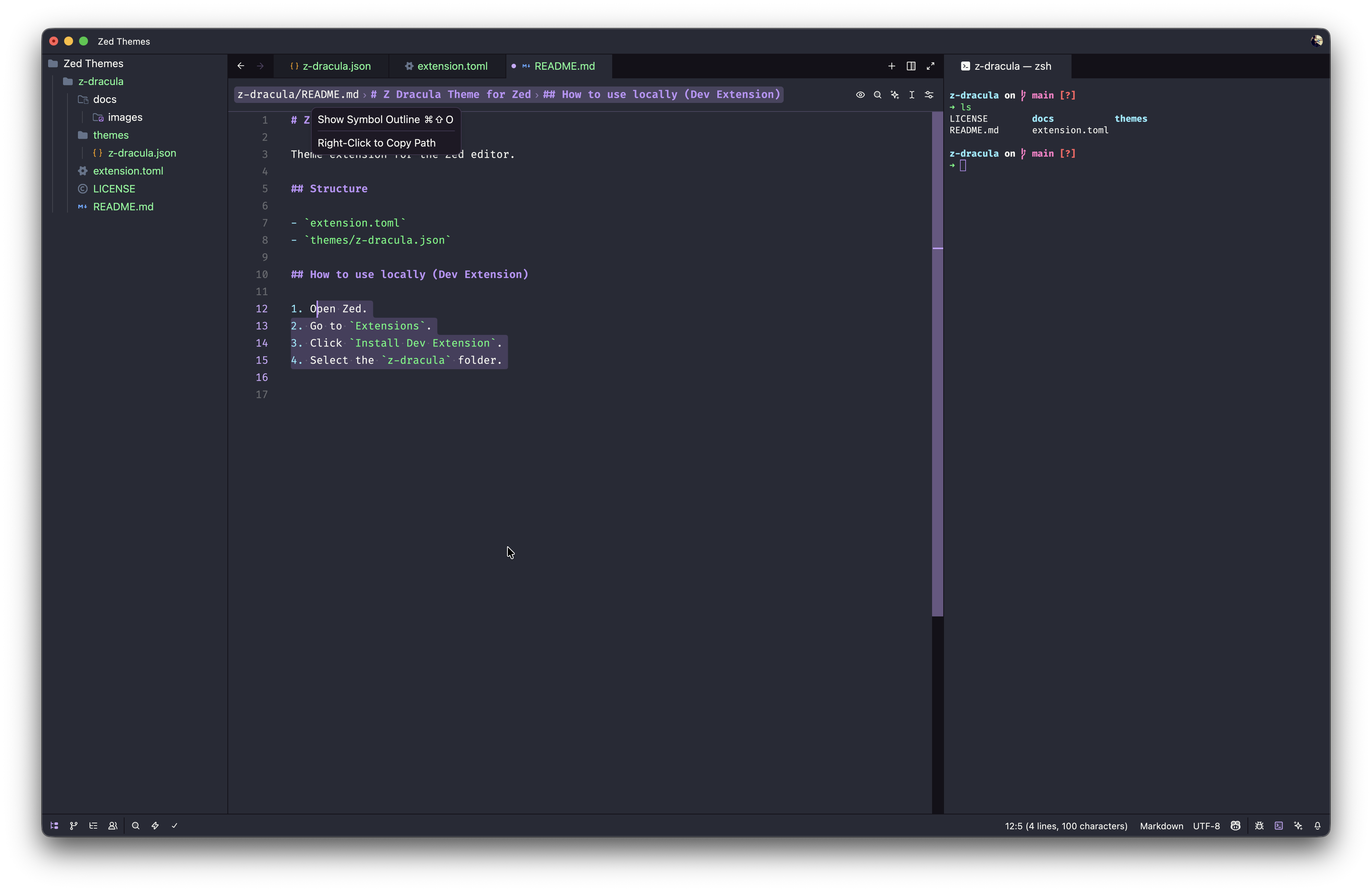
Theme extension for the Zed editor.
This theme is a modification of the official Dracula theme, my utmost respect to Zeno Rocha (my fellow Brazilian) and the Dracula developers. I've been using this theme for over 7 years and I really like it, but the official theme for Zed had dark panels that contrasted too much with the background of the code panel. This theme applies consistency to the background colors of the panels, terminal, and other areas, making them the same color as the background of the code editor. Visually it is less heavy and more pleasing to the eye, without tiring after long coding sessions. This color configuration is very reminiscent of Dracula for VS Code. But it was a visual modification of mine, in order to suit my preference. If you prefer the normal Dracula, I recommend using the official theme (which can be found here).
extension.toml: Extension manifest with metadata (id, name, version, authors, description, repository).themes/z-dracula.json: Theme color definitions used by Zed.LICENSE: Project license file (required for publishing in the official registry).README.md: Project documentation and setup instructions.
- Open Zed.
- Go to
Extensions. - Click
Install Dev Extension. - Select the
z-draculafolder.
- Ensure your theme repository is public and includes a supported license file at the root (for example: MIT, Apache-2.0, BSD, GPL/LGPL, or zlib).
- Update
extension.tomlwith the correct metadata and bump theversionbefore publishing. - Fork and clone
zed-industries/extensions, then initialize submodules:
git clone https://github.com/<your-username>/extensions
cd extensions
git submodule init
git submodule update- Add your theme repository as a submodule inside
extensions/:
git submodule add https://github.com/<your-username>/z-dracula.git extensions/z-dracula
git add extensions/z-dracula- Add an entry for your extension in the top-level
extensions.toml:
[z-dracula-theme]
submodule = "extensions/z-dracula"
version = "0.1.0"- Run
pnpm sort-extensionsto keepextensions.tomland.gitmodulessorted. - Commit your changes and open a pull request to
zed-industries/extensions. - After the pull request is merged, your theme is packaged and published in the Zed Extensions Store.