This project was bootstrapped with Create React App.
Right after success response received from API, form will automatically generate this.
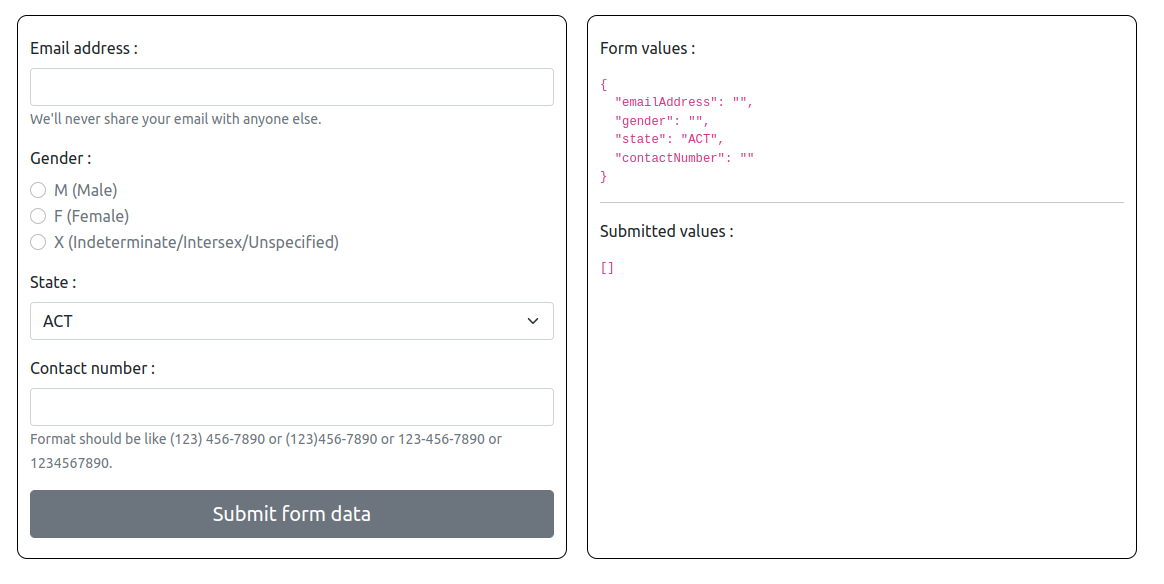
Form values section shows the current state details of the form. By clicking the submit button, user can see the generated JSON with requested details in the task like this in Submitted values section.
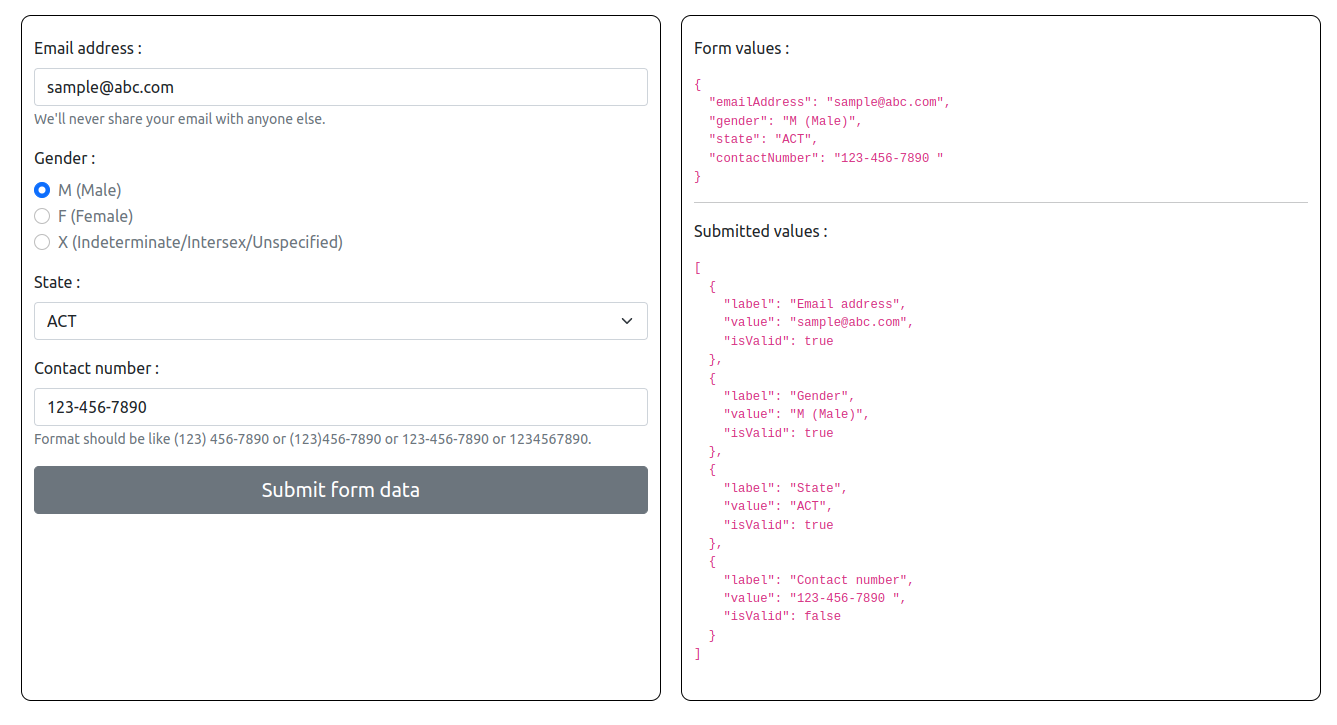
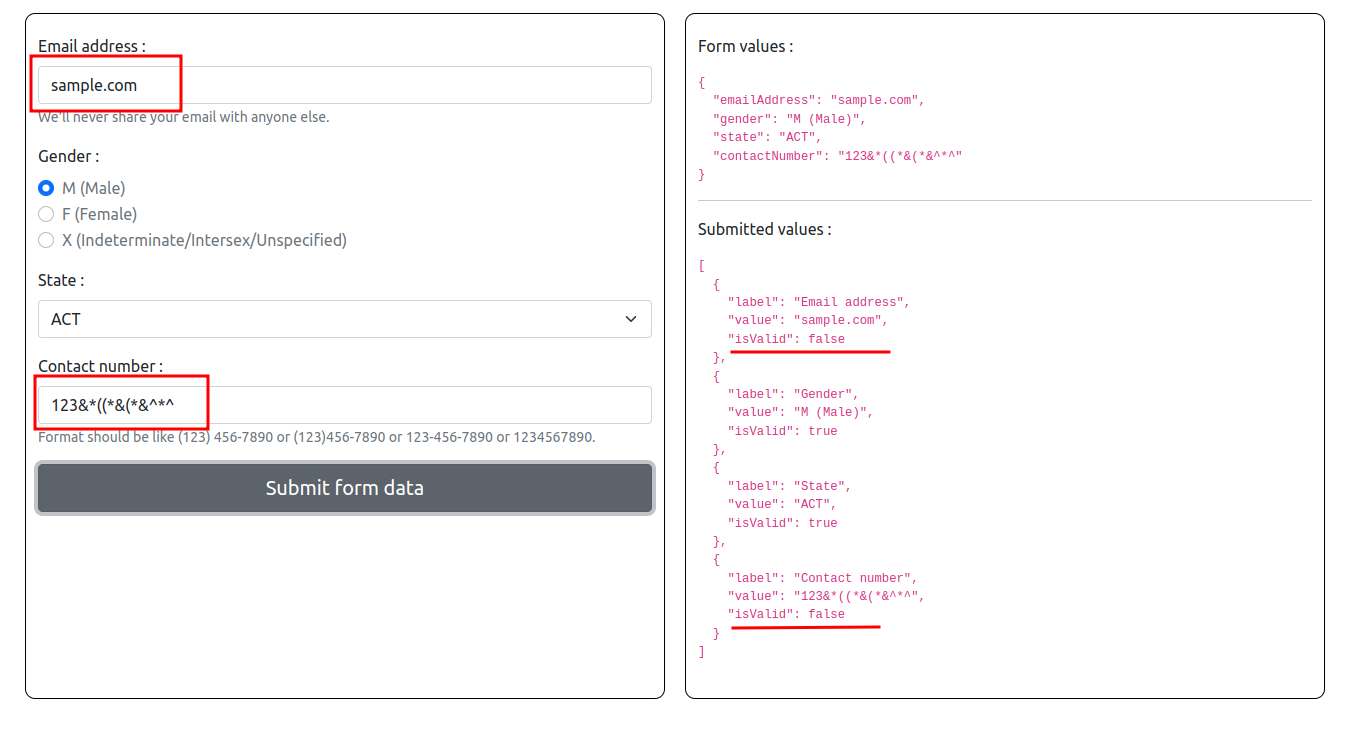
If user add invalid details to relavant fields, out JSON will be like this.
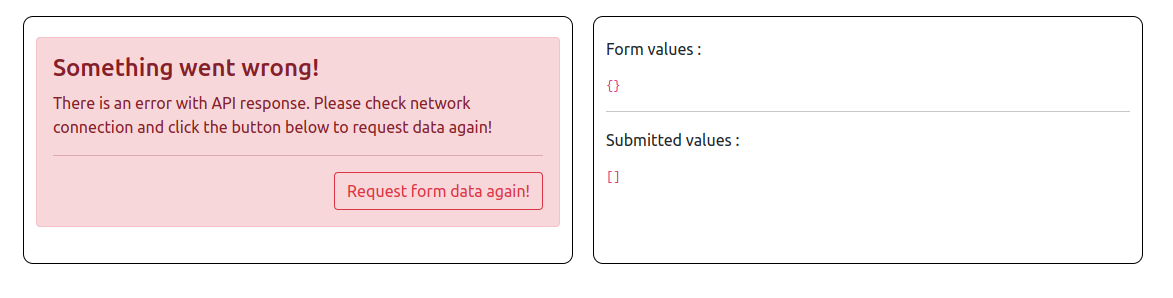
The API is intentionally throttled to return a valid collection or an error,to handle that alert will be showing to the user and by clicking the button below user can request the data again.
In the project directory, you can run:
Runs the app in the development mode.
Open http://localhost:3000 to view it in the browser.
The page will reload if you make edits.
You will also see any lint errors in the console.
Launches the test runner in the interactive watch mode.
See the section about running tests for more information.
Builds the app for production to the build folder.
It correctly bundles React in production mode and optimizes the build for the best performance.
The build is minified and the filenames include the hashes.
Your app is ready to be deployed!
See the section about deployment for more information.